
Seduced.ai Video Generator Tutorial: From Prompt to Explicit Video
So you want dirty, AI-generated videos that actually look good — not some glitchy mess with five-fingered hands and a background that looks like a fever dream. Good news: the Seduced.ai Video Generator is genuinely built for that. This tutorial walks you through the whole process — account setup, picking models, writing hot prompts, stacking…

By :
sandra
July 28, 2026
So you want dirty, AI-generated videos that actually look good — not some glitchy mess with five-fingered hands and a background that looks like a fever dream.
Good news: the Seduced.ai Video Generator is genuinely built for that. This tutorial walks you through the whole process — account setup, picking models, writing hot prompts, stacking extensions, and animating still images into explicit clips — without the technical fluff.
Let’s get into it.
What Is the Seduced.ai Video Generator?
Seduced.ai (now at Seduced.com) is a browser-based adult AI content studio. No software installs, no GPU required, no design skills needed.
It handles text-to-video and image-to-video generation, with real support for NSFW content — explicit positions, fetishes, body types, the works.
It isn’t a chatbot or a companion app. It’s purely a creation tool, and that focus shows in the output quality.
| Feature | Detail |
|---|---|
| Video Modes | Text-to-Video + Image-to-Video (Animate) |
| Max Video Length | 10 seconds per clip (extendable) |
| Available Models | 16+ (base + HD) |
| Extensions (LoRAs) | 108+ including BDSM, futanari, oral, anal, POV |
| Audio Support | Yes (Animate V4 with natural sound) |
| Upscaling | 1.5x – 3x resolution boost |
| Pricing | Pro $30/mo · Platinum $60/mo · Diamond $150/mo |
| Platform | Browser-based, mobile-friendly |
Step 1: Sign Up and Choose Your Plan
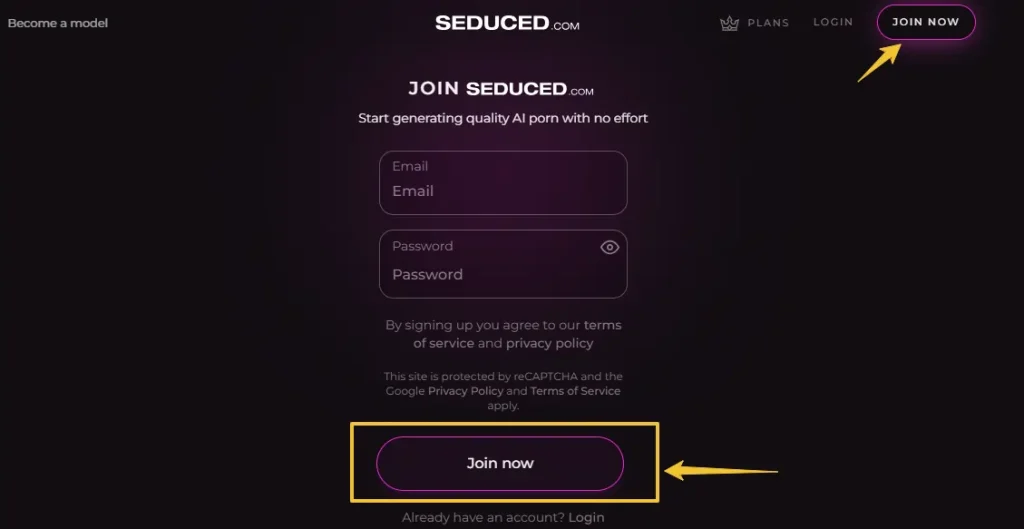
Head to Seduced.com and create an account. The free plan exists, but it’s basically a gallery pass — you can browse what other users made, but you can’t generate a single image or video without a paid plan.
For video generation specifically:
If video is your main goal, Platinum is the sweet spot. The 5-second clip limit and full extension stacking make a real difference in what you can produce.
For billing, use EPOCH or crypto if you want discretion — CCBill shows up as “UNDRESSO MED” on statements, which isn’t subtle.
Seduced.ai Video Generator: Two Ways to Create Clips
This is where things get interesting. Seduced.ai gives you two distinct video workflows, and they work quite differently.
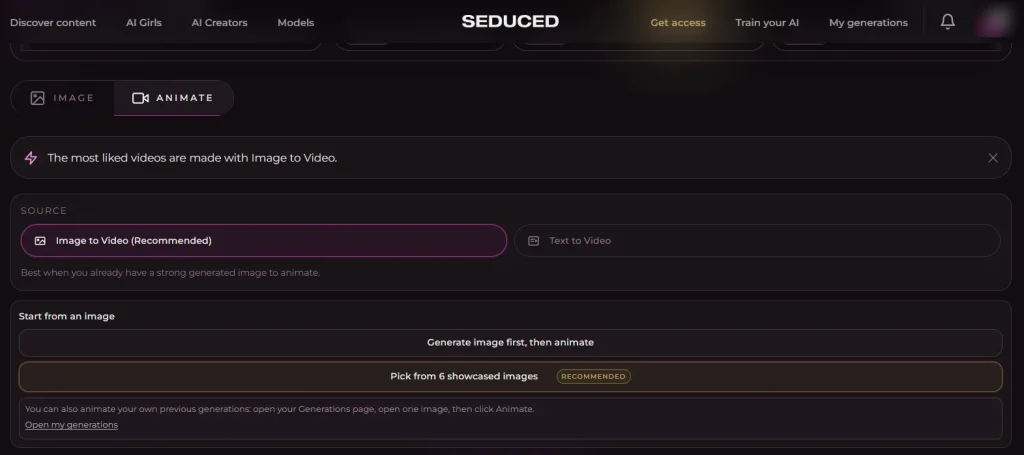
Option A: Text-to-Video
You write a prompt, pick a video model, add extensions, and the AI builds the clip from scratch. It’s the older workflow and still works well for quick concept tests.
Best for: First-time use, testing scene ideas, non-reference specific content
Option B: Image-to-Video (Animate)
You generate or pick an existing image, then click Animate. The AI turns that still frame into motion. This is Seduced.ai’s stronger workflow — character consistency is far better because the visual reference is already locked in.
Best for: Consistent character look, specific poses, continuation of an image series
Seduced.ai themselves recommend Image-to-Video for better control and consistency over the legacy text-to-video mode.
Step 2: Pick Your Model
Models are the visual engine behind every generation. Seduced.ai has 16+ to choose from across two tiers:
Base Models:
| Model | Vibe |
|---|---|
| Photo Real | Classic lifelike realism |
| Sur Reale | Realistic with an artistic edge |
| Amateur | Homemade, raw aesthetic |
| Anime 3D 2 | Colorful, stylized 3D characters |
| Hentai 3D | Bold, exaggerated hentai features |
| Homo Erotic | Gay content with strong detail |
| Futanari HD | High-quality futanari output |
| Cinematic HD | Film-quality lighting and framing |
Pro tip: Test the same prompt across two models before committing credits to a full video generation. HD models take slightly longer but produce noticeably sharper outputs.
Step 3: Write a Prompt That Actually Works
This is the part most people rush and then wonder why their output looks off. Prompts for video are different from image prompts — you’re describing motion and sequence, not just appearance.
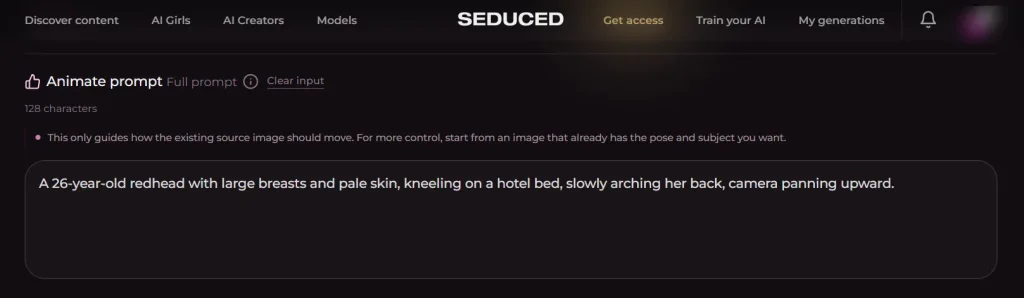
The Golden Structure
[Character description] + [Setting/Scene] + [Action/Motion] + [Camera direction]
Solid example:
A 26-year-old redhead with large breasts and pale skin, kneeling on a hotel bed, slowly arching her back, camera panning upward.Weak example:
Hot woman doing stuff in a room.That second one? The AI will guess. And it usually guesses wrong.
Prompt Rules That Save You Credits
For Image-to-Video specifically, skip re-describing the character. The image already has that info. Focus your prompt entirely on what happens next — the movement, the transition, the action.
Step 4: Stack Extensions Like a Pro
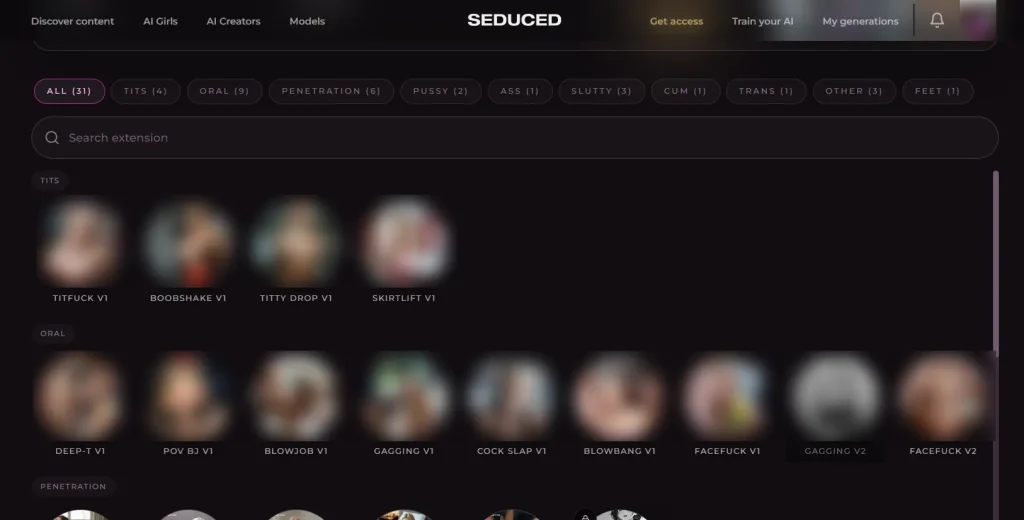
Extensions (Seduced.ai’s version of LoRAs) are pre-built prompt boosters for specific content types. They’re what separates a generic output from something that actually hits the niche you wanted.
You can stack up to 4 extensions on Pro and 8 on Platinum. Categories include:
Example extension combo for a video:
POV + Doggy Style + Creampie + Moaning Audio
That’s four stacked extensions giving the AI very specific direction — and when you add this to a solid character image via Animate, the output is far more consistent than raw text-to-video with no extensions.
If you’re combining tools, many creators also use broader AI OnlyFans tools to scale content production.
Step 5: Set Quality, Length, and Generate
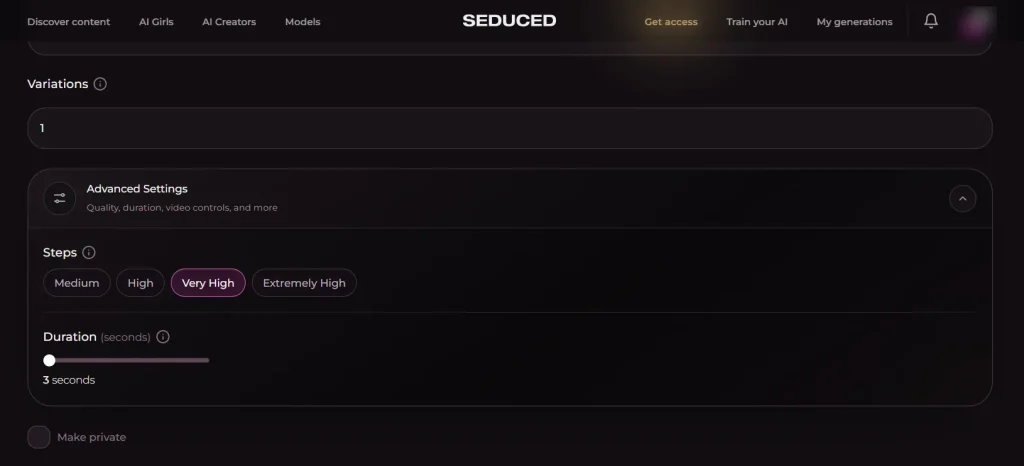
Before you hit generate, check these settings:
| Setting | Recommendation |
|---|---|
| Quality | Always use High for video |
| Clip Length | Start at 3–5 seconds for testing |
| Steps | Higher = more detail, longer render time |
| Aspect Ratio | 9:16 for mobile-style clips, 16:9 for cinematic |
| Variations | Generate 2–3 variations to compare results |
Videos take roughly 5 minutes (300 seconds) to render. You can only run one video at a time on all plans, so don’t rage-quit if it’s slow — that’s normal across all AI video tools in this category.
Step 6: Extend, Upscale, and Add Audio
Once your clip renders, you’re not done. Here’s how to push it further:
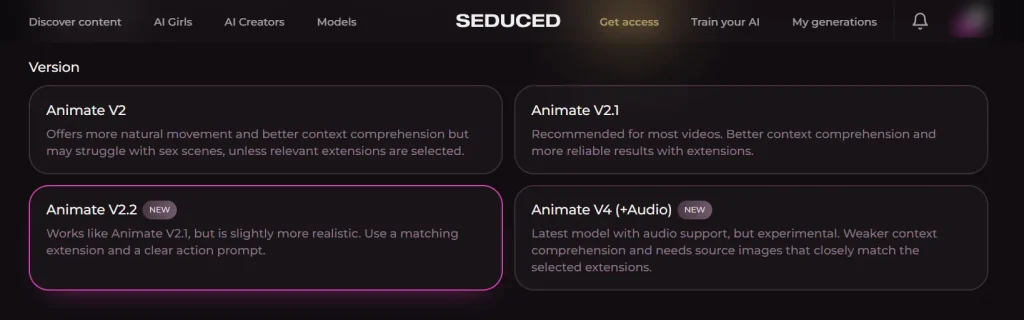
Want even more realism? Try the AI Face Swap Tool to personalize every scene.
Realistic Expectations: What Seduced.ai Videos Are Good At
Out of 10 videos tested in independent reviews, all 10 were rated accurate to their prompts — largely thanks to extension stacking giving the AI very clear directional input. The motion is smooth, no jerky frames, lighting holds up well across the clip.
Where it can get messy:
Seduced.ai Video vs. Image Generation: Which Eats More Credits?
| Task | Approx. Credit Cost |
|---|---|
| Image (normal quality) | 1–2 tokens |
| Image (HD model) | 2–4 tokens |
| Text-to-Video (3s) | Higher credit use |
| Image-to-Video (5s) | High, priority on Platinum+ |
| Upscale (2x) | Additional tokens |
Video is expensive credit-wise on any plan. The Pro plan at 300 tokens a month goes fast if you’re generating clips back-to-back. For serious video use, Platinum or Diamond makes more financial sense.
5 Prompt Templates to Steal Right Now
1. Realistic Solo — Female:
A 24-year-old brunette with curvy hips and olive skin, lying on white sheets in a sunlit bedroom, slowly running hands down her body, camera pulling back gradually.2. POV Scene:
First-person POV of a busty blonde, 25, leaning toward the camera in a gym locker room, biting her lip, breathing heavily.3. Anime/Hentai Style:
A 20-year-old anime girl with blue twin-tails and huge breasts in a white uniform, bent over a desk, flushed expression, classroom setting.4. Futanari:
A 27-year-old futanari with pink hair, long legs, and an athletic build, standing in a neon-lit bathroom, stroking slowly, facing the mirror.5. Cinematic Fantasy:
A tall elf woman with silver hair and glowing eyes, topless in a moonlit forest, wind moving through the trees, slow zoom into face.FAQs: Seduced.ai Video Generator
Do I need any software installed?
Nope. Everything runs in your browser — desktop, tablet, or mobile.
Can I upload my own images to animate?
Yes. Premium plans let you upload a reference image and animate it, or use image references for clothing and pose replication.
What’s the maximum video length?
10 seconds per generation. You extend in sequences — there’s no native infinite loop, but external tools can convert clips to GIF if needed.
Does the free plan include video?
No. Video generation requires a paid plan. The free tier is gallery-only.
Which plan is best for video creators?
Platinum at $60/mo gives you 5-second clips, all extensions, full features, and a reasonable token count for regular use.
Is billing discreet?
Use EPOCH or cryptocurrency for the most discreet billing. CCBill shows “UNDRESSO MED” on statements — not ideal.
How realistic is the video output?
For AI-generated adult video in 2026, Seduced.ai is among the top performers — smooth motion, accurate to prompts, no major glitching when prompts are well-structured.
Can I stack fetish extensions with HD models?
Yes. Extensions work with all models including HD variants. The combination of HD base model + 4–8 stacked extensions produces the highest-quality niche output currently available on the platform.
Conclusion
The Seduced.ai Video Generator is one of the better-built tools in the adult AI content space right now — not because it’s flashy, but because the actual mechanics work.
Image-to-Video with proper extension stacking gives you control that basic text-to-video tools can’t match. Write a focused prompt, pick the right model for your style, stack extensions that match your scene, and extend the clip once you’ve got a base you like.
Start with a strong image. Animate it. Build from there. That’s the workflow that actually produces clips worth keeping.

AITwin Ninja
Affiliate Disclosure: This post may contain some affiliate links, which means we may receive a commission if you purchase something that we recommend at no additional cost for you (none whatsoever!)
Similar Posts

sandra
Sandra is a tech ethicist and lead writer for AI Twin. She investigates the societal impact of AI replication technology, focusing on the ethical implications, privacy concerns, and future of human connection in an increasingly digital world.