How to Use APOB AI for Lip-Sync Videos With Your AI Influencer
Your AI influencer can look perfect in a still image and still fall flat the second it starts talking. Bad mouth timing, stiff facial motion, or a voice that feels pasted over the clip can make an otherwise strong virtual creator look fake fast. APOB AI’s lip-sync workflow lets you take existing influencer footage, add…

By :
sandra
September 14, 2026
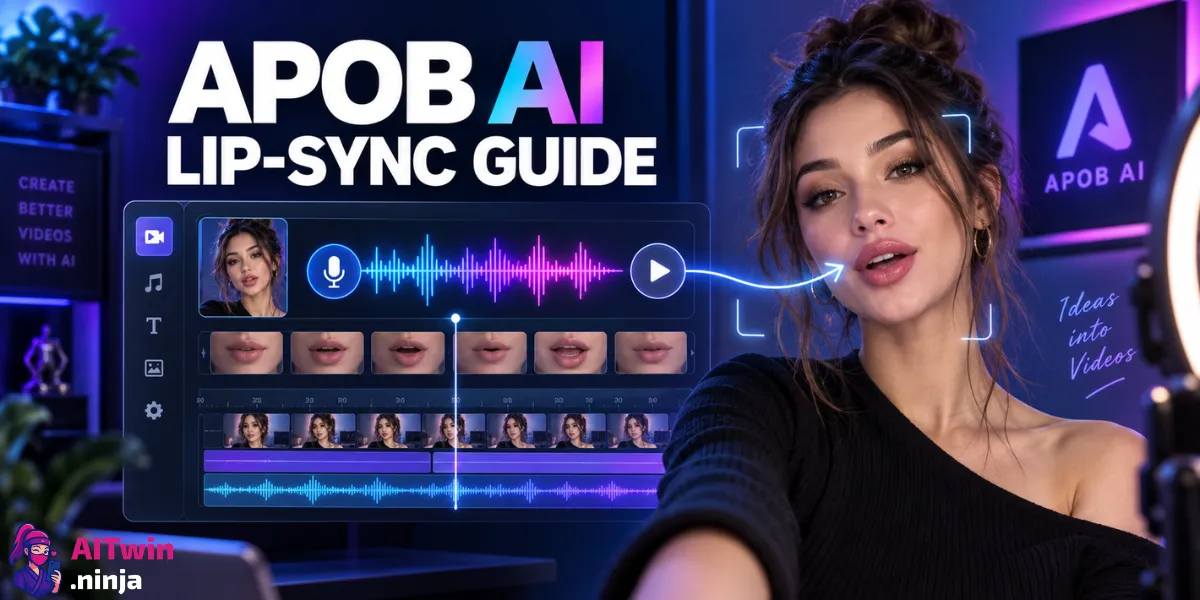
Your AI influencer can look perfect in a still image and still fall flat the second it starts talking. Bad mouth timing, stiff facial motion, or a voice that feels pasted over the clip can make an otherwise strong virtual creator look fake fast.
APOB AI’s lip-sync workflow lets you take existing influencer footage, add a new voice track, and retime the mouth movement around that audio. It fits UGC ads, Instagram Reels, TikTok clips, YouTube Shorts, product pitches, and multilingual influencer content.
APOB AI Lip-Sync Video Setup at a Glance
| What You Need | Best APOB Option | What It Does |
|---|---|---|
| Existing AI influencer video + new audio | Lip Sync | Reworks mouth movement to match the voice track |
| One AI influencer image + audio | Talking Avatar | Animates the still image into a speaking avatar |
| Written script but no recording | Generate Audio | Creates a voice track from text inside APOB |
| Existing voice recording | Upload Audio | Uses your own narration or licensed voice file |
| Longer dubbed clip | Lip Sync | Supports video and audio inputs up to 15 minutes |
| Publishing-ready lip-sync output | FHD render | Lip Sync currently exports at fixed FHD resolution |
What APOB AI Lip Sync Actually Does
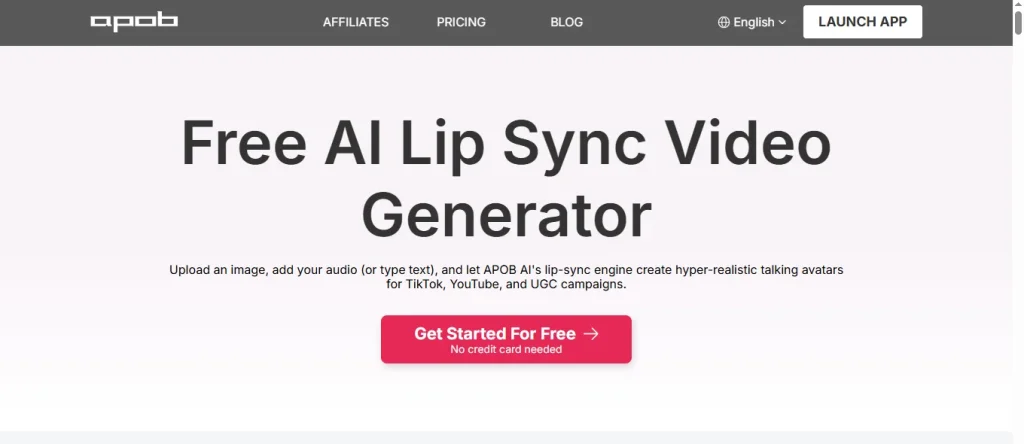
APOB AI Lip Sync takes a video that already exists and changes the mouth movement so it follows a new audio track. The rest of the source clip stays in place, which makes it handy when the visuals are good but the spoken line needs to change.
For an AI influencer, that means you can reuse the same clip with a stronger hook, swap a product line, add a fresh CTA, dub the influencer into another language, or test several ad variations without generating the full scene again.
One mistake to avoid: Lip Sync needs a video. If you only have a static AI influencer portrait, use APOB’s Talking Avatar mode instead.

🔥 Test More Lip-Sync Videos for 15% Less
EXCLUSIVE
Use APOB AI Lip Sync to dub influencer clips, update spoken lines, and produce new ad versions faster. Apply TWIN15 to save 15%.
15% Off
TWIN15
Step 1: Create or Select Your AI Influencer in APOB AI
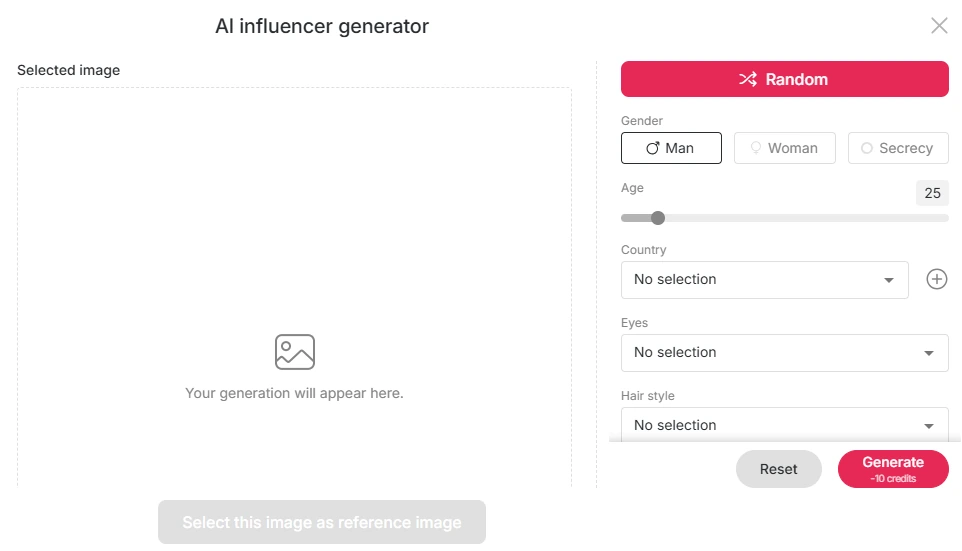
If you already have a saved APOB influencer, use that character. New users can create a Portrait Model from a reference image or build a virtual creator from scratch.
A saved AI influencer model helps keep the same identity across photos, videos, talking content, outfits, and campaign ideas.
Before making the clip, keep these basics consistent:
For TikTok, Instagram Reels, and YouTube Shorts, a 9:16 source is the easiest fit.
Step 2: Make a Clean Reference Video
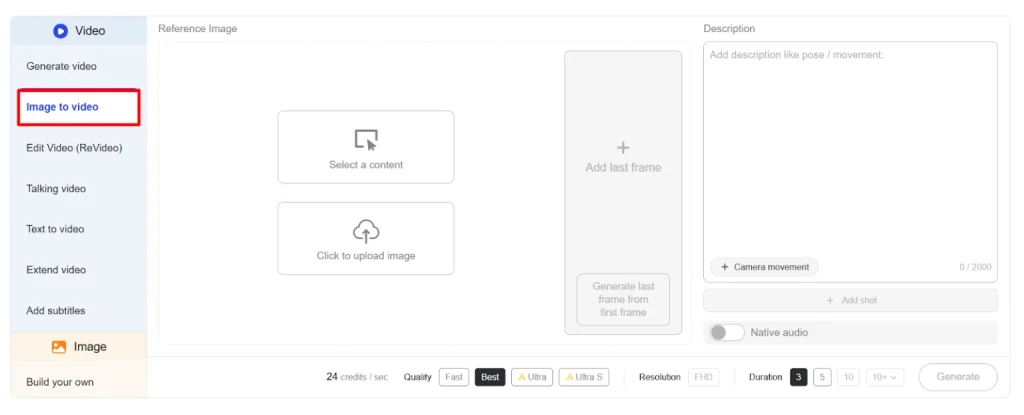
Lip Sync needs existing footage of your AI influencer. You can create that clip with APOB’s video tools, select one already stored in your content library, or upload a file from your device.
For cleaner results, keep the face easy to read. Front-facing or slightly angled shots are safer than clips with constant head turns or hands over the mouth.
APOB accepts reference videos from 1 second up to 15 minutes and recommends at least a 4-second clip.
For social content, short footage is usually stronger anyway. An 8- to 20-second clip gives you enough space for a hook, one message, and a CTA.
Step 3: Open Talking Video and Choose Lip Sync
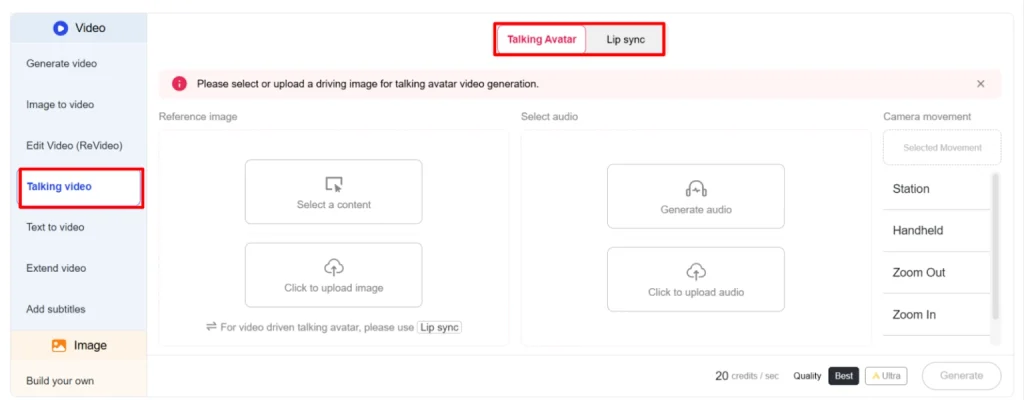
Inside APOB AI, open the Talking Video workstation and choose Lip Sync.
You need two things:
- A reference video
- An audio track
Under Reference Video, choose Select Content if the clip is already in APOB. Choose Upload Video if it is on your device.
Once loaded, the clip appears in the workspace so you can check the footage before generation.
Step 4: Add the Voice for Your AI Influencer
Next, add the audio that will drive the mouth movement.
Generate Audio From a Script
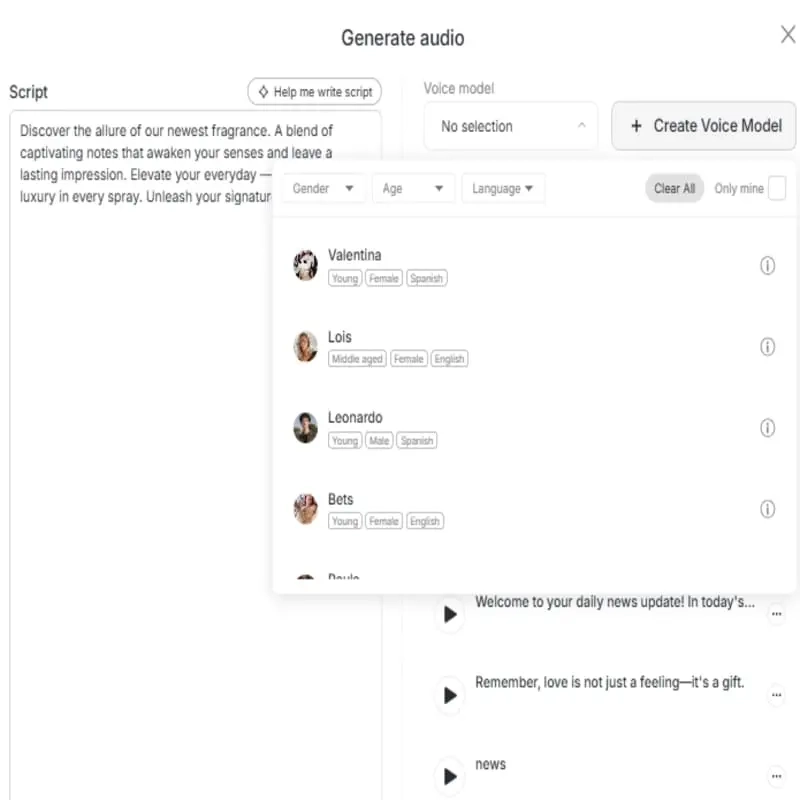
Choose Generate Audio to turn text into speech inside APOB. This works well for AI influencer ads, product demos, scripted Reels, tutorials, affiliate clips, and repeatable social formats.
Write the way a creator actually talks. Short sentences, contractions, and natural pauses usually sound better than dense ad copy.
For example:
Okay, I did not expect this to work that fast. Here is what happened after I tried it.That sounds much more natural on short-form video than a long product description.
Upload Your Own Audio
You can also upload narration directly. This route works for your own voiceover, a voice actor, licensed creator audio, branded speech, or a finished multilingual track.
Lip Sync accepts audio from 1 second to 15 minutes. Match the voice to the language of the script so pronunciation and mouth timing look more natural.
Step 5: Check Credits, Length, and FHD Output
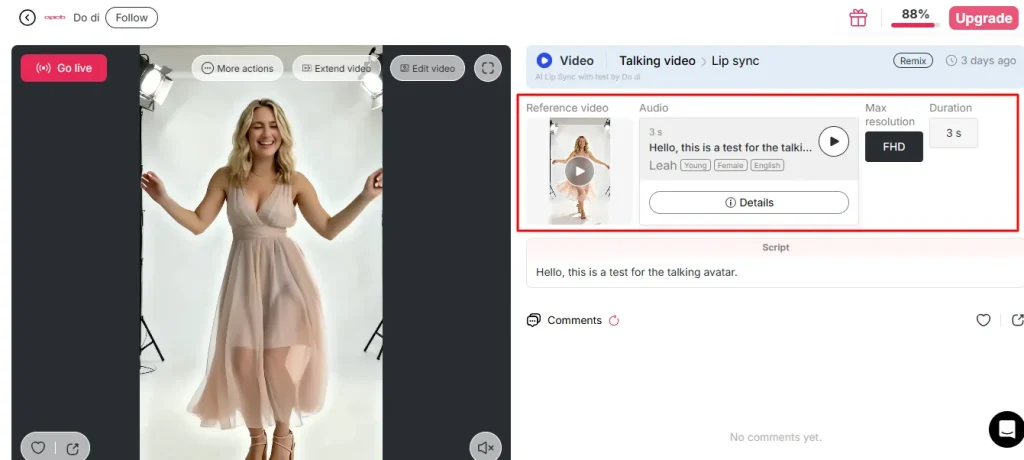
Before clicking Generate, check the bottom bar.
APOB bills Lip Sync per second of audio. The interface shows the per-second rate, audio duration, and total estimate before generation.
For multiple ad variations, trimming dead air and setup lines can save credits across a batch.
Lip Sync currently renders at fixed FHD resolution. There is no separate resolution choice inside this mode right now.
If Generate is greyed out, an input is usually missing, still uploading, failed, or outside the duration limit.
Step 6: Generate and Review More Than the Lips
Click Generate when the video and audio are ready.
Then watch the whole face, not just the mouth.
Check:
If the result feels off, improve the source. A shorter script, cleaner audio, calmer reference clip, or clearer face angle can help more than repeating the same generation.
Best Script Formula for AI Influencer Reels and TikTok
APOB handles synchronization. Your script still needs a hook.
Try this short-form structure:
0–3 seconds: Hook
Start with curiosity, tension, a sharp opinion, or a result.
3–8 seconds: Payoff
Show the product, benefit, problem, or proof.
8–15 seconds: Reason to care
Give one specific detail instead of several weak claims.
Final seconds: CTA
Tell the viewer what to do next.
This also makes testing easier. Keep the visual clip, change the audio hook, run Lip Sync again, and compare the versions.
5 Smart Ways to Use APOB AI Lip Sync
1. UGC-Style Product Ads
Give your virtual influencer a casual product pitch for ecommerce, apps, beauty products, fashion campaigns, or affiliate offers.
2. TikTok and Reels Hook Testing
Keep one video and test several openings: curiosity hooks, problem-first lines, mini stories, direct claims, or reaction-style intros.
3. Multilingual AI Influencer Videos
Reuse a strong visual with another language and a matching voice track to create localized creator content.
4. Product Updates Without a New Shoot
If a feature, offer, or CTA changes, replace the spoken line instead of rebuilding the whole influencer scene.
5. Faceless Brand Content
Use the same AI influencer as a recurring presenter for tutorials, SaaS explainers, affiliate content, product pages, and short-form brand media.
APOB Lip Sync vs Talking Avatar: Which One Should You Pick?
Choose Lip Sync when you already have moving footage and only need the speech to change.
Choose Talking Avatar when you have one still image and want APOB to animate it into a speaking video.
Lip Sync expects actual video footage. Talking Avatar is the image-first route and supports speaking clips up to 3 minutes.
Common APOB AI Lip-Sync Mistakes
The tool still depends on the quality of the inputs. Avoid:
The safest setup is simple: visible face, clean audio, short script, clear hook, one message.
FAQs About Using APOB AI for Lip-Sync Videos
Can APOB AI lip sync an AI influencer video?
Yes. Add an existing AI influencer video to Talking Video, switch to Lip Sync, then provide new audio. APOB adjusts the mouth movement around that track.
Can I make a lip-sync video from one AI influencer image?
Use Talking Avatar for a single image. Lip Sync needs video footage plus audio.
How long can an APOB AI lip-sync video be?
Reference video and audio can each be between 1 second and 15 minutes. APOB recommends a reference video of at least 4 seconds.
Can APOB AI create the voice too?
Yes. You can generate audio from text inside the workflow or upload your own audio file.
What resolution does APOB Lip Sync use?
Lip Sync currently renders at a fixed FHD resolution.
Is APOB AI useful for TikTok and Reels lip-sync content?
Yes. You can reuse the same character and source clip, then test new scripts, offers, languages, or hooks without rebuilding every scene.
Final Take on Lip-Sync Videos That Feel More Natural
The strongest reason to use APOB AI for lip-sync videos is the ability to reuse one good AI influencer clip with new hooks, voiceovers, offers, localized scripts, and CTAs.
Start with clean footage, keep the face visible, use natural speech, and trim the audio before spending credits. Treat Lip Sync as a content-testing tool instead of a repair button.
One strong virtual influencer clip can then become several publishable videos without generating the whole scene from scratch each time.

AITwin Ninja
Affiliate Disclosure: This post may contain some affiliate links, which means we may receive a commission if you purchase something that we recommend at no additional cost for you (none whatsoever!)
Similar Posts
Author
sandra
Sandra is a tech ethicist and lead writer for AI Twin. She investigates the societal impact of AI replication technology, focusing on the ethical implications, privacy concerns, and future of human connection in an increasingly digital world.