How to Turn Your AI Influencer Into a Rigged 3D Character (2026 Guide)
Turn your AI influencer into a rigged 3D character: the quick answer Your AI influencer looks great in photos. But she’s flat. She can’t wave on a livestream, walk through a game scene or sit on a fan’s desk as a figurine. A rigged 3D version can do all three. The good news? You don’t…

By :
Andrea Obrien
October 27, 2026
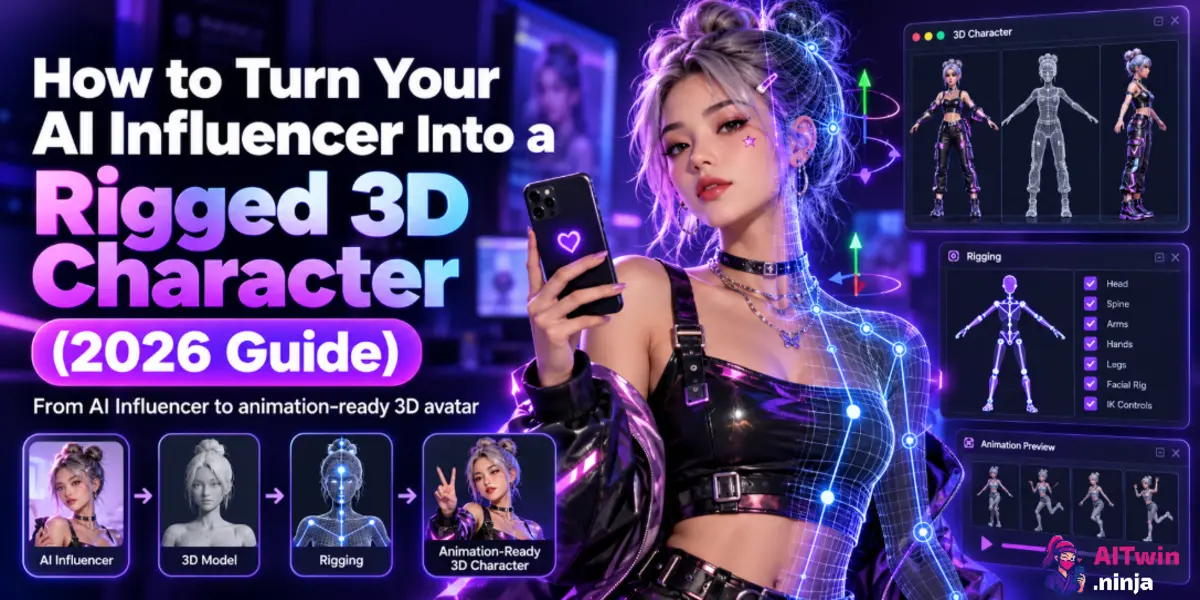
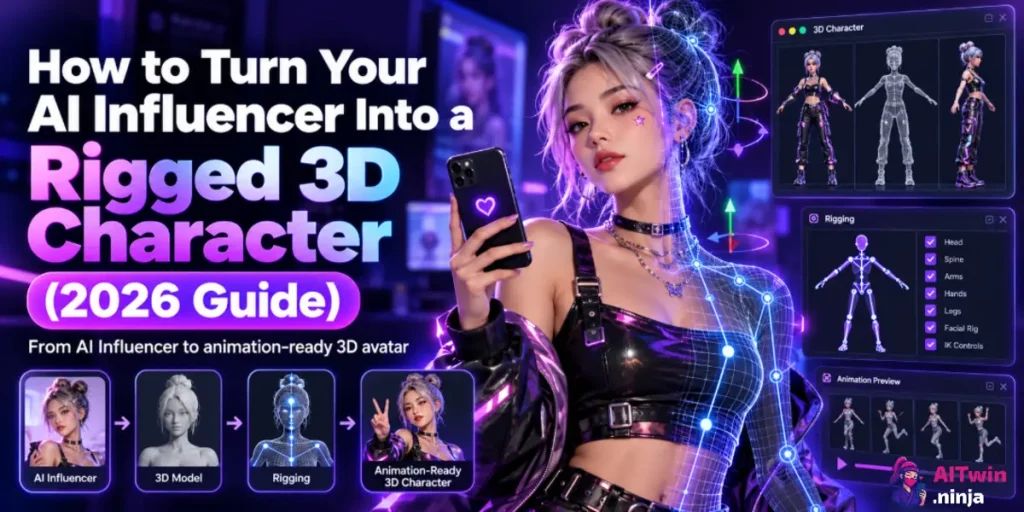
Turn your AI influencer into a rigged 3D character: the quick answer
Your AI influencer looks great in photos. But she’s flat. She can’t wave on a livestream, walk through a game scene or sit on a fan’s desk as a figurine. A rigged 3D version can do all three.
The good news? You don’t need a Blender degree or a 3D artist on payroll. One clean reference image and the right tools get you there in a single sitting.
✅ Quick answer: To turn an AI influencer into a rigged 3D character, create a clean full-body reference image in an A-pose or T-pose, upload it to an image-to-3D tool like Tripo AI, run auto-rigging to add a skeleton and skin weights, then export FBX or GLB to animate, or STL or 3MF to 3D print.
That’s the whole pipeline. The rest of this guide shows you how to do each step without wasting credits.
🔥 Quick Verdict: Best Tools for Creating a Rigged 3D AI Influencer
| What you’re making | A 3D, animation-ready version of your AI influencer |
|---|---|
| Best tool for the reference image | APOB AI (Face-Lock personas) or OpenArt (character training) |
| Best tool for 3D, rigging and printing | Tripo AI (image-to-3D, auto-rig, preset animations, STL and 3MF export) |
| Cost to test | Free. Tripo gives 200 credits a month (about 13 models) and APOB gives 80 credits a day |
| Our codes | AFPRO40 (40% off monthly Tripo Pro), AFMAX50 (50% off monthly Tripo Max), TWIN15 (extra 15% off APOB yearly), ALL15 (15% off OpenArt) |
| Skill level | Beginner. No modelling or rigging experience needed |
Steps 2 to 4 all happen inside Tripo. Get Step 1 right and the rest goes smoothly.
Why Turn Your AI Influencer Into a 3D Character?
A 2D AI influencer lives inside single images. A 3D one is an asset you can pose, light, animate and print forever.
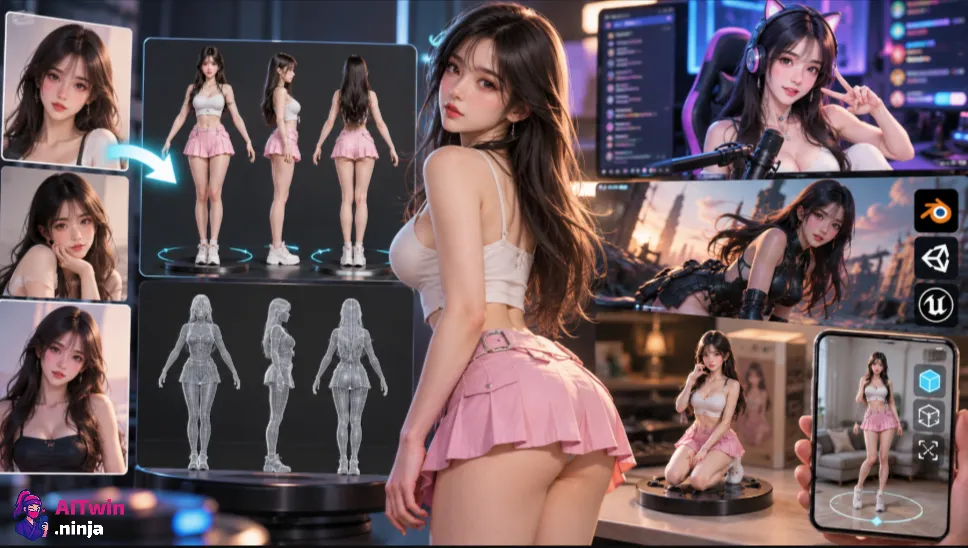
Here’s what that unlocks.
In short, 3D turns your AI influencer from a feed into an IP. That’s where the bigger money tends to live.
Best Tools to Turn an AI Influencer Into a Rigged 3D Character
You need two jobs done: a consistent character image, then a 3D pipeline. One tool per job keeps it simple.
| Tool | Best For | Key Features | Coupon Code | Link |
|---|---|---|---|---|
| APOB AI | Creating a consistent reference image | Face-Lock personas, image presets, Expert Mode, free Nano tier | TWIN15 – Extra 15% off yearly plans | Get APOB AI |
| OpenArt | Alternative for reference image creation | Character training for a reusable, consistent face | ALL15 – 15% off any plan | Get OpenArt |
| Tripo AI | 3D modeling, rigging and animation | Image-to-3D, auto-rigging, animation presets, STL/3MF export | AFPRO40 – 40% off Pro; AFMAX50 – 50% off Max (monthly plans) | Get Tripo AI |
| Mixamo | Additional rigging and animations | Free humanoid auto-rigging and animation library | Free | Visit Mixamo |
How to Apply AI Tool Coupon Codes?
Tripo AI Coupon Codes: Save 40% on Pro & 50% on Max

Use Code 🎁
AFPRO40
AFMAX50
Use AFPRO40 for 40% OFF Monthly Pro or AFMAX50 for 50% OFF Monthly Max. Valid for all users until December 31, 2026.

APOB AI Coupon Code: 15% OFF Yearly Plans
EXCLUSIVE
Use code TWIN15 on APOB AI yearly plans to save 15%. Select annual billing before applying the code.
15% Off
TWIN15
OpenArt AI Coupon Code: 15% OFF All Plans
EXCLUSIVE
Save 15% on any OpenArt AI plan with coupon code ALL15. Simply choose your preferred plan and apply the code at checkout to claim your discount.
15% Off
ALL15
✅ Ninja tip: Start every tool on its free tier. Approve the cheap layer (your reference image) before you pay for the expensive one (3D and rigging).
Step 1: Create a 3D-Ready AI Influencer Reference Image
Image-to-3D tools rebuild the sides they can’t see from the side they can. A messy input gives you a messy mesh, and no setting fixes that later.
So your usual Instagram-style shot won’t cut it. You need a boring, clean, full-body image. Boring wins here.
The 3D-Ready Reference Image Checklist
Got budget for one extra step? Generate front, side and back views of the same outfit. Tripo can use several views at once (Multi-view to 3D on paid plans), which helps the back of the model a lot.
Copy-Paste Prompt for AI Influencer Reference Images
full body shot of [your character], standing in A-pose, arms slightly away from body, feet shoulder-width apart, facing the camera, neutral expression, fitted outfit, plain light grey studio background, soft even lighting, sharp focus, no propsNegative prompt:
cropped, cut-off feet, hands in pockets, crossed arms, motion blur, busy background, dramatic shadows, extra fingersHow to Create a Re?ference Image in APOB AI

In APOB AI, load your Face-Lock persona so the face matches your existing posts. Then use Build Your Own or Expert Mode and paste the prompt above.
Run a few seeds on the free tier and keep the cleanest one. Our full APOB AI review walks through every mode if you’re new to it.

Prefer OpenArt? Train the character once with our OpenArt character training tutorial, then generate the A-pose shot from that model. For more consistency tricks, see our prompts for a consistent AI model.
Step 2: Turn Your AI Influencer Image Into a 3D Model With Tripo AI
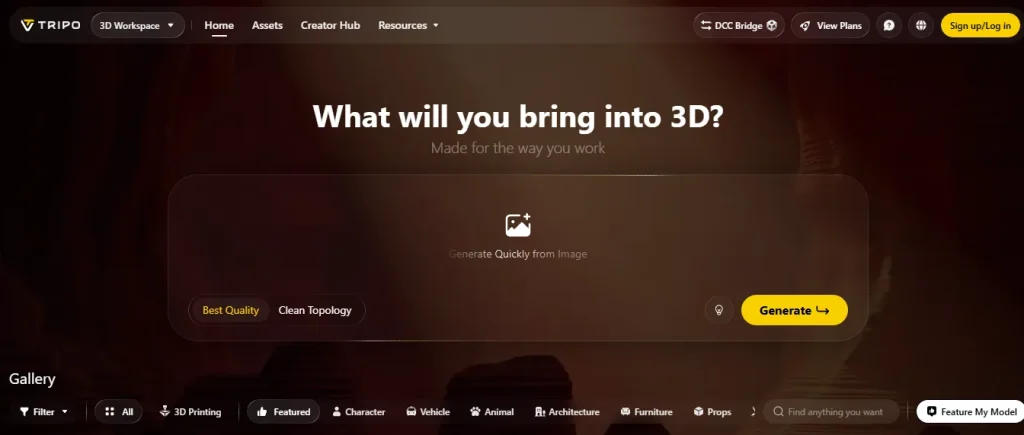
Tripo AI is an AI 3D model generator that turns a single image, several views or a text prompt into a textured 3D mesh. It runs in the browser, so there’s nothing to install.
It also keeps rigging, animation and print export in the same workspace. That’s why we use it for the whole back half of this pipeline.
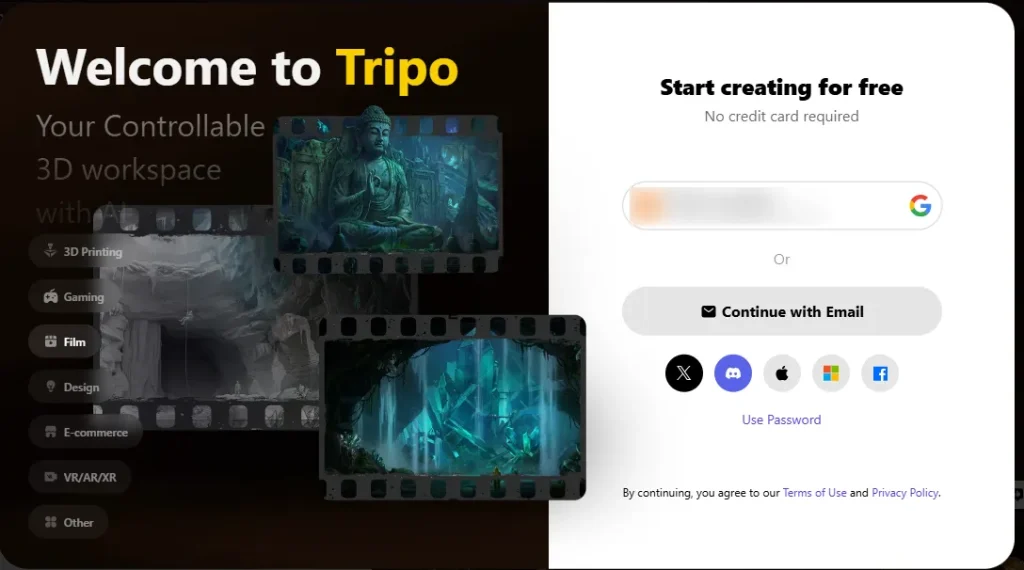
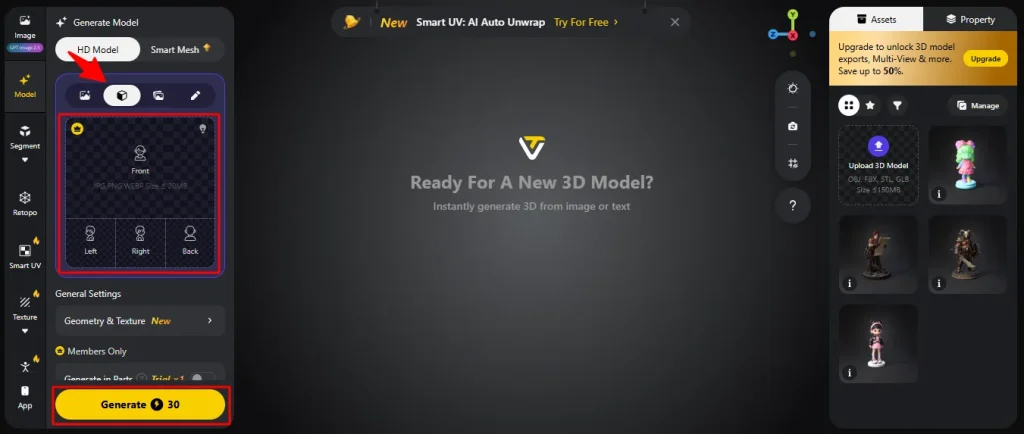
Image to 3D, step by step
Optional polish before rigging
Heads-up on rights: Free plan models are public and non-commercial. If your AI influencer earns money, generate the final model on Pro or Max so it stays private with commercial use.
Still deciding on the 2D look? Browse our AI image generators roundup before you lock the reference image.
Step 3: Auto-Rig Your AI Influencer 3D Character
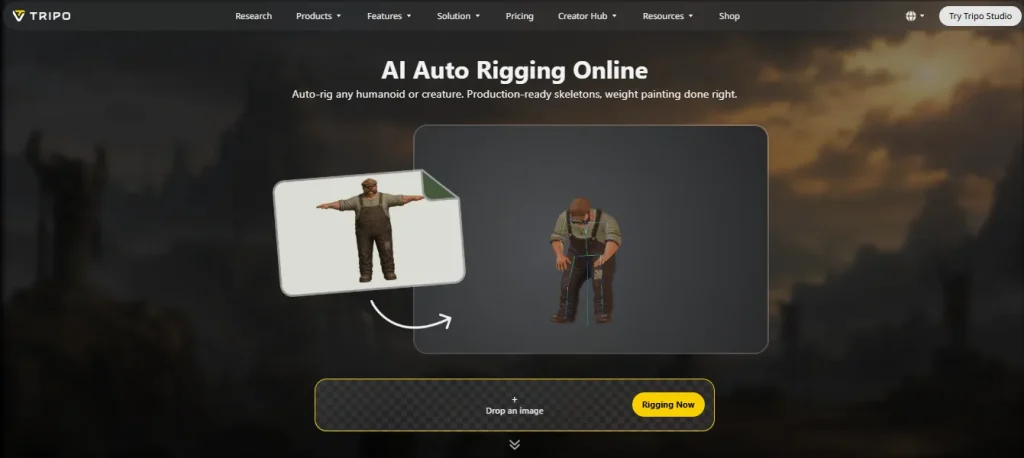
Rigging means giving the mesh a skeleton and telling every part of the skin which bone it follows. Without it, your 3D model is a statue.
Done by hand, rigging and weight painting eat hours. AI auto-rigging does both in one click.
How to auto-rig in Tripo
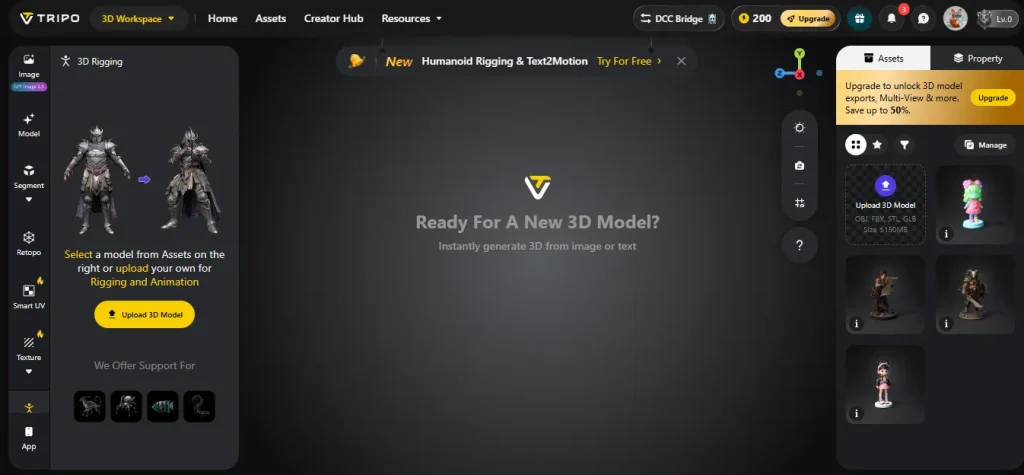
- With your model open, go to the Rigging & Animation panel.
- Run the free Rig Check if it’s offered. It confirms the model can be rigged before you spend credits.
- Click Rig. Tripo finds the joints for humans, animals and stylized characters, then paints the skin weights for you.
- Play a preset animation straight away to test the rig.
Cost-wise, Tripo’s own API docs list auto-rigging at 25 credits, with the Rig Check free. Studio pricing can differ slightly, so check the number on the button.
What to check before you move on
How to Fix Common Auto-Rigging Problems
Most of the time it’s the input. Arms glued to the torso or unusual proportions confuse the skeleton detection.
Go back to Step 1, regenerate a cleaner A-pose and rebuild. It’s cheaper than fighting a bad rig.
Mixamo option: Tripo’s rigging supports Mixamo bone naming, and Mixamo itself is a free humanoid auto-rigger. Upload your FBX there if you want its much bigger animation library.
Step 4: Animate your 3D AI Influencer Character
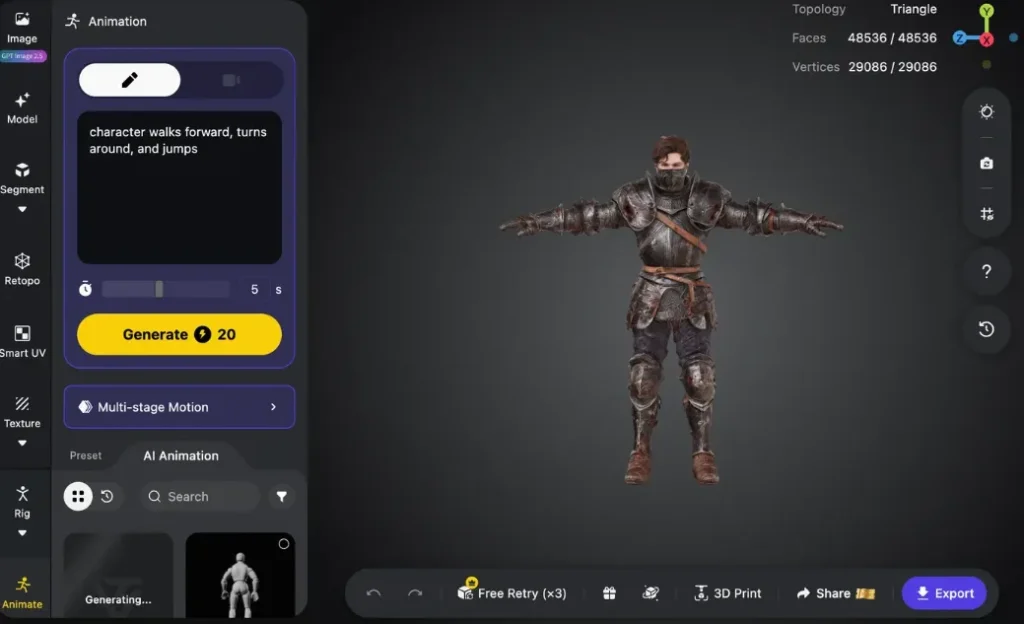
Once the rig works, your character can move. Tripo has a preset animation library built in, so you can apply a walk or run cycle without touching keyframes.
It’s smaller than Mixamo’s library, but it covers the basics for Shorts and tests.
Best Export Settings for Animated 3D Characters
When you export from Tripo for animation:
On paid plans, Tripo’s DCC Bridge sends models straight into Blender, 3ds Max, Unity, Unreal, Maya, Cocos, Godot and ZBrush.
Where to Use Your Animated AI Influencer
Shorts and Reels. Render cinematic shots in Blender, then mix them with your 2D posts. A 3D dance or turnaround clip stands out in a feed full of image-to-video.
Talking clips. Keep your face-to-camera content in 2D tools. Our guides on APOB AI lip-sync videos and consistent AI influencer videos cover that side.
Game scenes and virtual sets. Import the FBX into Unity or Unreal and walk your influencer through a branded world.
VTubing. Most VTuber apps use the VRM format. A common route is importing the FBX into Unity and exporting VRM with the UniVRM package.
One honest catch: Tripo’s rig covers the body. Full face tracking (blinks, mouth shapes) needs facial blendshapes, which you add separately in Blender or Unity. Our AI anime influencer guide covers the VTuber content side.
Step 5: 3D Print Your AI Influencer as a Figurine
This is the fun one. The same model that walks in Unity can sit on a shelf.
Prepare Your 3D Model for Printing in Tripo AI
- Pick a pose. Use the static pose, or freeze a frame from an animation with Tripo’s Lock Frame. A slight contrapposto stance looks more alive than a stiff A-pose.
- Seal it. Where parts were cut or segmented, use Fill Parts to close open surfaces. Printers need watertight geometry.
- Export STL or 3MF. STL works with every slicer. 3MF keeps more information and can be handier for multi-colour prints.
- Repair if needed. Tripo’s STL Repair and STL Editor tools help fix small holes and broken surfaces.
There’s also a direct-to-Bambu Studio button. It sends an STL, so you may need to resize the model by hand in the slicer.
3D Printing Slicer Tips for AI-Generated Figurines
How to Make Money Selling AI Influencer Figurines
Signed or numbered figurines make a strong reward for your highest-paying fans. Limited runs create urgency without discounting your content.
Just remember the commercial rule: sell only models made on a paid Tripo plan.
How Much Does a Rigged 3D AI Influencer Cost?
Less than one commission from a 3D artist. On Tripo Pro, one model works out to about $0.16 in credits, plus additional credits for rigging.
Here’s Tripo’s current plan sheet (source, checked October 23, 2026).
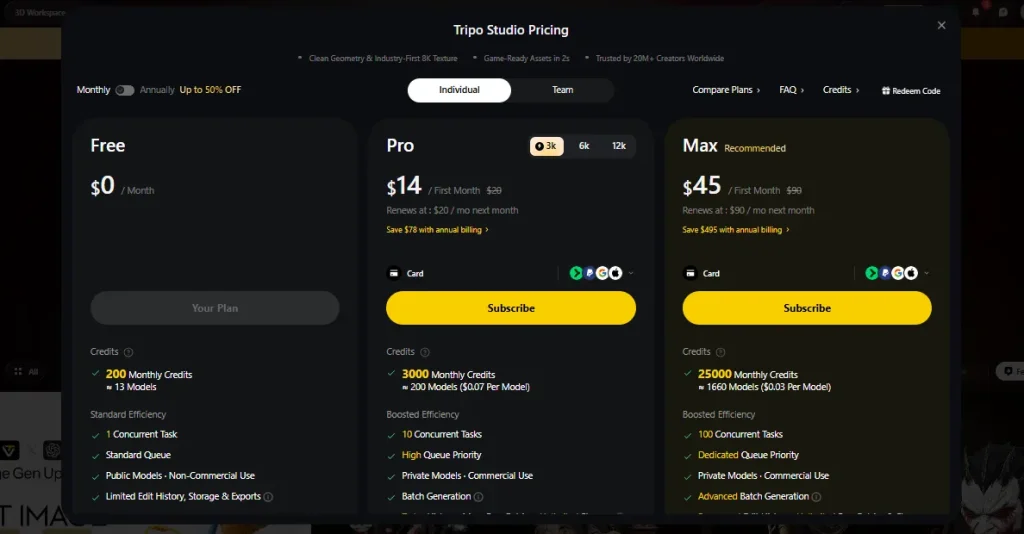
| Plan | Price (Billed Annually) | Credits per month | Approx. models | Commercial use | Our code |
|---|---|---|---|---|---|
| Free | $0 | 200 | 13 | No (public models) | None needed |
| Pro | $20/month, billed annually ($240/year) | 3,000 | 200 ($0.16 each) | Yes | AFPRO40: 40% off monthly Pro |
| Max | $90/month, billed annually ($1,080/year) | 25,000 | 1,660 ($0.09 each) | Yes | AFMAX50: 50% off monthly Max |
| Team | $55 per seat/mo billed yearly | 90,000 | 6,000 | Yes | None |
Need a top-up instead? Tripo sells credit packs from $10 for 1,000 credits.
Which plan should you pick?
Five ways to spend fewer credits
- Approve your reference image before you touch 3D. A bad input wastes every credit after it.
- Use retries before fresh generations.
- Run the free Rig Check before rigging.
- Test animations on one character before batch-exporting a cast.
- Make your APOB images on the free Nano tier first, then lock in TWIN15 on yearly only when you’re posting daily.
Common AI Influencer 3D Modeling and Rigging Problems (and Fixes)
Most problems trace back to the reference image. Fix the input and half of this table disappears.
| Problem | Likely cause | Fix |
|---|---|---|
| Face looks soft or generic | Low-res or angled source image | Use a sharp, front-facing shot; try Multi-view to 3D |
| Arms fused to the torso | Arms down or crossed in the source | Regenerate from an A-pose or T-pose image |
| Joints twist when animated | Unusual proportions or poses | Rebuild from a cleaner A-pose; fine-tune weights in Blender if needed |
| Hair or skirt clips through the body | Loose geometry in one piece | Segment those parts in Step 2 or simplify the outfit |
| Figurine prints tiny or huge | Scale lost on STL export | Set the height in your slicer, or export 3MF |
| Print has holes or gaps | Open surfaces after segmentation | Run Fill Parts, then Tripo’s STL Repair |
| Tripo code won’t apply | New-user coupon already attached | Hit Remove Coupon, then enter AFPRO40 or AFMAX50 |
| APOB code won’t apply | Monthly billing selected | Switch to yearly, then enter TWIN15 |
| Character looks off-brand in 3D | 2D persona not locked first | Lock the face in APOB or OpenArt before generating the A-pose shot |
Frequently Asked Questions About AI Influencer 3D Characters
Can AI make rigged 3D models?
Yes. Tools like Tripo AI generate a 3D model from an image and then auto-rig it, adding a skeleton and skin weights in one click. The rigged file exports as FBX or GLB for Blender, Unity, Unreal or Mixamo.
How do I turn a photo of my AI influencer into a 3D character?
Generate a clean full-body image in an A-pose, upload it to Tripo’s Image to 3D, then run auto-rigging. A plain background, even lighting and arms away from the body give the cleanest mesh and rig.
Is Tripo AI free?
Yes, there’s a free plan with 200 credits a month, enough for about 13 models. Free models are public and non-commercial. For private models with commercial use, you need Pro or Max, and codes AFPRO40 and AFMAX50 cut the monthly price.
Can ChatGPT convert an image into a 3D model?
ChatGPT is great for writing prompts and planning your character, but it isn’t a dedicated 3D generator. For a textured, rig-ready mesh, use an image-to-3D tool like Tripo, which runs its own 3D generation pipeline.
Do I need a T-pose for auto-rigging?
Not strictly, but it helps a lot. Auto-riggers work best on characters with standard proportions and limbs clearly apart from the body. An A-pose or T-pose reference image gives you the fewest rigging errors.
Which file format do I need: FBX, GLB, STL or 3MF?
Use FBX for game engines and Blender, GLB for web and AR, and STL or 3MF for 3D printing. FBX and GLB carry the skeleton and animations. STL and 3MF are static shapes for your slicer.
Can I use my 3D AI influencer as a VTuber avatar?
Yes, with a little extra work. Most VTuber apps use VRM, so you import the rigged FBX into Unity and export VRM with UniVRM. Face tracking also needs facial blendshapes, which you add separately.
Can I sell 3D prints of my AI influencer?
Yes, if the model was made on a paid Tripo plan, which includes commercial use. Free plan models are non-commercial. Also check the rules of whatever platform or marketplace you sell through.
How much does a rigged 3D model cost with AI?
On Tripo Pro, a model costs roughly $0.16 in credits, and Tripo’s API lists auto-rigging at 25 credits. That’s a tiny fraction of a hand-made commission, which is why AI rigging has taken off with creators.
What’s the best Tripo AI coupon code right now?
AFPRO40 takes 40% off monthly Pro and AFMAX50 takes 50% off monthly Max. Both work worldwide for new and existing users until December 31, 2026. Remove any auto-applied new-user coupon first, then enter yours.
📌 Final take: is a 3D AI influencer worth it?
If your character already has an audience, yes. A rigged 3D version gives you new content formats, a path to VTubing and real merch, all from the face fans already know.
It isn’t flawless. Hands, hair and fine accessories still need attention, and face tracking takes extra work. But the core pipeline is now beginner-friendly and cheap to test.
✅ Our advice: build one character on the free tiers this week. If the 3D clips or figurine teaser get a reaction, upgrade with AFPRO40 and scale from there.

AITwin Ninja
Affiliate Disclosure: This post may contain some affiliate links, which means we may receive a commission if you purchase something that we recommend at no additional cost for you (none whatsoever!)
Similar Posts


Author
Andrea Obrien
I specialise in writing about AI influencers and AI agents, empowering creators to build sustainable online incomes. Outside of work, I enjoy travelling, photography, and exploring the latest trends in digital innovation.