How to Build Your First AI Twin in Under 2 Hours (2026)
What if you could clone yourself – your voice, your face, your style, even your dirty little marketing tricks – and let that version of you work on autopilot while you sleep, work out, or have some very offline fun? That’s exactly what an AI twin does. In this guide, you’ll see how to build…

By :
Ralph
May 5, 2026
What if you could clone yourself – your voice, your face, your style, even your dirty little marketing tricks – and let that version of you work on autopilot while you sleep, work out, or have some very offline fun?
That’s exactly what an AI twin does.
In this guide, you’ll see how to build your first AI twin in under 2 hours, with no coding, using tools that are already popular among creators, entrepreneurs, coaches, and small business owners. You’ll also see where people mess up, how to avoid embarrassing AI fails, and how to actually make this twin useful for your brand and business.
👾 What Is an AI Twin (And Why Everyone Wants One in 2026)
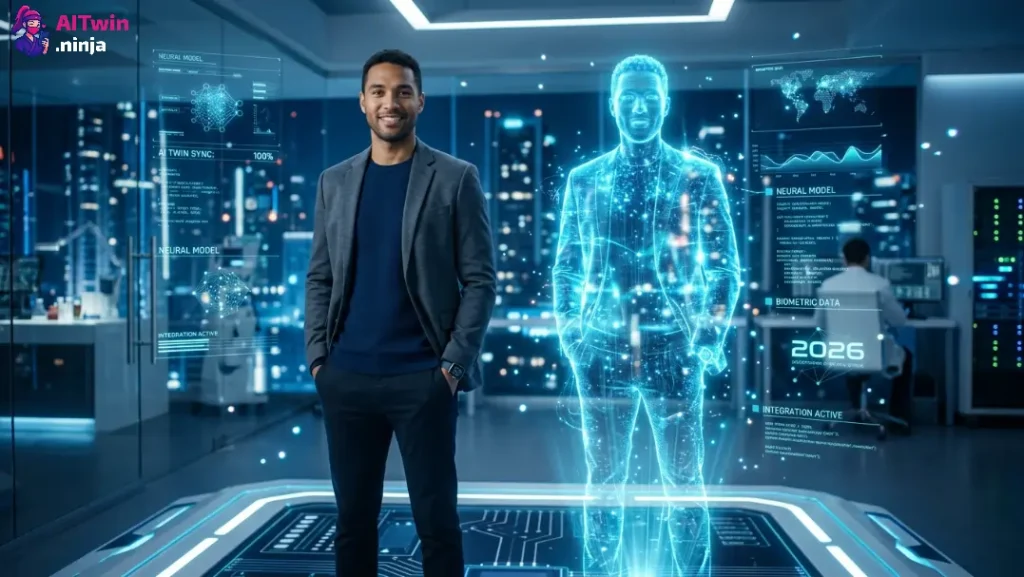
An AI twin is a digital replica of you that can look like you, sound like you, and talk using your knowledge, content, and personality. It can be a talking video avatar, a chat-based assistant, or both.
Think of it as a mix of:
People are rushing to build AI twins because:
An AI avatar just mimics your appearance. A true AI twin becomes a digital twin that can answer questions, explain your offers, and keep your voice consistent across text, audio, and video.
✅ What You’ll Need Before You Start (5-Minute Checklist)
Before you blow two hours inside an AI twin platform, get these ready:
This small prep makes the next 2 hours feel smooth instead of chaotic.
🌐 Best AI Twin Generators in 2026 (Free & Paid Compared)
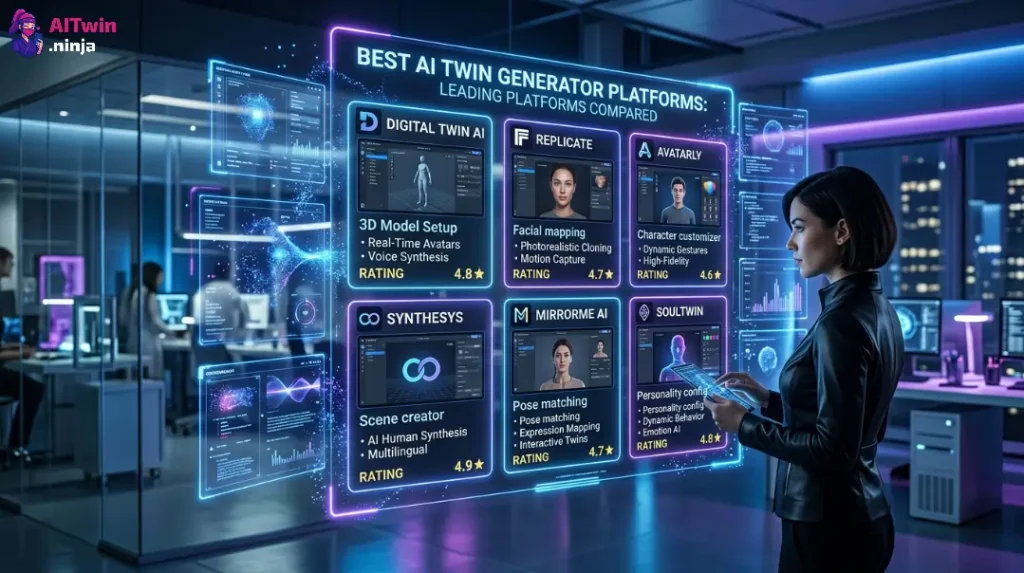
Here are popular tools people use right now to clone themselves with AI – sorted for simplicity and use case.
| Tool | Best For | Pricing | Clone Type | No-Code |
|---|---|---|---|---|
| HeyGen | Talking video avatars | Freemium | Face + Voice | Yes |
| Personal.ai | Chat & knowledge twin | Freemium | Text + Chat | Yes |
| Synthesia | Corporate / training videos | Paid | Face + Voice | Yes |
| Delphi-style bots | Coaches & consultants | Freemium | Chat + Voice | Yes |
| Vidnoz / similar | Social media AI clips | Free | Face + Voice | Yes |
A simple combo for your first AI twin in under 2 hours:
If you’re a content creator or YouTuber, lean toward AI video avatar tools.
If you’re a coach, consultant, or course creator, lean toward AI chatbot builders and digital twin assistants.
🎥 How to Create an AI Clone of Yourself — Step by Step
This is the 2-hour sprint. Follow the steps in order.
Step 1: Record Your Training Video (15 Minutes)
You’ll need a short video that shows your face and natural speaking style.
This clip is what the AI avatar creator and AI clone maker use to learn your facial expressions and mannerisms. A lazy, half-drunk, dimly lit video might look authentic to you, but it usually turns into a glitchy, fake-looking AI avatar.
Step 2: Upload and Generate Your AI Avatar (10 Minutes)
Next, go to your chosen AI twin generator or AI avatar software and:
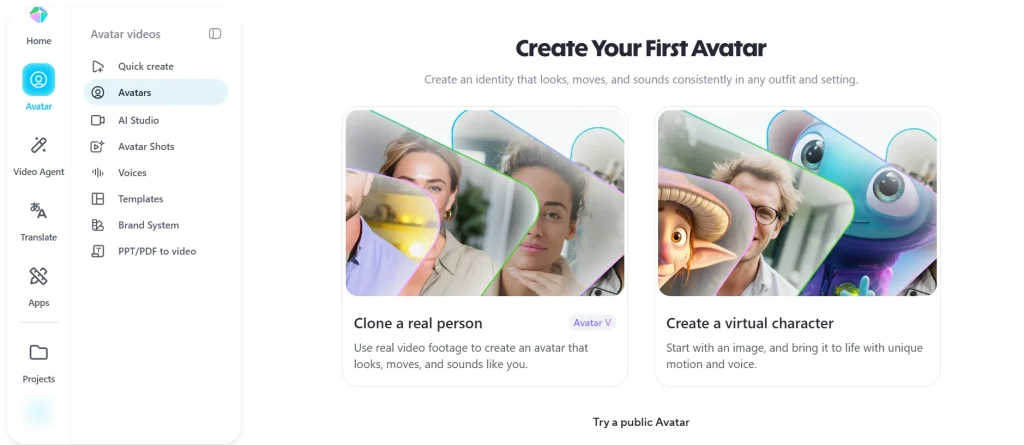
Most tools process this in a few minutes. When it’s ready, you’ll have a digital twin AI model that can lip-sync to scripts you type or upload. You now have the “body” of your AI twin.
Step 3: Clone Your Voice with AI (20 Minutes)
A real AI twin needs your voice, not a generic AI narrator.
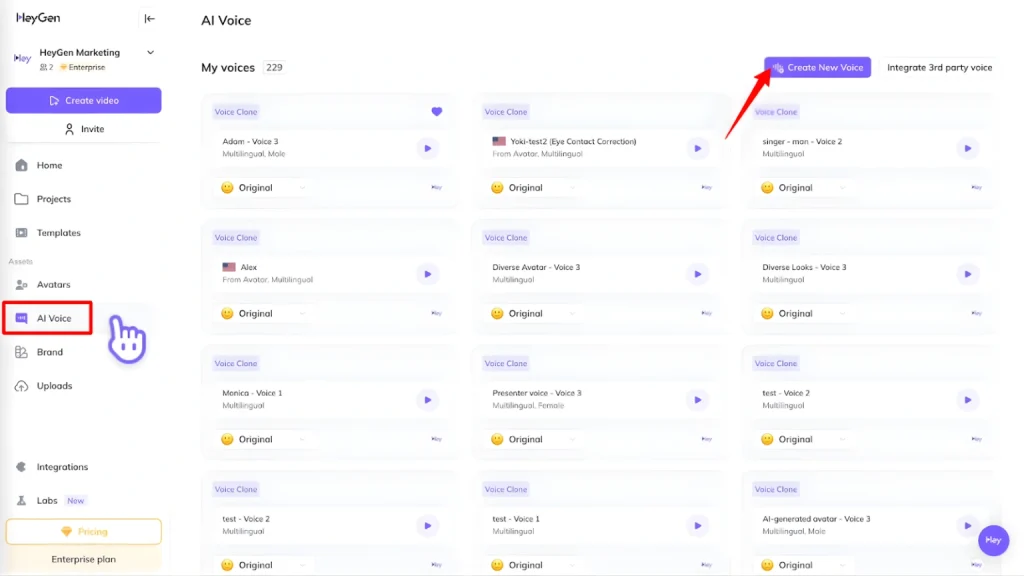
Once it’s done, you get a voice model that sounds like you – for sales videos, YouTube content, explainers, or even NSFW fantasy scripts if that’s your niche. This is where “AI twin that talks like me” stops being a dream and becomes something you can actually use.
👉 Want your AI twin to sound exactly like you? Here’s how HeyGen voice cloning works.
Step 4: Feed It Your Knowledge Base (30 Minutes)
Without your knowledge, your AI twin is just a pretty puppet.
To create a true AI digital twin:
The platform will build a knowledge graph of your ideas and replies. This is what turns a basic AI avatar into a personal AI assistant builder that responds like you in chat or scripted videos.
This is crucial for:
Step 5: Test, Refine & Launch (30 Minutes)
Finally, you need to test your AI twin before unleashing it on your audience.
Once you’re happy:
📈 7 Ways Creators and Entrepreneurs Are Using AI Twins Right Now
You can keep your AI twin PG, or you can push it a bit harder. Here are practical ways people use them today.
- Automated YouTube content: AI twin for YouTube creators records hooks, intros, and explainer videos without you sitting in front of the camera every day.
- 24/7 customer support: Use an AI chatbot builder plus your knowledge base to answer common questions about pricing, features, and policies without hiring more staff.
- Scalable online courses: An AI clone for online course creators can walk students through lessons, quizzes, and FAQs, in your voice, even at 3 a.m.
- Social media at scale: Pair your AI twin with AI video generator tools to create short, snackable clips for TikTok, Instagram, and shorts – all from a single base script.
- Coaching and consulting funnels: An AI digital twin for coaches and consultants can handle pre-call questions, basic training, and low-ticket offers before clients ever talk to you live.
- Personal brand and authority: Use AI for personal branding by letting your twin appear in video interviews, tutorials, and “ask me anything” sessions, keeping your content machine active even on days you feel like staying naked in bed.
- NSFW & adult content niches: Some creators use AI twins to create spicy or full-on NSFW video avatars, selling custom clips or interactive “AI girlfriend/boyfriend” experiences. In this case, be extra strict about privacy, consent, and how your likeness is used. If you don’t want a clip leaked to your family group chat, set your guardrails.
🛡️ AI Twin Privacy & Safety — What You Need to Know
Before you upload your face, voice, and content to any AI twin platform, pause.
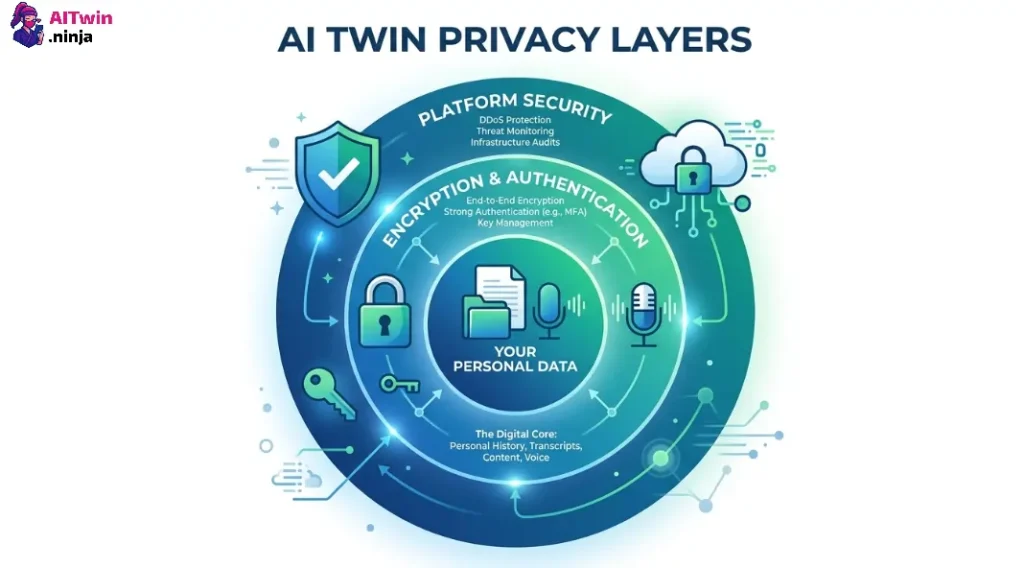
Key safety points:
Treat your AI twin like sending nudes: assume that once it’s out there, it may circulate. Choose platforms that respect ownership and allow you to control access, download, and deletion.
⏳ Common Mistakes That Waste Your 2 Hours (And How to Avoid Them)
Plenty of people burn their first attempt. You can skip that.
If you’re a beginner, start with a no-code AI twin builder for beginners and free AI avatar maker online tools. Once you see results, upgrade.
🚀 FAQ — Everything People Ask About Building an AI Twin
Can I build an AI twin without coding?
Yes. The tools listed above are no-code AI tools, designed so non-technical creators and entrepreneurs can build an AI twin just by uploading video, audio, and documents.
How much does an AI twin generator cost?
Most AI twin generator and AI twin platform options have free or freemium plans. Paid options usually start monthly and scale based on video minutes, chat volume, or features like HD export and commercial rights.
What’s the difference between an AI avatar and an AI twin?
An AI avatar focuses on how you look and move on screen. An AI twin combines your avatar with AI voice cloning software and your knowledge base, turning it into a digital twin AI that can actually answer questions like you.
Is my data safe on AI twin platforms?
Reputable platforms use encryption and give you some control over your data. Still, you should avoid uploading extremely sensitive private material and always check how to delete your AI digital replica if needed.
Can my AI twin make money for me?
Yes. Creators use AI tools for entrepreneurs and AI for marketers to:
– Sell video courses recorded by their AI avatar
– Run 24/7 AI chat funnels for leads
– Offer personalized explainers, walkthroughs, and Q&A sessions
Some niches, including NSFW content, monetize AI twins heavily, but that comes with extra risk and responsibility.
How long does it really take to build an AI twin?
If you have your video and content ready, building your first AI twin in under 2 hours is realistic. Most of that time goes into recording, uploading, and testing. Future iterations are much faster.
🎯 Ready to Build Your First AI Twin?
Building your first AI twin in under 2 hours is no longer a tech-bro fantasy — it’s a practical, no-code reality for creators, coaches, entrepreneurs, and small business owners who want to scale without burning out.
You now have the tools, the steps, and the warnings. All that’s left is recording that first video and letting your AI digital twin go to work.
Start simple. One platform. One use case. Then watch your AI clone do what you built it to do — show up, even when you don’t.

AITwin Ninja
Affiliate Disclosure: This post may contain some affiliate links, which means we may receive a commission if you purchase something that we recommend at no additional cost for you (none whatsoever!)
Similar Posts
Author
Ralph
Ralph is a digital architect at AI Twin, exploring the intersection of AI and identity. He deconstructs how neural networks are reshaping our digital selves, one algorithm at a time. His writing simplifies complex tech into actionable insights for the future-focused individual.