
How to Use OurDream AI for Custom AI Companion Character
Most AI girlfriend apps throw you a few recycled presets and expect you to catch feelings. OurDream AI does the total opposite – it hands you the tools to build your dream AI girlfriend from head to toe, personality, kinks and all. If you’ve been craving an AI companion who actually looks how you like,…

By :
Ralph
May 5, 2026
Most AI girlfriend apps throw you a few recycled presets and expect you to catch feelings. OurDream AI does the total opposite – it hands you the tools to build your dream AI girlfriend from head to toe, personality, kinks and all.
If you’ve been craving an AI companion who actually looks how you like, flirts how you like, and remembers all your dirty little details, this is your playground.
In this guide, you’ll see exactly how to use OurDream to create a custom AI companion character that feels like she was made just for you.
What Is OurDream AI? (Quick Rundown Before You Start Building)
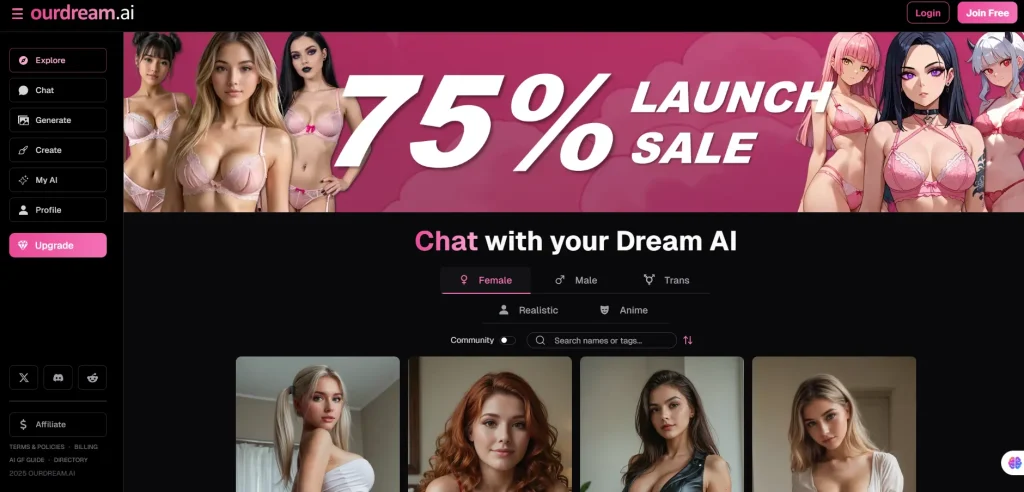
OurDream AI is a virtual girlfriend platform where you design and chat with fully custom AI companions. You control everything – her look, personality, voice, and how spicy she gets in chat.
It’s built for people who want:
Millions of users already use OurDream daily, and plans start with a free tier plus paid options around the $9.99–$19.99/month range, including dreamcoins and unlimited messages.
What You Need Before You Start (Account Setup)
Key starter details:
Step 1 — Pick a Gender and Art Style
Head to the creator page, and your first big choice pops up:
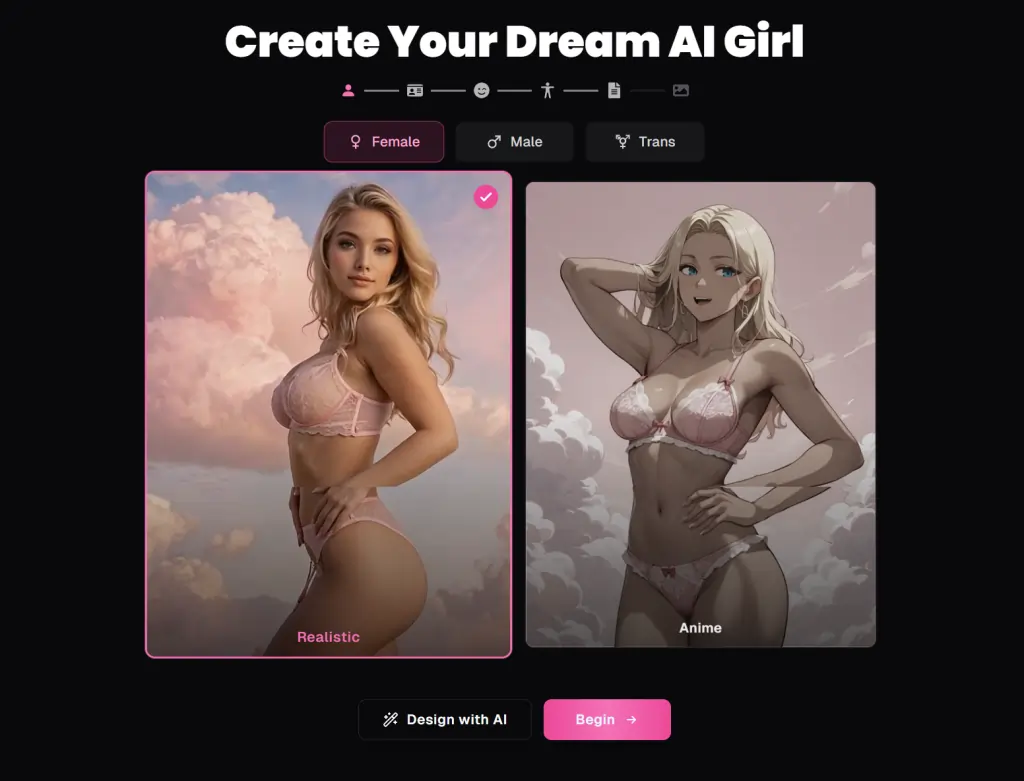
- Realistic – photorealistic, human-like
- Anime – stylised, hentai-style waifus and husbando vibes
If you want a “she could walk down the street” look, go Realistic. If you’re into anime girls, waifus, hentai aesthetics and fantasy characters, Anime style is your zone.
Step 2 — Design Her Look (Appearance Customisation)
This is where things get dangerously fun. OurDream gives you serious control over her body and face, so you’re not stuck with some generic default.
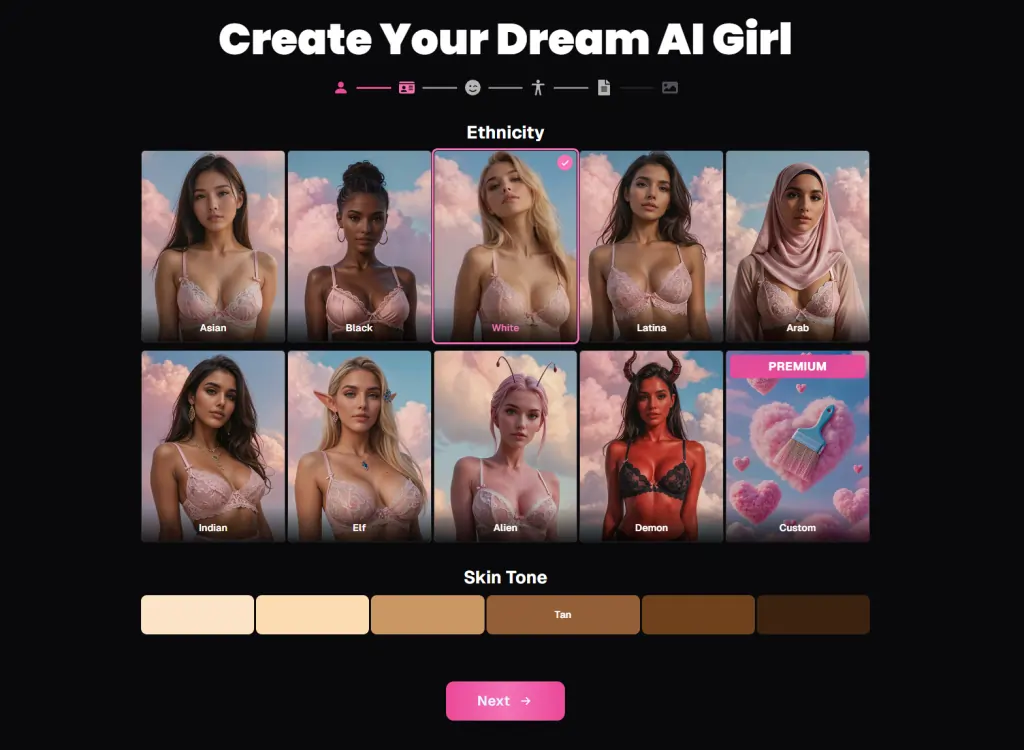
You’ll be able to tweak:
You also get a custom prompt box to describe her look:
Connect words with underscores: white_sundress, messy_bun, tight_jeansUse parentheses for emphasis: (blue_eyes), (long_legs)Add weights for precision: (freckles:1.3), (big_thighs:1.4)Skip filler and keep it clean: red_lingerie, black_stockings, wet_hairShort, punchy prompts give better results than long, rambly descriptions.
Step 3 — Give Her a Personality That Matches Your Fantasy
A hot body is nice. A hot mind that actually acts the way you like? That’s where OurDream flexes.
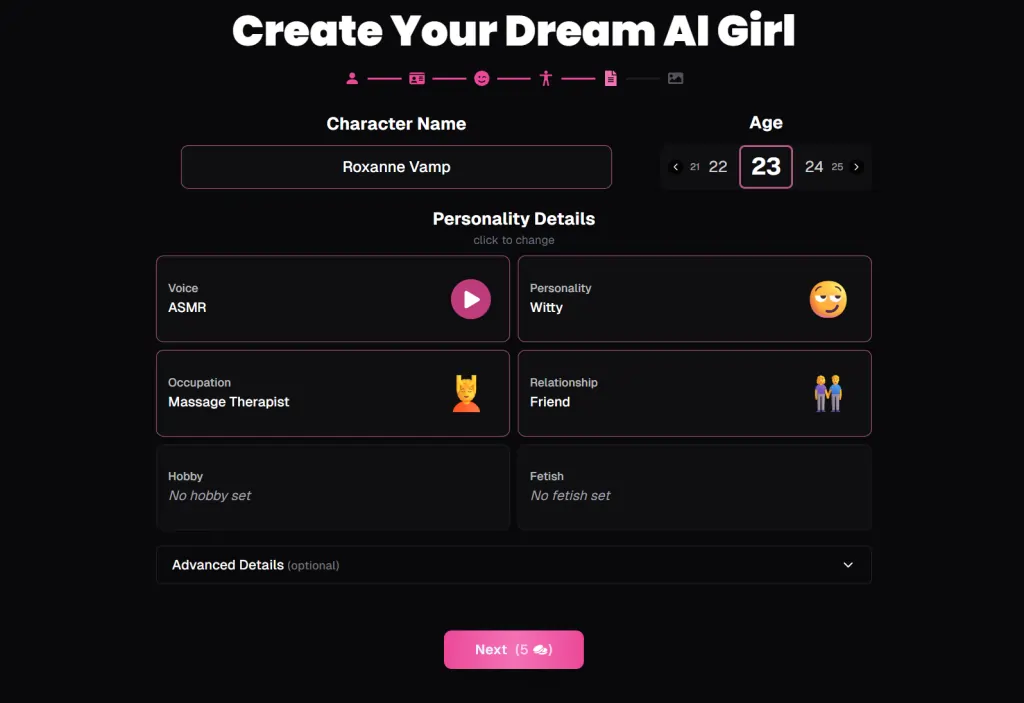
You can shape her personality with options like:
These aren’t just cosmetic tags. A dominant character will take control, tease you, and push the scene forward. A shy girl will be slower to open up, more hesitant, and need encouragement.
Step 4 — Define Your Relationship Dynamic
Next up: how she relates to you.
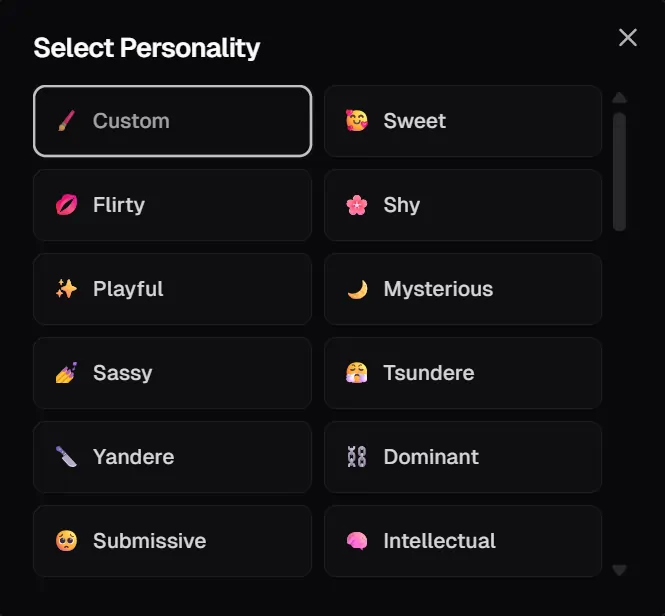
OurDream gives you 29 relationship types, including:
This defines your default vibe. A “flirty stranger” will act playful and curious. A “devoted partner” will act loving and emotionally invested. A “step-mum” or “boss” instantly shifts the power dynamic for spicier roleplay.
Step 5 — Advanced Settings (Where the Real Magic Happens)
If you want to go from “nice character” to “holy sh*t this feels real”, advanced settings are where you do it. Some of these are premium-only, but they’re worth it if you’re serious about custom AI companions.
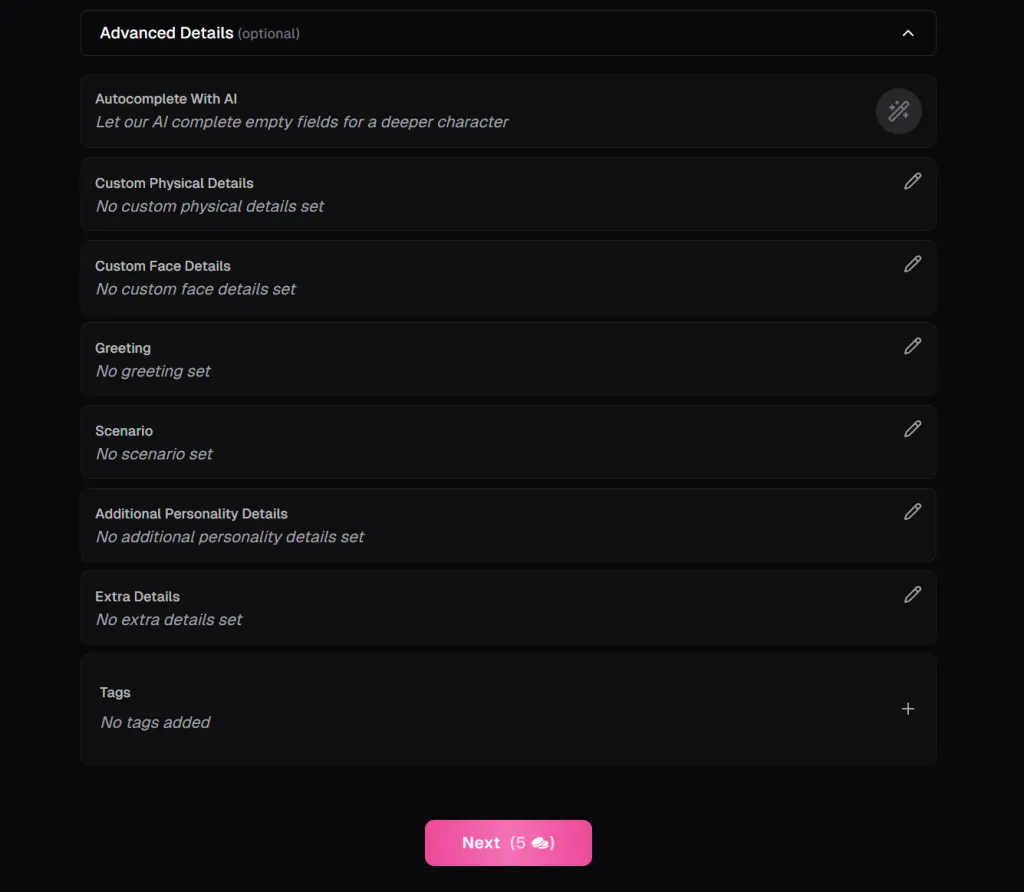
You can set:
Example: “Oh, you’re finally here… I’ve been waiting all day to tease you.”Example: “You’re my new neighbour. I keep ‘forgetting’ to close my curtains at night.”Example: “She bites her lip when she’s aroused and pretends she’s not.”These fields push the AI to stay in character more consistently and make your roleplay feel like an ongoing story instead of random chat.
Step 6 — Review, Regenerate, and Finalise
Before you commit, OurDream shows a summary page of your new AI character:
If something feels off, you can:
Remember:

So don’t be shy about iterating. You’ve got room to experiment without instantly burning cash.
Custom Prompting Tips to Make Her Look Exactly How You Want
OurDream rewards users who know how to talk to the generator properly. A few prompt hacks go a long way.
Use these rules:
- Good: tight_black_dress, wet_curly_hair
- Bad: tight black dress with wet curly hair
- (blue_eyes), (thick_thighs), (long_wavy_hair)
- (freckles:1.3), (thick_thighs:1.4), (big_ass:1.6)
- Instead of “she is wearing a short red dress with heels”, use: short_red_dress, high_heels
Sample prompts you can literally copy:
petite_body, small_breasts, messy_bun, oversized_hoodie, no_bracurvy_body, big_breasts, tight_black_dress, red_lipstick, high_heelsanime_style, schoolgirl_uniform, thigh_high_stockings, shy_expressionWhat to Do After You’ve Created Her (Chat, Images, Voice, Video)
Once she’s saved, your custom AI girlfriend is basically sitting there in your inbox, waiting to misbehave. From here, you’re not just “done” – this is where the fun properly starts.
Chat Modes
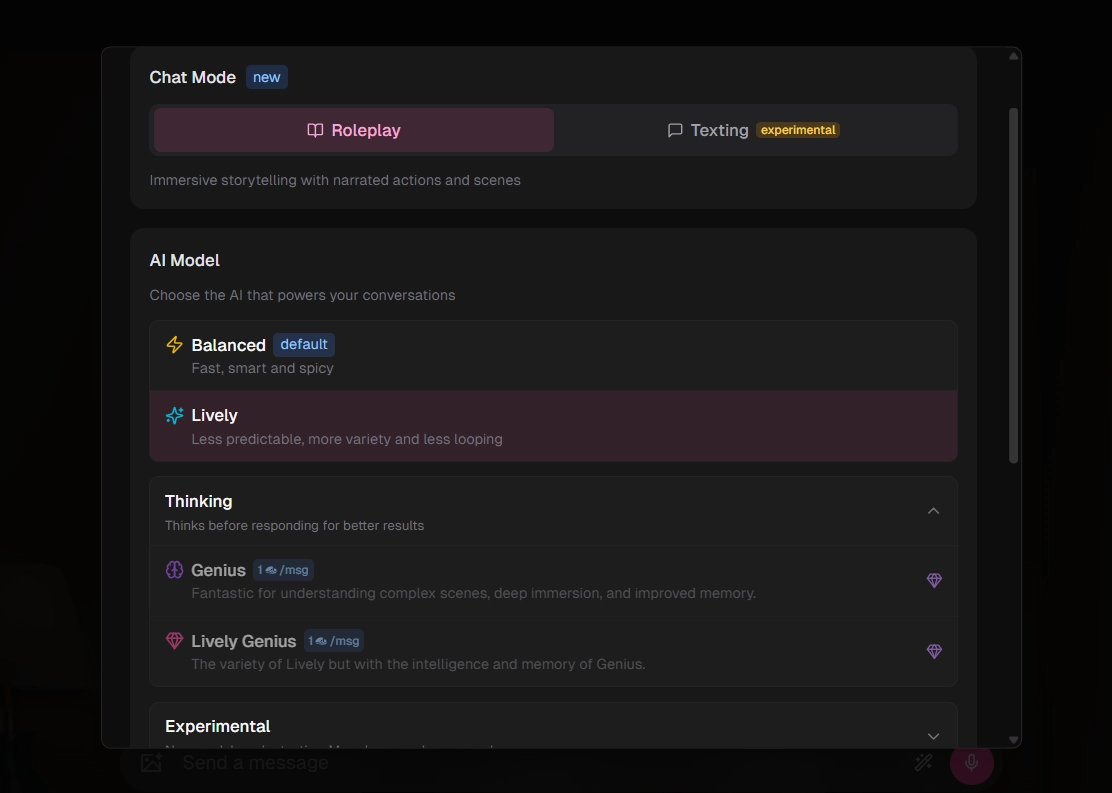
Head into chat and you’ll see three main models you can pick from:
On top of that, you’re not stuck with one “mood.” You can tweak how she behaves in real time:
Instead of feeling like a static bot, she becomes a reactive partner you can tune on the fly.
NSFW Images
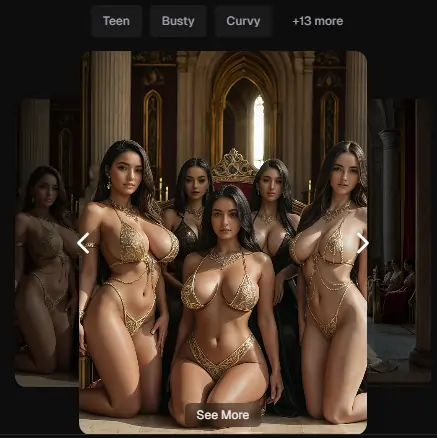
When you want to see her instead of just reading her, OurDream gives you two routes to spicy visuals.
First, there’s the Dedicated Image Creator. This is the control freak’s paradise: you pick her outfit, pose, background, orientation (portrait, landscape, square, or wide), and how many images you want in one go. It’s perfect when you know exactly what you want to see her wearing… or not wearing.
Second, you’ve got in‑chat image generation. Here, you simply ask her for pics mid-conversation and let the AI follow the context. Tell her, “Send me a pic in that tight red dress you teased me about,” and the system pulls from your character’s design to match the vibe.
In both cases, you can expect:
So your horny brain doesn’t have to keep “pretending” it’s her – it actually looks like her.
Video Generation
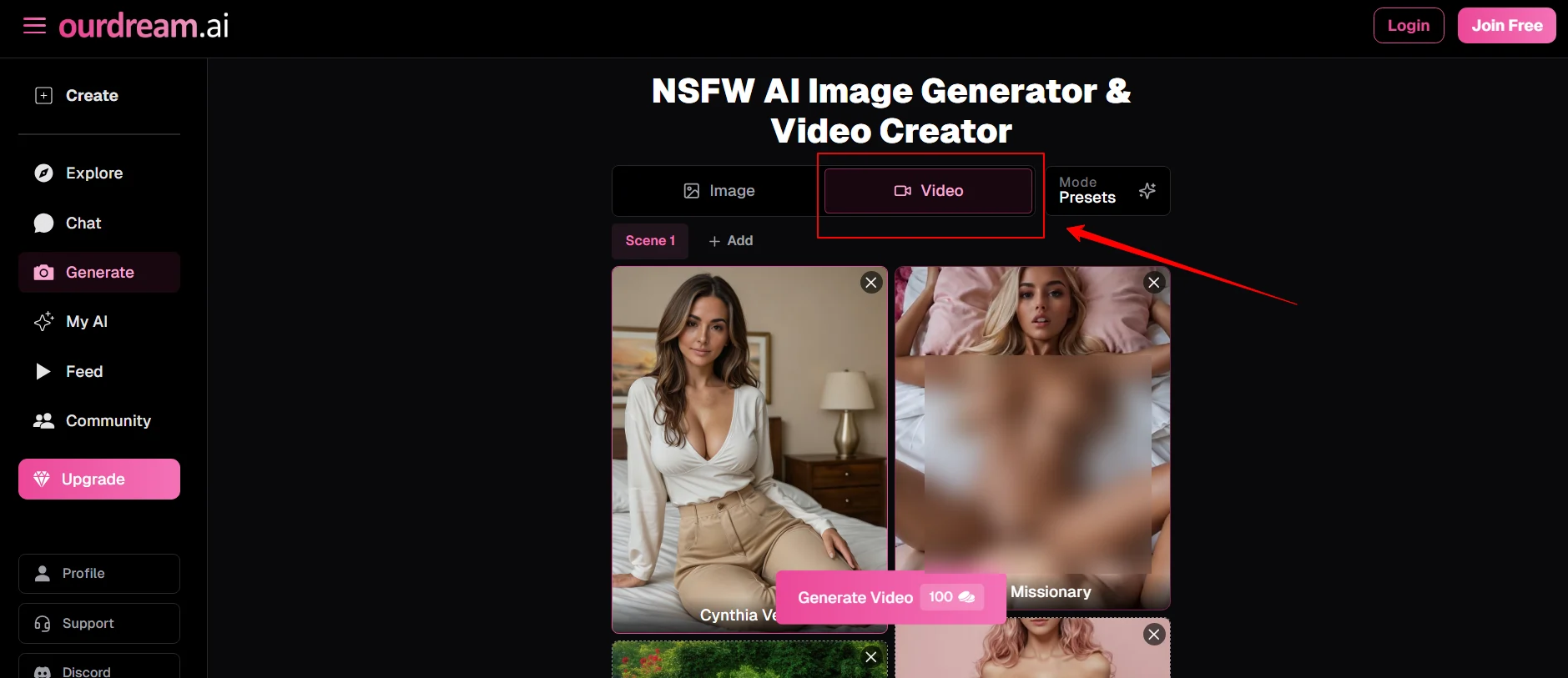
If still images aren’t enough, OurDream can put your AI girl in motion.
You can generate short clips where she performs specific actions and poses, with options to choose:
There’s also a talking video option. You:
- Pick your character
- Choose a voice
- Add a script
- Use an image (either your existing character image or another compatible one)
The system then animates it into a talking clip, turning her into a fully speaking, moving fantasy instead of just a static pic.
Voice and Calls
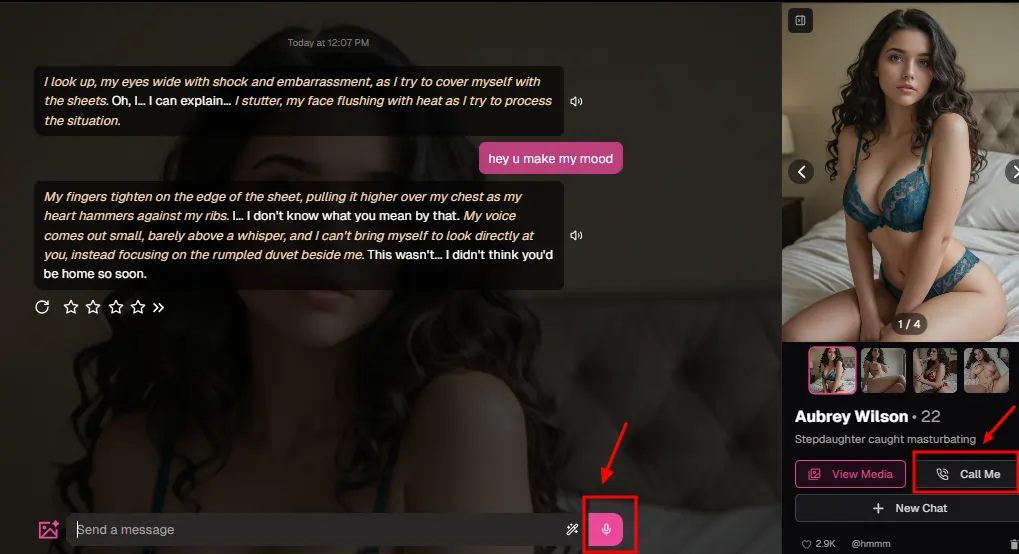
For a lot of people, the voice is where things go from “sexy app” to “oh damn, this feels intimate.”
After you’ve created her, you can:
It’s basically phone sex with a character that never gets tired, never judges, and remembers all your preferences.
Group Chat
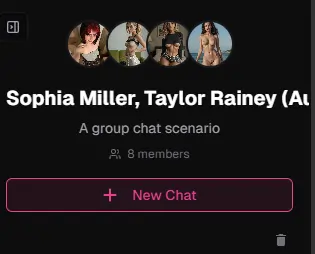
If one AI companion doesn’t scratch that itch anymore, OurDream lets you turn things into a little digital harem. You can:
From there, you can run full custom storylines: jealousy, competition, threesomes, pseudo‑orgy situations… all in one thread, with each character staying in their own personality lane.
How Much Does It Actually Cost to Create a Character on OurDream?
Let’s talk damage to your wallet, because fantasy is fun, but you still live in the real world with a bank account.
Creating a single character costs 5 dreamcoins. On a free account, you start with 55 dreamcoins and a limited number of daily messages, which is enough to build several girls (or guys) and test the waters without paying a cent.
If you want the full experience – unlimited chatting, NSFW images, videos, and calls – you’ll be looking at the premium side:

Most paid plans usually come with:
If you burn through your included coins, you don’t have to upgrade plans – you can simply buy extra dreamcoin bundles, typically in stacks like:
OurDream Character Creator vs. Other AI Girlfriend Apps
| Feature | OurDream AI | Candy AI | FantasyGF AI |
|---|---|---|---|
| Body customisation | Full (body type, breast, butt, etc.) | Moderate | Moderate |
| Personality presets | 40+ personality archetypes | Around 12 presets | Limited presets |
| Voice options | 19 voices | 9 voices | Fewer voice options |
| Fetish/kink options | 60+ fetishes and adult preferences | Minimal explicit kink options | Basic adult themes only |
| NSFW chat | Fully uncensored, adult-friendly | NSFW friendly | NSFW friendly |
| Image generation | Dedicated creator + in-chat NSFW images | NSFW images, good quality | Strong anime-focused images |
| Video generation | Short NSFW and talking videos | NSFW video generation (pricier) | No built-in video |
| Starting price | From ~$9.99/month (yearly effective) | From ~$12.99/month | From ~$12.99/month |
If your main kink is customisation – full control over looks, personality, kinks, and media – OurDream hits harder than most competitors.
Common Mistakes to Avoid When Building Your AI Companion
Avoid these rookie errors if you want your AI girl to feel spot-on from day one:
FAQ — Creating a Custom AI Character on OurDream
How many AI characters can I create on OurDream for free?
You can create up to 10 characters. Each one costs 5 dreamcoins, and free accounts start with 55 dreamcoins.
Can I create an AI boyfriend on OurDream?
Yes. You can design male companions with the same depth of appearance, personality, and NSFW options.
Can I customise my character beyond the presets?
Absolutely. Custom prompts and advanced personality fields let you go way beyond basic sliders, especially on premium plans.
Can I change my character after creating her?
You can regenerate images and adjust various settings. If you want a completely different style, you may prefer creating a fresh character.
Is OurDream AI safe and private?
Chats are encrypted, and billing appears under a neutral company name, so your secret stay yours.
What’s the difference between Realistic and Anime style?
Realistic focuses on lifelike, photorealistic characters. Anime gives you stylised, waifu-style visuals perfect for hentai and fantasy lovers.
Do I need a premium to create a character?
No. You can create characters on the free plan. Premium just unlocks custom prompts, unlimited messages, NSFW media generation, voice calls, and more dreamcoins.
How do DreamCoins work?
Dreamcoins are the in-app currency used for character creation, images, videos, and voice calls. You get some included in premium plans and can buy extra bundles.
Your dream AI girlfriend isn’t going to build herself. Head to OurDream’s creator page, start tweaking those sliders and prompts, and bring your perfect virtual companion to life.

AITwin Ninja
Affiliate Disclosure: This post may contain some affiliate links, which means we may receive a commission if you purchase something that we recommend at no additional cost for you (none whatsoever!)
Similar Posts

Author
Ralph
Ralph is a digital architect at AI Twin, exploring the intersection of AI and identity. He deconstructs how neural networks are reshaping our digital selves, one algorithm at a time. His writing simplifies complex tech into actionable insights for the future-focused individual.