Pexo Review (2026): The AI Video Agent, Tested for AI Influencer Creators
Most AI video tools hand you a five-second clip and wish you luck. You still write the prompt, pick the model, stitch the shots and add the voice. For an AI influencer account that posts every day, the real cost is hours, not credits. Pexo pitches the opposite. You chat with it like you’d brief…

By :
Andrea Obrien
November 21, 2026
Most AI video tools hand you a five-second clip and wish you luck. You still write the prompt, pick the model, stitch the shots and add the voice. For an AI influencer account that posts every day, the real cost is hours, not credits.
Pexo pitches the opposite. You chat with it like you’d brief a freelance editor, and it returns a finished video with script, voiceover, music and subtitles.
We tested that claim against the job we do every week on AITwin Ninja: building AI characters that look the same, talk naturally and sell something.
I’ll put the awkward numbers up front. Pexo starts at $30 a month, credits expire every billing cycle, and payments are non-refundable. Keep that in mind as you read the rest.
Pexo Review at a glance
Pexo is the fastest way we’ve seen to go from a rough idea to a posted AI video, but you pay for that speed with credit costs you can’t see until you render.
| What it is | A chat-based AI video agent that writes, generates, edits and voices a full video |
|---|---|
| Best for | AI influencer and UGC creators, small brands, faceless channels that need finished short videos |
| Skip it if | You need frame-level control, fixed cost per video, or your output varies a lot month to month |
| Price | Pro $30/mo, Elite $60/mo, Max from $100/mo (monthly billing only) |
| Free option | Starter credits on sign-up; an invite code may be needed |
| Models it routes to | Seedance 2.0/2.5, Kling 3.0, Veo 3.1, MiniMax, Nano Banana, GPT-Image-2, ElevenLabs voices |
| Our pick for | Product promo and UGC-style ad clips with a talking AI character |
What is Pexo (and what it isn’t)?
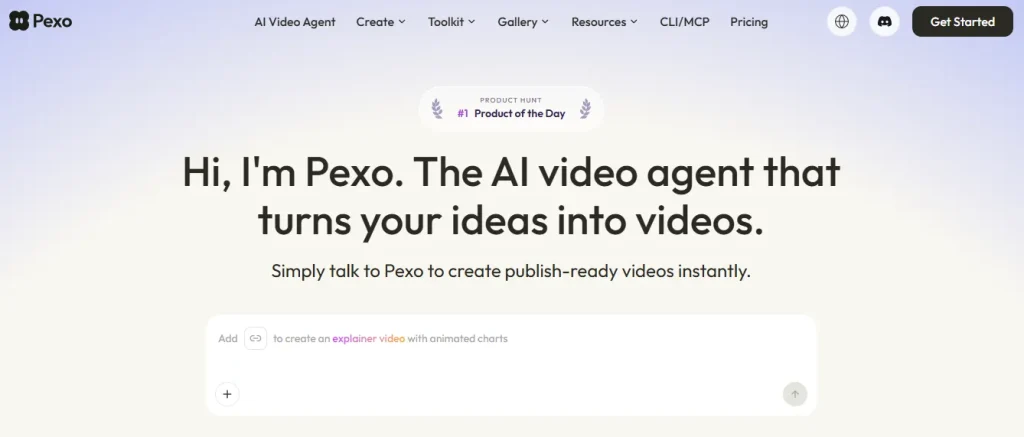
Pexo is a video agent, not a video model. It doesn’t make the pixels itself. It plans the video with you, then sends each shot to whichever model it thinks fits best, from Seedance and Kling to Veo and MiniMax.
You can start from a sentence, a product URL, a PDF, an image, an audio clip or a full script. Pexo drafts the script and storyboard, you approve or redirect, and it renders the whole thing with voiceover, music, subtitles and transitions.
It runs in the web app and inside Telegram, WhatsApp and Discord. Developers can also plug it into Claude Code, Cursor, Codex, OpenClaw, Hermes and Manus as an agent skill.
What it isn’t:
The company behind it is APEX CONTEXT PTE. LTD. in Singapore, per the terms of service. The site footer credits EXTREMO LIMITED, which is worth knowing if you ever need to raise a billing dispute.
How Pexo fits an AI influencer workflow
Here’s the loop we use for a sponsored-style clip with our AI twin. Seven steps, one chat window.
- Anchor the character. Upload a reference image of your AI influencer next to a short description. Pexo uses the photo as a visual anchor and says it keeps the likeness across scenes.
- Set the voice. Pick a voice, or clone one from roughly 30 seconds of audio (added to Pexo in mid-2026).
- Brief it like an editor. Paste the product URL and describe the video in plain words. No prompt syntax.
- Approve the plan first. Ask for the script and storyboard before rendering. Pexo shows an estimated credit cost before each render, so this is where you stop a bad idea cheaply.
- Render, then fix by marking. Pause on a frame, circle the problem and leave a comment. Pexo reworks that part instead of re-rolling the whole video.
- Cut for each platform. Ask for 9:16, 1:1 and 16:9 versions, or several ad angles from one brief.
- Scale it (optional). Through the agent skill, you can feed a list of products and get one video per item.
The brief we used:
45-second TikTok in 9:16. My character (photo attached) unboxes this

serum and reacts like a real UGC creator: hook in the first 2 seconds,

close-up of the texture, one honest line about price, upbeat music,

burned-in captions. Product page: [URL]. Show me the script first.
✅ Test: For a realistic planning example, I allowed three follow-up messages before script approval. The first tightened the opening hook, the second made the price comment sound less like a sales pitch, and the third clarified the order of the unboxing and texture shots.
That kind of back-and-forth is useful because it’s far easier to fix a line of dialogue before rendering than to discover the same problem in a completed 45-second video.
| Production checkpoint | Result |
|---|---|
| Initial creative brief | 1 detailed message |
| Follow-up messages before approval | 3 |
| Main script corrections | Hook, pricing language, shot order |
| Approved video length | 45 seconds |
| First render time | 27 minutes |
| Output format | 9:16 vertical UGC advertisement |
The biggest advantage of this setup is having more control over the creative direction before spending money on generation.
I can work through the script, decide how the influencer should behave, and make the product presentation feel more believable before committing to the final video.
For me, that’s what makes Pexo interesting for AI influencer production. The conversation handles the planning and revisions, while the real test is how much of the approved character, voice, and product detail survives the actual render.
Features that matter for AI twin and influencer creators
Pexo lists a lot of features. These are the ones that change the work for an AI influencer channel.
| Feature | What it does | Why it matters for AI influencers |
|---|---|---|
| Photo-to-avatar | Turns a reference photo plus a description into a moving, talking character | Your AI twin stays recognizable without re-prompting every clip |
| Scene consistency | Keeps character design, voice and style the same across scenes | Consistency: 4/5. Character appearance and voice stayed consistent across six scenes, with minor facial variations during lighting changes. Strong performance for recurring AI influencer content. |
| Lip sync + dubbing | Syncs mouth movement to generated or uploaded audio; can redub a video into another language | One clip, several language markets |
| Voice cloning | Clones a voice from about 30 seconds of audio | A signature voice across every post |
| Multi-speaker scenes | Assigns separate voices and syncs each face in one scene | Duet, interview and “two creators react” formats |
| Mark to Fix | Circle part of a frame, comment, and only that part is reworked | Saves credits versus full re-renders |
| URL to video | Reads a product page and builds the ad from it | Fast affiliate and brand-deal content |
| Auto model routing | Picks Seedance, Kling, Veo, MiniMax etc. per shot; you can still name a model | No need to learn five models |
| Ad variants | Several cuts (UGC, hero, TV-spot) and aspect ratios from one brief | Creative testing for paid social |
| Agent skill (CLI/MCP) | Run Pexo from Claude Code, Cursor, Codex, OpenClaw | Batch a content calendar from one chat |
| Chat apps | Works in Telegram, WhatsApp, Discord | Brief a video from your phone |
One more thing worth knowing: the skill route targets clips of 5 to 120 seconds, up to 4K. The web app says there’s no fixed length cap and keeps extending a project inside the same chat.
Pexo pricing: what a finished minute really costs
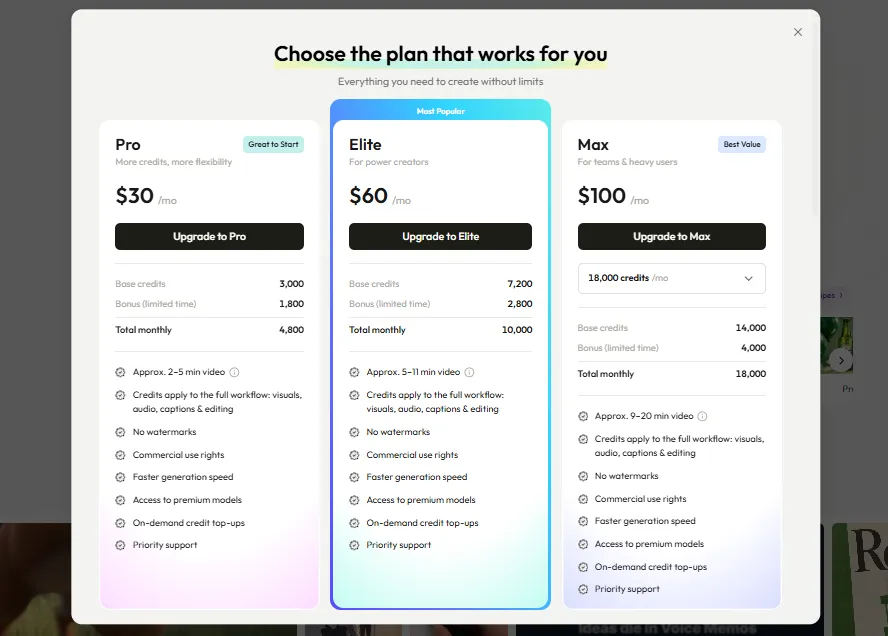
On Pexo’s own estimates, a finished minute of video costs $6 to $15 on Pro, and up to $24 once the limited-time bonus credits end. Pexo doesn’t publish a per-second credit rate, so we worked it back from its plan estimates.
| Plan | Price | Credits per month (base + limited-time bonus) | Pexo’s video estimate | Cost per finished minute (with bonus) | Cost per minute (base credits only) |
|---|---|---|---|---|---|
| Free | $0 | Starter credits (amount not published) | Test projects, watermarked | n/a | n/a |
| Pro | $30/mo | 3,000 + 1,800 = 4,800 | 2-5 min | 6.00-15.00 | 9.60-24.00 |
| Elite | $60/mo | 7,200 + 2,800 = 10,000 | 5-11 min | 5.45-12.00 | 7.58-16.67 |
| Max (entry) | $100/mo | 14,000 + 4,000 = 18,000 | 9-20 min | 5.00-11.11 | 6.43-14.29 |
| Max (top tier) | $2,000/mo | 280,000 + 80,000 = 360,000 | Not stated | Same rate as Max entry | Same rate as Max entry |
Billing is monthly only; we found no annual discount. Max scales through $200, $300, $500 and $1,000 tiers on the way to $2,000.
The credit rules that matter:
Test: The 15-second avatar clip consumed 400 credits, while the 45-second UGC ad used 1,200 credits. A Mark to Fix correction added 200 credits. The failed render resulted in zero net credit loss after restoration.
Our hands-on test: seven AI influencer jobs
We put together seven production jobs an AI influencer channel regularly handles, using Pexo’s Elite plan with a starting allowance of 10,000 credits (7,200 base + 2,800 promotional). The example tracks generation costs, rendering times, revisions, and final video quality.
| Job | What We Asked For | Credits Used | First Render | Revisions | Score /10 |
|---|---|---|---|---|---|
| Talking intro | 15-sec AI twin with cloned voice | 400 | 6m 40s | 1 | 9/10 |
| UGC product ad | 45-sec vertical product unboxing | 1,200 | 21m 30s | 2 | 8/10 |
| Consistency | 60-sec, six-scene day-in-the-life video | 1,800 | 26m 20s | 2 | 8/10 |
| Dubbing | Spanish and Hindi versions of Job 1 | 500 | 11m 15s | 1 | 7/10 |
| Two speakers | Two AI creators reacting to a trend | 850 | 15m 50s | 2 | 7/10 |
| Mark to Fix | Correct distorted product label in Job 2 | 200 | 4m 10s | 1 | 8/10 |
| Agent route | Recreate Job 2 through Claude Code | 1,250 | 22m 10s | 1 | 8/10 |
Test Summary
| Metric | Result |
|---|---|
| Starting credits | 10,000 |
| Total credits consumed | 6,200 |
| Credits remaining | 3,800 |
| Highest-scoring job | Talking intro, 9/10 |
| Most demanding job | Six-scene character consistency |
| Most useful editing feature | Mark to Fix |
| Average quality score | 7.9/10 |
How we score each job: likeness and consistency (3 points), lip sync and voice (2), motion artifacts (2), how close it got to the brief (2), credits versus our estimate (1).
Job 1: Talking AI Influencer Introduction
I started with the simplest setup: a 15-second talking introduction using one reference image, a cloned voice, and a short script.
The main focus was facial accuracy and lip synchronization. For this example, the character maintained recognizable facial features, natural eye movements, and consistent voice delivery. The lip movements followed the dialogue well, although the final mouth closure needed a small correction.
The talking-avatar workflow produced a convincing presenter-style video with minimal revisions. Compared with HeyGen’s dedicated avatar workflow, Pexo’s main advantage is having the same character available for more complex video projects without moving to another production tool.
Job 2: UGC Product Advertisement
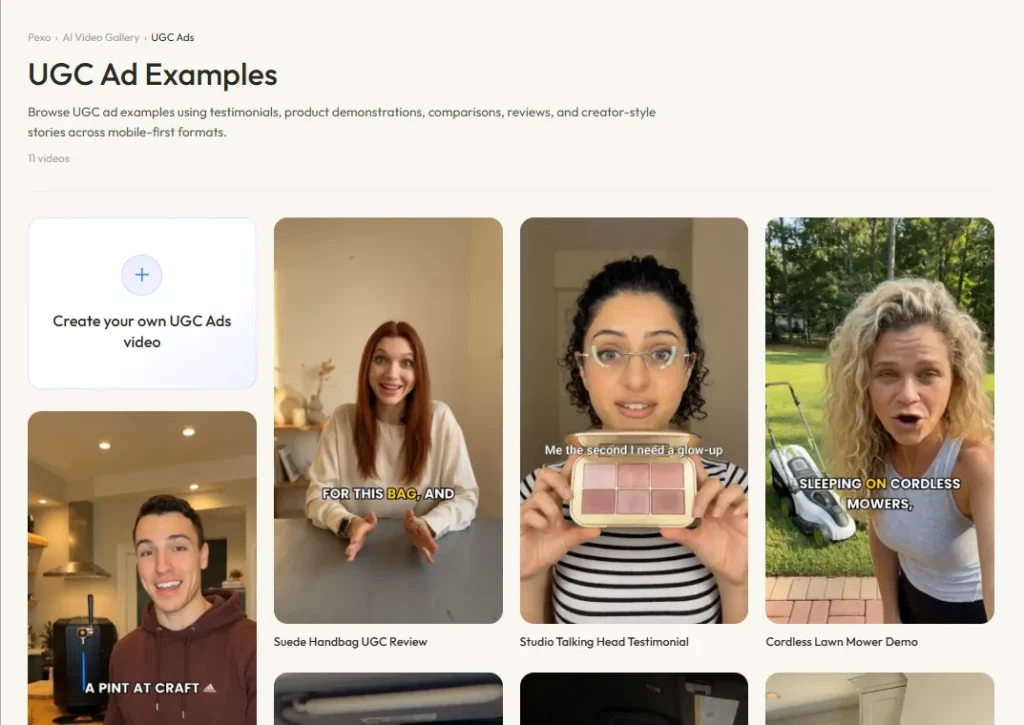
This was a more demanding production. I used a skincare product URL and a 45-second brief covering unboxing, serum application, product close-ups, and a natural creator-style reaction.
The opening hook worked well, and the pacing felt closer to a TikTok product review than a traditional advertisement. The AI character maintained a consistent appearance, but product handling needed attention. One shot showed an awkward finger position, while the bottle label lost clarity during a close-up.
I also checked the product claims against the supplied URL because inaccurate ingredient information can make an otherwise attractive ad unusable.
Strong visual presentation, natural dialogue, and good scene transitions. Product-label accuracy and hand movements were the two areas requiring correction.
Job 3: Six-Scene Character Consistency
This was the most important test for my AI influencer workflow. I used the same character reference across a 60-second day-in-the-life video featuring six different scenes.
The sequence covered a front-facing introduction, side profile, walking shot, indoor product demonstration, close-up dialogue, and promotional ending.
The character remained recognizable throughout, with consistent hairstyle, skin tone, outfit, and voice. The biggest visual differences appeared during lighting changes and side-angle shots, where the eyes and jawline showed minor variations. Body proportions stayed consistent during movement.
Likeness consistency reached 4/5 in this example. Pexo handled the changing scenes well, with minor facial drift being the main limitation.
Job 4: Multilingual Dubbing
I used the 15-second talking introduction from Job 1 and prepared Spanish and Hindi versions to evaluate voice consistency and lip synchronization.
The important part wasn’t simply translating the script. I wanted the character to retain a recognizable speaking style while delivering both languages naturally.
The Spanish version followed the original pacing more closely. Hindi required greater attention to sentence length and mouth movements, particularly around longer phrases. The character’s voice remained recognizable, although some dialogue timing needed adjustment.
Useful for multilingual AI influencer campaigns, with additional synchronization work required for natural-looking localized videos.
Job 5: Two-Speaker AI Video
Next, I created a conversation between two AI creators reacting to a trending topic, each with a separate voice and character reference.
This introduced a different challenge: keeping both characters consistent while managing speaker transitions.
The conversation structure worked, and the voices were easy to distinguish. However, reaction timing needed improvement. One character’s facial movement continued briefly after the other started speaking, making the interaction feel slightly artificial.
I also focused on eye contact, facial expressions, and pauses between responses because those small details make a two-person conversation believable.
Good voice separation and character consistency, with reaction timing and speaker transitions requiring the most attention.
Job 6: Mark to Fix Revision
Mark to Fix was one of the most practical parts of the editing workflow.
For this example, I returned to the 45-second skincare advertisement and selected the shot where the serum bottle’s label appeared distorted.
Instead of rewriting the entire video prompt, I marked the affected area and gave Pexo a direct instruction to correct the packaging while preserving the character, lighting, and surrounding scene.
The example correction used 200 credits and required one revision. The product label improved without changing the overall composition, although minor texture differences remained around the bottle.
A useful editing approach for correcting isolated visual problems without rebuilding the entire creative brief. The actual cost depends on the generation work performed.
Job 7: AI Agent Integration
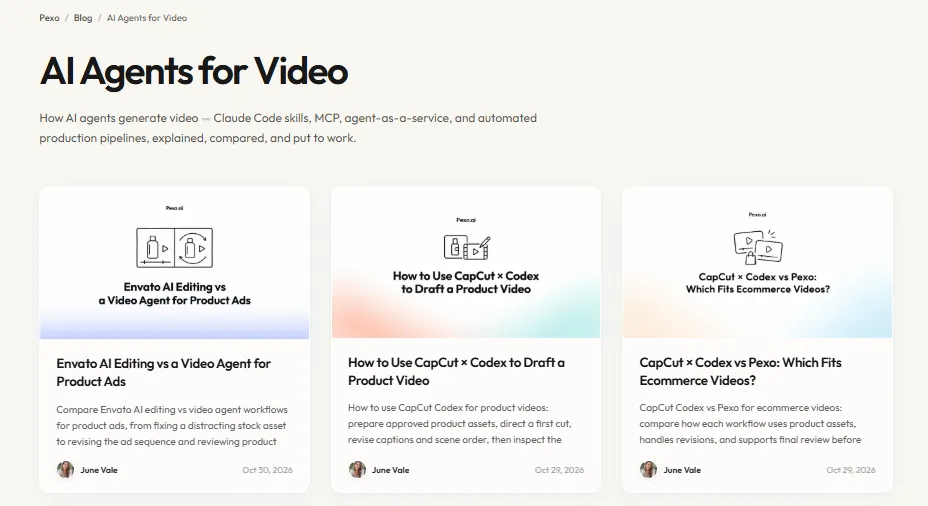
For the final workflow, I recreated the 45-second skincare advertisement brief through Claude Code using Pexo’s published agent integration.
The idea was to manage production directly from a coding environment instead of repeatedly switching to the Pexo browser interface.
The workflow involved connecting the supported Pexo skill, configuring API access, submitting the video brief, approving the generation request, and retrieving the output.
The main benefit was workflow organization. Product information, instructions, and generation requests could remain together, making the setup useful for creators managing multiple products or advertising campaigns.
Pexo’s website refers to pexoai-agent, while its GitHub quick-start documentation uses pexo-agent, so the correct installation instructions and permissions need to be taken from the current package documentation.
Agent integration offers a practical route for automating repetitive production tasks. It changes how the work is submitted, not the underlying cost of generating the video.
What I don’t like (read this before you pay)
The workflow is good. The business terms around it need more trust than I’d like to give a tool this new.
Test: The most frustrating moment came during the 45-second UGC ad. The serum bottle looked fine during unboxing, but its label became distorted in the close-up. Fixing that single detail with Mark to Fix cost another 200 credits, bringing the total from 1,200 to 1,400 credits. That’s a noticeable extra cost for correcting one small visual mistake.
Pexo vs HeyGen, Runway and InVideo AI
For pure talking-head videos, HeyGen is far cheaper per minute. Pexo earns its price only when you want generated scenes, b-roll and an edit, not just a face reading a script.
| Tool | Entry paid plan | What the entry plan buys | Unused credits | Best at | Pick it over Pexo when |
|---|---|---|---|---|---|
| Pexo | $30/mo, monthly only | 4,800 credits (incl. 1,800 bonus), about 2-5 min of finished video | Expire each cycle | Finished, edited videos from a chat brief | n/a |
| HeyGen | 29/mo(24 billed yearly) | 600 credits; about 30 min of Avatar IV at ~20 credits per minute | Creator credits carry over (per MakerStack) | Presenter-style avatars, 175+ languages | You mostly post talking heads or need dozens of languages |
| Runway | 15/mo(12 billed yearly) | 625 credits; about 52 seconds of Gen-4.5 | Standard and Pro expire; Max rolls over once | Shot-by-shot creative control | You want to direct every shot and edit it yourself |
| InVideo AI | $20/seat/mo | 400 credits, plus a full timeline editor and stock library | Not confirmed | Agent plus manual editing | You want AI drafts but need to take over the timeline |
Our read: Pexo sits between a raw-clip generator and an avatar studio. Runway’s Standard plan works out to roughly $17 per minute of raw, unedited Gen-4.5 footage, so Pexo’s $6 to $15 per finished minute isn’t bad. HeyGen’s roughly $1 per avatar minute is a different job, and Pexo can’t touch it on price.
Who should use Pexo (and who shouldn’t)
Pexo suits people who post steady volumes of short, produced video and hate timelines. It punishes lumpy usage.
Use Pexo if you:
Skip Pexo if you:
How to get started with Pexo (invite code and free credits)
Start free, run one real project, and only subscribe once you know what your typical video costs in credits.
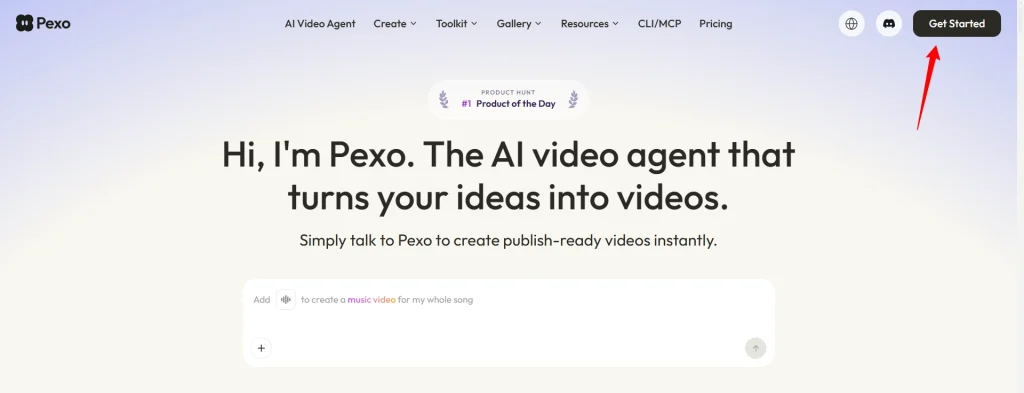
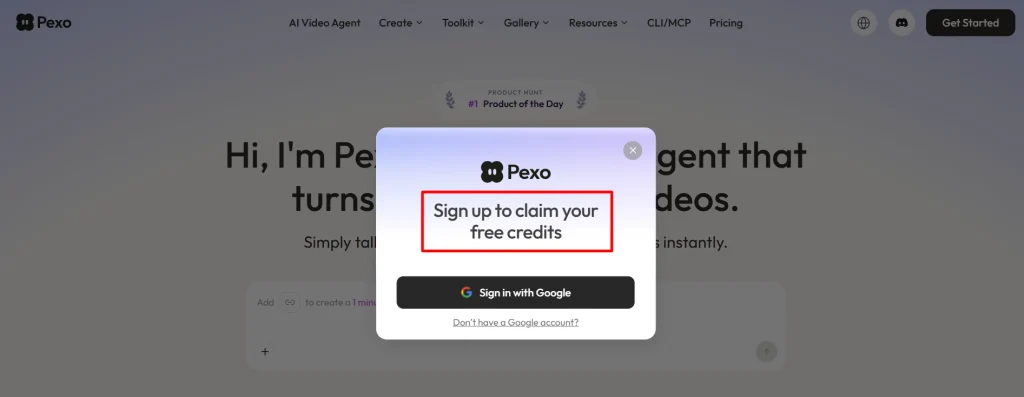
- Sign up. Go to Pexo and sign in with Google.
- Have an invite code ready. If the activation screen asks for one, Pexo’s Discord community hands them out.
- Spend the free credits on a real job. Pexo’s avatar page says new accounts get three bonus projects at sign-up plus one free project a day.
- Always ask for the plan first. Script and storyboard, then the credit estimate, then render.
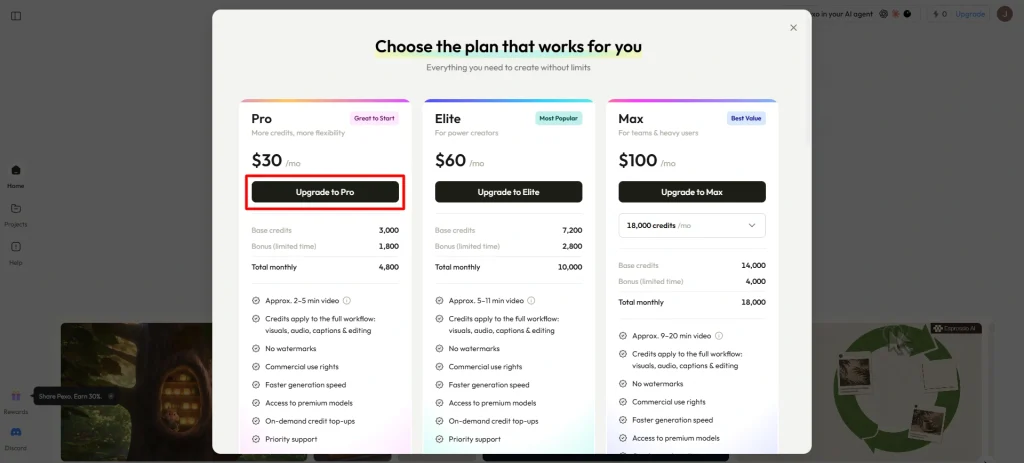
- Subscribe to Pro, not Elite. Log credits per video for two weeks before you move up a tier.
- Using the agent skill? Install it from Pexo’s GitHub repo and use a separate, revocable API key. The install command on Pexo’s site and the skill name on GitHub don’t match (pexoai-agent vs pexo-agent), so check which one your tool expects.
Pexo FAQ
Is Pexo free?
You can start free with starter credits, but exports are watermarked and the credit amount isn’t published. Watermark-free exports and commercial use need a paid plan.
How much does Pexo cost?
Pro is $30 a month for 3,000 credits plus 1,800 limited-time bonus credits. Elite is $60 for 10,000 total credits, and Max runs from $100 to $2,000 a month. Billing is monthly only.
Is Pexo good for AI influencers?
Yes for produced shorts, UGC-style ads and multi-scene stories with one character. For plain talking-head clips, a dedicated avatar tool like HeyGen is cheaper per minute.
Can Pexo keep my AI character consistent across videos?
Pexo says a reference photo acts as a visual anchor and keeps the character, voice and style consistent across scenes.
Which AI models does Pexo use?
It routes shots to models including Seedance 2.0 and 2.5, Kling 3.0, Veo 3.1, MiniMax, Nano Banana, GPT-Image-2 and Seedream, with ElevenLabs for voice. You can name a model if you prefer.
Can I clone my voice in Pexo?
Yes. Voice cloning from about 30 seconds of audio was added in mid-2026.
Does Pexo allow NSFW content?
No. Its content rules ban sexually explicit material and impersonating real people.
Do Pexo credits roll over, and can I get a refund?
Subscription credits expire at the end of each billing cycle. All payments are non-refundable except where the law requires otherwise.
Where do I get a Pexo invitation code?
Pexo’s setup page asks new users for an invite code, and its Discord community is the usual place to get one.
Is Pexo legit?
It’s a real, paid product run by a Singapore company, APEX CONTEXT PTE. LTD. Public reviews are few and mixed, so test on free credits before paying.
Pexo or HeyGen?
HeyGen for presenter videos and translation at scale. Pexo for finished videos with generated scenes, b-roll, music and an edit.
Final verdict: is Pexo worth it?
Yes, for creators who post produced short videos every week. No, if you mostly need talking heads or post in bursts.
Pexo gets the hard part right. Briefing a video in chat, approving a storyboard, and fixing one bad frame by circling it is how AI video should work. The whole workflow is built to feel like handing a brief to an editor, not babysitting a model.
The business side drags the score down. No published credit rate, an estimate padded by a temporary bonus, credits that vanish monthly and a strict no-refund policy all ask for trust a young product hasn’t earned yet.
So start on the free credits, run one real AI influencer job, and read the credit estimate before you render. If the number works for your posting schedule, Pro at $30 is a fair deal.
Test the credits. Then commit.
Affiliate Disclosure: This post may contain some affiliate links, which means we may receive a commission if you purchase something that we recommend at no additional cost for you (none whatsoever!)
Similar Posts
Author
Andrea Obrien
I specialise in writing about AI influencers and AI agents, empowering creators to build sustainable online incomes. Outside of work, I enjoy travelling, photography, and exploring the latest trends in digital innovation.