How to Generate AI Model Photos in 10 Different Locations — Complete Prompt Guide
Your AI model does not need another studio backdrop. Learn how creators are building full content libraries by keeping one character consistent across beaches, penthouses, cafés, and 7 more locations using proven prompts and AI workflows.

By :
Andrea Obrien
September 3, 2026
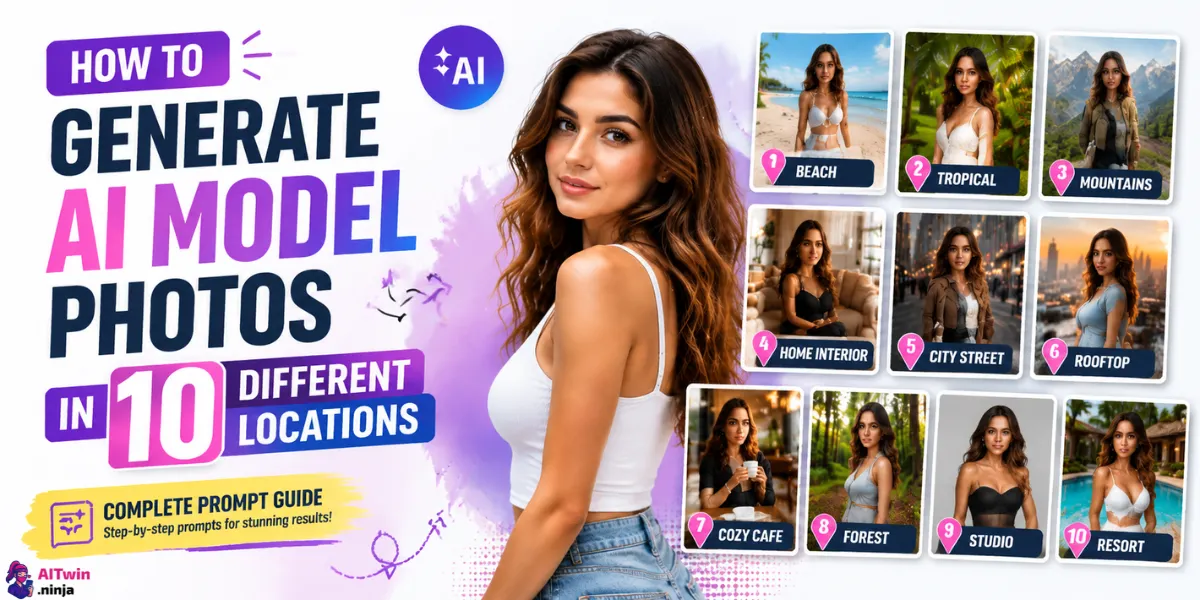
Most AI model photos look identical — same white studio, same flat ring light, same recycled pose. If you’re building a content library for an AI influencer, a Fanvue page, or affiliate creatives, that visual monotony kills your engagement before it even starts.
Here’s the fix: one consistent AI model, ten completely different locations, zero physical reshoots. This guide covers the exact prompt templates, the right tools, and the consistency techniques that keep your model’s face locked across every scene. By the end, you’ll have a full content production system — not just pretty pictures.
Why Location Variety Kills It on Social & Subscription Platforms
Location variety is one of the most underrated content levers creators have. A beach drop, a penthouse PPV tease, and a cozy café lifestyle post are three completely different content angles — but they can all feature the same AI model, generated in a single afternoon.
Platforms like Fanvue and Instagram reward visual diversity in feeds. Accounts that post the same aesthetic repeatedly see engagement plateau fast, while creators who rotate locations and moods keep their audience swiping, subscribing, and spending. Location-based content also maps perfectly to a posting calendar — beach shots for summer, luxury interiors for premium PPV drops, street-style edits for casual engagement posts.
The creators winning right now aren’t making more content. They’re making more types of content from the same source asset.
What You Need Before You Start Generating
Pick Your AI Image Tool
Not every AI image tool handles location-based model photography the same way. Here’s a tight breakdown of the four tools actually worth your time:
| Tool | Best For | Free Tier | Face Consistency |
|---|---|---|---|
| OpenArt | Full workflow — character sheets, LoRA training, location prompts, NSFW toggle | Yes (limited credits) | Excellent via LoRA + Character feature |
| Higgsfield | Cinematic motion + static model photography with scene control | Limited free | Strong with reference image input |
| Pykaso | NSFW-focused content creation, fast generation, adult creator workflows | Paid | Good with seed + face-lock |
| Kling AI | Video + image hybrid, great for turning location shots into short clips | Free tier available | Moderate |
OpenArt is the strongest starting point for this workflow. Its built-in character consistency feature lets you upload a reference image of your AI model and regenerate them in any scene without the face drifting between outputs.
You can also fine-tune a LoRA directly inside the platform, which means your model stays recognizable from a tropical beach shot to a luxury penthouse — no third-party tools needed. For creators building long-term AI influencer content, OpenArt’s workflow is the closest thing to a proper production pipeline.
|
Verified AI Creator Deal
OpenArt Coupon: Get 15% Off AI Image Creation Plans
OpenArt is built for creators who need consistent AI characters across multiple scenes. Upload your reference image, maintain character identity between generations, and fine-tune a LoRA directly inside the platform — making it easier to create long-term AI influencer content without relying on extra tools.
15% OFF
AI Creator Workflow Discount
ALL15
Coupon Code
|
 Claim OFF
|
Lock In Your Model’s Look First
Before you touch a single location prompt, define and lock your model. This is the step most beginners skip — and it’s exactly why their outputs look like ten different people.
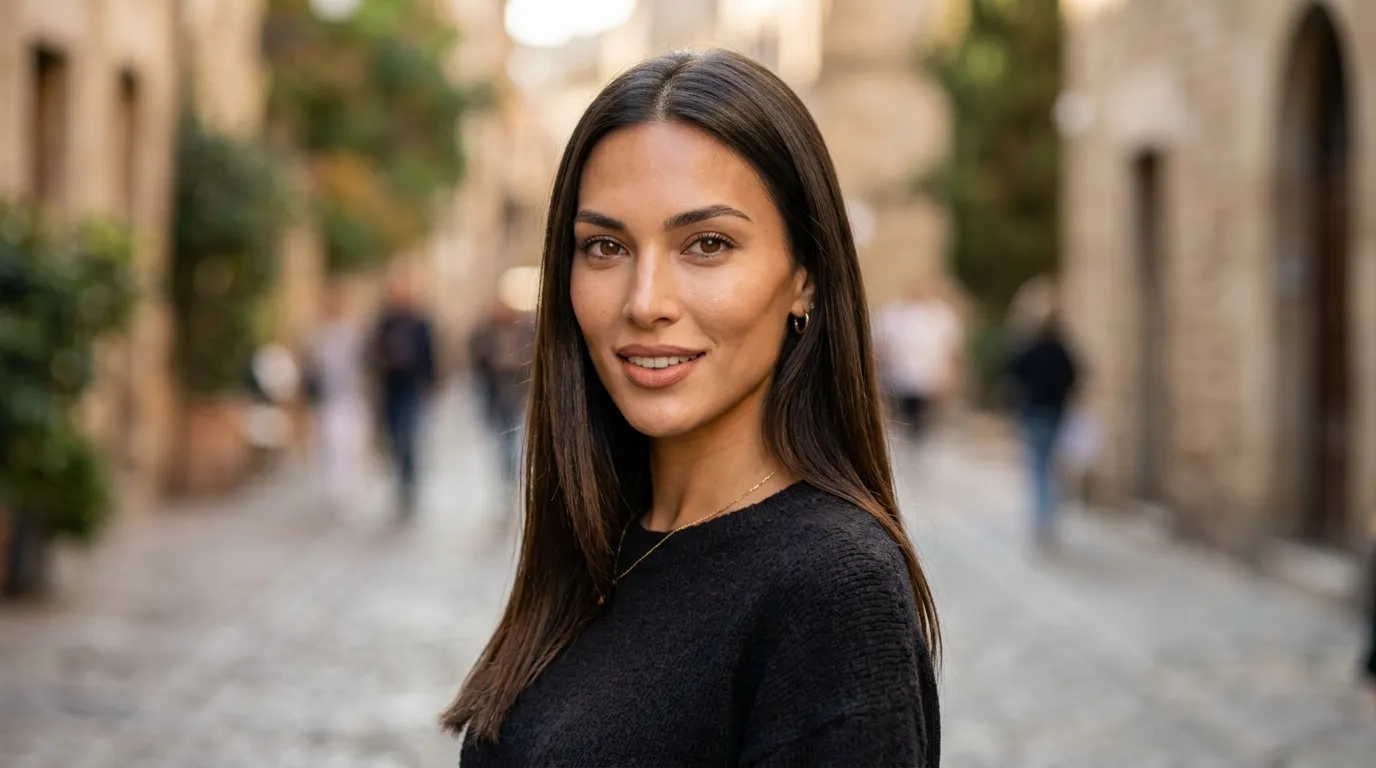
Get this right once, and every location prompt in this guide will produce a coherent, content-ready output.
Understand the Prompt Structure
Every strong location-based model photo prompt follows the same six-block structure:
Shot Framing → Subject → Appearance Details → Scene/Location → Action/Pose → Visual Style
Example:
“Full body shot, 25-year-old woman, long dark hair, wearing a white bikini, standing on a tropical beach at golden hour, gentle waves in background, looking over shoulder, photorealistic, 85mm lens, shallow depth of field, warm tones”
This structure works across every tool on the list. Add your negative prompts after — blurry face, bad hands, flat lighting, overexposed skin, cartoon, illustration — to keep the output grounded in realism.
The 10 Locations — Prompts, Modifiers & Pro Tips
1. Tropical Beach
Vibe: Sun, skin, and golden-hour glow — the highest-performing aesthetic for subscription platforms and summer content drops.
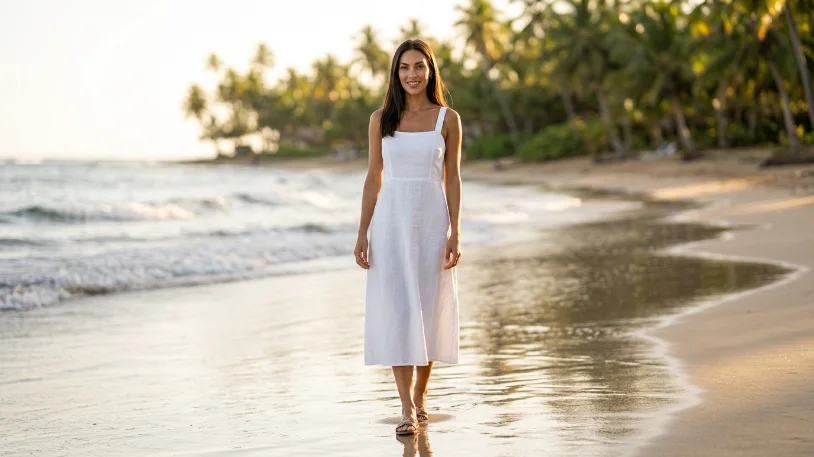
Prompt Template:
“Full body shot, [model description], wearing a [outfit], standing on a tropical beach, golden hour lighting, wet sand, soft ocean bokeh in background, sunlight on skin, warm tones, photorealistic, 85mm lens, shallow depth of field”
Pro Tip: Add rim lighting from the sun to separate your model from the background and avoid the flat, pasted-on look that gives away compositing.
2. Luxury Penthouse / Rooftop
Vibe: High-end, exclusive, premium PPV energy — works perfectly for subscription teaser content.
Prompt Template:
“Three-quarter shot, [model description], wearing a [satin dress/lingerie], standing near floor-to-ceiling windows, luxury penthouse interior, city skyline at night, neon light reflections on glass, moody ambient lighting, photorealistic, 50mm lens, cinematic”
Pro Tip: Use neon blue and gold tones in your color grading modifier to push the luxury aesthetic without over-describing every prop.
3. Paris Street / European Cobblestone
Vibe: Aspirational, editorial, travel-influencer coded — strong for lifestyle content and free promo posts.
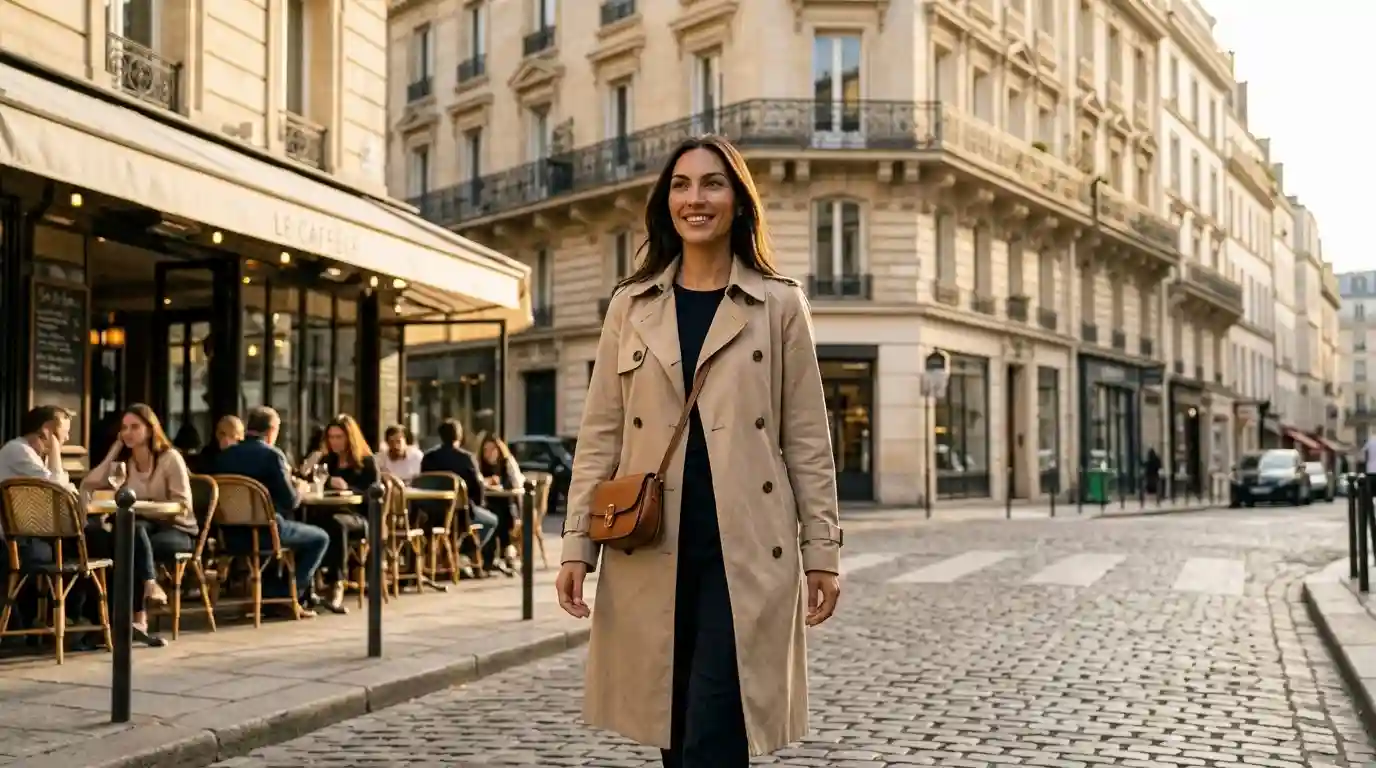
Prompt Template:
“Medium shot, [model description], wearing a [trench coat/sundress], standing on a cobblestone Paris street, outdoor café in background, warm afternoon light, film grain texture, shallow depth of field, editorial fashion photography, photorealistic”
Pro Tip: Add overcast sky with soft diffused light as an alternative for a more moody, fashion-week look.
4. Professional Photography Studio
Vibe: Clean, commercial, versatile — great for product-adjacent content, merch promo, or link-in-bio visuals.
Prompt Template:
“Full body shot, [model description], wearing a [outfit], standing against a white seamless studio backdrop, professional ring light, clean sharp shadows, editorial pose, high-fashion photography, photorealistic, 85mm lens, high contrast”
Pro Tip: Switch the backdrop to grey gradient seamless for a more contemporary commercial look that works better as a product placement background.
5. Gym / Fitness Space
Vibe: Athletic, bold, and algorithm-friendly on Instagram — pairs perfectly with fitness brand affiliates.
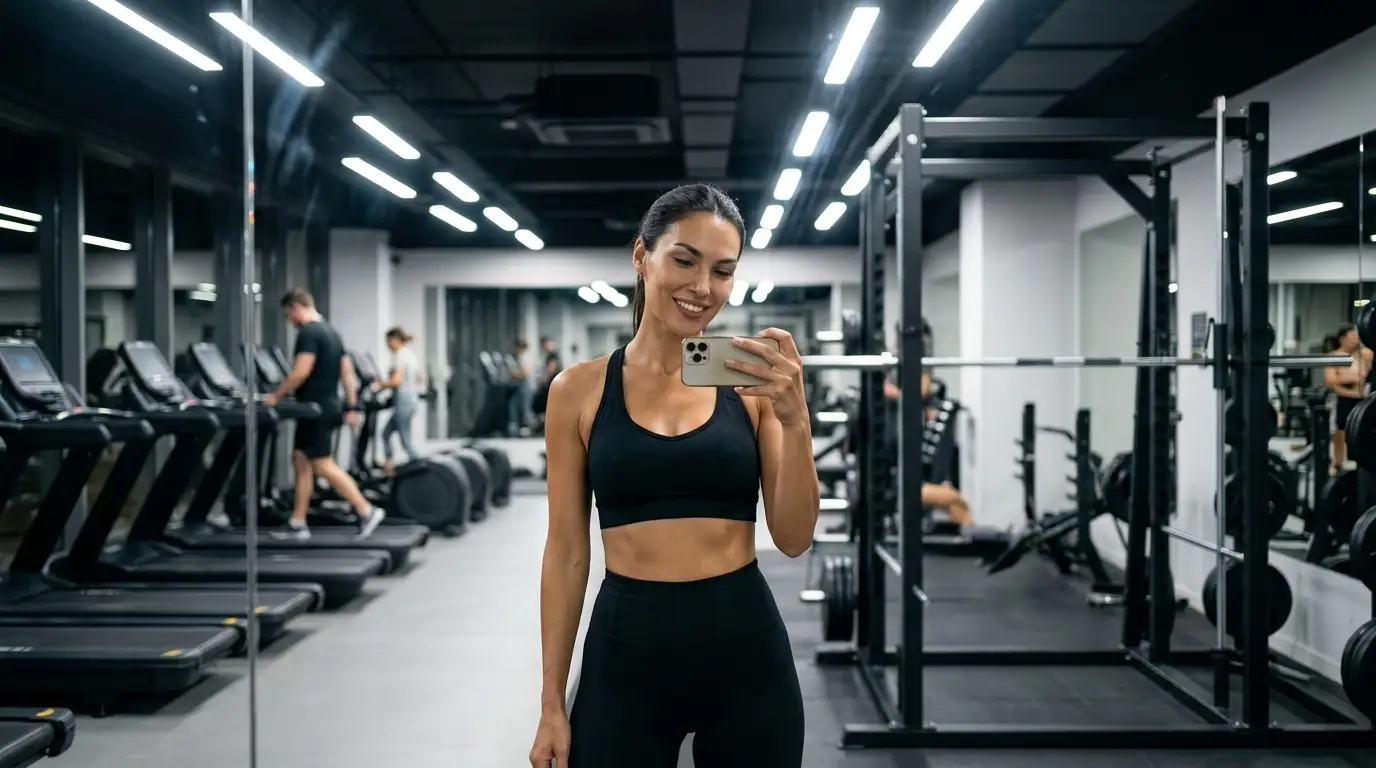
Prompt Template:
“Mirror selfie framing, [model description], wearing [athletic wear], inside a modern gym, gym equipment visible in bokeh background, harsh overhead fluorescent lighting, confident pose, photorealistic, 35mm lens, high energy”
Pro Tip: Specify gym mirror with slight lens flare to make the shot feel authentically self-shot rather than professionally staged.
6. Forest / Nature Trail
Vibe: Organic, candid, earthy — performs well as a contrast to high-glam content and keeps feed aesthetics balanced.
Prompt Template:
“Candid medium shot, [model description], wearing [casual/bohemian outfit], standing on a forest trail, dappled sunlight through trees, natural green bokeh, earthy warm tones, relaxed pose, photorealistic, 50mm lens, film photography style”
Pro Tip: Add morning fog in the background for an atmospheric depth effect that makes the image feel expensive without needing complex lighting prompts.
7. Luxury Hotel Room / Suite
Vibe: Intimate, aspirational, premium — this is your top-tier PPV content location.
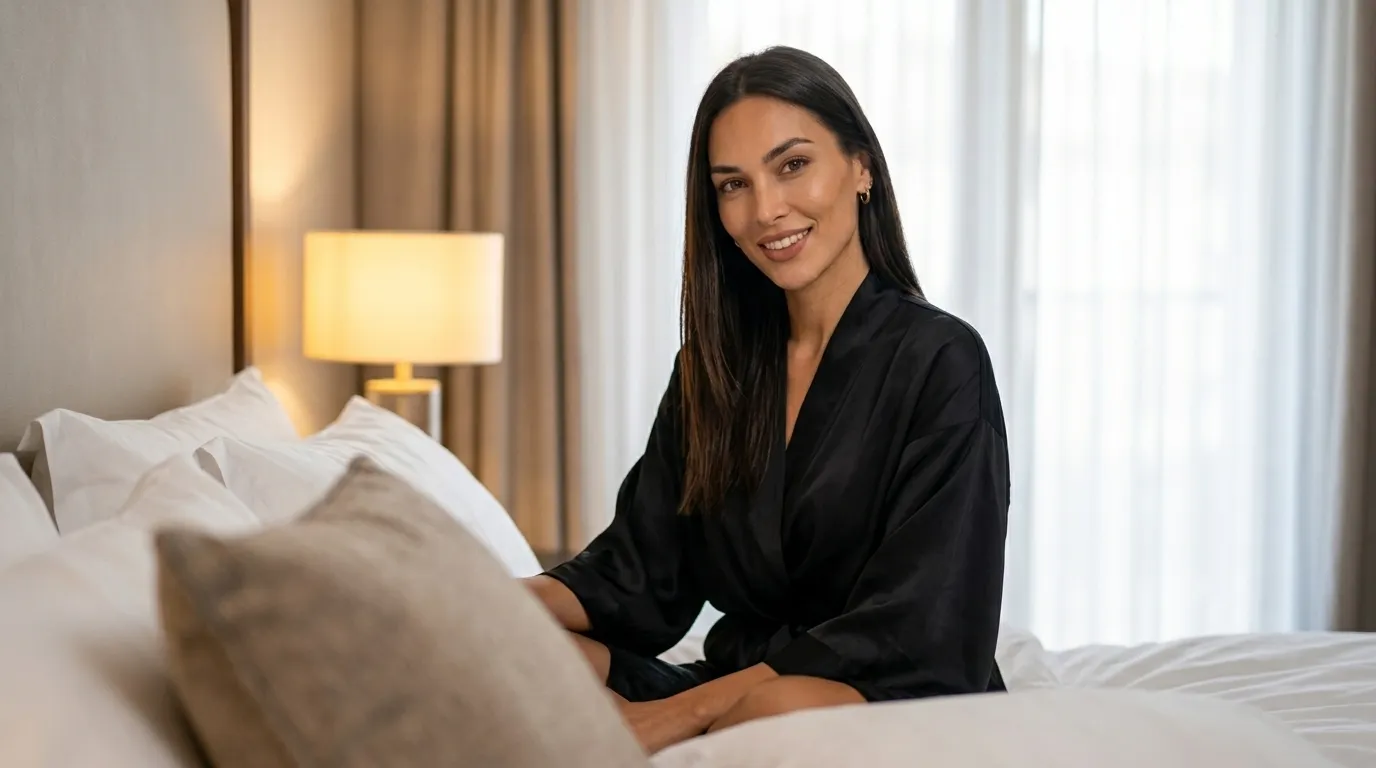
Prompt Template:
“Close-medium shot, [model description], wearing [silk robe/lingerie], sitting on a luxury hotel bed with white linen, soft bedside lamp glow, morning light through sheer curtains, intimate and natural expression, photorealistic, 50mm lens, warm soft tones”
Pro Tip: Pair shallow depth of field with foreground out-of-focus pillow or bedpost to create authentic environmental depth.
8. Urban City Street / Alley
Vibe: Edgy, street-style, raw — contrasts luxury content well and resonates with streetwear and urban aesthetics.
Prompt Template:
“Full body shot, [model description], wearing [edgy streetwear], standing in an urban alley, graffiti wall backdrop, overcast diffused sky, street puddle reflection in foreground, confident stare, photorealistic, 35mm lens, muted desaturated tones”
Pro Tip: Add cinematic anamorphic lens flare to the visual style block for a high-production editorial finish.
9. Cozy Indoor / Café Interior
Vibe: Warm, relatable, lifestyle-influencer aesthetic — strong for free social content and top-of-funnel audience building.
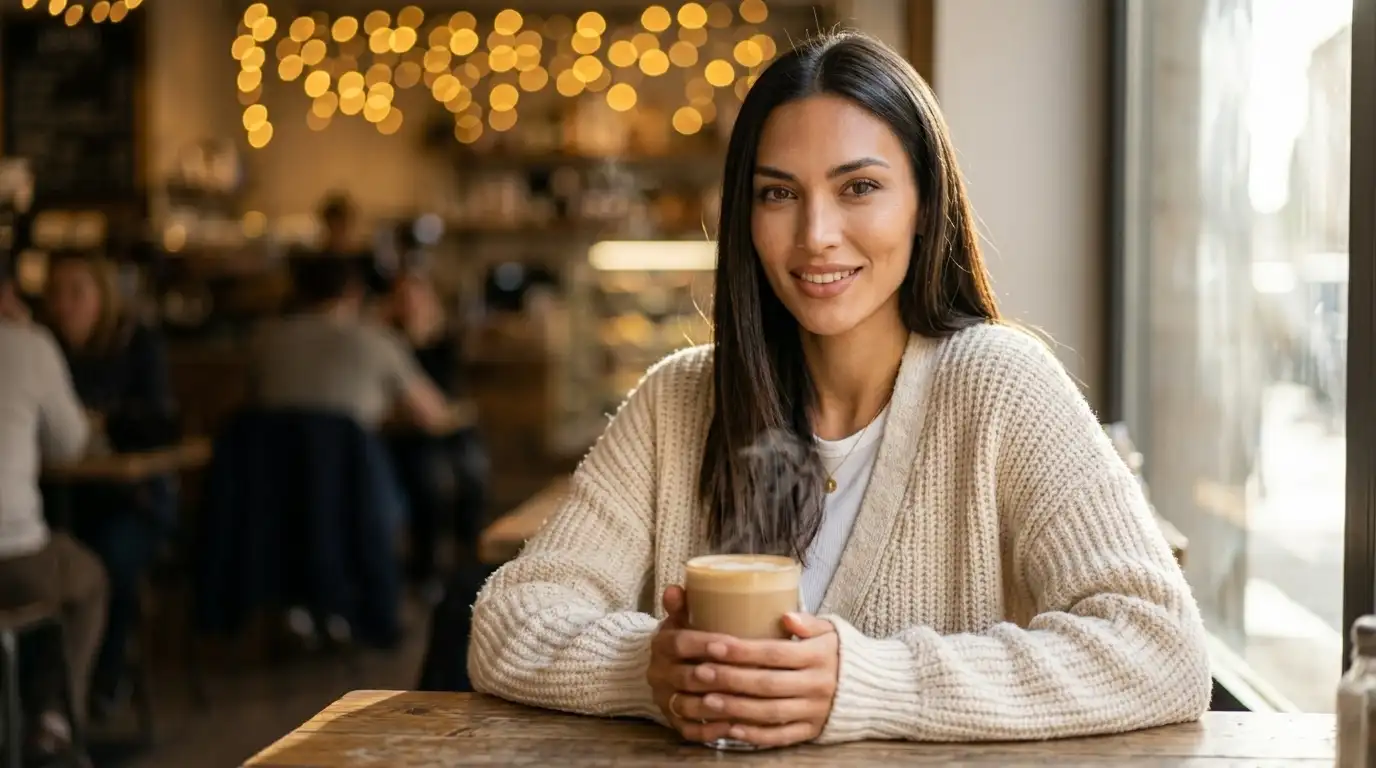
Prompt Template:
“Close-medium shot, [model description], wearing [casual chic outfit], sitting at a wooden café table, holding a latte, warm bokeh string lights in background, soft window light from the side, relaxed lifestyle pose, photorealistic, 50mm lens, warm golden tones”
Pro Tip: Add steam rising from the cup to your prompt for a small detail that adds life and realism to an otherwise static shot.
10. Pool / Rooftop Infinity Pool
Vibe: Resort luxury, summer aspirational — one of the highest-converting aesthetics for subscription platform teasers.
Prompt Template:
“Medium shot, [model description], standing in a rooftop infinity pool, clear turquoise water, wet hair, sunlight caustics reflecting on skin, luxury resort in background, relaxed and natural expression, photorealistic, 85mm lens, bright airy tones”
Pro Tip: Use polarized sunlight reflection on water surface as a modifier — it adds realistic light interaction that separates professional-looking outputs from generic ones.
Keeping Your Model’s Face Consistent Across All 10 Locations
Face drift is the biggest production problem in AI model photo workflows. Here’s how to stop it before it starts:
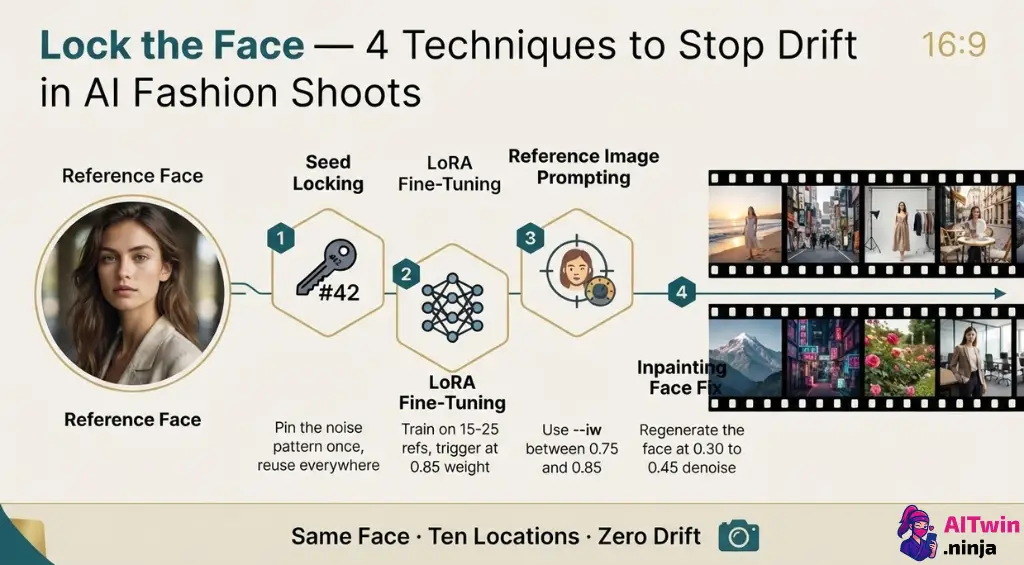
Seed Locking
Every major tool — OpenArt, Midjourney, Stable Diffusion — lets you set a fixed seed value. Lock it once during your initial character generation, record it, and use it every time you switch scenes. The seed anchors the base noise pattern of the image, which keeps structural facial features stable across different prompts.
LoRA Fine-Tuning
For serious character consistency, a custom LoRA trained on your model is non-negotiable. OpenArt supports LoRA training directly in-platform — upload 15–25 high-quality reference images of your character, train the LoRA, and call it in every location prompt with a weighted trigger word like <model_name:0.85>. This gives you consistent facial structure, skin tone, and even expression style across all ten locations.
Reference Image Prompting
When LoRA isn’t available, use reference image input with weighted parameters. Midjourney’s –iw flag and OpenArt’s character reference feature both let you upload a face image and control how strongly the tool adheres to it. A weight of 0.75–0.85 usually balances likeness with location adaptability.
Inpainting for Face Fixes
When a location prompt drifts the face anyway — and it will occasionally — use the inpainting tool in OpenArt or Stable Diffusion’s img2img mode. Mask the face region only, feed in your reference image, and regenerate just that area at a low denoising strength (0.3–0.45) to blend the fix naturally into the existing image.
Lighting Rules That Make or Break the Location Shot
Lighting is the single fastest way to tell a professional AI model photo from an amateur one. Each location has a native lighting logic — ignore it and the whole scene falls apart.
| Location | Ideal Lighting Style | Prompt Phrase |
|---|---|---|
| Tropical Beach | Natural golden-hour sunlight | golden hour, warm sun rays, rim lighting |
| Luxury Penthouse | Ambient neon + interior glow | neon reflections, ambient mood light, city glow |
| Paris Street | Soft afternoon diffused light | warm afternoon sun, soft diffused daylight |
| Photography Studio | Ring light, sharp shadows | professional ring light, high contrast, clean shadows |
| Gym | Harsh overhead fluorescent | harsh overhead lighting, high contrast, sharp shadows |
| Forest | Dappled natural sunlight | dappled light through trees, soft natural green tones |
| Luxury Hotel | Soft bedside lamp + morning light | warm bedside lamp, sheer curtain morning light |
| Urban Street | Overcast flat light | overcast sky, flat diffused urban light |
| Infinity Pool | Bright sunlight + water caustics | sunlight caustics, bright airy tones, polarized water |
| Café Interior | Warm bokeh + window sidelight | warm string light bokeh, soft window sidelight |
Negative Prompt Essentials
Always include these in your negative prompt block for every location:
flat lighting, blown-out skin, overexposed highlights, blurry face, bad hands, plastic skin, cartoon, illustration, low resolution, watermark
Tools That Actually Work for Location-Based AI Model Photos
OpenArt
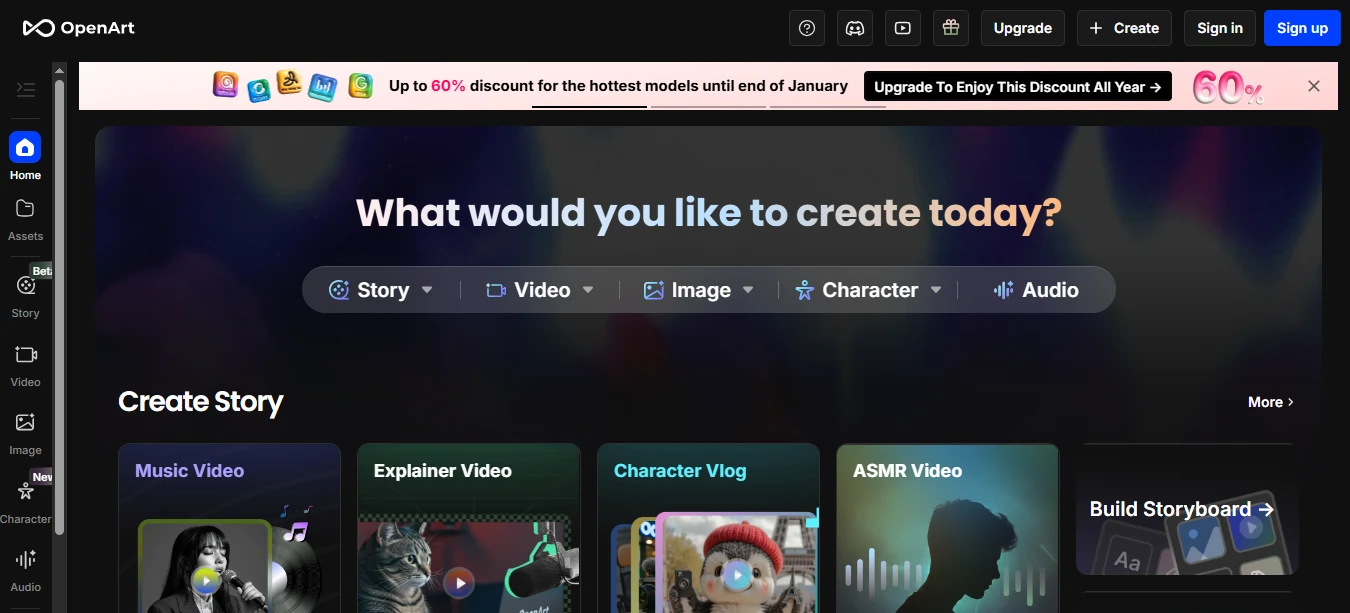
The most complete platform for this specific workflow. Character consistency, LoRA training, NSFW toggle, and a prompt builder are all in one place. Use it to build your base model, fine-tune the character, and generate all ten location variants without leaving the platform. Free tier available; paid plans scale with generation volume.
Higgsfield
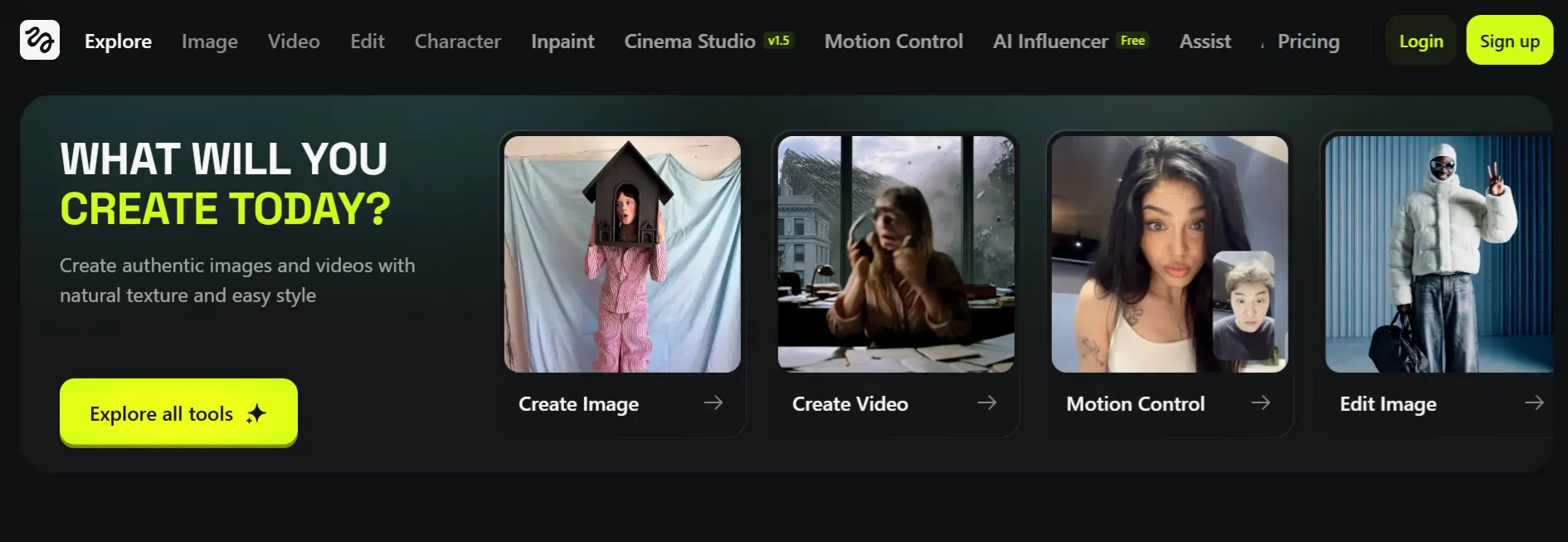
Built for cinematic output. Higgsfield handles scene-based generation particularly well, making it strong for location shots where atmosphere and depth matter. Best used when you want your AI model photos to lean editorial rather than social-casual.
Pykaso

Designed specifically for adult creator workflows. Fast generation, reliable face consistency with seed + reference input, and a straightforward interface. Strong choice for NSFW location content where platform restrictions aren’t a concern.
Kling AI
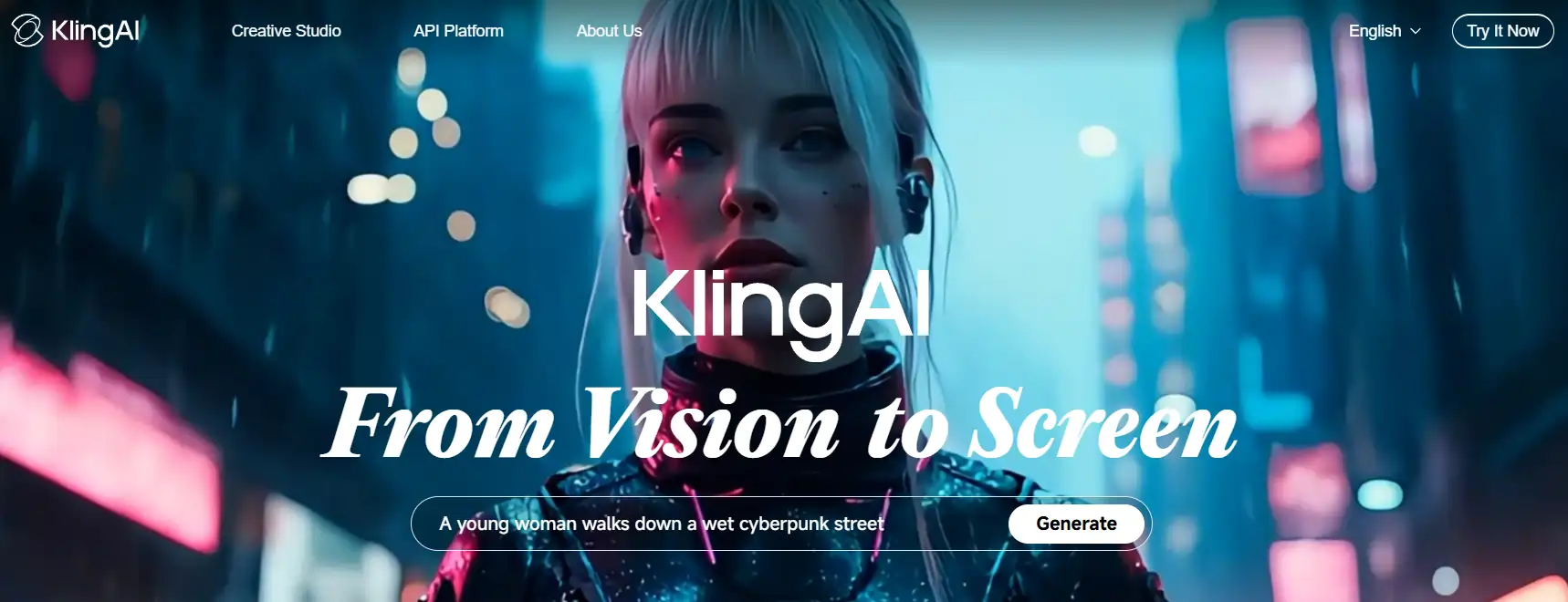
The image-to-video hybrid tool. Generate your location photo in OpenArt, then push it into Kling AI to add subtle motion — a slight breeze, gentle water ripple, hair movement. Turns static location shots into content that performs significantly better in feed algorithms.
Media.io
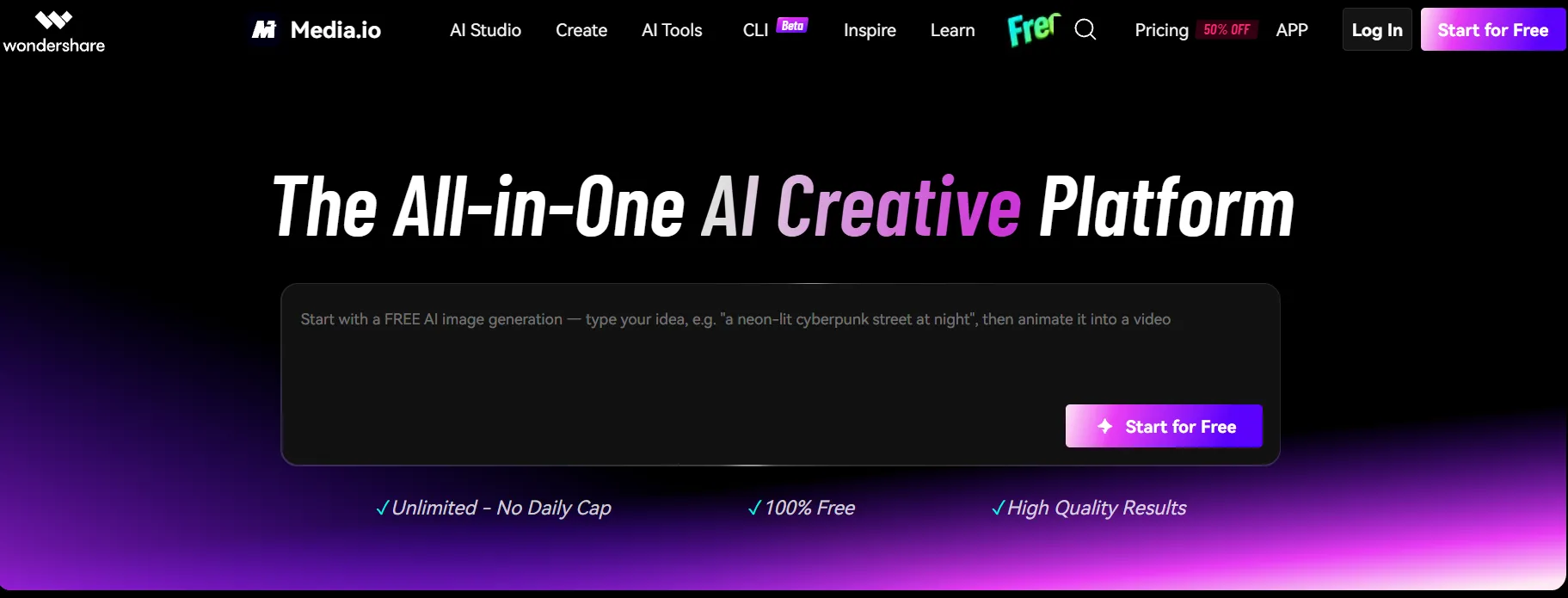
Best for quick background swaps on existing AI-generated images. Not a primary generation tool, but useful for rapid location iteration when you already have a strong base shot and want to test different backgrounds fast.
Common Mistakes That Tank Your Location Photos
FAQ
What is the best AI tool to generate model photos in different locations?
OpenArt is the strongest all-in-one option — it combines character consistency, LoRA training, and location-based prompting in a single platform with both free and paid tiers.
How do I keep the same face across different AI-generated scenes?
Lock your seed value, use a character reference image with weighted input, or train a custom LoRA on your model — LoRA gives the tightest face consistency across location switches.
Can I use AI model photos on OnlyFans or Fanvue?
Fanvue explicitly supports AI-generated content; OnlyFans has updated its policy to allow AI content with disclosure — always check each platform’s current content guidelines before posting.
Are AI model photos with location backgrounds detectable as AI?
High-quality outputs using photorealistic checkpoints with proper lighting, negative prompts, and inpainting corrections significantly reduce detection — but no AI output is completely undetectable at present.
What prompts work best for outdoor AI model photos?
Include specific lighting conditions (golden hour, overcast sky), environmental details (wet sand, cobblestone street), and a depth indicator (bokeh background, shallow depth of field) for outdoor shots that read as real.
How do I make AI model photos look like a real photoshoot?
Match the lighting to the location logic, add a realistic prop or environmental interaction, use a prime lens focal length in your prompt (50mm or 85mm), and always run a face inpaint pass if the output looks off.
Conclusion
Stop building a content library that looks like it came from one session and one backdrop. With a locked AI model character, the right prompt structure, and the ten location templates in this guide, you can produce a full month of visual content in a single afternoon — beach shots, luxury interiors, street-style edits, and everything in between.
OpenArt is the fastest way to get this workflow running from scratch. Build your character once, fine-tune the LoRA, and start running location prompts. Use Kling AI to add motion to your best statics. The creators making real money with AI model content right now aren’t waiting — they’re producing at volume and rotating locations like a proper media team.
Pick one location from this guide. Run the prompt. See how many content-ready shots you pull from a single two-hour session.
AITwin Ninja
Affiliate Disclosure: This post may contain some affiliate links, which means we may receive a commission if you purchase something that we recommend at no additional cost for you (none whatsoever!)
Similar Posts
Author
Andrea Obrien
I specialise in writing about AI influencers and AI agents, empowering creators to build sustainable online incomes. Outside of work, I enjoy travelling, photography, and exploring the latest trends in digital innovation.