
Sintra AI Cassie: How AI Creators Can Handle Fan DMs (2026)
Running a creator business means your inbox never stops. Subscribers want custom content, fans ask about billing cycles, and someone always needs a link reset. If you’re managing a Fanvue or OnlyFans account solo, those repetitive DMs eat hours you should spend creating. Sintra AI Cassie is built to take that load off — an…

By :
sandra
July 4, 2026
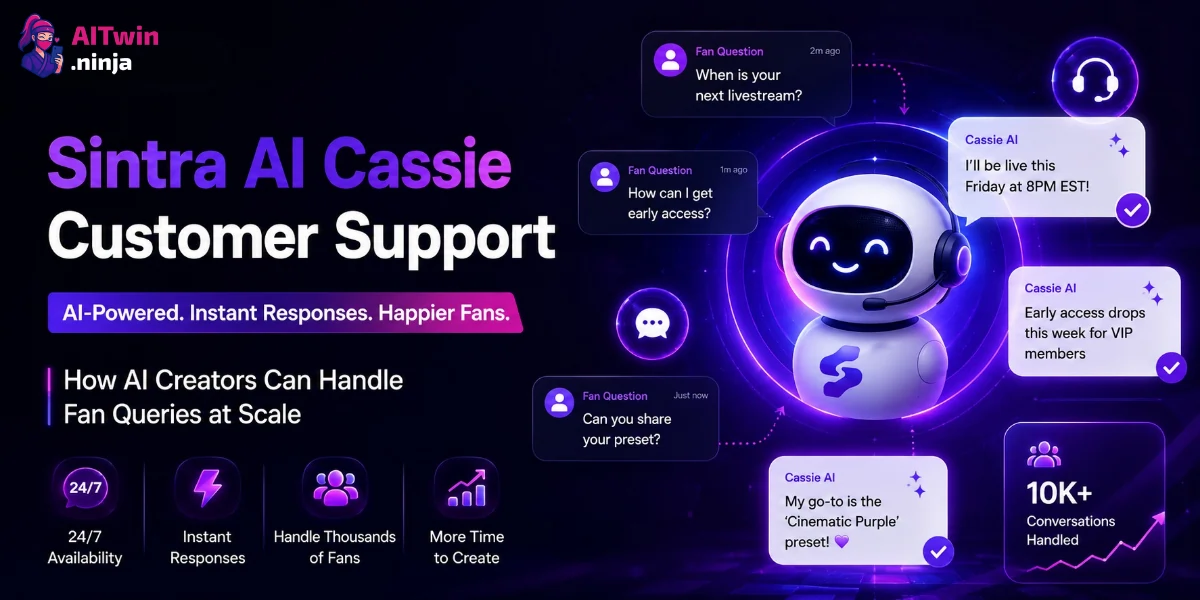
Running a creator business means your inbox never stops. Subscribers want custom content, fans ask about billing cycles, and someone always needs a link reset. If you’re managing a Fanvue or OnlyFans account solo, those repetitive DMs eat hours you should spend creating.
Sintra AI Cassie is built to take that load off — an AI customer support specialist that drafts replies, generates FAQs, and keeps your brand voice consistent across every fan conversation.
In this guide, we’ll break down exactly how Cassie works for AI creators, what she can (and can’t) do, how she compares to Freshdesk and Zendesk AI, and what it costs to put her on your team.
Sintra AI Cassie Quick Specs: What Creators Get
| Feature | Details |
|---|---|
| Best for | AI creators, Fanvue/OnlyFans managers, brand DM handlers |
| Core function | Drafts fan replies, FAQs, support docs, feedback summaries |
| Knowledge base | Brain AI (text, PDFs, URLs, 20+ file formats) |
| Auto-send capable | No — human approval required before any reply goes out |
| Social media automation | Facebook comment drafting only (requires confirmation) |
| Multi-language support | 100+ languages for drafting |
| Pricing | $97/mo, 1-month (Sintra X — all 12 helpers) |
| Money-back guarantee | 14-day full refund |
| Powered by | GPT-4.1, Claude 4.5 Sonnet, Gemini 2.5 Flash |
| Stats | 5M+ messages reviewed, 30,000+ businesses, 2M+ replies generated |
What Is Sintra AI Cassie and How Does She Work?
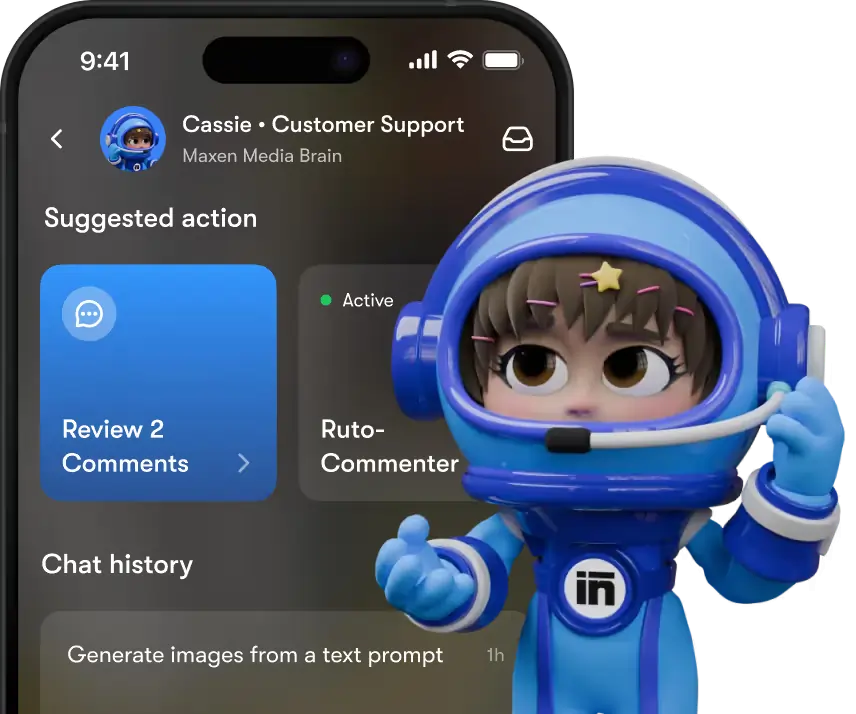
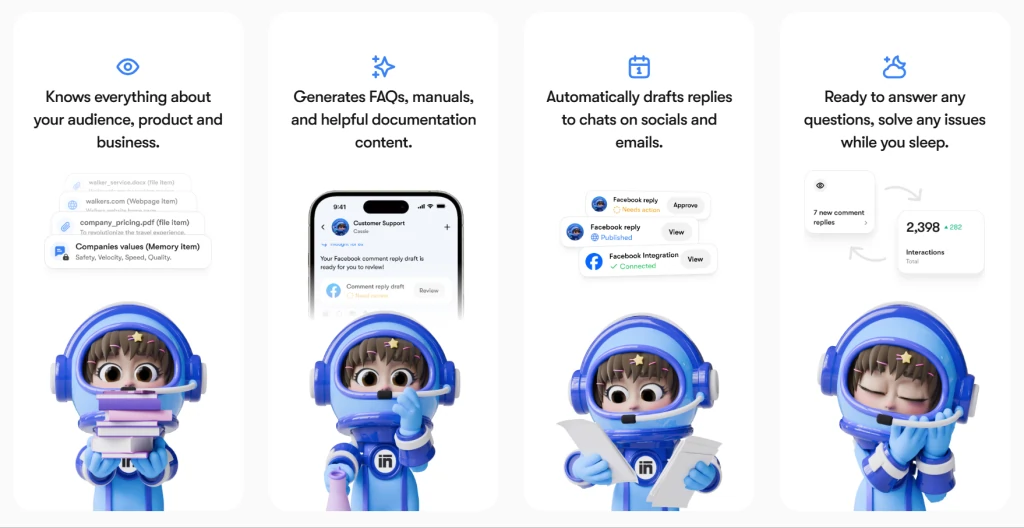
Cassie is one of 12 specialized AI helpers inside the Sintra AI platform. Think of her as a customer support specialist who never clocks out — she drafts replies to fan emails, generates help documentation, and summarizes inbox trends so you can spot issues fast.
The setup is intentionally simple. You create a Sintra account, feed Cassie your brand info through Brain AI (more on that below), and she starts generating response drafts. The catch? She won’t send anything on her own. Every reply Cassie crafts needs your sign-off before it reaches a fan.
That human-in-the-loop design is actually a strength for creators. You stay in control of what your brand says — Cassie just does the heavy lifting on drafting so you’re not staring at a blank message box at 2 AM.
🚀 Start Using Cassie for Less — Get 75% OFF
Use AFFINCO75 to get an exclusive 75% OFF your Sintra AI subscription. Respond to fan queries faster with Cassie while keeping full control of every reply.
Brain AI: Cassie’s Knowledge Engine
Brain AI is the shared knowledge base that powers all Sintra helpers, including Cassie. You upload brand guidelines, response templates, FAQ documents, pricing pages, and even website URLs — up to 20 different file formats are supported.
For a creator on Fanvue or OnlyFans, that means feeding Cassie:
Once Brain AI has that context, every draft Cassie generates pulls from your actual business data — not generic chatbot templates. You can create up to 5 separate Brain AI profiles, which is handy if you manage multiple creator accounts or run an agency.
How AI Creators Can Use Cassie for Fan Query Management
Here’s where things get practical. If you’re a virtual creator or AI influencer juggling hundreds of fan messages daily, Cassie fits into your workflow in several concrete ways.
Drafting Personalized Fan Responses
Paste a fan’s message into Cassie’s chat, and she’ll generate a reply that matches your brand voice. Because Brain AI holds your tone guidelines and past responses, the output feels consistent — not like a canned bot reply.
A typical use: a subscriber asks about getting a custom video. You feed that message to Cassie along with your custom content pricing (stored in Brain AI), and she drafts a reply quoting your rates, turnaround time, and payment instructions. You review, tweak if needed, and send.
Handling Subscription and Billing Queries
Fans constantly ask about failed payments, upgrade options, and cancellation processes. Instead of typing the same answer 40 times a week, store your billing FAQ in Brain AI and let Cassie draft accurate responses on demand.
She can reference your specific subscription tiers, payment processor policies, and refund windows — all from the documents you’ve uploaded. The output stays on-brand because Brain AI enforces your tone rules across every interaction.
Managing Content Requests at Scale
When fans request specific content types — photosets, videos, voice notes — Cassie can draft responses that acknowledge the request, quote pricing, and set expectations on delivery time. Store your content menu and pricing sheet in Brain AI, and every draft she produces will reference the right details.
Generating FAQs and Support Documentation
Cassie doesn’t just reply to messages — she builds documentation. Feed her your most common fan questions and she’ll turn them into structured FAQ sections you can publish on your Linktree, Fanvue bio, or a dedicated support page.
This is useful for cutting down repeat questions. If you notice fans keep asking about your content schedule, have Cassie generate a clean FAQ entry about it. Post it somewhere visible, and the question volume drops.
Summarizing Fan Feedback and Inbox Trends
Cassie can analyze batches of fan messages and generate summary reports showing common themes, sentiment trends, and recurring issues. If multiple subscribers are complaining about a payment glitch or asking about a specific content type, her summary surfaces that so you can act on it.
This reporting feature is built directly into the platform — no extra integration needed. You get a feedback heat map showing which topics generate the most (and least) positive sentiment.
Sintra AI Cassie vs Freshdesk AI vs Zendesk AI
Both Freshdesk and Zendesk are enterprise-grade helpdesk platforms with AI features bolted on. They’re built for support teams handling ticket queues — not for creators managing fan relationships. Here’s how they stack up against Cassie.
| Feature | Sintra AI Cassie | Freshdesk (Freddy AI) | Zendesk (Advanced AI) |
|---|---|---|---|
| Pricing model | Flat $97/mo (all helpers) | $15–79/agent/mo | $19–115/agent/mo + $50/agent AI add-on |
| 12-agent team cost | $97/mo total | $490/mo (Pro tier) | $1,050/mo (Pro + AI) |
| Autonomous sending | No (human approval) | No (suggests replies) | No (suggests replies) |
| Brand voice training | Brain AI knowledge base | Limited templates | Custom intents + macros |
| Social media drafting | Facebook comments (manual confirm) | WhatsApp, Instagram, Facebook | WhatsApp, Instagram, Facebook |
| Multi-language | 100+ languages | Limited by plan | Limited by plan |
| Setup time | Minutes | Hours | 3–5 days |
| Best for | Solo creators & small brands | SMB support teams | Enterprise teams |
The key difference: Freshdesk and Zendesk are ticket-routing systems that use AI to help human agents work faster. Neither platform autonomously resolves tickets — both cap around 10–25% AI resolution rates. Cassie takes a different approach. She’s not routing tickets to a queue. She’s drafting complete, context-aware responses from your brand knowledge base that you approve and send.
For a solo creator, that matters. You don’t need a ticketing system with SLA rules and round-robin routing. You need someone to help you write 80 fan replies without losing your mind — and Cassie does that at a fraction of the cost.
Freshdesk’s cheapest plan starts at $15/agent/month, but that’s per agent. For a solo creator acting as their own support team, that’s $15/month for basic features. Zendesk’s Advanced AI add-on costs $50/agent/month on top of the base plan. Cassie gives you 12 AI helpers for $97/month flat — no per-seat pricing, no AI add-on fees.
Fanvue and OnlyFans Subscriber Management: Practical Cassie Workflows
Here’s how a day in the life looks when you put Cassie in your creator workflow.
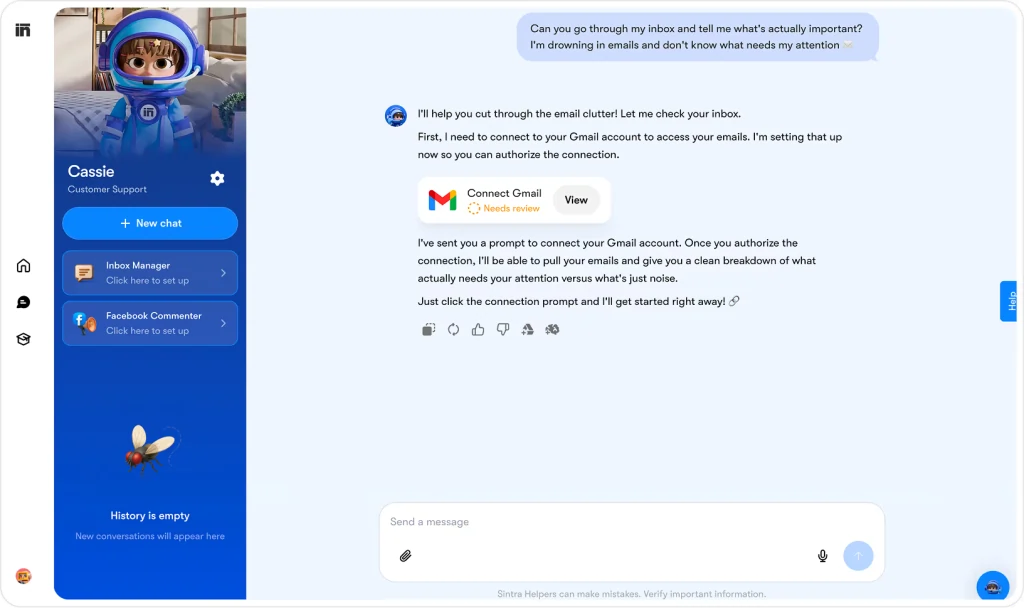
Morning inbox sweep. You’ve got 47 unread fan messages from overnight. Open Cassie, paste each message, and she drafts replies using your stored brand voice and pricing info. You batch-review them, approve the ones that look right, tweak a few, and your inbox is clear in under an hour instead of three.
Content request responses. A fan wants a custom photoset. Cassie drafts a reply quoting your rates (pulled from Brain AI), includes your payment link, and sets a delivery expectation. You review and send.
Billing dispute handling. A subscriber says they were charged twice. You feed the message to Cassie along with your refund policy. She drafts a calm, empathetic response acknowledging the issue and explaining the resolution steps — without you having to think about the right phrasing.
Weekly feedback summary. At the end of the week, have Cassie analyze your sent messages and generate a summary of what fans asked about most. If custom video requests spiked 40% this week, you know what content to prioritize next.
✨ 75% OFF AI Assistant for Creator Inbox Management
Apply AFFINCO75 at checkout to claim 75% OFF Sintra AI.
Cassie helps you clear your inbox faster with AI-powered response drafts. Work smarter, stay consistent, and keep fans engaged every day.
Important Limitation: No Auto-DMs
Here’s the honest part. Cassie cannot send messages on her own. She doesn’t plug into your Fanvue or OnlyFans DMs as a live bot. You’ll need to copy-paste her drafts into your platform and hit send yourself.
Sintra also doesn’t support automated replies to social media DMs on Instagram, LinkedIn, or Facebook inbox messages. The only social automation available is Facebook page comment drafting — and even that requires your confirmation before the reply goes live.
If you need fully autonomous fan chat automation (where AI replies without your approval), you’d need a platform like Fanalytics or NovaChat — purpose-built for Fanvue/OnlyFans creator messaging. But those tools don’t offer the documentation, FAQ generation, and feedback analysis features Cassie provides.
Sintra AI Cassie Pricing and Plans
Sintra now sells one plan — Sintra X — across three billing terms:
| Plan Term | Price | Equivalent Monthly | Monthly Credits | What You Get |
|---|---|---|---|---|
| 1-month | $97 | $97/mo | 250 | All 12 AI helpers + full Power-Ups |
| 3-month | $177 | $59/mo | 250 | All 12 AI helpers + full Power-Ups |
| 12-month | $624 | $54/mo | 250 | All 12 AI helpers + full Power-Ups |
Sintra no longer sells Individual Helper plans, so Cassie now comes bundled with all 12 helpers — including Penn (copywriting), Soshie (social media), Seomi (SEO), and Dexter (data analyst) — which suits you if you’re running a full creator business with content, marketing, and support needs. Longer terms cut the effective monthly rate, dropping to $54/mo on the annual plan.
Credits power advanced AI usage and reset monthly across every term. If you run out, you can buy credit top-ups ranging from $37.50/month (150 credits, “Cup of Energy”) up to $1,200/month (4,800 credits, “Case of Energy”).
All plans come with a 14-day full money-back guarantee — request a refund within 14 days of your initial purchase.
Frequently Asked Questions
Can Sintra AI Cassie automatically reply to my Fanvue or OnlyFans fans?
No. Cassie drafts responses based on your Brain AI knowledge base, but she cannot send messages autonomously. You review every draft and manually send it through your platform.
Does Sintra AI Cassie integrate with my website or social platforms?
Not directly. Cassie cannot be embedded as a live chatbot on WordPress, Shopify, or any external website. The only social automation available is Facebook page comment drafting, which still requires your confirmation.
How much does Sintra AI Cassie cost?
Sintra sells one bundle — Sintra X — starting at $97/month (1-month term). Longer terms lower the effective rate to $59/month (3-month) or $54/month (12-month), and every plan includes all 12 AI helpers plus Cassie.
Can Cassie learn my brand voice for fan interactions?
Yes. Upload your brand guidelines, response templates, and tone rules into Brain AI. Cassie references this knowledge base for every draft, keeping your voice consistent across all fan messages.
Is Sintra AI Cassie better than Freshdesk or Zendesk for creators?
For solo creators, yes. Freshdesk and Zendesk are built for multi-agent support teams with ticket queues — not for individual creators managing fan relationships. Cassie costs less, sets up faster, and is designed for drafting personalized responses rather than routing tickets.
What AI models power Sintra AI Cassie?
Sintra’s helpers are powered by GPT-4.1, Claude 4.5 Sonnet, and Gemini 2.5 Flash, orchestrated within a single platform.
Can I use Cassie for multiple creator accounts?
Yes. Brain AI supports up to 5 separate profiles, so you can switch between different creator brands or manage multiple client accounts from one Sintra subscription.
Should AI Creators Use Sintra AI Cassie?
If you’re a solo creator spending 2+ hours daily on fan messages, Cassie pays for herself fast. At $97/month, she costs less than hiring a VA for one day — and she’s available 24/7.
The trade-off: you stay in the approval loop. Every reply needs your sign-off. That’s slower than fully automated chatbot platforms, but it’s also safer. No rogue AI sending messages in your voice that you didn’t authorize.
For creators who want control over what goes out but need help with the drafting workload, Cassie hits a sweet spot. For those who want set-and-forget automation, purpose-built fan chat tools are a better fit — but you lose the documentation, FAQ generation, and feedback analysis features that make Cassie useful beyond just message drafting.

AITwin Ninja
Affiliate Disclosure: This post may contain some affiliate links, which means we may receive a commission if you purchase something that we recommend at no additional cost for you (none whatsoever!)
Similar Posts


Author
sandra
Sandra is a tech ethicist and lead writer for AI Twin. She investigates the societal impact of AI replication technology, focusing on the ethical implications, privacy concerns, and future of human connection in an increasingly digital world.