
How Creators Use Sintra AI Soshie for 5+ Social Profiles
Running one AI influencer account is already a grind. Running five feels like a second job you never signed up for. If you’re juggling Instagram, TikTok, Fanvue, X, and Threads for your virtual character, the bottleneck isn’t ideas, it’s hours. You forget which persona posted what, captions start sounding identical, and one account always goes…

By :
Ralph
July 4, 2026

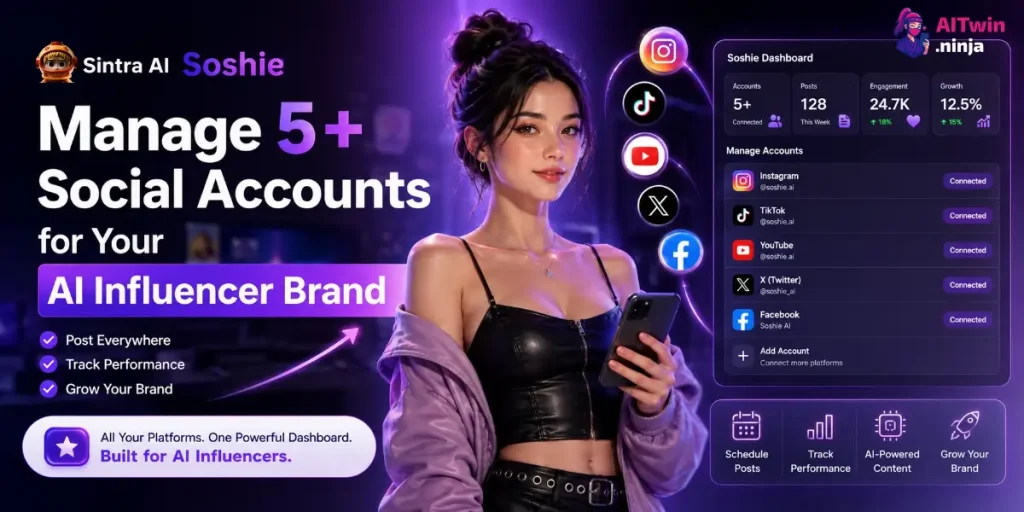
Running one AI influencer account is already a grind. Running five feels like a second job you never signed up for. If you’re juggling Instagram, TikTok, Fanvue, X, and Threads for your virtual character, the bottleneck isn’t ideas, it’s hours. You forget which persona posted what, captions start sounding identical, and one account always goes quiet for a week.
Short answer: Sintra AI Soshie manages 5+ social accounts by creating a separate Brain AI profile for each character, auto-drafting a week of posts every Sunday for Facebook, Instagram, and LinkedIn, and generating platform-native scripts and captions for TikTok, X, and Fanvue that you post manually. You approve everything from one calendar, so five personas stay active and on-brand without twelve open tabs.
I run this exact setup across multiple AI character brands. Below is the real workflow, where Soshie’s automation ends and manual posting begins, and how it stacks up against Buffer and Later.
Sintra Soshie for Multi-Account Management
| What You Manage | How Soshie Handles It | Why It Matters for AI Influencers |
|---|---|---|
| Multiple character brands | Separate Brain AI profiles per persona | Each account keeps its own voice, no bleed-over |
| Facebook, Instagram, LinkedIn | Native auto-drafting and scheduling | Posts weekly with zero manual scheduling |
| TikTok, X, Fanvue | Content and scripts generated, posted manually | Consistent voice even without native publishing |
| Posting schedule | Weekly draft calendar every Sunday | No missed windows across 5+ accounts |
| Comments and DMs | Reply drafting in Soshie’s chat | Faster response without sounding robotic |
Here’s What Soshie Actually Automates
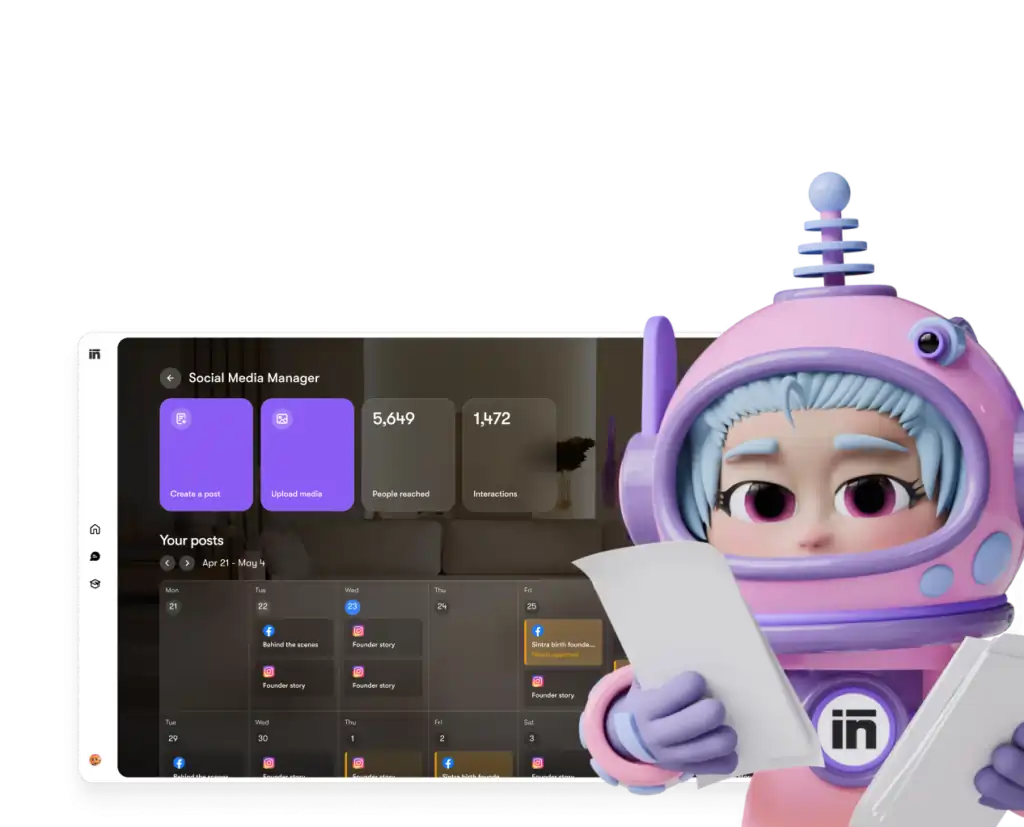
Sintra AI Soshie is a social media manager helper trained on tens of thousands of data touchpoints across platforms, built to draft, schedule, and publish posts for Facebook, Instagram, and LinkedIn directly from your Sintra dashboard. Every Sunday, she auto-generates a week’s worth of post drafts based on your Brain AI profile and drops them into a visual calendar for your review.
For platforms outside that native trio, TikTok, X, Fanvue, YouTube, Soshie switches roles: she writes scripts, hooks, and captions in your chat room, but you handle the actual posting yourself. This distinction matters for AI influencer creators because your Fanvue and TikTok presence is often where the real revenue lives, and knowing Soshie’s limits here saves you from expecting automation that doesn’t exist yet.
What she reliably does across every platform:
|
Exclusive Sintra AI Deal Save 75% on Sintra AI Soshie Use Soshie to draft social posts, plan weekly content, and speed up your creator workflow from one AI dashboard. Claim 75% OFF 🚀 |
75% OFF

AFFINCO75 |
Why Multi-Account Management Breaks Down (And Where Soshie Fits)
From running five personas at once, three things kill you: voice drift, calendar chaos, and dead comment sections.
Voice drift happens when you write tired at midnight and every character starts sounding like you instead of herself. Calendar chaos is scheduling everything for 7 PM and cannibalizing your own reach. Dead comments happen because replying across five accounts by hand is impossible, so you stop trying.
Soshie fixes voice drift through Brain AI memory and fixes calendar chaos on Facebook, Instagram, and LinkedIn through native weekly drafting. For TikTok and Fanvue, she still solves the writing bottleneck, you just own the final publish step. That’s the real, honest value behind sintra soshie multiple accounts: less time writing, not zero time posting.
Step 1: Set Up a Separate Brain AI Profile Per Character
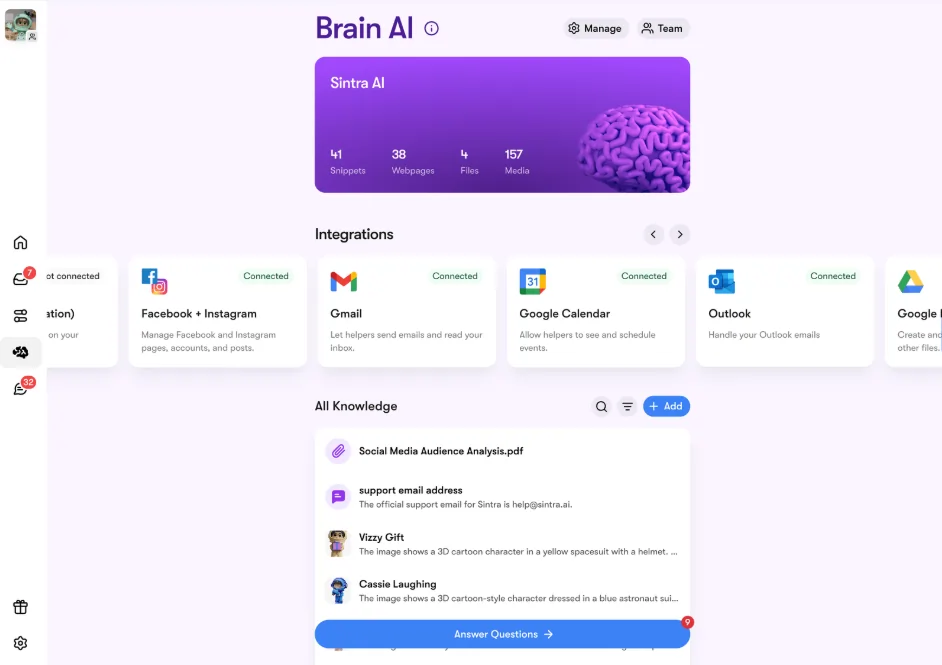
Fill Brain AI first for each character with backstory, tone, and sample captions, since Soshie’s entire output quality depends on this profile before you touch content generation.
This is the foundation, and it’s also the first instruction in Sintra’s own documentation: fill Brain AI before anything else. Brain AI profile switching is what lets one Sintra account run multiple virtual influencers cleanly.
For each character brand, load the profile with:
Experience tip: Pasting 3–5 real captions in each character’s actual voice into her Brain profile cut my edit time roughly in half. Soshie mirrors patterns fast when given genuine examples, and this is the single biggest lever behind sintra AI consistency across a full roster.
Step 2: Let Soshie Auto-Draft Facebook, Instagram, and LinkedIn

Turn on Soshie’s Social Media Manager automation so she creates post drafts every Sunday for the upcoming week across Facebook, Instagram, and LinkedIn, then you approve or edit before anything publishes.
This is Soshie’s core automation, and it only covers these three platforms natively. The flow works like this:
- Fill Brain AI with your character’s business context and voice.
- Turn on periodic scheduling so Soshie generates a week of posts automatically.
- Upload media, or let Soshie generate images if you skip that step.
- Review the calendar view every Sunday, adjust or delete anything off-brand.
- Approve, and posts go live on schedule without further input.
This is where sintra AI instagram management genuinely runs on autopilot, since Facebook and LinkedIn share the same automated pipeline.
Step 3: Generate TikTok, X, and Fanvue Content Manually
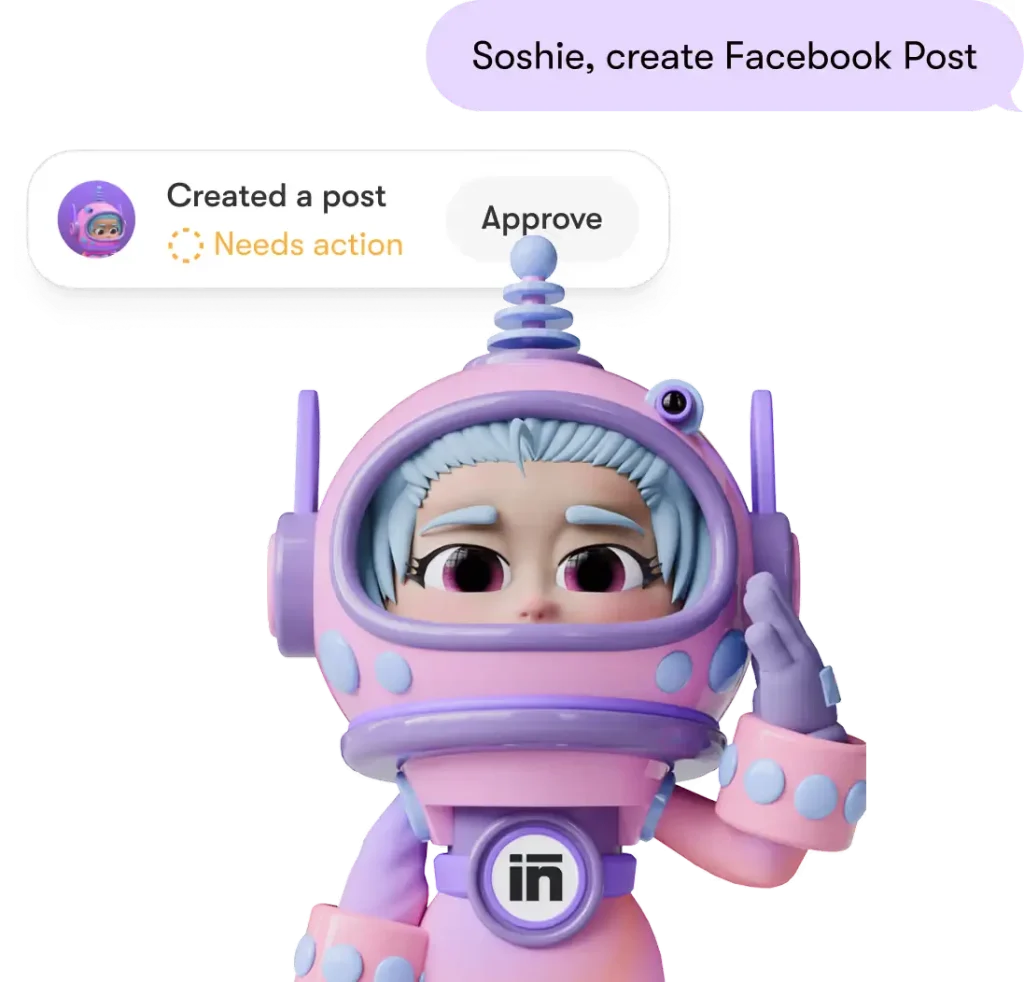
Use Soshie’s chat room to request platform-specific scripts and captions for TikTok, X, and Fanvue, then post them yourself since native auto-publishing doesn’t extend to these platforms.
For Sintra AI tiktok content, open Soshie’s chat and load the character’s Brain profile first. A prompt that works well:
Write 5 TikTok hooks for [Character], a confident 24-year-old fitness creator, theme: morning gym routine. Keep hooks under 8 words and punchy.For sintra AI fanvue content, ask for teaser captions with softer CTAs pointing to exclusive content, since Fanvue rewards curiosity over hard selling. Save these scripts into your own calendar or spreadsheet, and post manually at your chosen time. It’s an extra step, but the writing bottleneck, which eats the most time, is still gone.
Step 4: Build One Master Calendar Across All 5+ Accounts
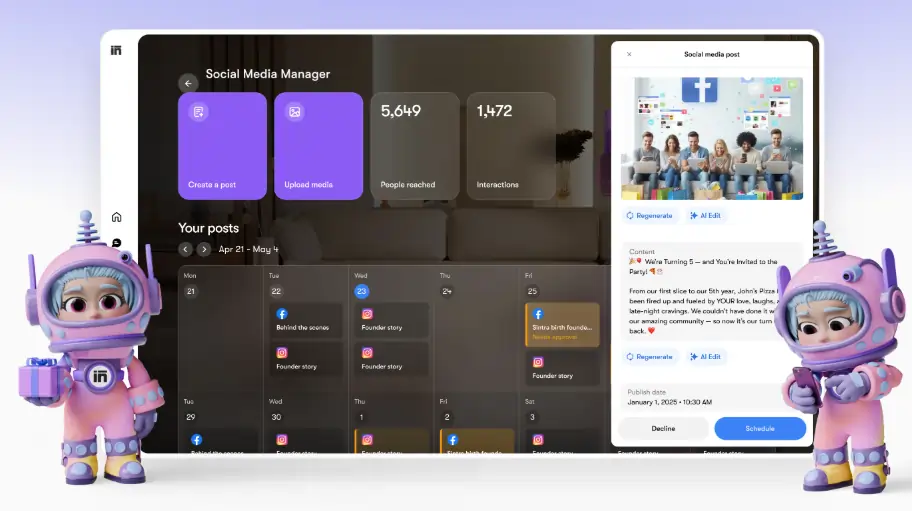
Combine Soshie’s native calendar for Facebook, Instagram, and LinkedIn with a manual tracker for TikTok, X, and Fanvue so every character’s posting slot is visible in one place.
A structure that works for five personas:
This hybrid approach is how managing multiple social accounts with AI actually plays out in practice, part automated, part manual, but far faster than writing everything from scratch.
Step 5: Handle Engagement Without Losing the Voice
Paste comments into Soshie’s chat and request 2–3 in-character reply options, keeping responses short and on-brand across every account.
Dead comment sections quietly kill growth. Use Soshie’s chat for:
This keeps response times low, which platforms reward with reach, while the Brain AI-driven tone keeps each persona feeling real to her audience.
|
Multi-Account Shortcut Save 75% on Sintra AI and use Soshie to draft posts, replies, hooks, and calendars for every character profile. |
AFFINCO75 Claim 75% OFF |
Sintra Soshie vs Buffer vs Later: Honest Comparison
Buffer and Later schedule across more platforms including TikTok, but neither writes in-persona; Soshie writes and auto-schedules for Facebook, Instagram, and LinkedIn using character memory, making it stronger for content creation, weaker for TikTok scheduling.
| Feature | Sintra Soshie | Buffer | Later |
|---|---|---|---|
| AI content writing | Built-in, persona-aware via Brain AI | Basic AI add-on | Limited AI captions |
| Native auto-posting | Facebook, Instagram, LinkedIn only | Facebook, Instagram, TikTok, X, LinkedIn | Facebook, Instagram, TikTok, Pinterest |
| Brand-voice memory | Yes, via Brain AI profiles | No | No |
| TikTok/Fanvue support | Content generation only, manual posting | Native scheduling (no Fanvue) | Native scheduling (no Fanvue) |
| Best for | AI influencer creators needing writing help | Teams needing broad scheduling | Visual-first Instagram creators |
If you need one tool to schedule everywhere including TikTok, Buffer or Later cover more ground natively. But neither remembers five distinct character voices the way Soshie’s Brain AI does. Many creators end up running both: Soshie for writing and FB/IG/LinkedIn automation, Buffer or Later for TikTok scheduling.
Common Mistakes to Avoid With Soshie
From running this daily, these errors cost the most time:
Fix these and Soshie runs like a real team member handling your sintra AI creator accounts instead of a tool you fight with.
Frequently Asked Questions
Does Sintra Soshie post directly to TikTok and Fanvue?
No. Soshie natively auto-posts only to Facebook Pages, Instagram Business/Creator accounts, and LinkedIn. For TikTok, X, and Fanvue, she generates scripts and captions that you post manually.
Can Sintra Soshie manage 5+ social accounts for one creator?
Yes, through separate Brain AI profiles per character. Facebook, Instagram, and LinkedIn run on automated weekly drafts, while other platforms rely on manually posting Soshie’s generated content.
How does Soshie’s automation actually work?
Every Sunday, Soshie creates post drafts for the upcoming week based on your Brain AI context, places them in a visual calendar, and waits for your approval before publishing.
How does Soshie keep my AI influencer’s voice consistent?
She pulls from your Brain AI profile every time she writes, referencing tone, phrases, and saved sample captions, which is the core of sintra AI consistency across characters.
Is Sintra Soshie better than Buffer or Later for creators?
For content writing and FB/IG/LinkedIn automation, yes. For native TikTok or Fanvue scheduling, Buffer and Later currently cover more platforms.
Do I need to fill Brain AI before using Soshie?
Yes, it’s the first required step. Soshie’s output quality depends entirely on how detailed your Brain AI profile is for each character.
Final Take
Managing 5+ social accounts for AI influencers isn’t about grinding harder, it’s about knowing exactly what your tools automate and what still needs your hand. Sintra AI Soshie automates writing and publishing for Facebook, Instagram, and LinkedIn, and removes the writing bottleneck for TikTok and Fanvue even though you post those manually.
Set up your Brain AI profiles properly, let the Sunday auto-draft handle three platforms, and use Soshie’s chat for everything else. That’s how a solo creator runs a full roster of virtual influencers without pretending a tool does more than it actually does.

AITwin Ninja
Affiliate Disclosure: This post may contain some affiliate links, which means we may receive a commission if you purchase something that we recommend at no additional cost for you (none whatsoever!)
Similar Posts



Author
Ralph
Ralph is a digital architect at AI Twin, exploring the intersection of AI and identity. He deconstructs how neural networks are reshaping our digital selves, one algorithm at a time. His writing simplifies complex tech into actionable insights for the future-focused individual.