
Sintra AI Vizzy Virtual Assistant: The AI Scheduler Creators Need
If you’re a content creator or solopreneur juggling brand deals, content deadlines, launch calendars, and a dozen admin tasks — your schedule is probably a mess. The Sintra AI Vizzy virtual assistant steps in as your AI-powered executive assistant, managing everything from calendar events and meeting scheduling to trip planning and daily summaries. No more…

By :
sandra
July 8, 2026
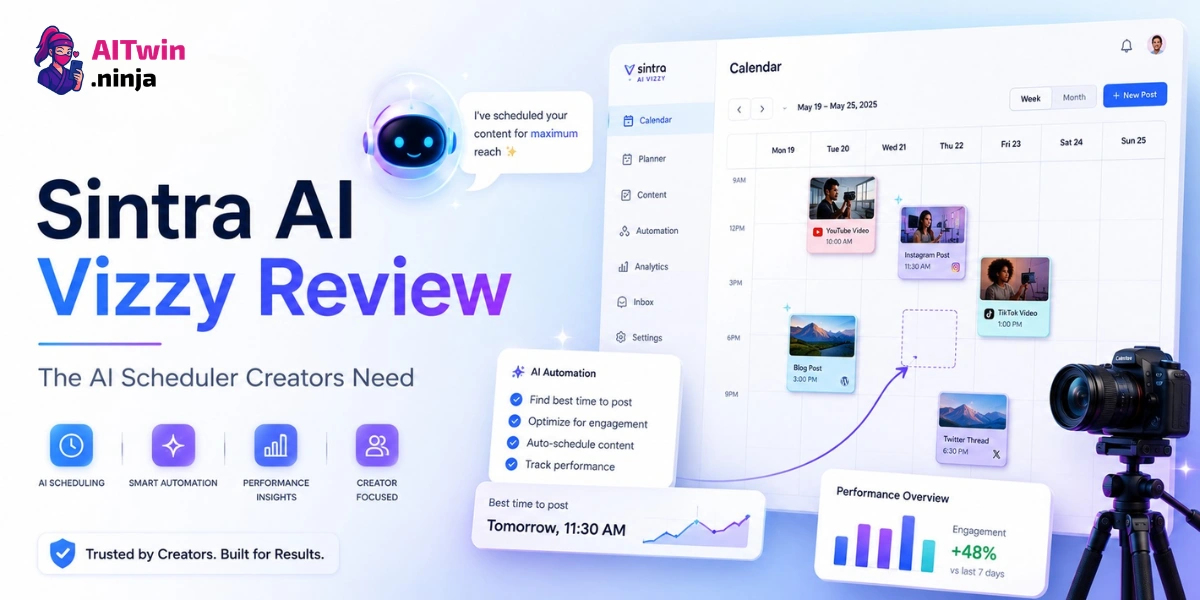
If you’re a content creator or solopreneur juggling brand deals, content deadlines, launch calendars, and a dozen admin tasks — your schedule is probably a mess. The Sintra AI Vizzy virtual assistant steps in as your AI-powered executive assistant, managing everything from calendar events and meeting scheduling to trip planning and daily summaries.
No more bouncing between tabs, forgetting follow-ups, or losing hours to scheduling back-and-forth. Vizzy runs quietly in the background, handles the busywork, and lets you focus on actually creating.
Sintra AI Vizzy Quick Overview: What It Does At a Glance
| Feature | What Vizzy Does | Best For |
|---|---|---|
| Calendar Management | Creates, edits, and deletes Google Calendar events via chat | Busy creators with packed schedules |
| Meeting Scheduling | Adds attendees, generates Meet links, coordinates logistics | Solopreneurs handling client calls |
| Daily Summarizer | Pulls emails + calendar events into a daily briefing | Anyone who wants a morning rundown |
| Trip Planning | Organizes flights, hotels, and full itineraries | Creators attending events or going on press trips |
| Task Delegation | Offloads repetitive admin tasks to background automation | Founders wearing too many hats |
| Meeting Notetaker | Records, transcribes, and summarizes meetings in real time | Teams who want hands-free notes |
| Image Generation | Creates and edits images using natural language prompts | Creators needing quick visuals |
| Correspondence Drafting | Writes business emails, thank-you notes, and follow-ups | Anyone drowning in inbox replies |
| Brain AI Memory | Stores preferences, brand context, and workflow history | Users who want personalized outputs over time |
Vizzy is part of the broader Sintra AI platform, which includes 12 specialized AI helpers covering everything from SEO and copywriting to customer support and data analysis.
How Vizzy Manages Your Calendar (And Why It Matters for Creators)
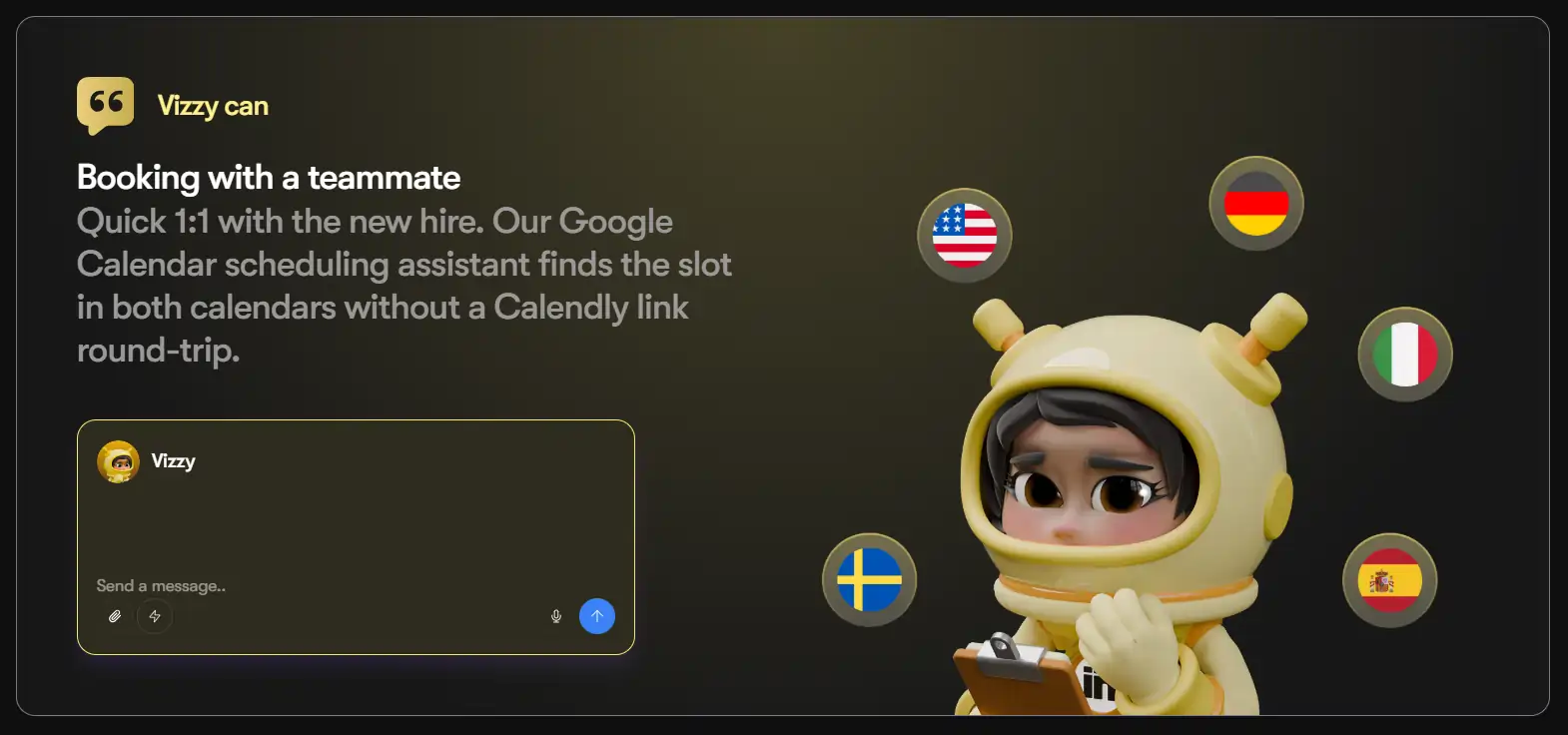
Vizzy connects directly to your Google Calendar through Sintra’s integration system. Once linked, you manage your calendar entirely through chat — no clunky dashboards or manual event creation.
Here’s how it works in practice:
The Daily Summarizer automation is particularly useful — it reviews your emails and calendar each morning, then delivers a concise overview of your day including key tasks, upcoming meetings, and important messages.
For AI influencer creators specifically, this means you can have Vizzy track content deadlines, manage brand partnership schedules, and keep your launch calendar organized without opening a separate app.
Vizzy’s Automation Features: Background Workflows That Save Hours
Sintra currently offers five automations that run on autopilot:
These automations work together — the Meeting Notetaker feeds into the Daily Summarizer, which references your calendar and inbox. Everything stays connected.
Beyond Scheduling: Vizzy as a Full Executive Assistant
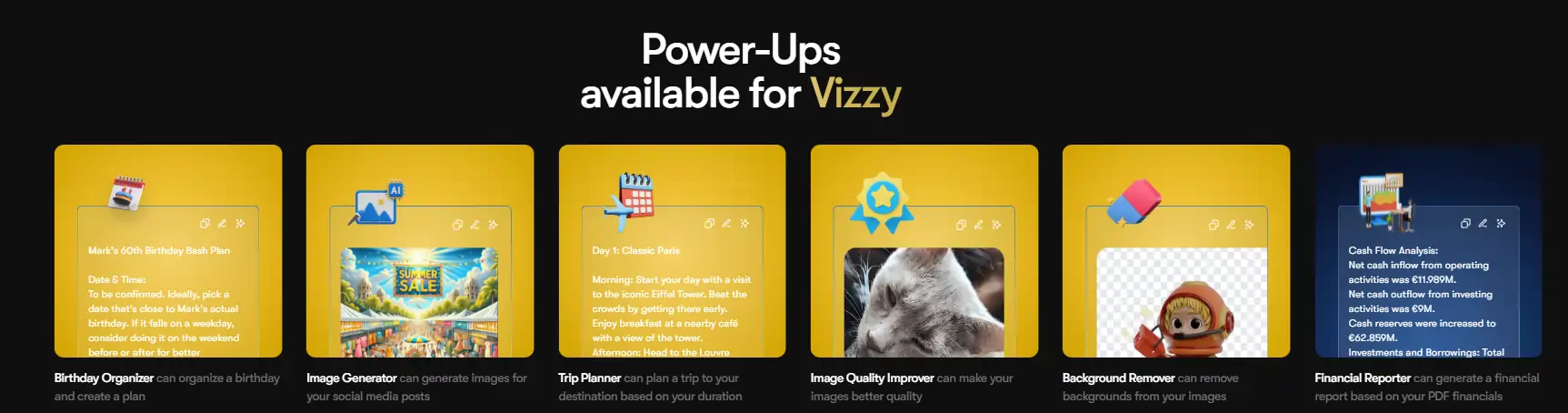
Vizzy isn’t just a calendar bot. The helper is trained on thousands of best practices across multiple domains:
Brain AI: The Memory Layer That Makes Vizzy Smarter Over Time
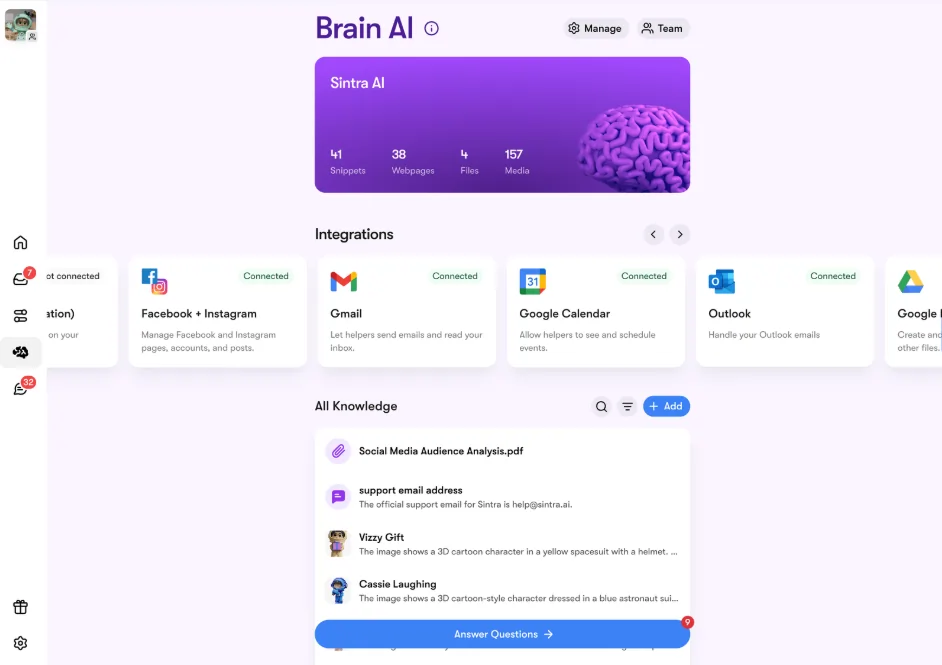
One of Vizzy’s biggest advantages over standalone scheduling tools is Brain AI — Sintra’s memory system. Brain AI stores:
This means Vizzy’s outputs improve the more you use her. Instead of resetting context every conversation, Brain AI compounds knowledge over time. Your scheduling, email drafts, and task execution stay consistent with your brand.
The memory layer also means you don’t re-explain things. Set your preferences once — how you like meetings scheduled, what your default response time is, which tasks need review — and Vizzy applies them going forward.
Sintra AI Vizzy vs Motion AI vs Reclaim.ai vs x.ai
| Tool | Core Focus | Price Range | Calendar Sync | Key Differentiator |
|---|---|---|---|---|
| Sintra AI Vizzy | Full executive assistant + scheduling | $39–97/mo | Google Calendar | Brain AI memory, 12-helper ecosystem, trip planning, image gen |
| Motion AI | AI task scheduling + calendar | $12–19/user/mo | Google + Outlook | Real-time auto-rescheduling, project management |
| Reclaim.ai | Smart calendar defense | $10–22/mo | Google Calendar only | Free tier, habit scheduling, focus time protection |
Motion AI is the strongest pure scheduling tool — its real-time auto-rescheduling rebuilds your day when plans change, and it handles task prioritization with AI. But it’s focused on scheduling and project management, not broader assistant tasks. No trip planning, no image generation, no email drafting.
Reclaim.ai is budget-friendly with a free tier and excels at defending focus time and scheduling habits around meetings. But it only works with Google Calendar and lacks the broader assistant capabilities. No meeting notes, no correspondence drafting.
Vizzy’s advantage is breadth. She’s not the deepest scheduling tool, but she covers calendar management, meeting notes, email drafting, trip planning, image generation, document summarization, and task delegation — all in one assistant. For creators and solopreneurs who need a Swiss Army knife rather than a specialized tool, Vizzy offers more bang for the buck.
Pricing: What Does Sintra AI Vizzy Cost?
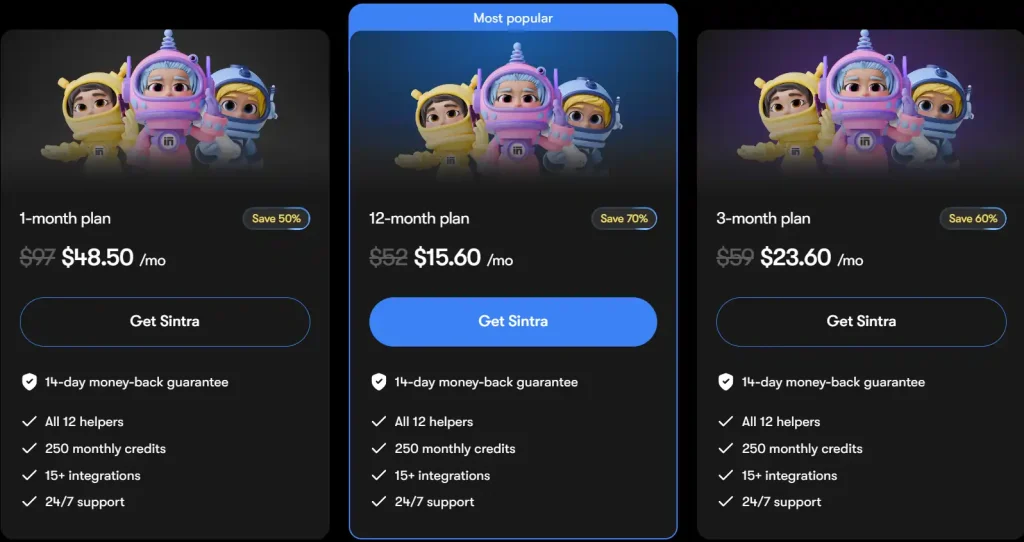
Sintra now sells one plan only — Sintra X — which includes all 12 AI helpers (Vizzy + 11 others). No more individual helper subscriptions. Current promo pricing:
| Plan Term | Regular Price | Promo Price | You Save | Monthly Credits |
|---|---|---|---|---|
| 1-month | $97/mo | $48.50/mo | 50% | 250 |
| 3-month | $59/mo | $23.60/mo | 60% | 250 |
| 12-month | $52/mo | $15.60/mo | 70% | 250 |
Every plan includes all 12 helpers, 250 monthly credits, 1,000+ integrations, and a 14-day money-back guarantee.
Credit top-ups are available if you run out mid-month:
For comparison: Motion AI starts at $12.73/mo, Reclaim.ai at $10/mo (with a free tier), and x.ai at $8/mo. Sintra’s 12-month promo at $15.60/mo is competitive — you get 12 AI helpers for less than Motion’s standard rate. But the regular annual price jumps to $52/mo once promos end.
How a Creator Would Actually Use Vizzy Day-to-Day
Let’s say you’re an AI influencer running content across YouTube, Instagram, and a blog. Here’s what your Vizzy-powered workflow looks like:
This is the kind of end-to-end workflow that standalone schedulers can’t provide.
Pros and Cons of Sintra AI Vizzy
Pros
Cons
Is Vizzy Right for You?
Vizzy is ideal for:
Vizzy is NOT ideal for:
Sintra AI Vizzy Review: Frequently Asked Questions
What is Sintra AI Vizzy?
Sintra AI Vizzy is an AI-powered virtual assistant that handles calendar management, meeting scheduling, trip planning, email drafting, image generation, document summarization, and task delegation. She’s part of Sintra’s 12-helper ecosystem and uses Brain AI to remember your preferences over time.
How much does Sintra AI Vizzy cost?
Sintra X is the only plan available — $97/mo regular, with promo pricing at $48.50/mo (1-month), $23.60/mo (3-month), or $15.60/mo (12-month). Individual helper plans were discontinued.
Does Vizzy work with Outlook Calendar?
Currently, Vizzy syncs with Google Calendar only. Outlook email integration works for inbox management, but Outlook calendar sync is not yet available.
Can Vizzy take meeting notes automatically?
Yes. Vizzy’s Meeting Notetaker automation joins your online meetings, records and transcribes them in real time, captures key talking points, and suggests action items. You just admit Vizzy to the meeting.
How does Vizzy compare to Motion AI?
Motion AI is a stronger pure scheduling tool with real-time auto-rescheduling and project management features. Vizzy is broader — she handles scheduling, email drafting, trip planning, image generation, and meeting notes, but doesn’t have Motion’s deep task prioritization engine.
Is Sintra AI Vizzy worth it for content creators?
If you’re a creator who spends hours on scheduling, email management, and admin tasks, Vizzy can save significant time. The Daily Summarizer and Meeting Notetaker alone justify the cost for most busy creators. The broader helper ecosystem adds value if you also need SEO, copywriting, or social media support.
Does Sintra AI offer a free trial?
Sintra offers a 14-day money-back guarantee rather than a traditional free trial. You can test Vizzy for 14 days and get a full refund if it doesn’t fit your workflow.
Can Vizzy handle social media scheduling?
Vizzy herself doesn’t handle social media scheduling — that’s handled by Soshie, Sintra’s social media AI helper. On the Sintra X plan, you get access to all 12 helpers including Soshie, who generates weekly social posts and can auto-post to Facebook, Instagram, and LinkedIn.
Final Verdict: Should You Get Sintra AI Vizzy?
Sintra AI Vizzy virtual assistant fills a gap that pure scheduling tools leave open — she handles your calendar, meetings, emails, trips, and admin tasks from one chat-based workspace. The Brain AI memory system means her outputs get sharper the more you use her, and the Daily Summarizer alone saves most creators 30+ minutes every morning.
At $15.60/mo on the current 12-month promo, you’re getting 12 AI helpers for less than what most people pay for a single SaaS subscription. The 14-day money-back guarantee means zero risk to test it yourself. If you’re a creator drowning in scheduling busywork, Sintra AI Vizzy is worth every penny.

AITwin Ninja
Affiliate Disclosure: This post may contain some affiliate links, which means we may receive a commission if you purchase something that we recommend at no additional cost for you (none whatsoever!)
Similar Posts



Author
sandra
Sandra is a tech ethicist and lead writer for AI Twin. She investigates the societal impact of AI replication technology, focusing on the ethical implications, privacy concerns, and future of human connection in an increasingly digital world.