How to Use Higgsfield Image-to-Video Feature (Complete 2026 Guide)
Sick of staring at static pics when everyone else is pumping out viral video content? Your Instagram feed’s full of creators racking up millions of views, and you’re stuck with images that get scrolled past in 0.3 seconds. Here’s the thing: you don’t need fancy camera gear, Adobe Premiere skills, or a film degree anymore….

By :
Ralph
March 4, 2026
Sick of staring at static pics when everyone else is pumping out viral video content? Your Instagram feed’s full of creators racking up millions of views, and you’re stuck with images that get scrolled past in 0.3 seconds.
Here’s the thing: you don’t need fancy camera gear, Adobe Premiere skills, or a film degree anymore. Higgsfield image-to-video feature turns your boring stills into cinematic gold in seconds – no green screen, no rendering nightmares, just pure AI magic.
This guide walks you through every step to create videos that’ll make your followers stop mid-scroll.
What Is Higgsfield Image-to-Video? (The Basics)
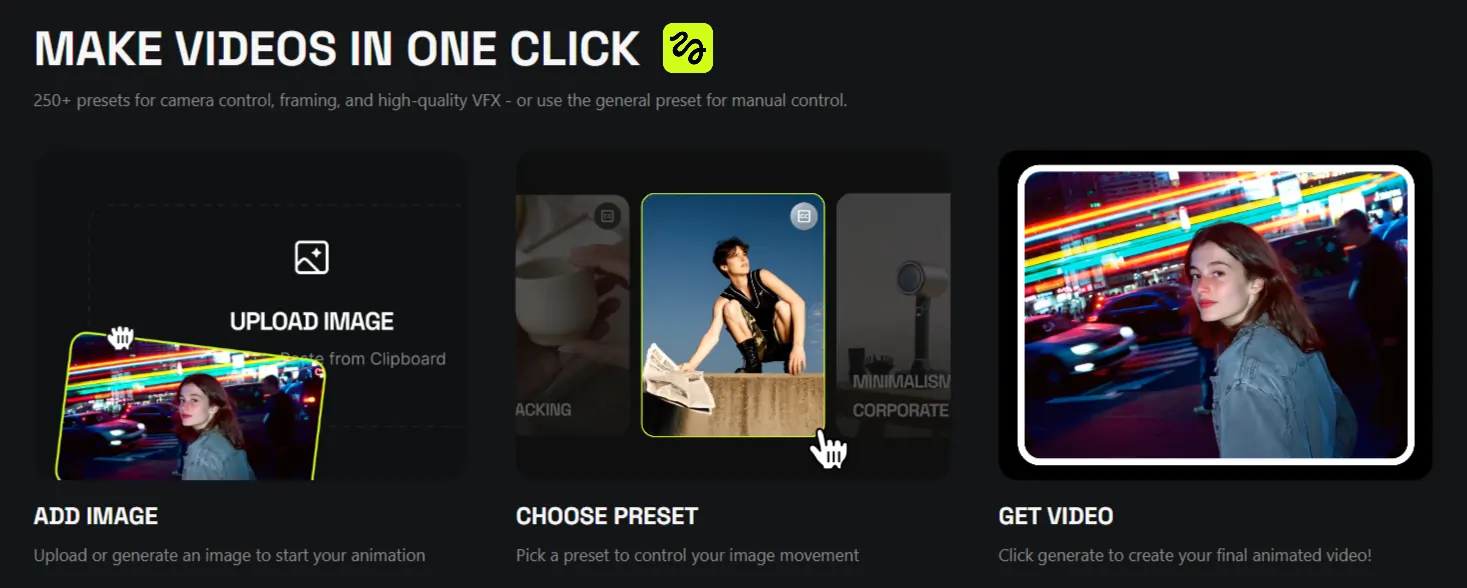
Higgsfield Image-to-Video is an AI-powered tool that breathes life into static images with cinematic camera movements and effects. Unlike basic animation tools, this bad boy gives you Hollywood-level motion control without the headache.
Perfect for TikTok creators, Instagram junkies, and marketers who need eye-catching content fast. The platform runs on a credits system starting at $9/month, with free trials offering 5-10 daily credits to test the waters.
Getting Started With Higgsfield (Setup Basics)
Creating Your Free Account
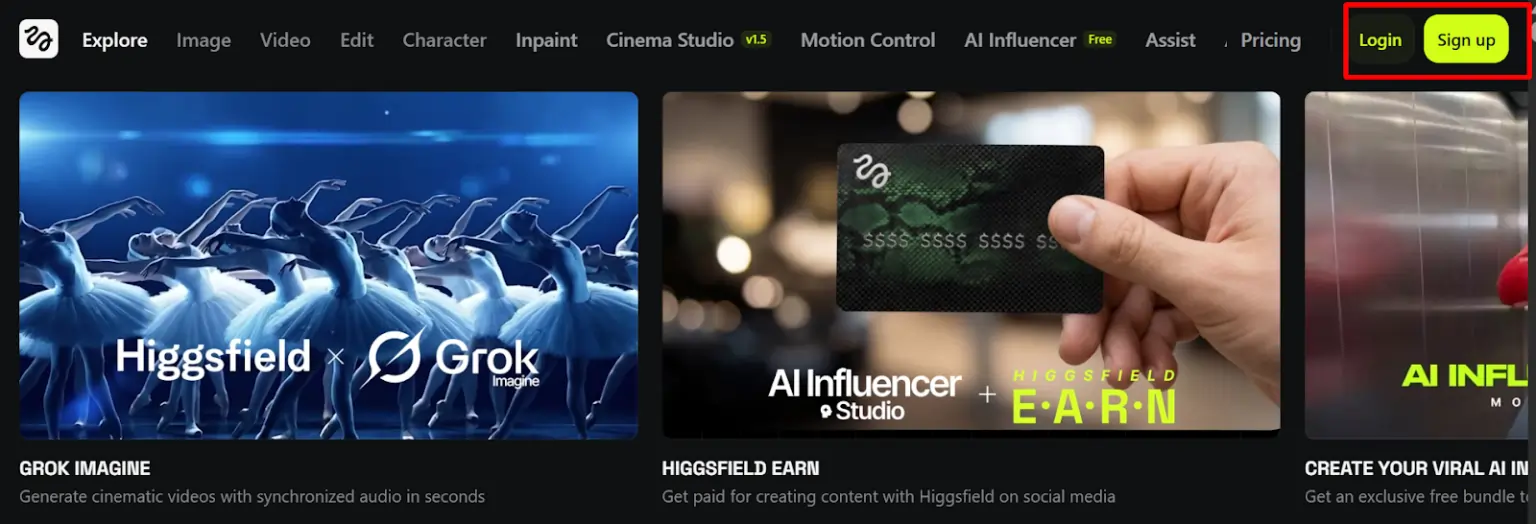
Head to higgsfield.ai and create your account in under a minute. You’ll need to pick a subscription plan to start generating videos, with the Basic plan starting at just $9/month.
Understanding the Credits System
Higgsfield runs on credits, and here’s what you’re actually paying:
Credit Costs:
Monthly Subscription Plans:
| Plan | Monthly Price | Annual Price | Credits/Month |
|---|---|---|---|
| Basic | $9 | $9 | 150 |
| Pro | $29 | $208/year ($17.40/month) | 600 |
| Ultimate | $35 | $294/year ($24.50/month) | 1,200 |
Going annual saves you roughly 40% compared to monthly billing. If you’re serious about churning out content, the Pro or Ultimate plans give you way more bang for your buck.
How to Use Higgsfield Image-to-Video (Step-by-Step)
Step 1 – Upload Your Image
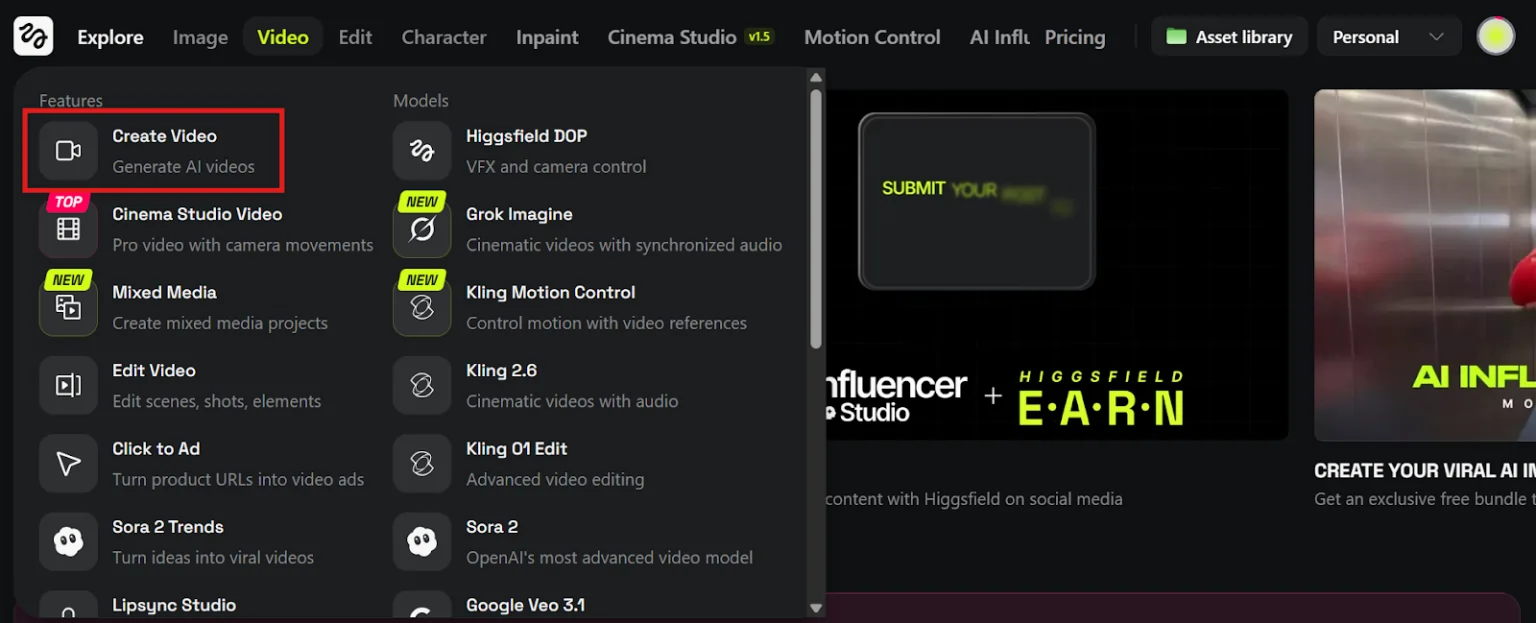
Click “Create Video” and upload your image. JPG and PNG formats work best. Higher resolution equals better results, so don’t upload potato-quality pics.
Step 2 – Choose Your Animation Style
Select from 250+ camera movement presets:
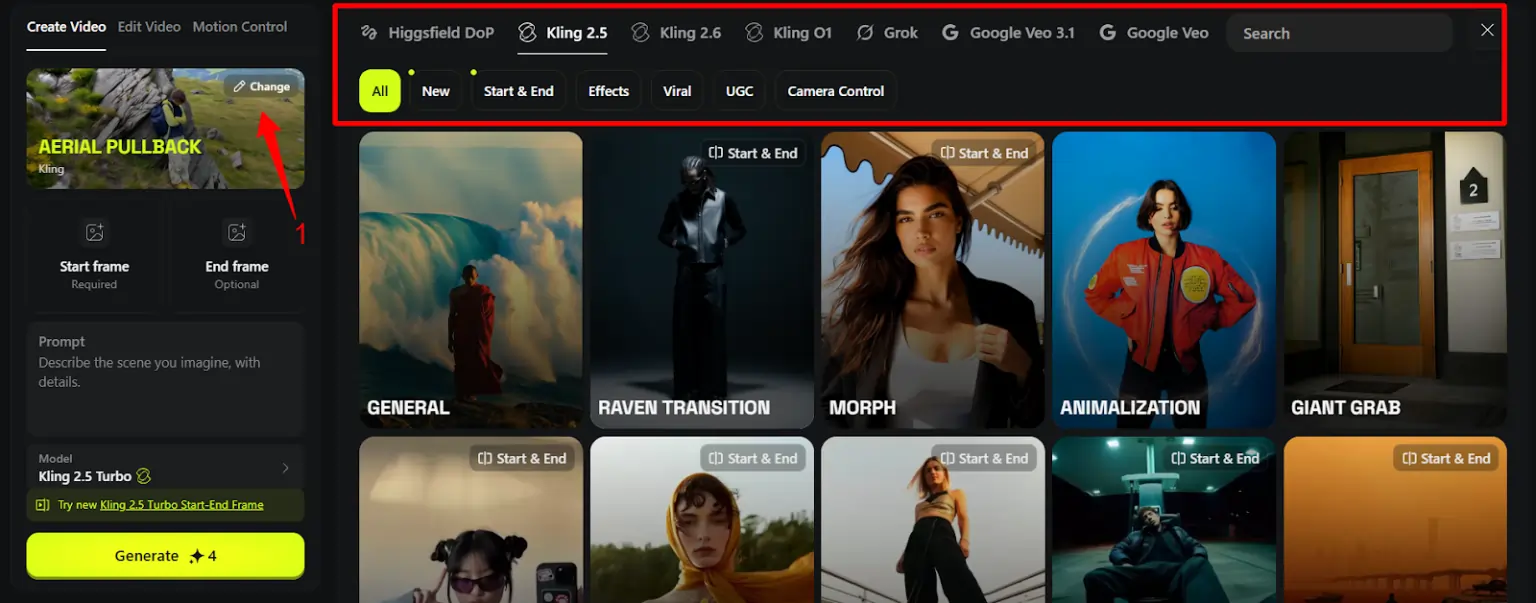
Step 3 – Add Motion Controls (Pro Feature)
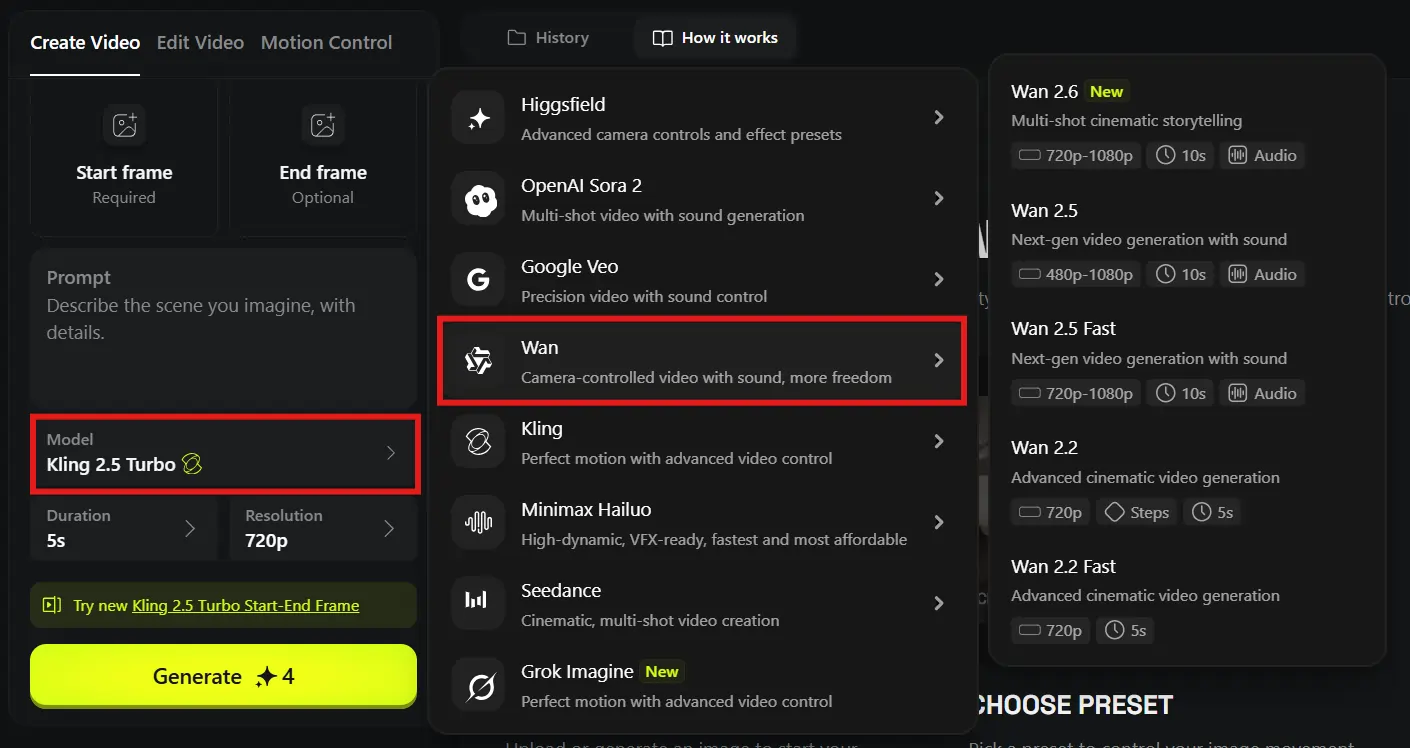
Access WAN Camera Control for precise movement adjustments. Centered subjects work brilliantly for orbits and zooms, while wide shots shine with drone and FPV movements.
💡 Pro tip: combine camera moves with text prompts like “character raises hand and points” for next-level results.
Step 4 – Fine-Tune Advanced Settings
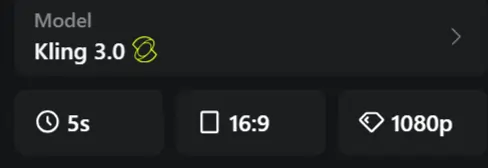
Adjust movement intensity, pick your duration (5-10 seconds), and choose quality settings. Balanced mode generates faster, while Ultra delivers that crispy 4K goodness.
Step 5 – Generate & Preview
Hit generate and grab a coffee. Processing takes 20-60 seconds depending on complexity and server load.
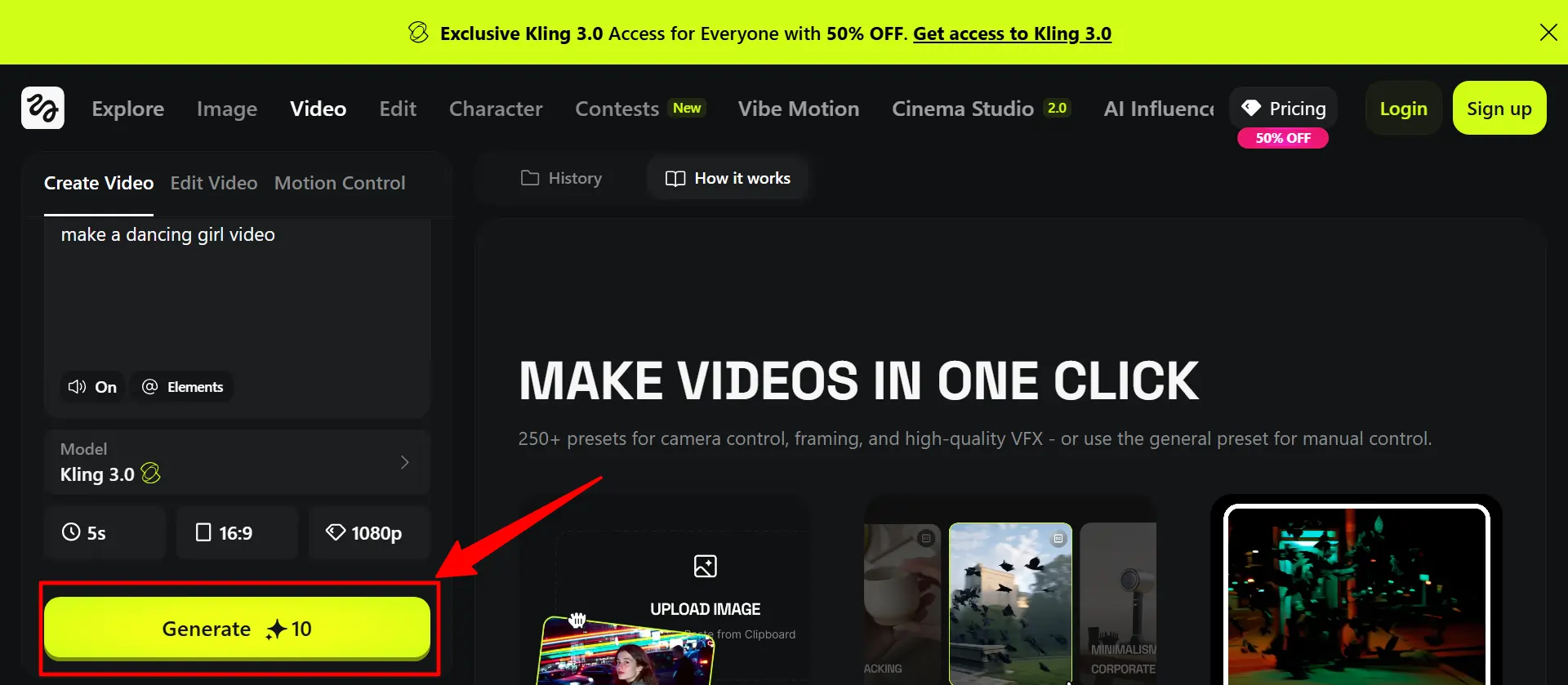
Step 6 – Download Your Video
Export in your preferred format and share directly to social platforms or save for later editing.
💡 Pro Tips for Jaw-Dropping Results
Advanced Features to Level Up Your Videos
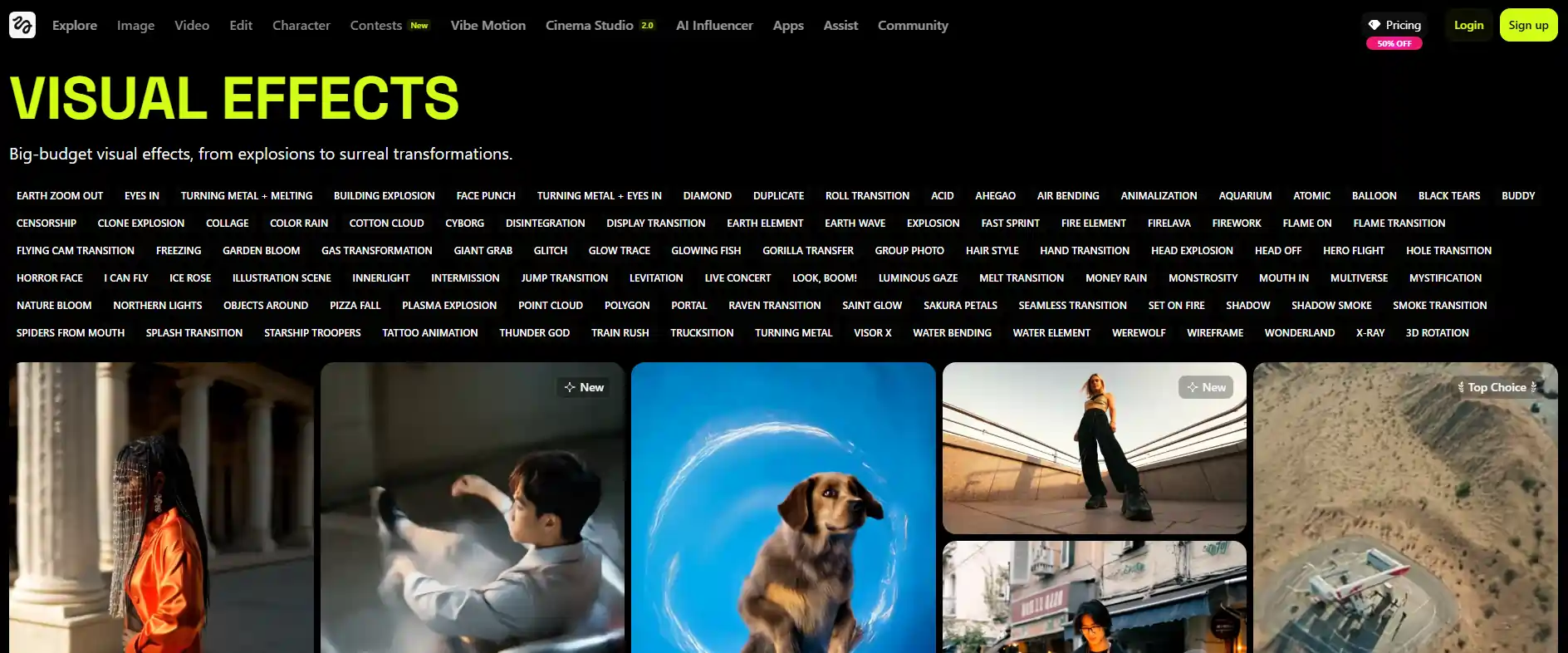
Visual Effects Library
Access 100+ effects including Melt Transition, Face Punch, Fire Element, and Turning Metal. Apply these during generation for Hollywood-style visuals without the Hollywood budget.
Adding Synced Audio & Lip-Sync
WAN 2.5 model syncs audio automatically. Add text-to-speech, dialogue prompts, or sound effects that match your video’s action perfectly.
Multi-Reference Image Support
Upload 1-3 reference images to maintain character consistency across frames.
Game-changer for storytelling sequences.
Start & End Frame Control
Upload two images to create smooth transitions between scenes. Your videos will flow like butter.
Higgsfield Models You Can Use
| Model | Best For | Key Feature |
|---|---|---|
| WAN 2.5 | Cinematic content | Motion + audio sync |
| Google Veo 3.1 | Realistic videos | 1080p quality |
| Sora 2 | Natural physics | Realistic movement |
| Kling 2.5 Turbo | Quick content | Fast generation |
Pick WAN 2.5 for most projects, switch to Veo for photorealistic needs.
❌ Common Mistakes to Avoid
⚔ Higgsfield vs Competitors (Quick Comparison)




Higgsfield crushes competitors on motion control precision and pricing. Runway costs more with fewer presets. Kling AI matches quality but lacks the effects library. Pika’s interface feels clunkier for image-to-video workflows.
For pure image-to-video conversion with cinematic camera movements, Higgsfield takes the crown in 2026.
Real-World Use Cases
Creators are smashing it with:
💭 Final Thoughts
Higgsfield’s image-to-video feature turns static pics into scroll-stopping content without the faff of traditional video editing. The 250+ camera presets, effects library, and multiple AI models (WAN 2.5, Google Veo, Sora 2) give you proper creative firepower at prices that won’t wreck your wallet.
Grab the Basic plan at $9/month to test your first batches, or go annual to save 40% if you’re planning to pump out content regularly. Content creators stacking wins in 2026 aren’t wasting hours with manual editing – they’re letting AI do the heavy lifting while they focus on what actually matters: going viral.

AITwin Ninja
Affiliate Disclosure: This post may contain some affiliate links, which means we may receive a commission if you purchase something that we recommend at no additional cost for you (none whatsoever!)
Similar Posts

Author
Ralph
Ralph is a digital architect at AI Twin, exploring the intersection of AI and identity. He deconstructs how neural networks are reshaping our digital selves, one algorithm at a time. His writing simplifies complex tech into actionable insights for the future-focused individual.