APOB AI Review 2026: The AI Influencer Tool 900K+ Use Daily
I spent a full month inside APOB AI — generating portraits, burning through credits, building AI personas, and stress-testing every feature the platform throws at you. This APOB AI review is the result of that hands-on trial, and I’m not holding back. Over 1.4 million AI influencers have already been built on this platform. But…

By :
Anthony
April 9, 2026
I spent a full month inside APOB AI — generating portraits, burning through credits, building AI personas, and stress-testing every feature the platform throws at you. This APOB AI review is the result of that hands-on trial, and I’m not holding back.
Over 1.4 million AI influencers have already been built on this platform. But does the hype match what you actually get? That’s what we’re about to break down — from free tier limitations to the real credit burn rate that nobody talks about.
Quick Verdict Box
| Product | APOB AI |
| Website | apob.ai |
| What It Does | AI influencer creation — portraits, videos, talking avatars, lip sync, face swap |
| Starting Price | Free (80 credits/day) | Paid from $6/month |
| Best For | Faceless content creators, affiliate marketers, solo brand builders |
| Skip If | You need enterprise-grade video or responsive customer support |
| Our Rating | 7.5/10 |
What Exactly Is APOB AI? (No Fluff Version)
APOB AI is a credit-based SaaS platform that runs entirely in your browser. Think of it as a one-stop content studio for building fictional AI personas that look disturbingly real.
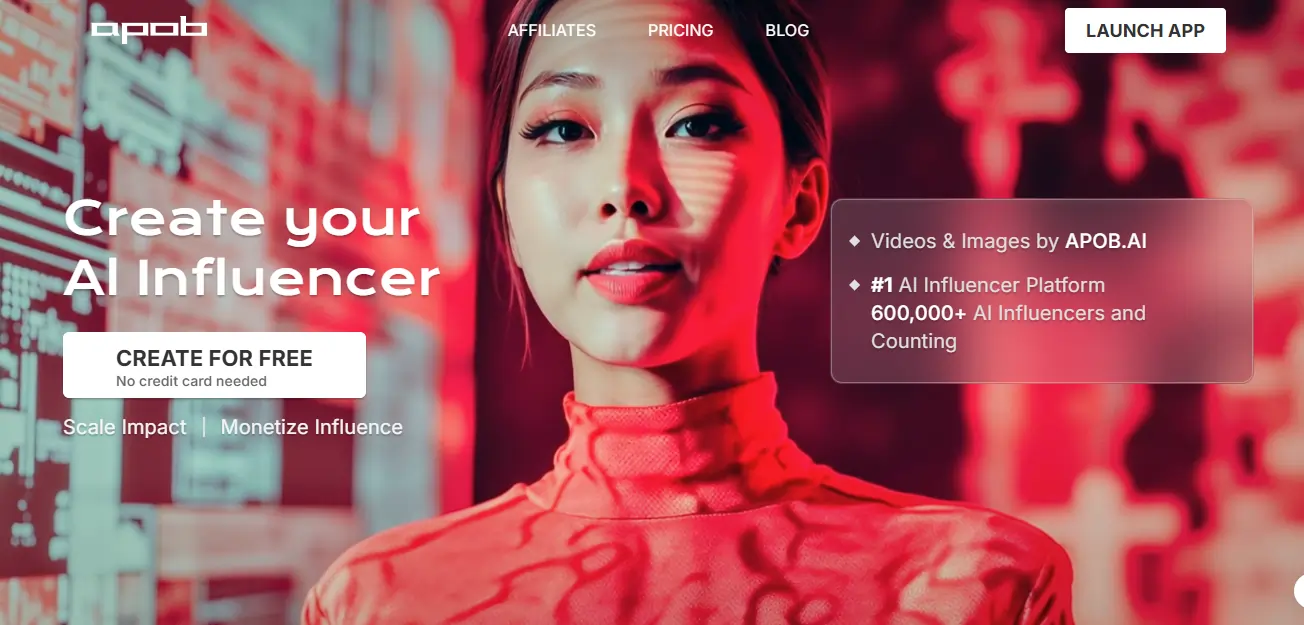
You get two creation paths.
The target audience? Faceless social media creators. Affiliate marketers. Small businesses that can’t drop $500 on a photographer. Digital product sellers. Anyone who wants a consistent “face” for their brand without showing their own.

How Does APOB AI Actually Work? (Step-by-Step Walkthrough)
Step 1 — Create Your AI Persona
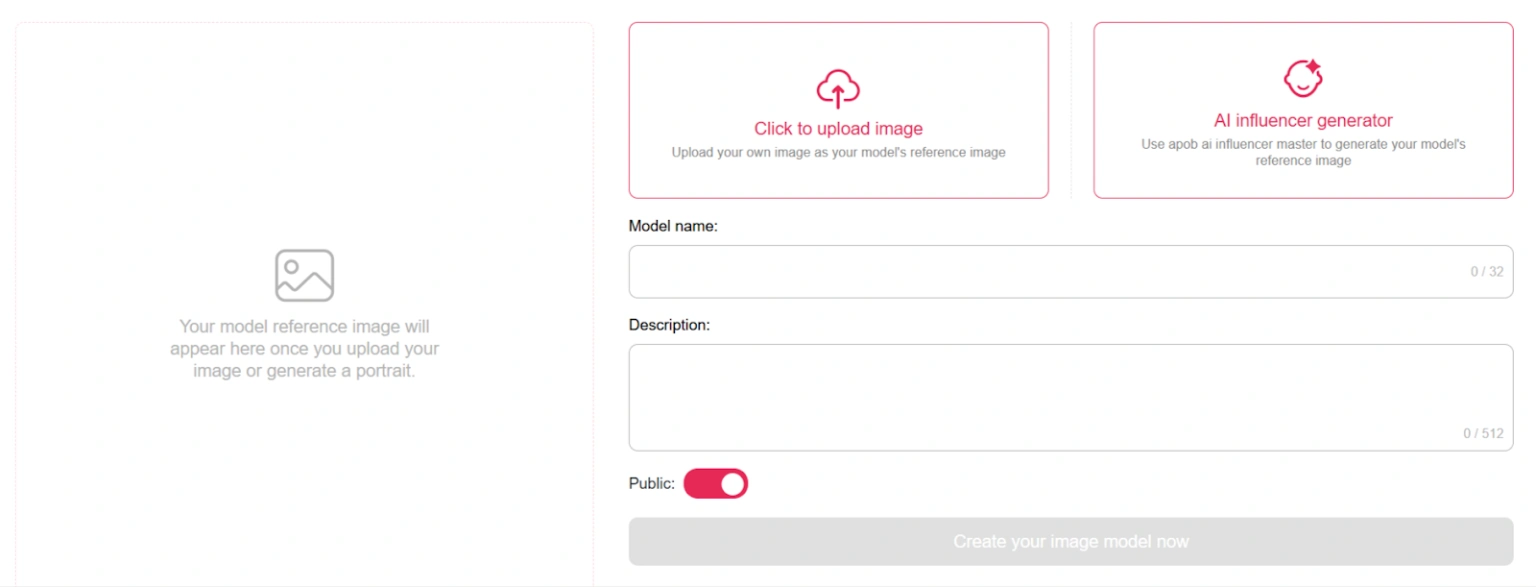
You either upload a photo as a reference or build a character using the customizer. The customizer is surprisingly granular — you’re not just picking “male” or “female” and calling it done. Age ranges, ethnicities, eye color, hairstyle options, body types — all adjustable.
Step 2 — Generate Images (Three Modes Explained)
This is where things get interesting. APOB runs three generation tiers:
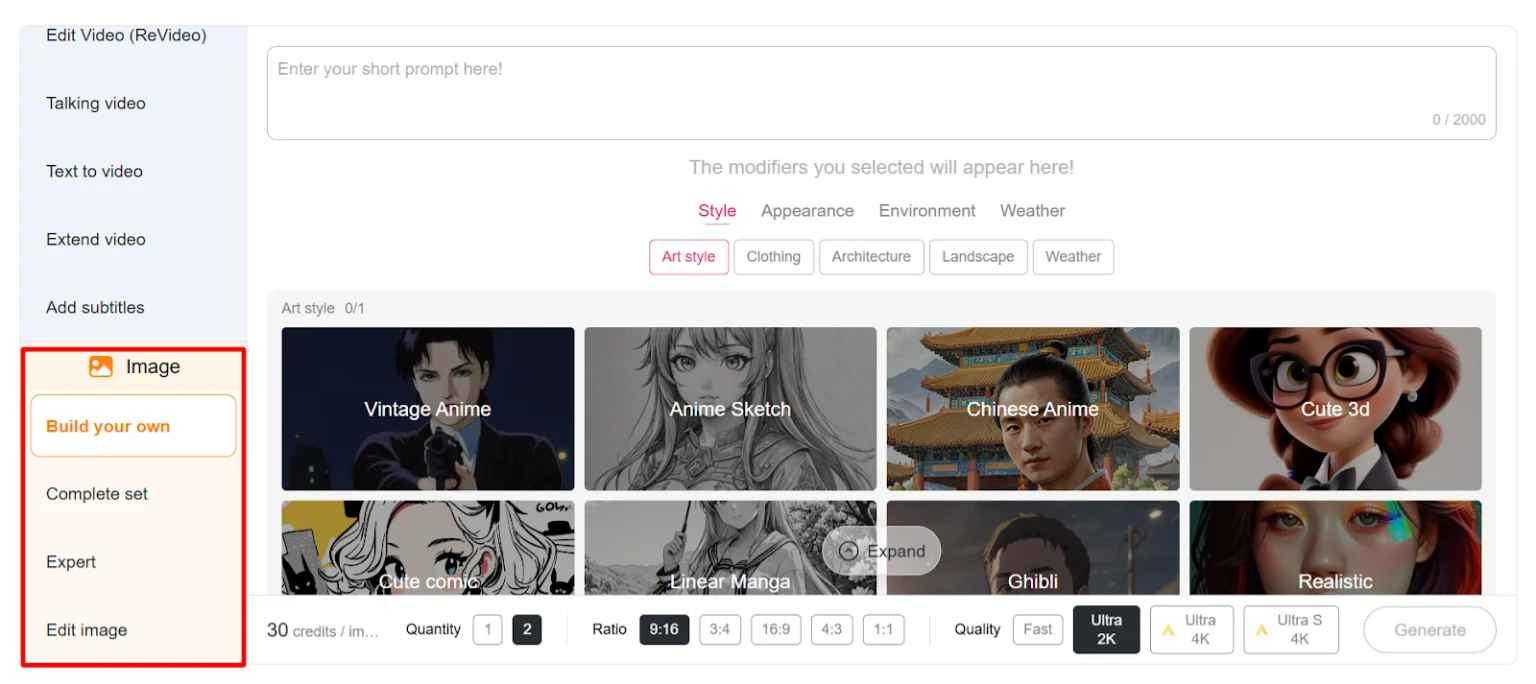
Complete Set is built for beginners. You pick from trending presets — anime, LinkedIn headshots, lifestyle shots — and the AI handles the rest. Zero prompting required.
Build Your Own mode is for users who want to write prompts and adjust style, environment, lighting, and weather manually. More control, better results.
Expert Mode hands you full prompt and negative prompt access. If you know what “negative prompt: bad anatomy, extra fingers, blurry” means, this is your playground. Six image quality levels let you balance speed against output resolution — and credit cost.
Step 3 — Turn Images Into Videos
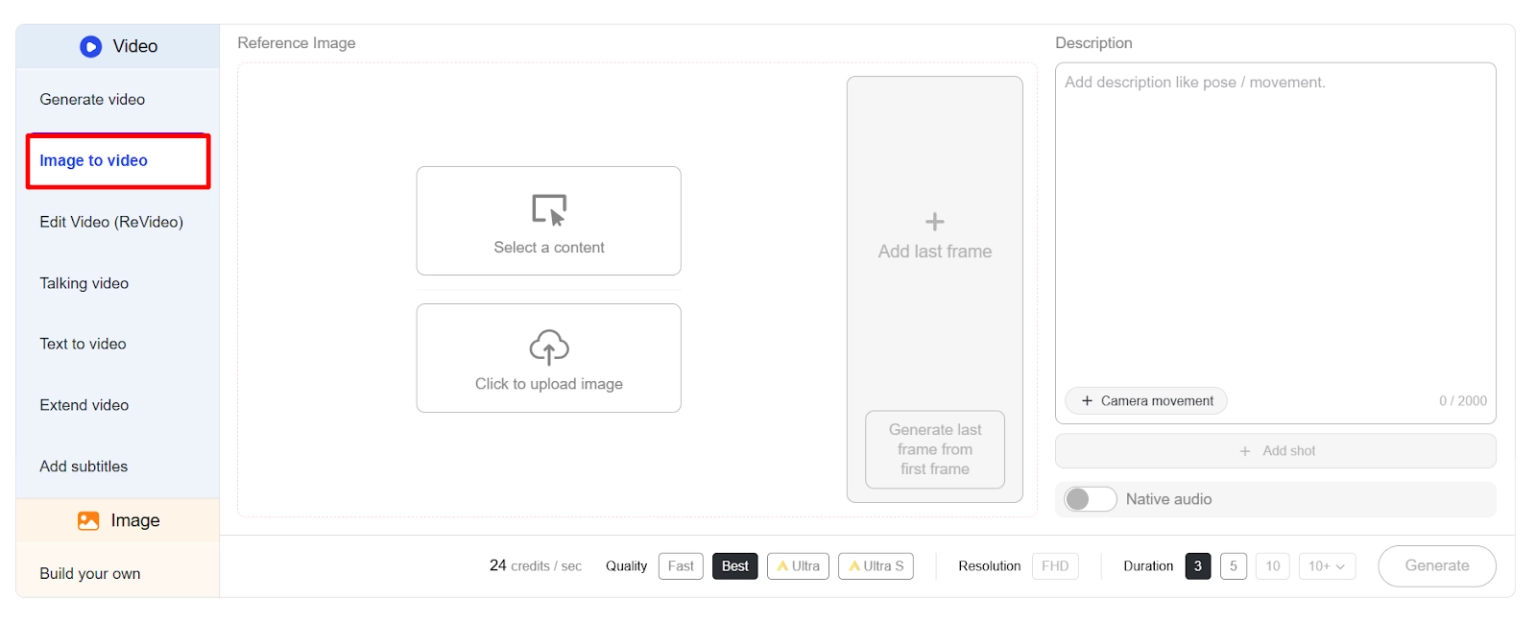
Here’s the full video toolkit: Image to Video, Text to Video, Camera Movement, Talking Avatar, Lip Sync, Video Face Swap, Extend Video, Add Subtitles, and the ReVideo editing suite (which splits into ReCharacter, ReMotion, ReStyle, and ReShot). Each serves a different post-production purpose. More on credit costs later — because this is where your budget starts sweating.
Step 4 — Add Voice & Audio
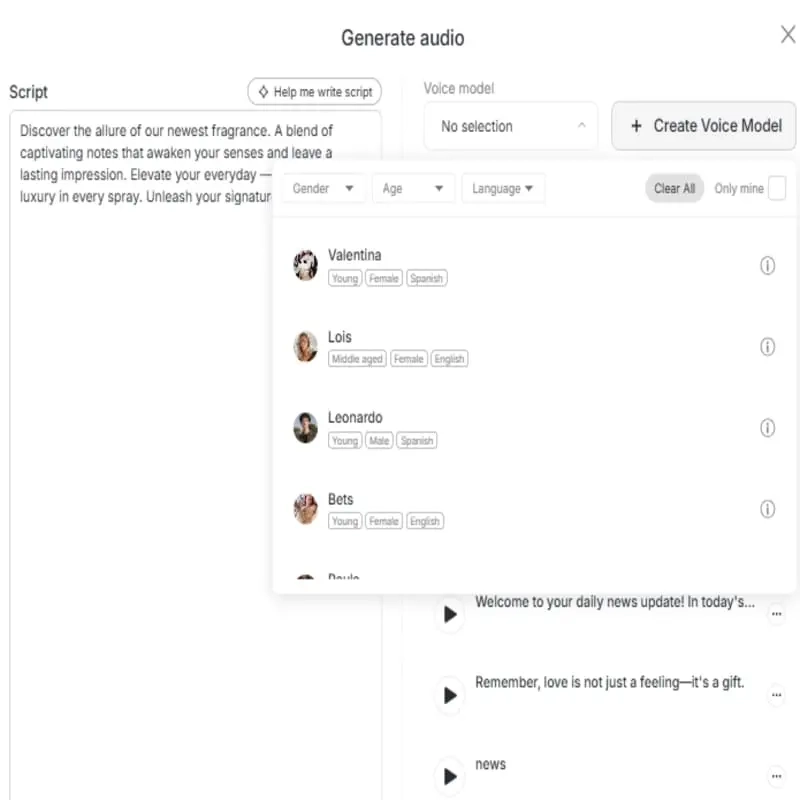
Voice Design lets you create custom voice profiles. Text to Speech converts scripts into narration. Lip Sync overlays that audio onto your AI persona’s face with synchronized mouth movements. Paid plans unlock custom voice model training.
Step 5 — Export & Post
Choose your resolution, download without watermarks (paid plans only), and post. Commercial rights come with all paid tiers, meaning you actually own what you create.
APOB AI Feature Breakdown — What You’re Actually Getting
AI Influencer Character Builder
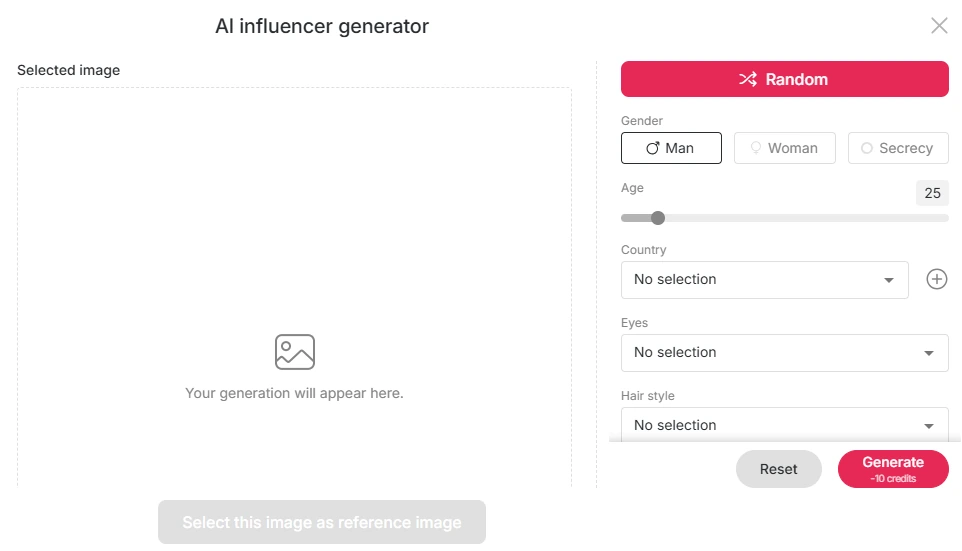
The Face-Lock feature is the backbone here. It maintains your AI persona’s facial identity across dozens — even hundreds — of image generations. For building a content calendar around one consistent character, this is critical.
It’s not flawless; extreme angles or unusual prompts can cause consistency breaks. But for standard social media content? It holds up.
Image Generation Engine
Six quality tiers from fast drafts to high-resolution finals. Prompt adherence is decent in Build Your Own mode and genuinely strong in Expert Mode. Anime outputs are clean. Professional headshot mode produces results that could pass as real photography at a glance.
Video Generation Suite
Image to Video and Text to Video are the workhorses. Camera Movement adds cinematic pans and zooms. Video upscaling and extension round out the toolkit. Just know that video is the most credit-hungry feature on the platform — by a wide margin.
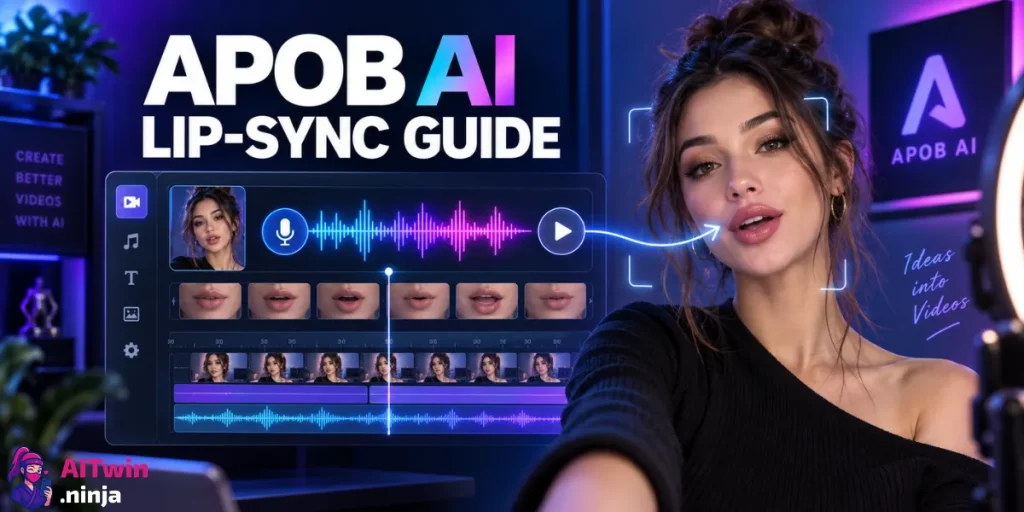
Talking Avatar & Lip Sync
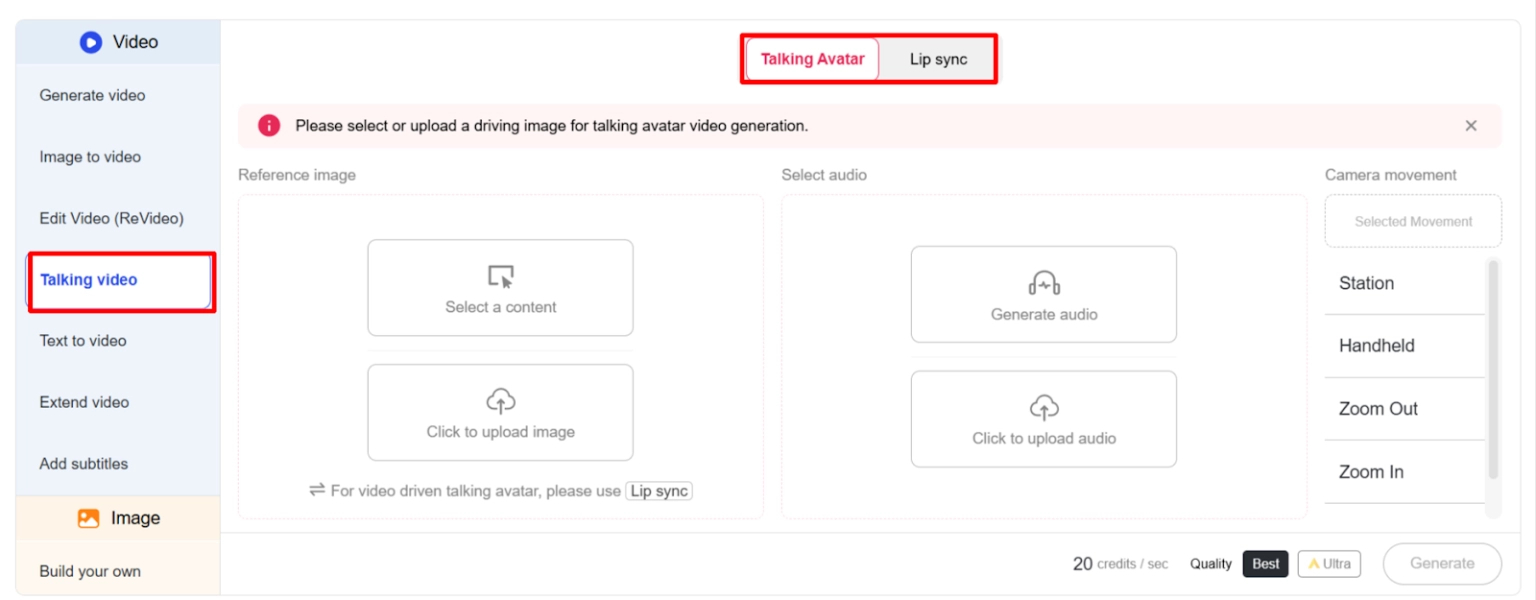
The lip movements are surprisingly natural for short-form content. For 15-60 second Reels, TikToks, or YouTube Shorts, the output passes the scroll test — most viewers won’t pause to question if the person is real. Audio quality is clean enough for social media, though not broadcast-grade.
Video Face Swap & ReVideo Tools
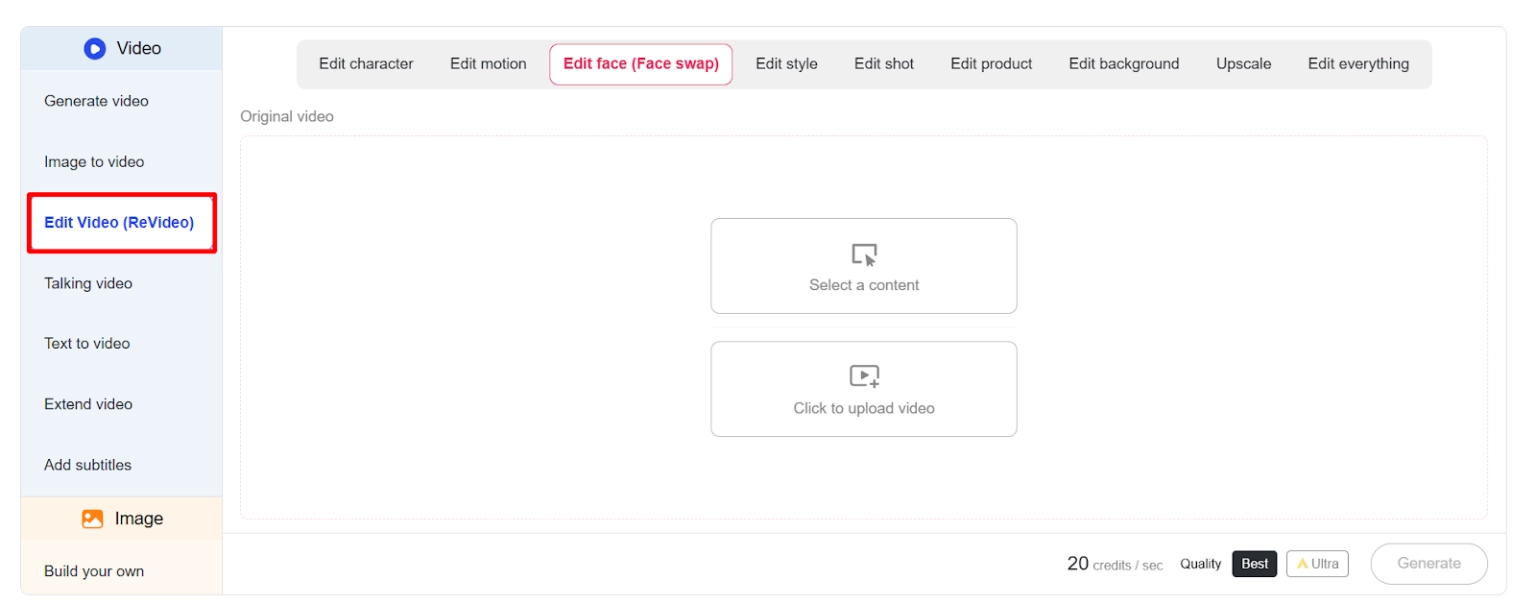
ReCharacter swaps faces in existing footage. ReMotion transfers movement patterns. ReStyle changes the visual aesthetic. ReShot adjusts camera angles in post. These are niche features, but for creators who batch-produce content, they save real time.
Audio & Voice Features
Text to speech supports multiple voice styles. The Mega plan lets you train up to 50 custom voice models. For most users on the Macro plan, you get 8 voice models and 333 minutes of audio monthly — more than enough for a daily posting schedule.
APOB AI Pricing in 2026 — Full Plan Comparison (+ Hidden Credit Math)

Nano Plan — $0/Month (Free Tier)
80 credits per day. Watermarked outputs. One custom model. About 32 images or 6 seconds of video per day. No private mode, no commercial rights. It’s a test drive — nothing more.
Micro Plan — $6/Month (Yearly) or $15/Month
5,000 credits monthly. 2 portrait models. 3 concurrent tasks. Roughly 10 minutes of video or 2,000 images. No watermark. Commercial rights included.
Macro Plan — $16/Month (Yearly) or $40/Month ⭐ Most Popular
20,000 credits monthly. 8 portrait models. 6 concurrent tasks. Around 33 minutes of video or 8,000 images. 333 minutes of audio. 71% of users choose this plan, and it makes sense — it’s the sweet spot between cost and output volume.
Mega Plan — $80/Month (Yearly) or $200/Month
100,000 credits monthly. 50 portrait models. 20 concurrent tasks. 166 minutes of video. 40,000 images. Revenue sharing from public models. Built for agencies and high-volume operations.
The Real Credit Math — How Fast Do Credits Actually Burn?
This is the part most reviews skip. A single high-quality 10-second video clip can consume 1,200 to 2,400 credits. On the Micro plan (5,000 credits/month), that means two to four clips and you’re done for the month. Images are cheap — roughly 2-3 credits each. But the second you move to video, your credit balance drains fast.
A TikTok creator posting one short video daily needs a minimum of 36,000–72,000 credits per month at high quality. That puts you firmly in Mega plan territory.
| Plan | Monthly Price (Yearly) | Credits | Video Minutes | Images | Best For |
|---|---|---|---|---|---|
| Nano | Free | 80/day | ~6 sec/day | ~32/day | Testing only |
| Micro | $6 | 5,000 | ~10 min | ~2,000 | Light image use |
| Macro | $16 | 20,000 | ~33 min | ~8,000 | Active creators |
| Mega | $80 | 100,000 | ~166 min | ~40,000 | Agencies & power users |
What I Liked About APOB AI (The Honest Pros)
Free tier that actually lets you test. No credit card required. 80 daily credits. Enough to see real output quality before spending a cent. This is rare in the AI avatar generator space.
Character consistency is surprisingly strong. Face-Lock holds your persona’s identity across batches. For social media content calendars — where your fictional influencer needs to look like the same person post after post — this works.
Three-tier prompt system fits all skill levels. Beginners use presets. Intermediate users build prompts visually. Experts write raw prompts with negatives. Smart design.
All-in-one pipeline from portrait to talking video. Most competitors force you across multiple platforms. APOB handles persona creation, image generation, video production, voice synthesis, lip sync, and subtitles in one dashboard.
Pricing undercuts most competitors. At $16/month on the Macro plan, you’re paying less than Synthesia, HeyGen, or stitching together three separate AI tools.
What I Didn’t Like About APOB AI (The Real Cons)
Video credit burn rate is brutal. One polished 10-second clip can eat half your Micro plan budget. Video production on APOB is not cheap once you factor in credits-per-second at higher quality tiers.
Anatomy still glitches on complex poses. Hands, fingers, unusual body positions — the usual AI image generation struggles. Not unique to APOB, but very much present.
Customer support is thin. No live chat. Documentation has gaps. Human support responses are slow. For a paid product, this is a problem.
APOB AI vs. The Competition — How Does It Actually Stack Up?
APOB AI vs. Synthesia
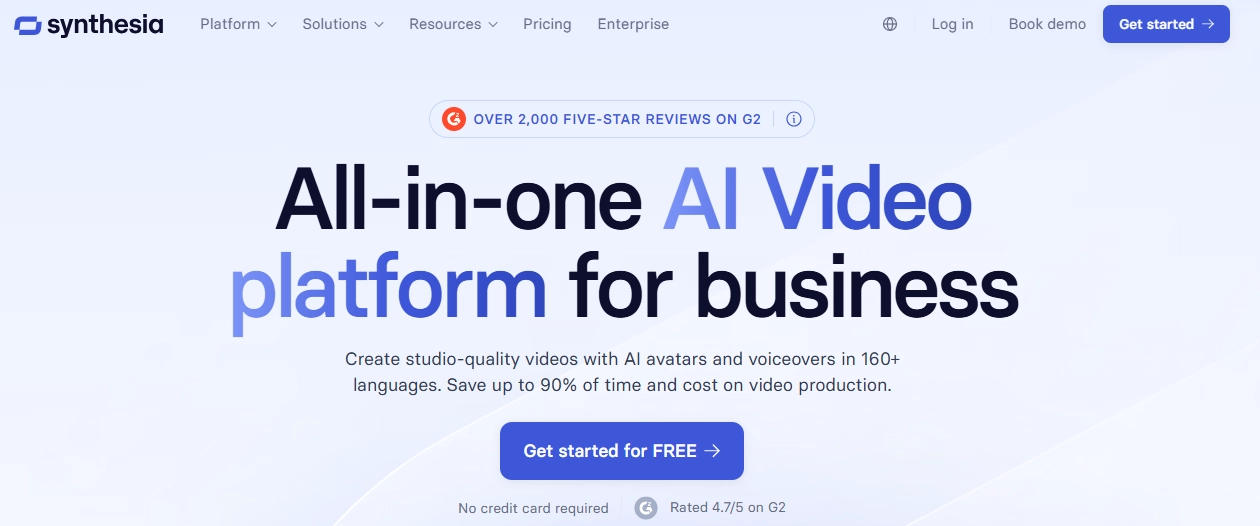
Different audiences entirely. Synthesia targets corporate and enterprise — training videos, onboarding, internal comms. APOB targets social media creators building faceless influencer brands. Synthesia is more polished but significantly more expensive.
APOB AI vs. HeyGen
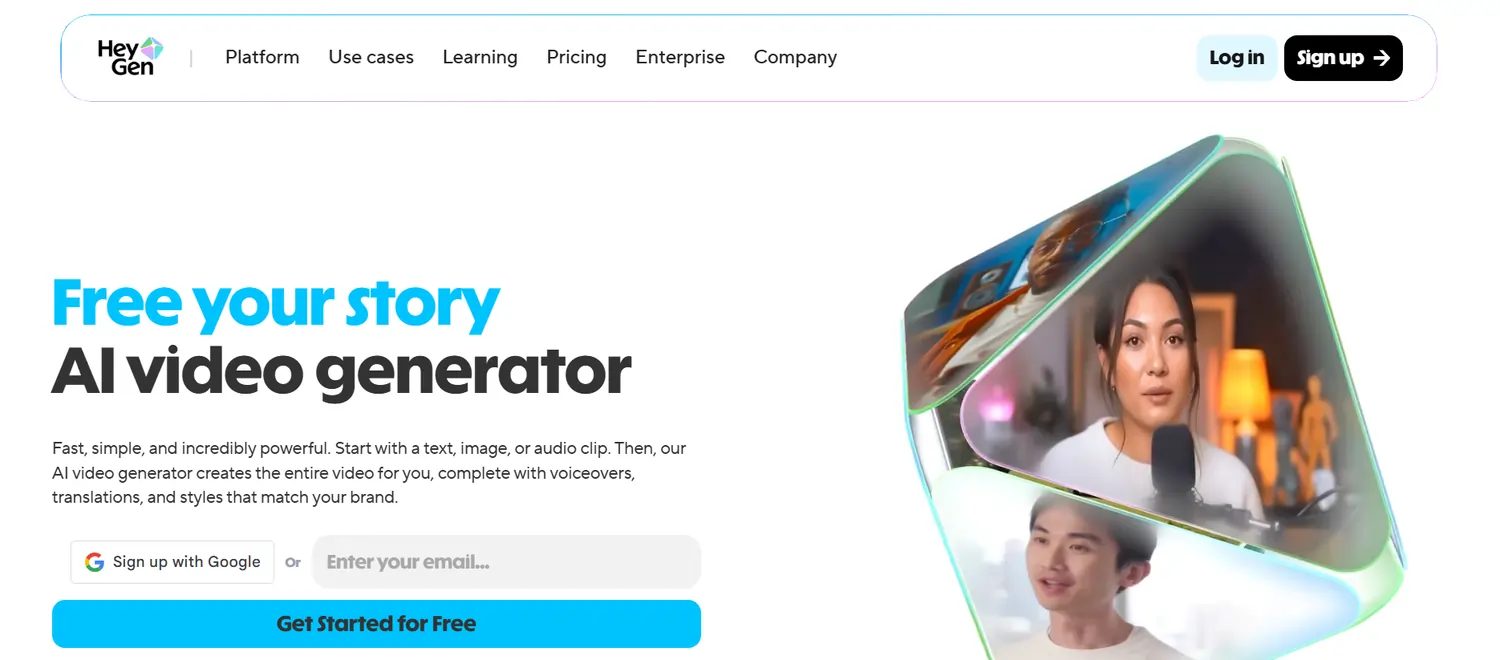
HeyGen produces arguably better avatar realism and has stronger enterprise features. But HeyGen doesn’t offer the same “build a full persona from zero” workflow. APOB wins on character customization depth and lower entry pricing.
APOB AI vs. Photo AI
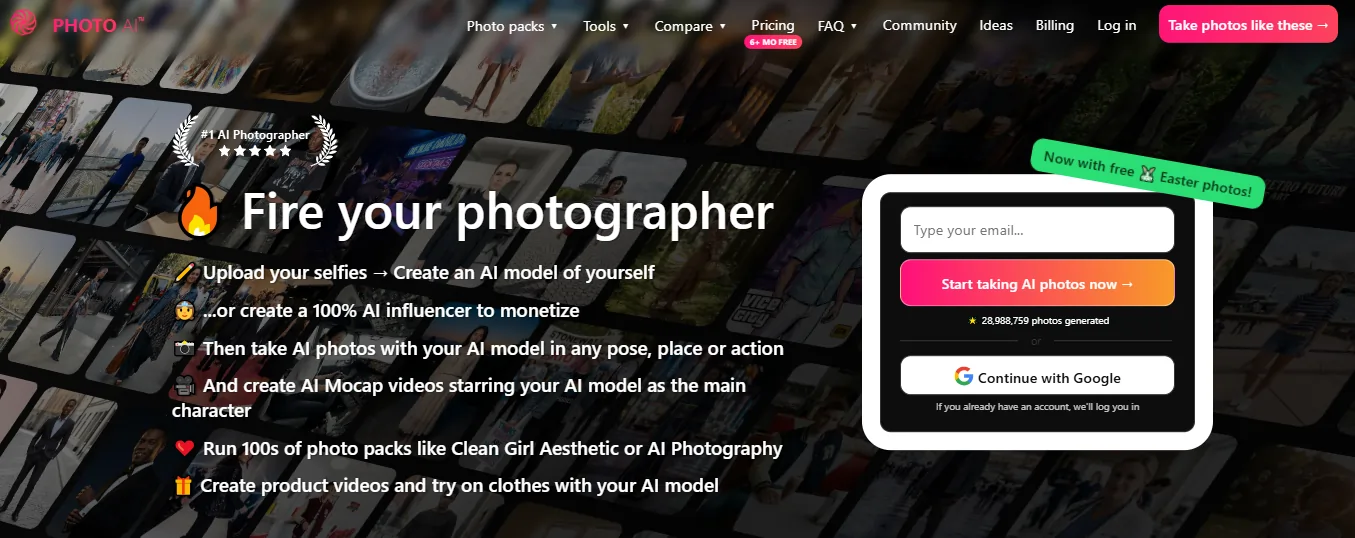
Photo AI by Pieter Levels is a direct competitor for AI influencer portraits. Different generation tech, different output style. Photo AI is simpler; APOB offers a broader feature set with video and voice tools baked in.
Who Wins for Faceless TikTok/Reels Creators?
APOB The full pipeline in one place at a reasonable price point gives it the edge for solo creators who don’t have the budget to run three subscriptions.
Who Should Actually Use APOB AI in 2026?
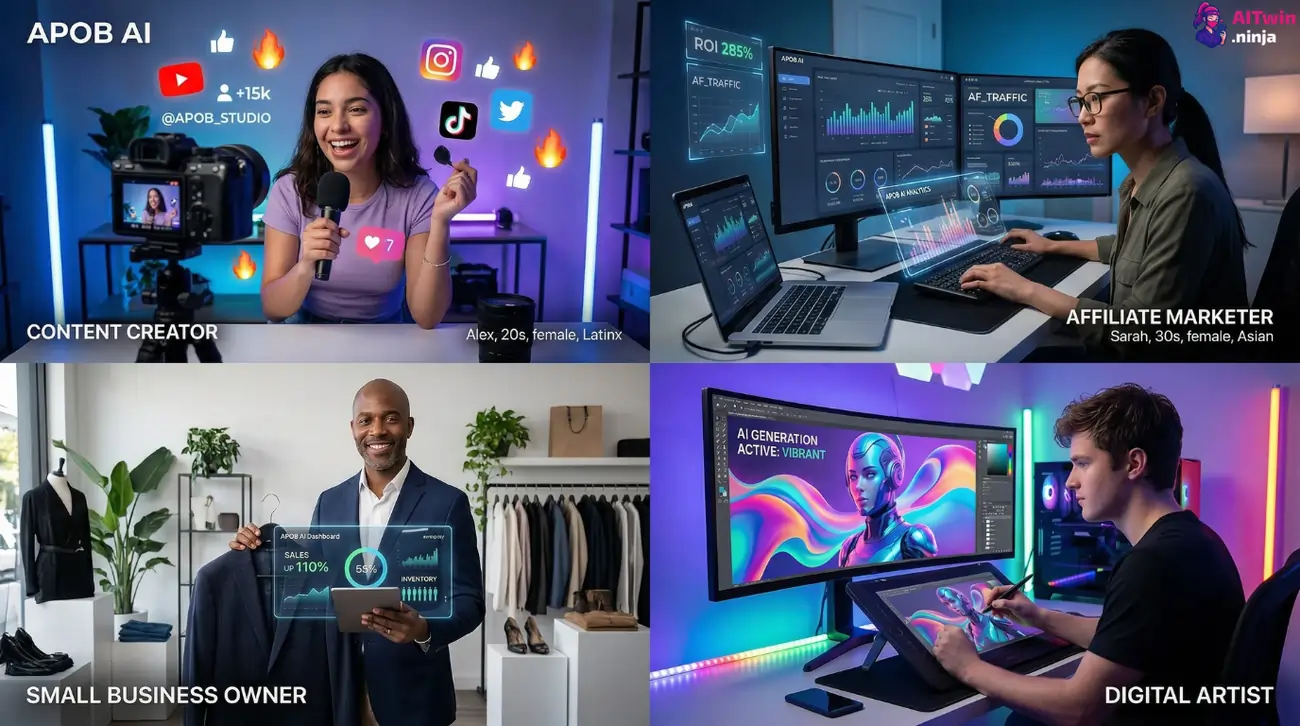
Who should skip it? Enterprise teams needing polished corporate video (go Synthesia). Anyone who values responsive customer support (wait until they improve). Creators who need long-form video at volume (the credit math kills you).
Can You Make Money With APOB AI? (Realistic Breakdown)
Path #1 — Faceless social media accounts. Build a niche Instagram or TikTok around a fictional AI persona. Grow followers. Monetize through brand deals, affiliate commissions, and sponsored posts. Multiple creators are already pulling $1K–$4K/month this way.
Path #2 — Affiliate marketing with AI video content. Use talking avatars to create product reviews. Drop affiliate links in bios and captions. Scale by running multiple personas across different niches simultaneously.
Path #3 — Selling AI content as a service. Offer “AI influencer creation” as a freelance gig on Fiverr or Upwork. Use APOB as your production backend. Charge $50–$200 per persona package.
Path #4 — Revenue sharing (Mega plan only). APOB’s Mega tier includes revenue sharing from public customized models. Interesting concept, but at $80/month, your public models need to generate meaningful traffic to justify the cost.
Tips & Tricks to Get Better Results From APOB AI
Stick to medium-close shots for the strongest face consistency. Use Expert Mode with specific negative prompts (“bad anatomy, extra fingers, blurry, distorted”) to reduce glitches. Batch-generate images before spending credits on video — nail the look first.
Always test your persona on the free tier before upgrading. Camera movement presets burn fewer credits than custom angles. And if you’re producing daily content, the Macro plan is your minimum viable budget.
APOB AI Red Flags & Things to Watch Out For
Multiple users report charges continuing after cancellation. Others describe credit balances being wiped when downgrading plans.
APOB AI Review — FAQ
Is APOB AI free to use?
Yes. The Nano plan gives you 80 credits daily at no cost, with no credit card required. Outputs are watermarked and you can’t access private mode or commercial rights.
How many credits does APOB AI give you for free?
80 credits per day on the free Nano plan. Credits don’t roll over — use them or lose them.
What’s the best APOB AI plan for beginners?
The Macro plan at $16/month (billed yearly) offers the best balance between credits, features, and cost. The Micro plan works if you only need images.
Can APOB AI create talking videos?
Yes. The Talking Avatar and Lip Sync features let your AI persona speak with synchronized mouth movements and AI-generated or custom voice audio.
Does APOB AI add watermarks?
Only on the free Nano plan. All paid plans produce clean, watermark-free outputs.
Is APOB AI safe to use with my credit card?
Multiple Trustpilot reviews report billing issues after cancellation. Use a virtual card or PayPal for extra control.
Can I cancel my APOB AI subscription anytime?
Yes, though some users have reported difficulty with the cancellation process. Confirm cancellation through your payment provider (Stripe) as a backup.
What are the best APOB AI alternatives in 2026?
Synthesia, HeyGen, Photo AI, Creatify AI, and VEED are the closest competitors, each with different strengths depending on your use case.
Can I make money using APOB AI?
Yes — through faceless social media accounts, affiliate marketing with AI video content, freelance AI persona creation services, and the revenue sharing program on the Mega plan.
Final Verdict — Is APOB AI Worth It in 2026?
For what it costs, APOB AI packs a serious amount of functionality into one platform. The AI influencer generator, image pipeline, video suite, and voice tools — all under one roof — make it one of the most complete options for faceless creators right now. The free tier is genuinely useful for testing, and the Macro plan hits a solid price-to-value ratio.
But the cracks are real. Customer support needs work. The credit consumption on video is aggressive. And the billing complaints on Trustpilot can’t be ignored.
If you’re a faceless content creator, affiliate marketer, or small brand builder who needs realistic AI personas at a budget price — APOB AI is worth trying. Just go in with your eyes open, start on the free plan, and don’t commit to yearly billing until you’ve confirmed it fits your workflow.
| Category | Rating |
|---|---|
| Overall | 7.5/10 |
| Image Quality | 8/10 |
| Video Quality | 7/10 |
| Ease of Use | 6.5/10 |
| Value for Money | 7.5/10 |
| Customer Support | 4/10 |

AITwin Ninja
Affiliate Disclosure: This post may contain some affiliate links, which means we may receive a commission if you purchase something that we recommend at no additional cost for you (none whatsoever!)
Similar Posts
Author
Anthony
Anthony, a content strategist for AI Twin, is fascinated by AI’s creative potential. He specializes in exploring how generative tools are revolutionizing art, writing, and digital content creation, providing practical insights for creators and entrepreneurs.