Kling AI Review 2026: The Most Realistic AI Video Generator?
Everyone is hyping Kling AI right now. Your timeline is flooded with jaw-dropping AI-generated clips that look almost too real. But here’s what nobody wants to tell you — most of those clips took dozens of failed attempts, burned credits, and hours of queue time before getting a single usable output. So I tested every…

By :
Anthony
April 30, 2026
Everyone is hyping Kling AI right now. Your timeline is flooded with jaw-dropping AI-generated clips that look almost too real. But here’s what nobody wants to tell you — most of those clips took dozens of failed attempts, burned credits, and hours of queue time before getting a single usable output.
So I tested every plan tier, generated over 200 clips, and put Kling AI head-to-head against Sora, Runway, Pika, and Seedance. This Kling AI review is based on hands-on testing — not Kuaishou’s marketing slides.
With 60 million+ users, top Artificial Analysis quality rankings, and the Kling 3.0 model series packing native 4K output and built-in multilingual audio — the hype is loud. But does it hold up?
Let’s get into it.
What Exactly Is Kling AI? (Quick No-Fluff Breakdown)
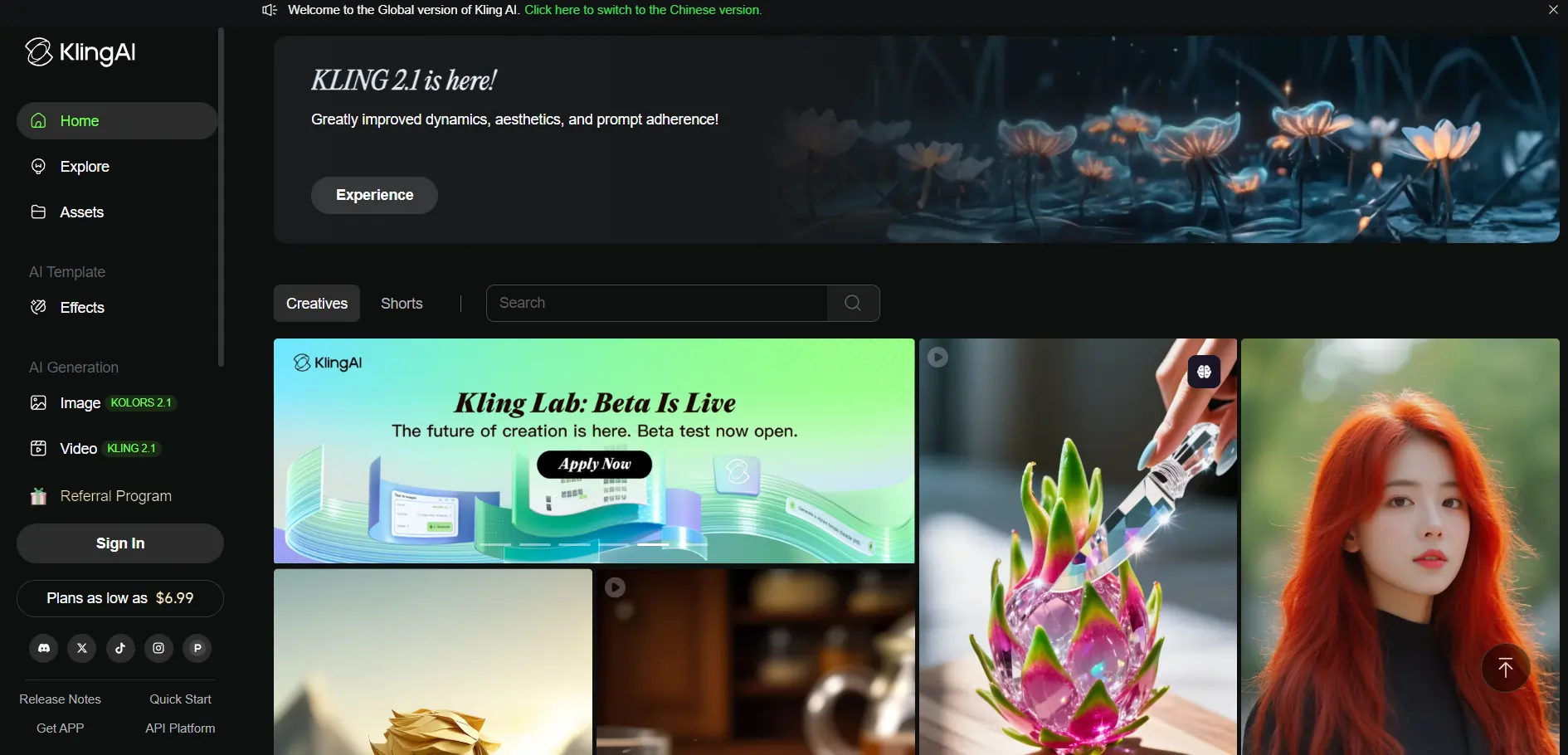
Kling AI is an AI video generation platform by Kuaishou Technology, available at kling.ai and as a mobile app. It turns text prompts and reference images into short-form realistic videos — typically 5 to 10 seconds long.
The toolset goes beyond basic text-to-video. You get image-to-video conversion, AI lip sync, face swap, virtual try-on, and a unique Motion Brush feature for drawing custom motion paths directly onto frames. Everything runs on a Multi-modal Visual Language (MVL) architecture — text, images, audio, and video processed inside one unified system.
The latest version, Kling 3.0, ships with Video 3.0, Video 3.0 Omni, Image 3.0, and Image 3.0 Omni model variants. As of December 2025, the platform hit $240 million in annualized revenue. This is a full-scale product competing directly with Sora, Runway Gen-4, and Seedance 2.0.
Quick Specs at a Glance
Every Kling AI Feature I Tested (And What Actually Works)
Here’s a feature-by-feature walkthrough. No padding. Just what worked, what didn’t, and what surprised me.
Text-to-Video Generation
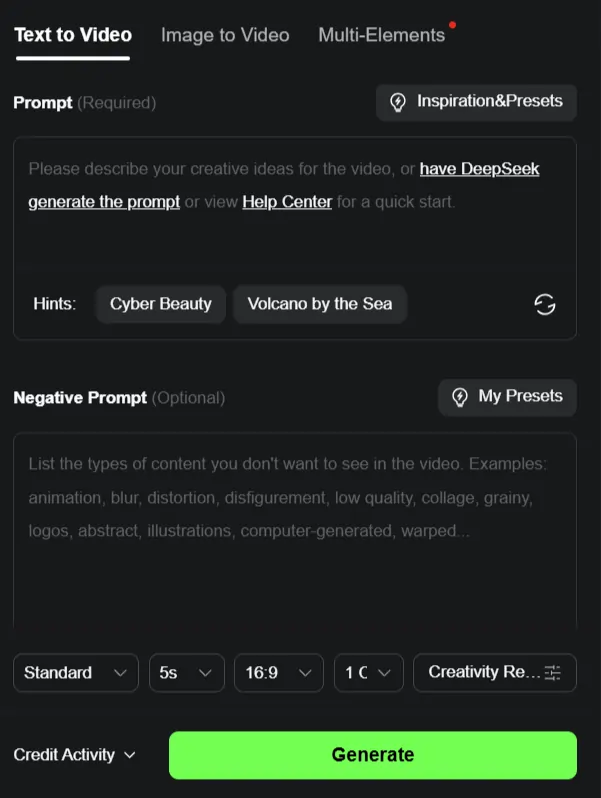
Type a prompt, get a video. Simple concept, but Kling AI handles it better than most. The model picks up on cinematic terms like “dolly in,” “tracking shot,” and “slow orbit around subject” — and it actually follows through. Standard mode is decent for drafts.
Professional mode (locked behind paid tiers) is where the real quality lives. Motion quality is genuinely impressive: fabric sway, rain reflections, hand gestures, walking animations — all feel natural. The 10-second max duration is the main bottleneck here.
Image-to-Video (Still-to-Motion)
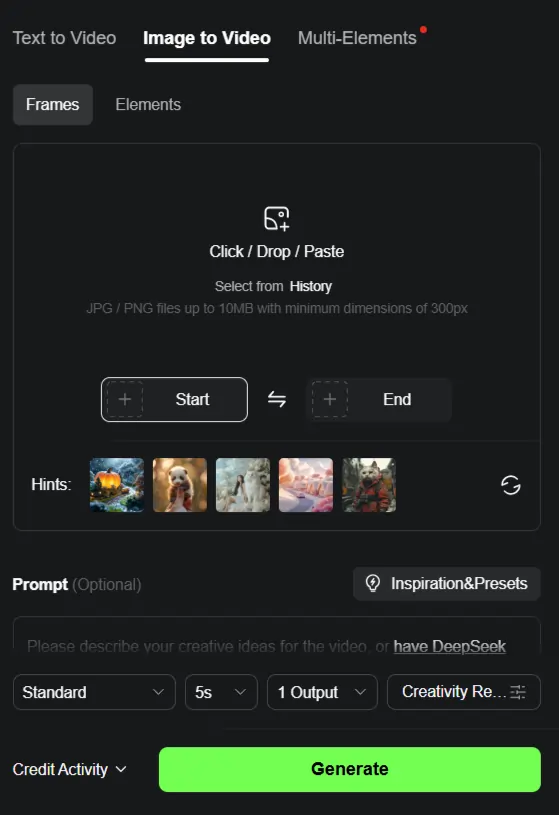
Upload a photo, and Kling animates it into a moving clip. This works especially well for product shots, portrait animations, and scene extensions. Character consistency has improved drastically in version 3.0. Faces hold their shape across frames far more reliably now. The limitation: you can only feed in 1–2 reference images, while some competitors accept up to 12 files.
Motion Brush — The Feature Nobody Talks About Enough
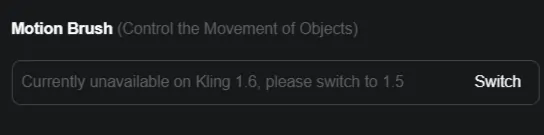
This is Kling AI’s secret weapon. Draw a custom motion path directly on a frame, and the model follows it. Need a car to drift along a specific route? Need confetti to fall in a particular pattern? Draw it. No other major AI video tool offers anything equivalent. It bridges the gap between typing a prompt and actually directing a scene. Best results come from pairing Motion Brush with a strong, pre-composed base image.
Native Audio & Lip Sync Generation
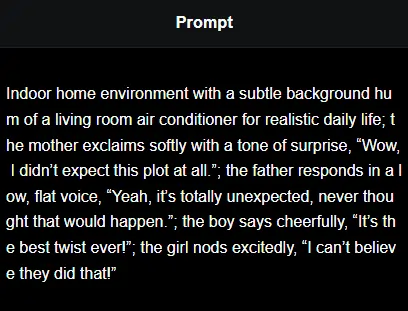
Kling 3.0 generates lip-synced audio directly from your text prompt — no separate audio files needed. It supports five languages out of the box, including regional dialects. I tested Spanish-language prompts and the mouth sync accuracy was solid. For creators producing multilingual content or global ad campaigns, this is a massive time saver. Most competitors still require you to upload a separate audio track.
Multi-Shot Storyboard Tool (Video 3.0 Omni)
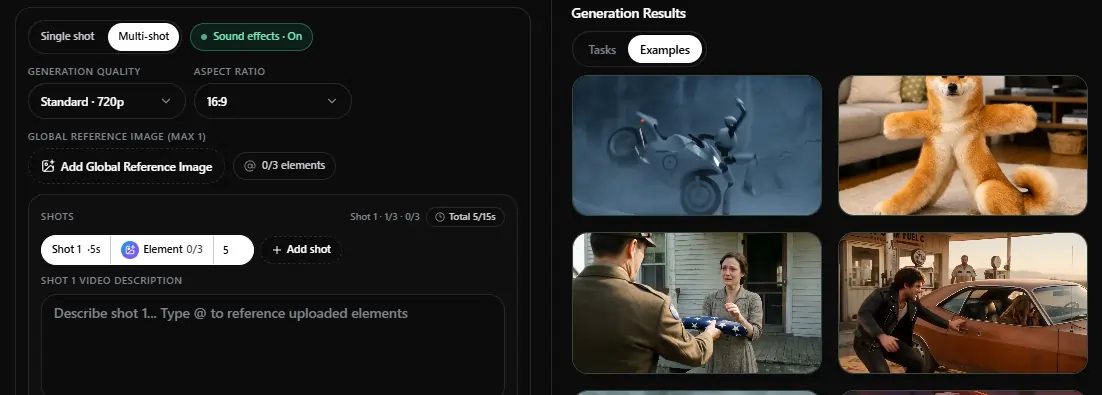
The Omni variant lets you set duration, angle, pacing, and camera movement for each individual shot. The model then stitches them into a coherent sequence. Transitions between shots can be a bit clunky, but as a rapid storyboarding and pre-visualization tool, it’s genuinely useful for planning creative direction before committing to a full production.
Text Preservation in Videos
This might be the most underrated feature. Brand logos, price tags, nutrition labels — Kling keeps them readable in roughly 8 out of 10 generations. If you’ve ever tried getting Sora to preserve text in a video, you know the pain. For e-commerce product videos and marketing ads, this alone could be the deciding factor.
4K Ultra HD Output
Kling 3.0 supports native 4K resolution, though only on the Ultra tier ($127.99/month). Image 3.0 renders stills at 2K and 4K. Texture detail and lighting are a noticeable step up from previous versions. Currently one of the highest resolution outputs available across all AI video generators.
Face Swap & Virtual Try-On
Quick face swap for generated content, plus a virtual try-on mode targeting fashion and ecommerce. Results are inconsistent — works well on some generations, falls flat on others. Free users get limited trials. Not the strongest feature in the toolkit, but useful in specific scenarios.
Kling AI Pricing — What Every Plan Actually Gets You
This is where things get tricky. Kling AI runs on a credit-based system, and the pricing tiers look clean on the surface but have some gotchas buried in the fine print.
| Kling AI Plan | First Month Price | Renewal Price | Monthly Credits | Key Perks |
|---|---|---|---|---|
| Free | $0 | $0 | No monthly credits (30 element creations) | Watermarked, no commercial use, basic queue |
| Standard | $6.99 | $8.80/mo | 660 | 1080p, no watermark, commercial license |
| Pro | $25.99 | $32.56/mo | 3,000 | Priority queue, Professional mode, image upscaling |
| Premier | $64.99 | $80.96/mo | 8,000 | All Pro features + priority new feature access |
| Ultra | $127.99 | $159.99/mo | 26,000 | 4K output, beta test invites, maximum element creations (500) |
Three things they don’t highlight on the pricing page:
First, failed generations still consume your credits. No refund, no retry token. Second, the first-month pricing is a promotional discount — renewal rates jump 12% to 30% higher. Third, free plan credits don’t roll over. Use them or lose them.
Kling AI Free Plan — Is It Actually Usable?
On paper, the free tier sounds generous. No credit card required, element creation access, and enough room to test the platform.

In practice, it’s limited. You get 30 element creations (not the previously advertised 66 daily credits seen on older plan versions). Output is watermarked. Resolution caps at lower quality. Queue times during peak hours can stretch past 30 minutes — I clocked 47 minutes on a Tuesday afternoon.
No batch processing either. You wait for each clip to finish before starting the next one. And there’s no commercial license on the free plan.
Kling AI vs. Sora vs. Runway vs. Pika vs. Seedance — Honest Head-to-Head
No single tool wins across the board. Here’s how they actually stack up based on my testing:
| Factor | Kling 3.0 | Sora 2 | Runway Gen-4 | Pika 2.1 | Seedance 2.0 |
|---|---|---|---|---|---|
| Max Resolution | 4K Ultra HD | HD | HD | HD | HD |
| Max Duration | 10 sec | 12 sec | 10 sec | 5–8 sec | 15 sec |
| Reference Inputs | 1–2 images | 1 image | 1 image | 1 image | 9 images + 3 videos + 3 audio |
| Native Audio | Yes (5 languages) | Yes | No | No | Yes |
| Free Access | Limited free tier | ChatGPT Plus sub | Limited free | Limited free | Limited |
| Motion Control | Motion Brush | None | Camera presets | Camera presets | None |
| Best For | Ecommerce, high-res, text-heavy video | Physics & realism | Consistency | Quick social clips | Complex multi-reference scenes |
| Content Filter | Very strict | Strict | Strict | Moderate | Strict |
What Kling AI Does Better Than Everyone Else
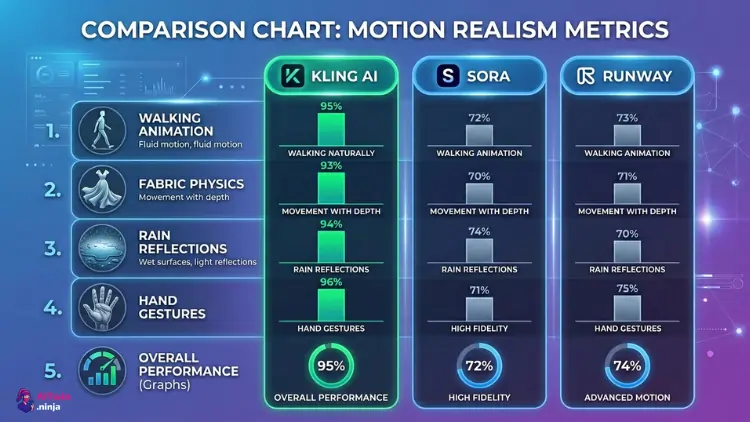
Where Kling AI Falls Short (The Stuff They Don’t Advertise)
10-second cap hurts. Seedance gives you 15 seconds. Sora gives 12. For any clip that needs narrative buildup, 10 seconds feels cramped.
Limited reference inputs. Only 1–2 images. Seedance accepts up to 12 reference files. For complex creative direction with specific visual references, that’s a significant gap.
Content moderation is aggressive. Even innocent medical visualization and educational prompts get flagged. The system uses keyword blacklisting, NLP filtering, and manual review. Account suspensions happen.
Peak-hour queues are painful for free and lower-tier users. 30+ minute waits are normal.
Failed generations eat credits with no refund mechanism. This one stings.
Customer support is a known weak spot. Reddit and Trustpilot threads are full of reports about slow responses, expiring credits with no recourse, and unclear policies.
Data privacy considerations. Kuaishou is a Beijing-based company subject to Chinese data regulations. Worth reviewing their privacy policy before uploading sensitive brand assets.
Who Should Actually Use Kling AI? (Honest Use Case Breakdown)
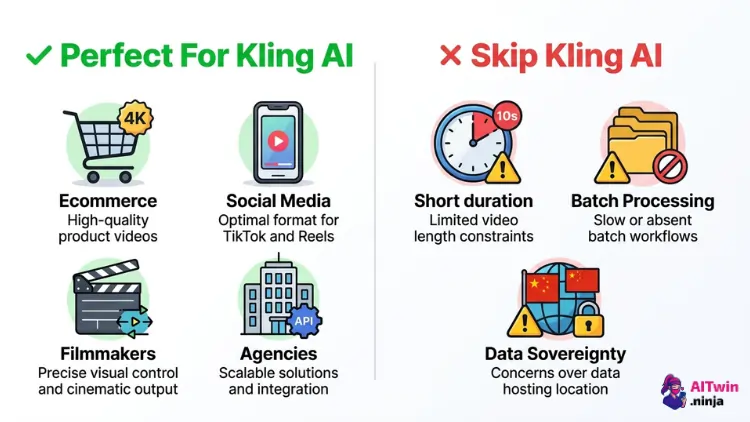
Ecommerce Brands & Product Marketers
Text preservation plus 4K output means clean product demo videos with readable labels, pricing, and brand names. Virtual try-on adds value for fashion brands.
Social Media Content Creators
The free tier handles quick testing and low-volume short-form content. Vertical format support works for Reels, TikTok, and YouTube Shorts.
Independent Filmmakers & Animators
Motion Brush plus the storyboard tool gives actual directorial control. Multilingual audio opens up global distribution without separate localization work.
Marketing Agencies
API access supports batch production workflows. Multilingual ad campaigns become faster to produce without needing separate translation and voiceover teams.
Who Should Skip Kling AI
Anyone needing longer clips (the 10-second cap is hard). Projects requiring extensive multi-file reference input. Users uncomfortable with Chinese-hosted platforms or heavy content filtering.
✔ How to Get Started with Kling AI (Step-by-Step)
- Go to kling.ai or download the mobile app
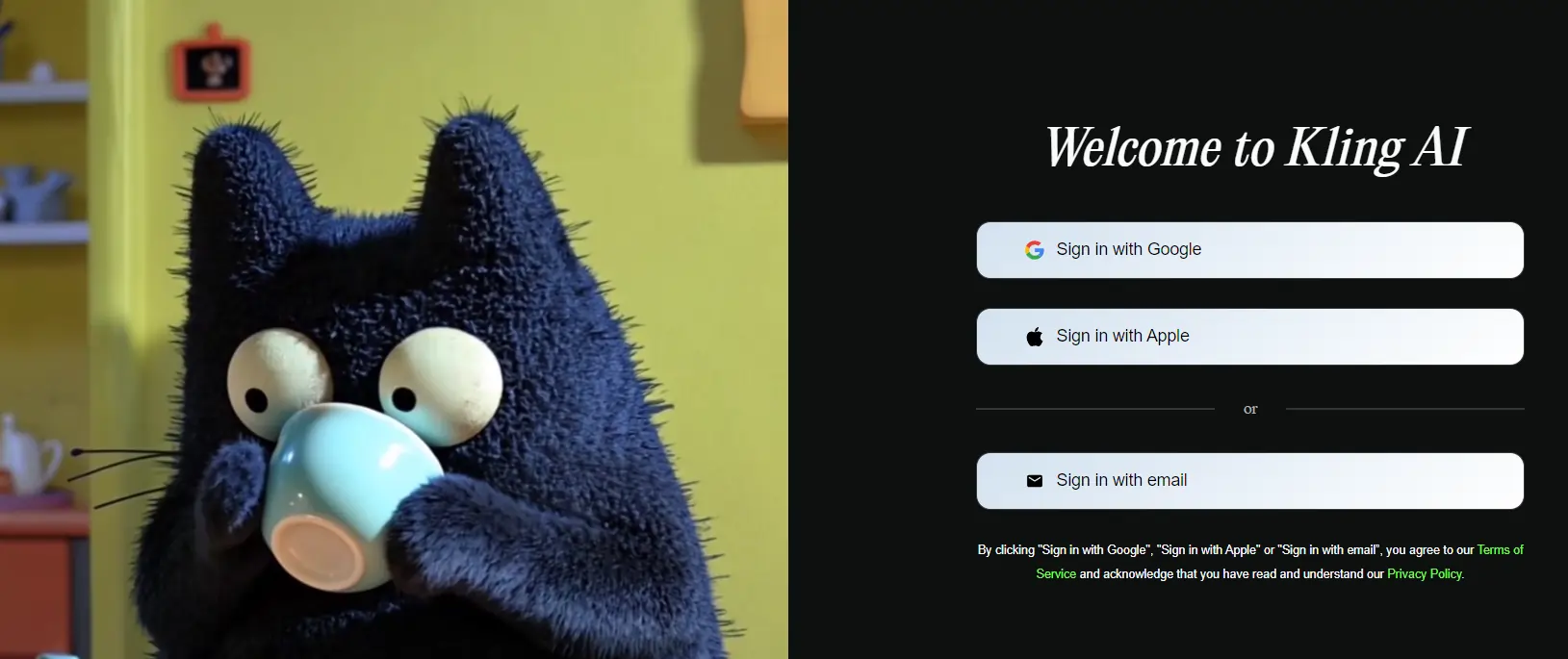
- Sign up using email, Google, or phone — no credit card needed for the free tier
- Choose your mode: Text-to-Video, Image-to-Video, or specialized tools (Lip Sync, Motion Brush, Face Swap)
- Write your prompt — use cinematic language, specify camera movements, describe any text elements you want visible
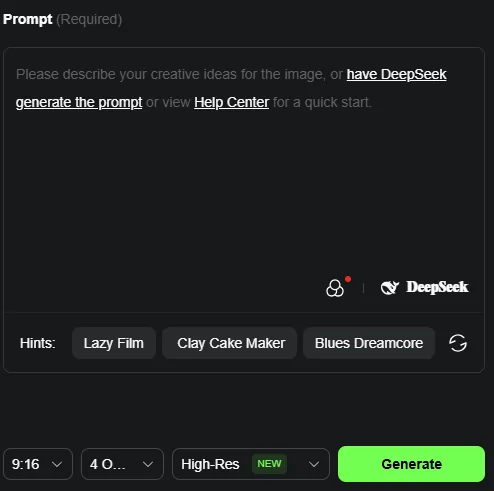
- Select duration (5s or 10s), quality mode (Standard or Professional), and aspect ratio
- Hit generate and wait — queue time varies by plan and time of day
- Download, review, iterate
5 Kling AI Prompt Tips That Actually Make a Difference
Use specific camera language.
“Dolly in,” “tracking shot left to right,” “slow orbit around subject” get far better results than vague directions like “camera moves.”Spell out text elements explicitly.
If you need a brand name or label visible, describe it clearly in your prompt. This is where Kling outperforms everything else.Pair Motion Brush with a strong base image.
Compose your still frame first, then draw motion paths on top. The extra step gives you control that text prompts alone can’t match.One action per clip.
10 seconds is short. One mood, one movement, one payoff. Don’t overload.Use Video 3.0 Omni for multi-shot sequences.
Set per-shot duration, angle, and pacing manually instead of hoping the standard model guesses right.Is Kling AI Safe? Data Privacy & Content Moderation
Kling AI is built by Kuaishou, a publicly traded Chinese tech company. Content moderation is heavy — political topics are censored, and the NLP filters sometimes flag completely harmless prompts in medical, educational, or artistic contexts.
The content filter stack includes keyword blacklisting, natural language processing analysis, and manual human review. Violations can result in account suspension or permanent bans.
On the data privacy front, Kuaishou operates under Chinese data regulations. If you’re uploading proprietary brand assets or sensitive creative materials, read their privacy policy carefully before using the platform. NSFW content generation is blocked entirely — zero tolerance.
Frequently Asked Questions
Is Kling AI free to use?
Yes. Kling AI offers a free tier with limited element creations and no monthly credits. No credit card is required. Free output is watermarked, lower resolution, and cannot be used commercially.
Is Kling AI better than Sora?
It depends on the project. Kling wins on resolution (4K), text preservation, and motion control tools. Sora wins on physics accuracy, longer clip duration (12s vs 10s), and realistic object interactions.
Is Kling AI safe?
Kling is built by Kuaishou, a publicly traded company. Content is heavily moderated. Review their privacy policy before uploading proprietary or sensitive materials, as the platform operates under Chinese data regulations.
Can I use Kling AI videos commercially?
Only on paid plans. The free tier explicitly prohibits commercial use. Standard ($6.99/month first month) and above include commercial licensing rights.
How long can Kling AI videos be?
Up to 10 seconds per generation on Kling 3.0. Video extension allows extending up to 3 minutes maximum through multiple extensions. You can also stitch clips externally.
What languages does Kling AI audio support?
Native audio generation works in English, Chinese, Japanese, Korean, and Spanish — including regional dialects — with automatic lip sync.
Does Kling AI have an API?
Yes. API pricing is available through the official developer portal, with packages starting at various tiers based on usage volume and model version.
Why do my Kling AI prompts keep getting blocked?
The platform uses aggressive keyword blacklisting, NLP filtering, and manual moderation. Even harmless prompts in medical or educational contexts can trigger the system. Rephrase your prompt and remove any potentially flagged terms.
Kling AI Review — Final Verdict: Is It Worth Your Money?
Kling AI is legitimately one of the best AI video generators available right now. The motion quality is best-in-class. Text preservation in video is something no competitor matches consistently. The Motion Brush is a unique creative tool. And 4K output puts it ahead on raw resolution.
But it’s not perfect. The 10-second duration cap, aggressive content filters, limited reference inputs, credit-burning failed generations, and shaky customer support keep it from being a no-brainer pick for everyone.
The smartest approach? Use Kling alongside other tools rather than going all-in. Kling for high-res product work and motion control. Sora for physics-heavy realism. Seedance for complex, reference-heavy scenes. Runway for consistency. No single AI video tool does everything best — and anyone telling you otherwise is selling something.

AITwin Ninja
Affiliate Disclosure: This post may contain some affiliate links, which means we may receive a commission if you purchase something that we recommend at no additional cost for you (none whatsoever!)
Similar Posts
Author
Anthony
Anthony, a content strategist for AI Twin, is fascinated by AI’s creative potential. He specializes in exploring how generative tools are revolutionizing art, writing, and digital content creation, providing practical insights for creators and entrepreneurs.