How to Write Prompts That Generate Consistent AI Model Faces
You’ve typed a perfect prompt. The AI spits out a stunning face. You run it again — and it’s a completely different person. Sound familiar? Getting the same AI-generated face across multiple images feels almost impossible, but it’s not. You just need the right prompt strategy, the right parameters, and a few tricks most people…

By :
Ralph
April 1, 2026
You’ve typed a perfect prompt. The AI spits out a stunning face. You run it again — and it’s a completely different person. Sound familiar? Getting the same AI-generated face across multiple images feels almost impossible, but it’s not.
You just need the right prompt strategy, the right parameters, and a few tricks most people skip entirely. This guide breaks down the exact process to generate reproducible AI portraits that look like the same character every time.
The Problem: Why AI Keeps Giving You a Different Face Every Time
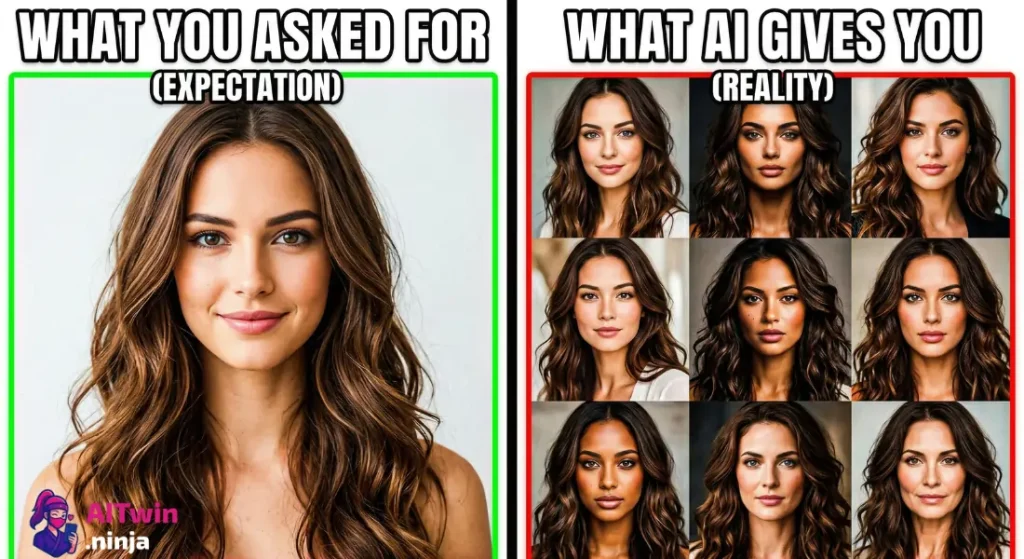
Text-to-image models like Midjourney, Stable Diffusion, DALL·E, and Flux don’t “remember” what they made five seconds ago. Every generation starts from scratch. So even if your prompt says “young woman with green eyes and curly brown hair,” the AI interprets that slightly differently each run.
Different bone structure, different skin texture, different vibe. That randomness is baked into how diffusion models work — and it’s exactly what makes face consistency so tricky without a deliberate system.
What “Face Consistency” Actually Means in AI Image Generation
Let’s get specific. Face consistency doesn’t mean “kind of similar.” It means the same identity — recognizable across poses, outfits, lighting setups, and backgrounds. Think of it like a real model showing up for ten different photo shoots. Same person, different context.
This matters if you’re building an AI influencer, creating a brand mascot, producing a visual story, or running an AI model portfolio on social media. Without identity persistence, none of that works.
The Core Prompt Anatomy That Controls Facial Features
Vague prompts produce random results. Consistent faces start with hyper-specific prompt architecture. Here’s a skeleton that works:
[Subject] + [Facial details] + [Age/Ethnicity cues] + [Hair] + [Expression] + [Art style] + [Lighting] + [Camera angle]
Example: "Portrait of a 28-year-old East Asian woman, oval face, high cheekbones, monolid eyes, light golden skin, straight black hair past shoulders, soft smile, realistic photography style, soft studio lighting, shot on 85mm lens, front-facing"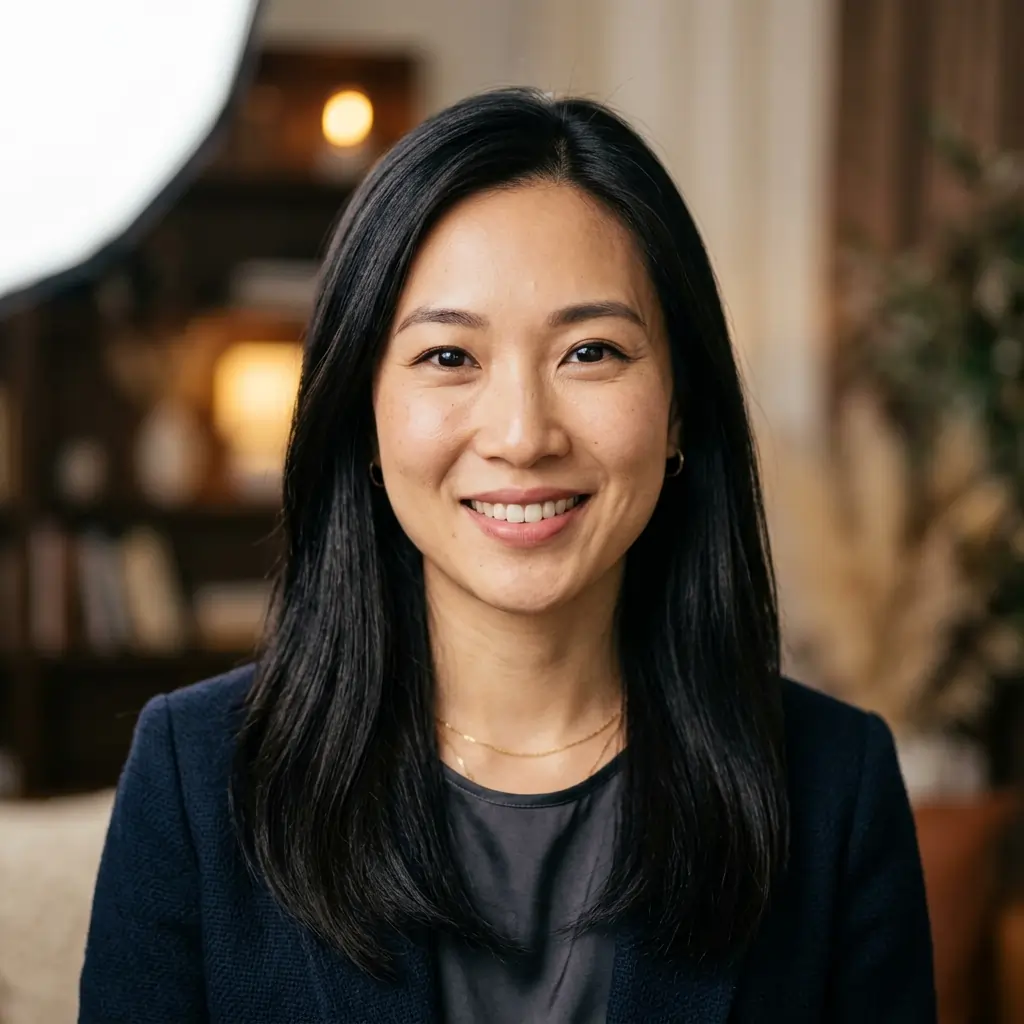
Every word is doing a job here. Remove one element, and the AI starts guessing — which means inconsistency.
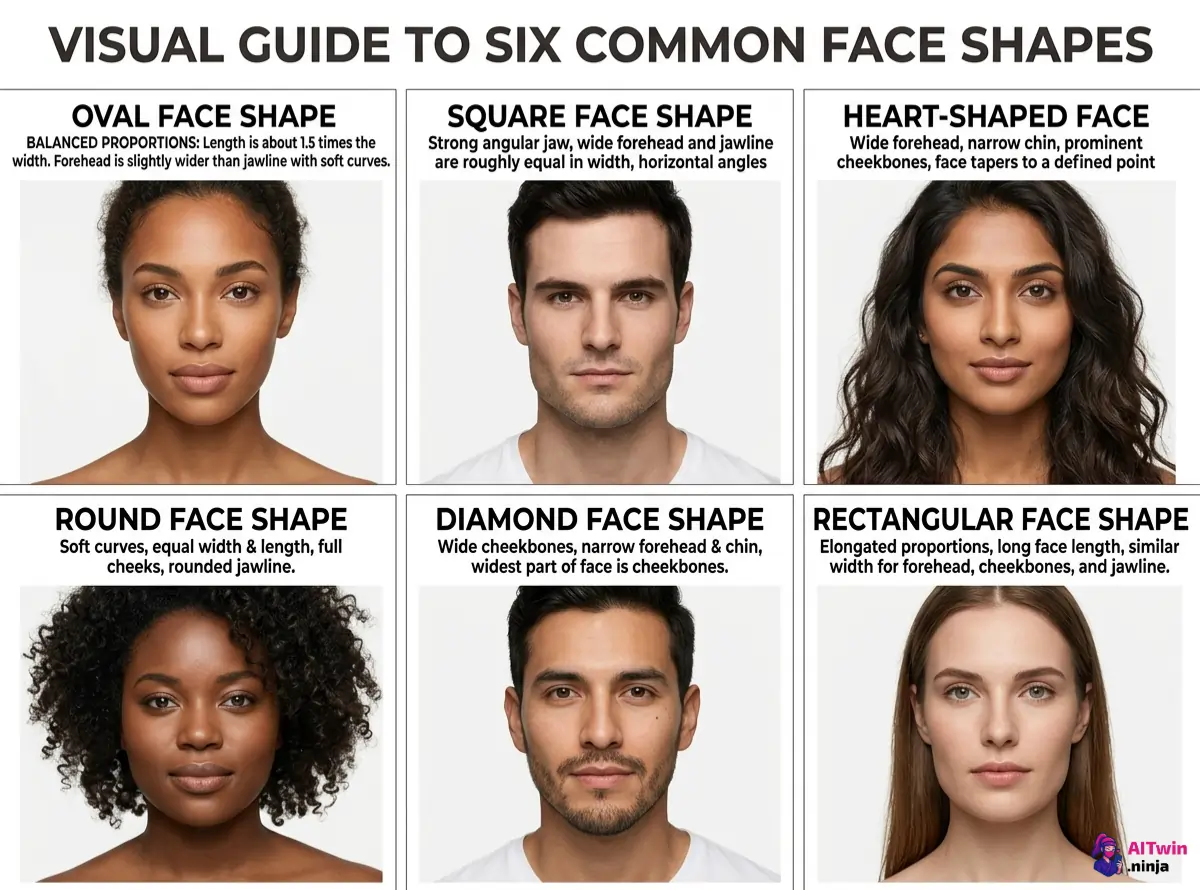
Facial Feature Tags That Actually Stick (And Ones That Don’t)
Some descriptors reliably influence output. Others get straight-up ignored.
Seed Values: Your Secret Weapon for Reproducible AI Faces
Here’s where things get good. A seed number is a starting point for the AI’s random noise pattern. Same seed + same prompt = nearly identical output.
But here’s the catch — seeds alone aren’t enough. Change one word in your prompt, and the face shifts. Seeds work best as one layer in a multi-layer consistency system.
Using Reference Images to Lock In a Face (IP-Adapter, FaceID, Image Prompts)
Text-only prompts have a ceiling. Reference images blow past it.
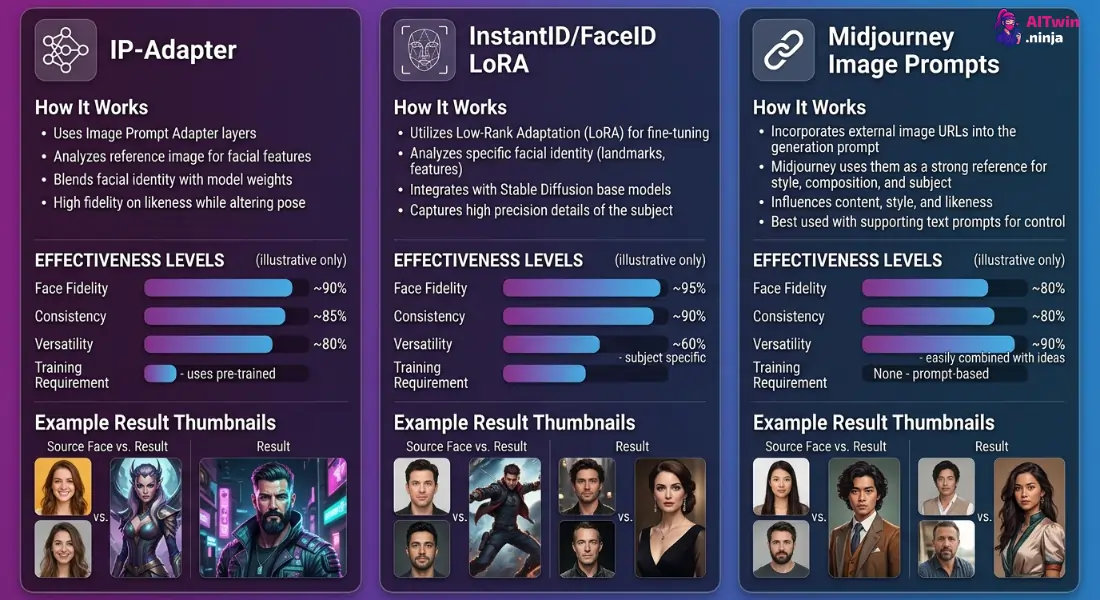
For maximum accuracy in AI portrait generation, combine a reference image with a detailed text prompt and a locked seed. That triple combo is where the magic sits.
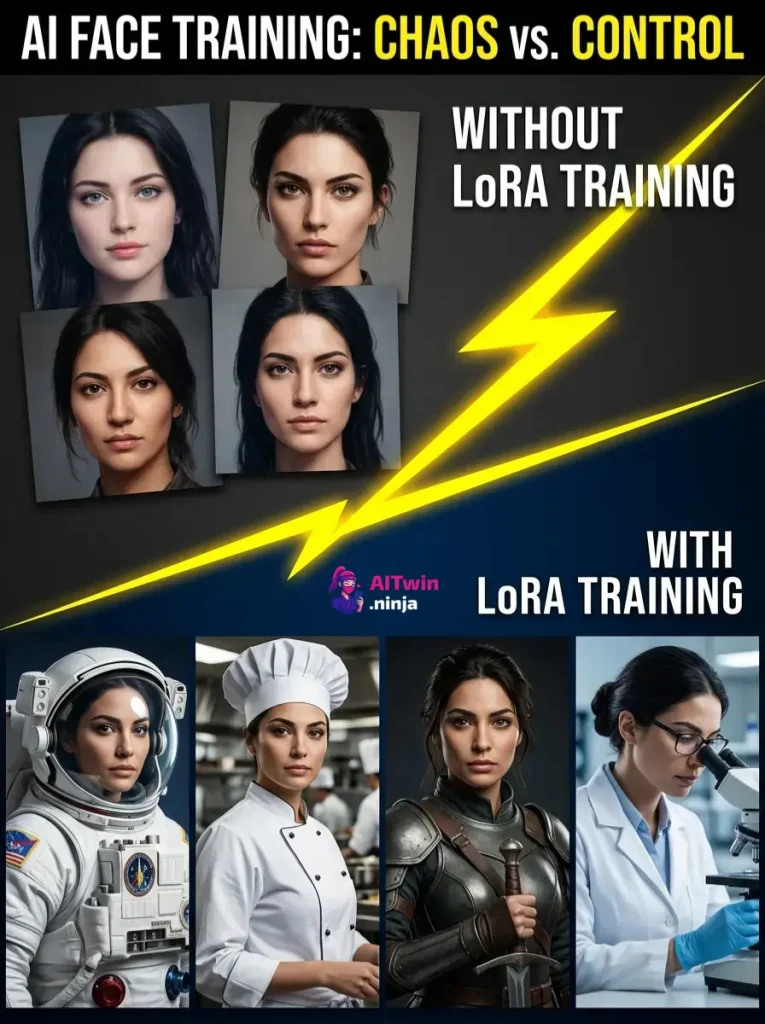
Training a Custom Face with LoRA (Without Needing a PhD)
If you want bulletproof results, train a LoRA model on a specific face. It sounds technical, but tools like Kohya SS and cloud platforms like RunPod make it surprisingly accessible.
Now every time you reference that LoRA trigger word, the AI produces that face. This is how most AI virtual models and persistent characters are made.
Negative Prompts: Telling the AI What NOT to Do With the Face
Positive prompts build the face. Negative prompts protect it.
A solid negative prompt block for face quality:
"deformed face, extra fingers, blurry eyes, asymmetrical features, disfigured, bad anatomy, low quality, watermark, text, cropped face"Without negative prompts, you’ll get random distortions that break identity across a series — even when everything else is dialed in.
Style + Lighting + Camera Angle: The Hidden Consistency Killers
This trips up almost everyone. You nail the face prompt, lock the seed, use a reference… then swap from “cinematic lighting” to “flat studio light” and the face looks like a different person.
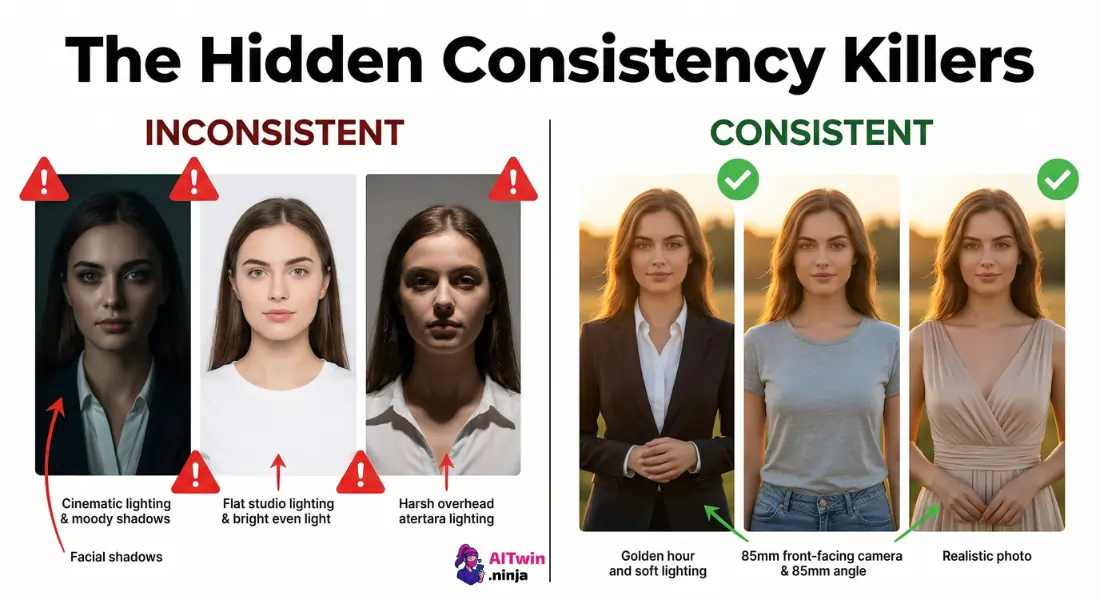
Rule of thumb: When generating a batch of images for the same character, fix these three variables:
Change the outfit, background, or pose — but keep style, light, and angle constant.
Platform-Specific Tips (Midjourney vs. Stable Diffusion vs. DALL·E vs. Flux)
| Platform | Best For | Consistency Tools |
|---|---|---|
| Midjourney | Quick high-quality portraits | –seed, –cref, image prompts |
| Stable Diffusion | Full control, LoRA, IP-Adapter | Seeds, LoRA, ControlNet, FaceID |
| DALL·E | Simple generations, ChatGPT integration | Limited — no seed control, no LoRA |
| Flux | High-fidelity realistic faces | Prompt adherence strong, seed support |
Stable Diffusion gives you the most control. Midjourney is fastest for good-enough results. DALL·E is the weakest for same-face workflows.
Real Prompt Examples: Before and After (Side-by-Side)
Vague prompt:
"A pretty woman with brown hair"Optimized prompt:
"Portrait of a 30-year-old Caucasian woman, oval face, soft jawline, hazel almond-shaped eyes, straight dark brown hair to shoulders, neutral expression, realistic photography, soft diffused lighting, 85mm lens, front-facing, --seed 48291"The difference is specificity. Every undefined attribute is a coin flip.
Common Mistakes That Ruin Face Consistency (And How to Fix Each One)
- Overloading prompts with contradictory styles — Pick one aesthetic and commit.
- Forgetting to lock seeds — Always set a seed after finding your ideal output.
- Skipping negative prompts — Face distortion creeps in without them.
- Changing lighting between images — Kills perceived identity instantly.
- Using vague descriptors — “Pretty” and “handsome” aren’t instructions.
- Ignoring reference image tools — Text alone can only do so much.
Workflow Checklist: Your Repeatable Process for Consistent AI Model Faces
- Write a hyper-detailed face description with specific physical attributes
- Set a fixed art style, lighting, and camera angle
- Add a negative prompt block for face quality control
- Generate and select the best base image
- Lock the seed number from that generation
- Use the base image as a reference via IP-Adapter, FaceID, or image prompt
- (Optional) Train a LoRA for long-term use of that face
- QA check every output — compare side-by-side before publishing
Bookmark this list. Run it every time. That’s how you build a repeatable character that actually looks like the same person across dozens — or hundreds — of AI-generated images.

AITwin Ninja
Affiliate Disclosure: This post may contain some affiliate links, which means we may receive a commission if you purchase something that we recommend at no additional cost for you (none whatsoever!)
Similar Posts


Author
Ralph
Ralph is a digital architect at AI Twin, exploring the intersection of AI and identity. He deconstructs how neural networks are reshaping our digital selves, one algorithm at a time. His writing simplifies complex tech into actionable insights for the future-focused individual.