HeyGen Voice Cloning Setup Guide for AI Creator Videos 2026
Your voice, but infinitely scalable. That’s the promise HeyGen voice cloning delivers, and honestly? It’s a bloody game-changer for AI influencers, faceless creators, and anyone building a content empire without burning out. Clone your voice once, pump out videos daily, dub into 175+ languages, and keep your brand voice tight across every platform. No more…

By :
Ralph
April 8, 2026
Your voice, but infinitely scalable. That’s the promise HeyGen voice cloning delivers, and honestly? It’s a bloody game-changer for AI influencers, faceless creators, and anyone building a content empire without burning out.
Clone your voice once, pump out videos daily, dub into 175+ languages, and keep your brand voice tight across every platform. No more recording the same script 50 times or hiring expensive voiceover artists for every reel.
This guide walks you through the setup, quality tweaks, consent basics, and how to turn one voice into a multilingual content machine.
What HeyGen Voice Cloning Actually Does?
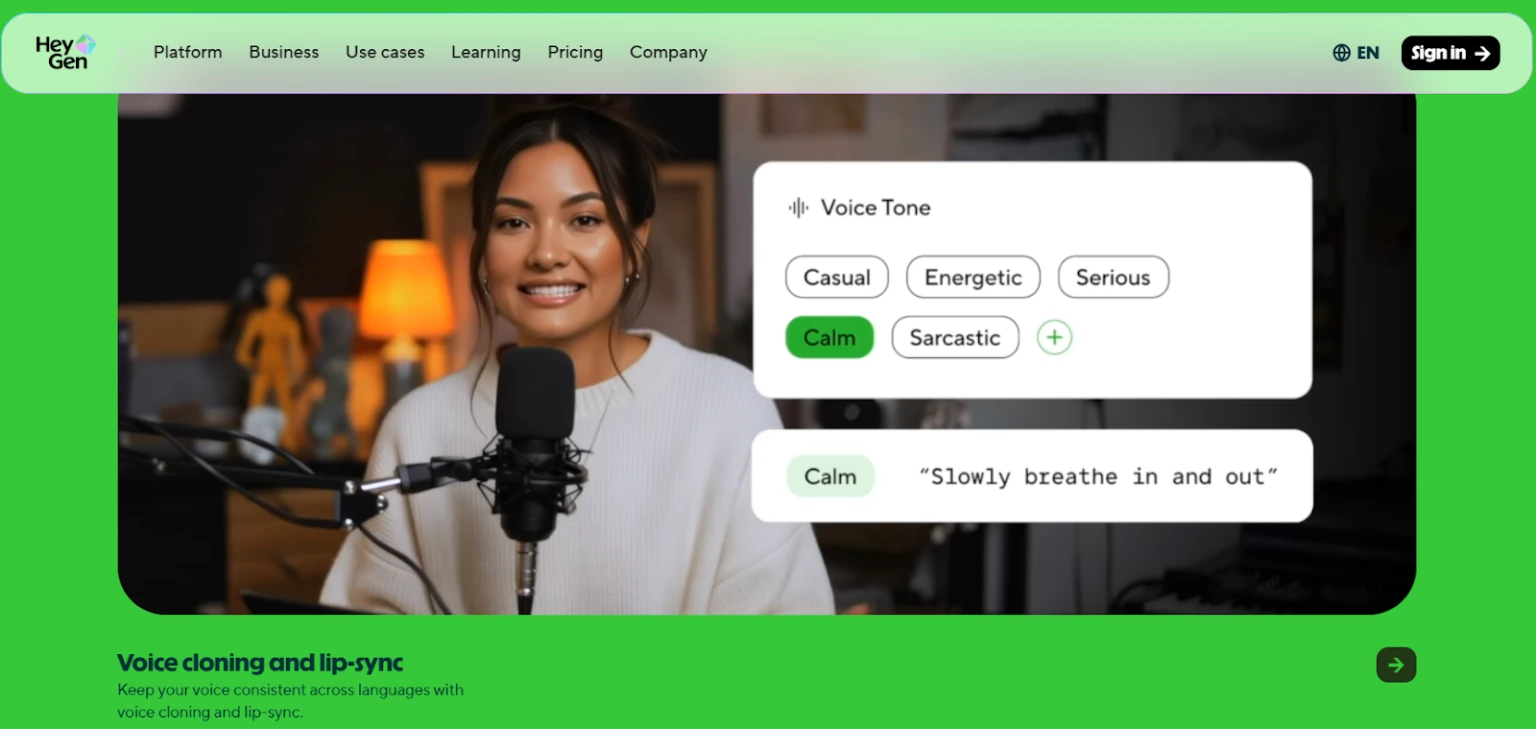
HeyGen analyses your voice—pitch, rhythm, accent, and those tiny quirks that make it recognisable—and builds a reusable digital voice model. It plugs straight into HeyGen’s text-to-video flow, so you paste a script, pick your settings, and get a natural-sounding voiceover without studio gear.
You can reuse that same cloned voice across a whole content series. Spot a typo or want to change your hook? Edit the text, re-render, and your “AI influencer voice” updates without you saying a single new word.
The Non-Negotiables (Consent, Rights, Drama)
Get explicit consent before cloning someone’s voice. Not “implied” consent, not “they’ll probably be cool with it”—explicit, documented, on-the-record permission.
🔊 Prep Your Sample So It Sounds Hot, Not Hinky

Your clone is only as good as your sample. Record in a quiet room—no music, no background chatter, no weird echo from your bathroom tiles. Keep your speech steady and natural.
HeyGen recommends 30 seconds to 3 minutes, but aim for at least one solid minute of consistent speech. That gives the model enough data to nail your tone without guessing.
💡 Pro tip: Record a few different moods—calm, hyped, serious. Your clone can match different creator vibes instead of sounding like a robot reading a phone book.
Step-by-Step: Clone a Voice in HeyGen
1. Create/ upload your voice sample
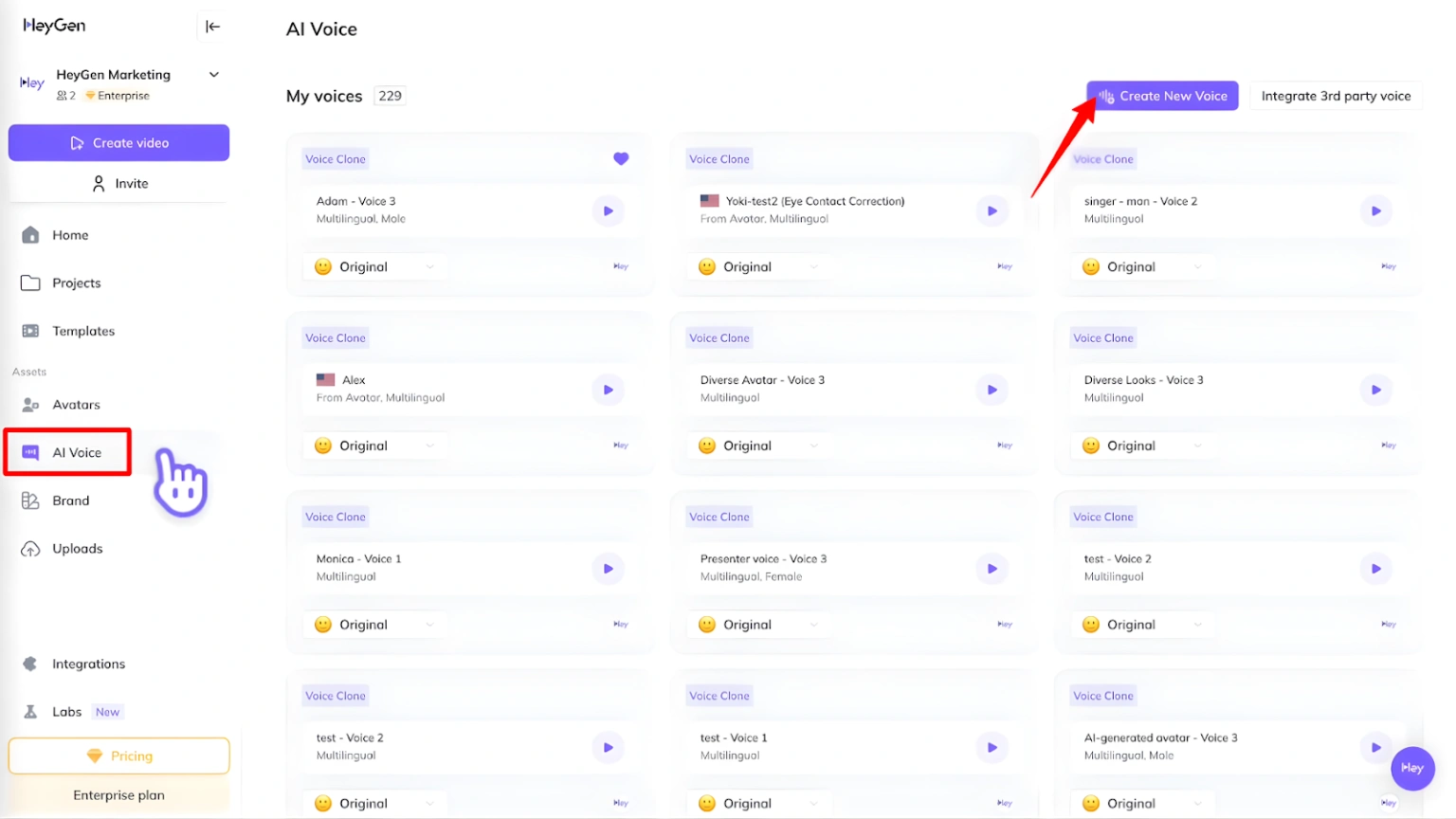
Provide a short, clean recording. HeyGen analyses pitch patterns, speech rhythm, and accent to build the voice model.
2. Let HeyGen process the sample
Processing takes a few minutes. Once done, your cloned voice shows up in your project library, ready to roll.
3. Write your script inside HeyGen
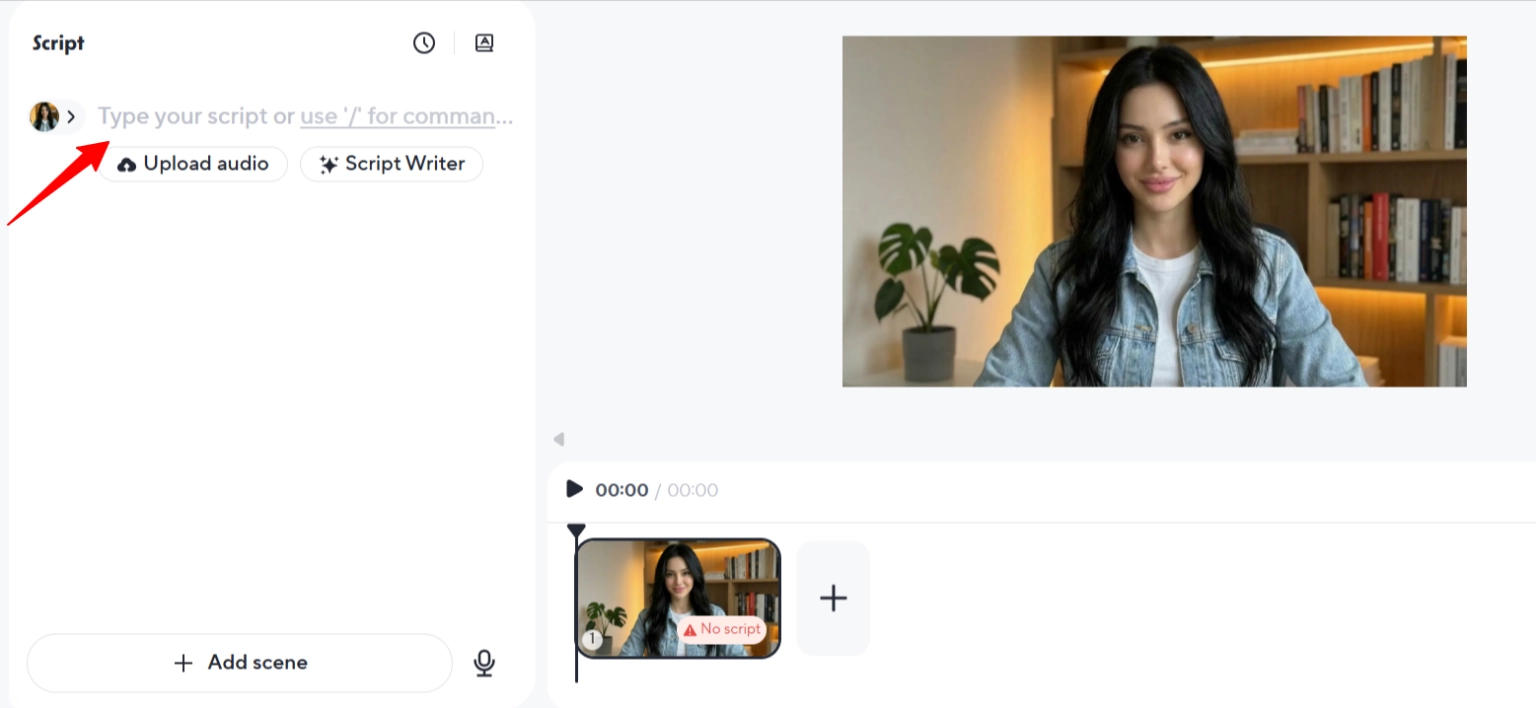
Type or paste your text. Adjust wording, add pauses, tweak emphasis before you render. This is where you control the vibe.
4. Render and export
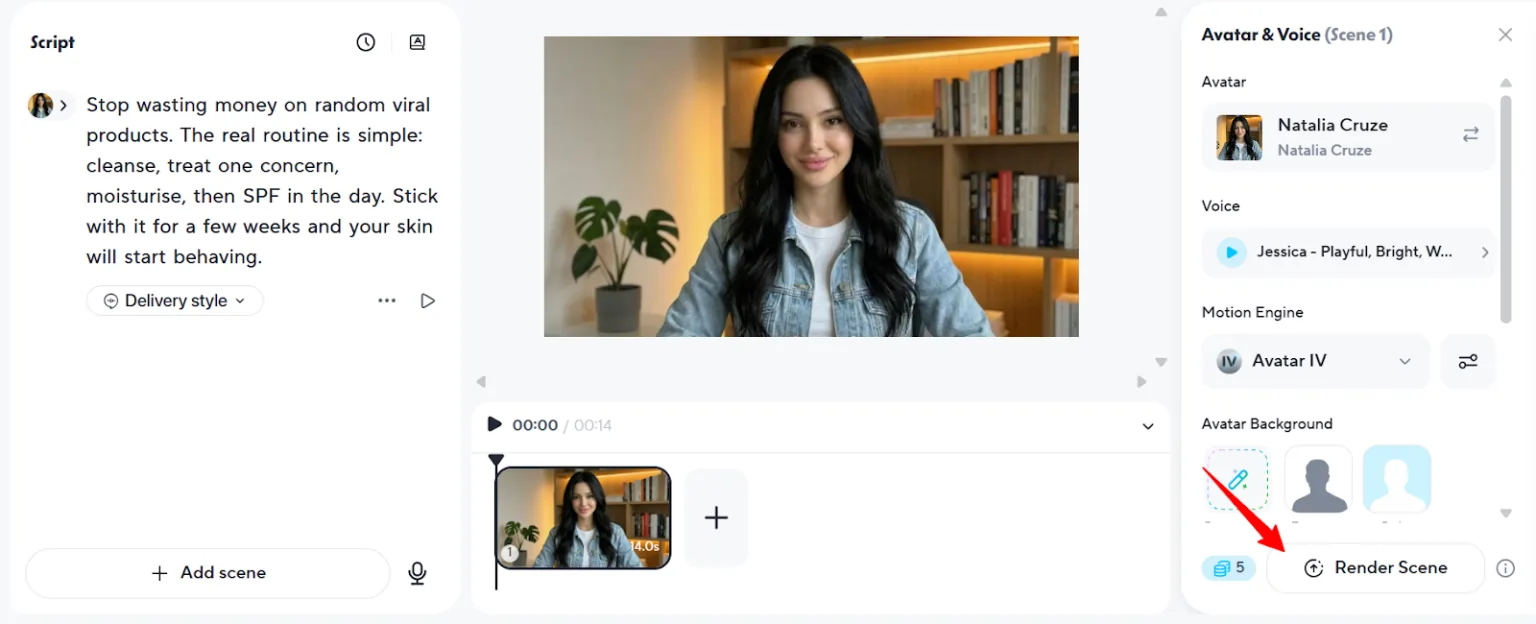
Generate the final video. If you spot a mistake later, change the text and re-render—no need to start from scratch.
✅ Quality note: HeyGen lets you adjust speech speed, emotion, and pitch. Play with these settings if the default render feels off. Accuracy depends heavily on sample quality, so don’t skimp on the recording phase.
AI Influencer Workflow (Make It Sound Like ‘You’)
Your brand voice checklist
Content types that work
Stick with one voice identity across your series. Your audience should recognise your sound instantly, even if they’re scrolling half-asleep at 2am.
Go Global: Pair It With HeyGen AI Dubbing
Upload a video, pick a target language, click translate. That’s the basic flow.
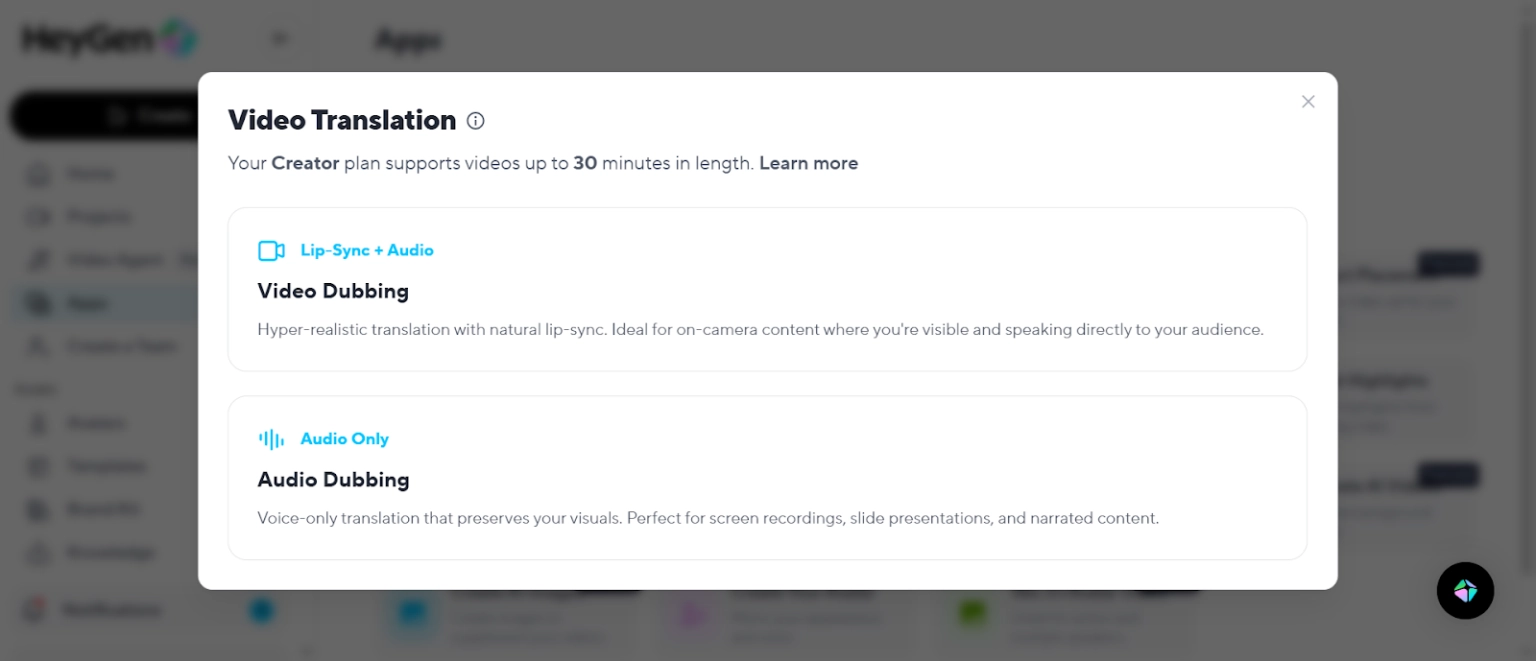
HeyGen supports 175+ languages and dialects, so you can localise for markets you’ve never even thought about. Spanish, Mandarin, Arabic, Hindi—your voice clone speaks all of them.
Control points:
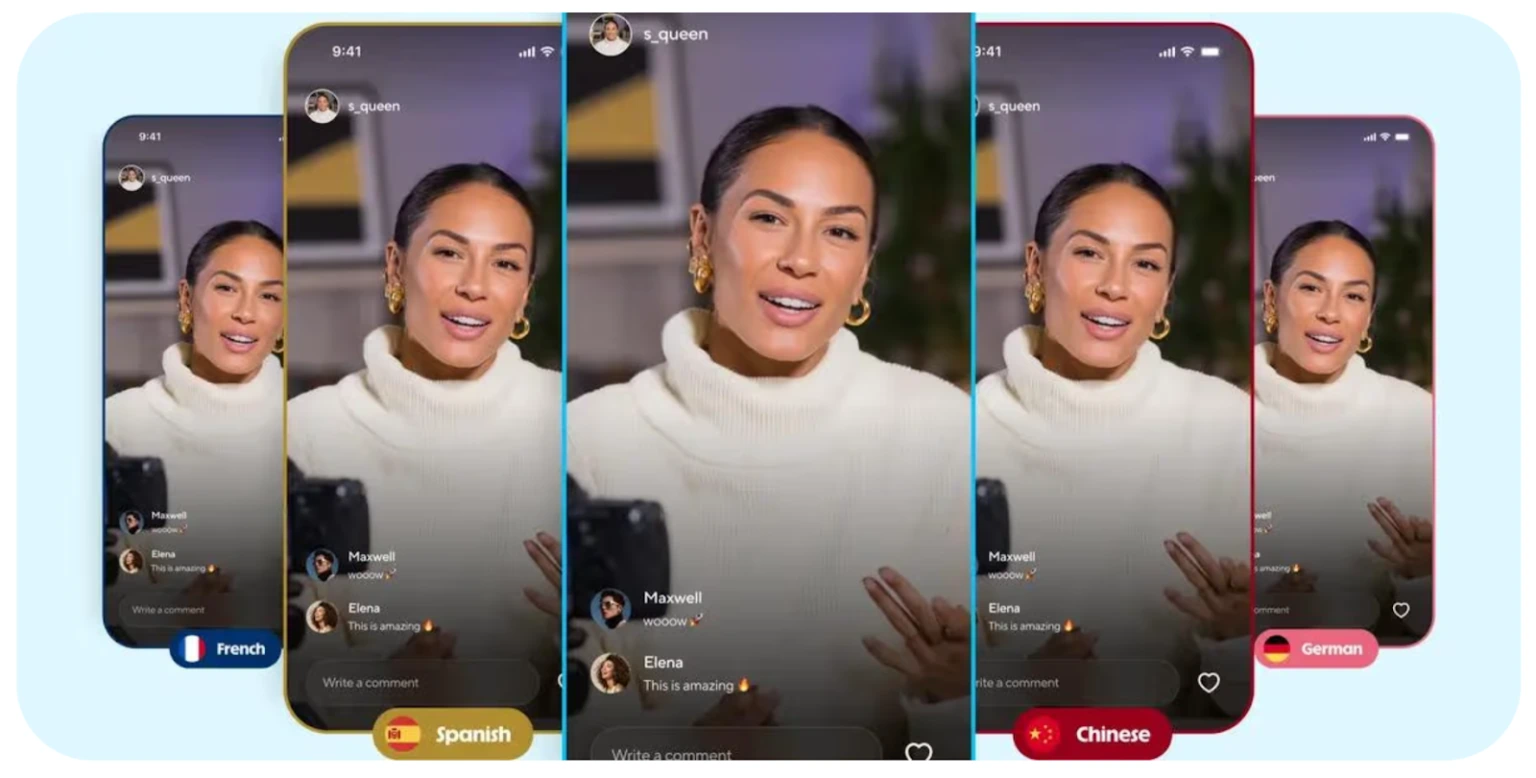
HeyGen positions this as lip-synced dubbing, aligning the voice track to lip movement. It’s not perfect, but it’s miles better than slapping Google Translate voiceover on top and calling it a day.
🧐 Quality Fixes and Common Fails
Sounds robotic? Improve sample quality, slow down pacing, and simplify punctuation. Too many commas or weird formatting confuses the AI.
Mispronounces names? Spell them phonetically, insert commas for pauses, or rewrite the line entirely. “Sean” might need to be “Shawn” if the clone keeps butchering it.
Energy feels flat? Use shorter sentences, stronger verbs, and punchy hooks. Long-winded sentences kill momentum.
Dub feels off? Re-check script pacing, swap voice or accent options, and re-export. Sometimes a different regional variant fixes everything.
❓ Before You Hit Clone: Must-Know FAQs
How much audio do I need for a good voice clone?
30 seconds to 3 minutes of clean, high-quality audio works best. More is better if it’s noise-free.
Can I use my cloned voice in other languages?
Yes. HeyGen’s dubbing feature translates and applies your cloned voice to 175+ languages with lip sync.
Is voice cloning allowed for creators and influencers?
Absolutely—as long as you have consent and rights to the voice being cloned.
How do I stop my clone sounding fake?
Use natural pacing, avoid stiff scripts, test multiple lines, and adjust speech speed and emotion settings.
Can HeyGen dub my videos with lip sync?
Yes. The AI dubbing tool matches lip movements to dubbed audio for a realistic result.
What’s the safest way to use a voice clone?
Only clone voices you own or have permission to use, store samples securely, and disclose AI usage when necessary.
💭 Your Voice, Everywhere—Without Saying a Word
Record once, lock in your HeyGen Voice Cloning setup, and let your AI twin handle scripts while you focus on ideas, fans, and deals.
One clean sample today can fuel weeks of short-form content and dubbed videos across new countries—so your voice keeps working, even when you’re off enjoying the attention. Stop choosing between consistency and volume.
Clone your voice, batch your scripts, test your hooks, and watch how fast you can scale when you’re not trapped behind a mic every single day. This is creator leverage at its finest—use it before your competitors figure it out.

AITwin Ninja
Affiliate Disclosure: This post may contain some affiliate links, which means we may receive a commission if you purchase something that we recommend at no additional cost for you (none whatsoever!)
Similar Posts

Author
Ralph
Ralph is a digital architect at AI Twin, exploring the intersection of AI and identity. He deconstructs how neural networks are reshaping our digital selves, one algorithm at a time. His writing simplifies complex tech into actionable insights for the future-focused individual.