10 OpenArt Features Every AI Influencer Creator Must Know
Creating scroll-stopping AI visuals for your influencer brand used to mean expensive software, hours of editing, and a design degree you probably don’t have. Not anymore. OpenArt has quickly become the go-to AI art generator for creators who want consistent, high-quality images without the headache. If you’re building an AI influencer persona or pumping out…

By :
Andrea Obrien
January 28, 2026
Creating scroll-stopping AI visuals for your influencer brand used to mean expensive software, hours of editing, and a design degree you probably don’t have. Not anymore.
OpenArt has quickly become the go-to AI art generator for creators who want consistent, high-quality images without the headache. If you’re building an AI influencer persona or pumping out content for social media, these OpenArt features will save you time, money, and a whole lot of frustration.
Let’s get into the 10 features that’ll make your AI content creation workflow smoother than butter.
What Is OpenArt and Why Do AI Influencers Love It?
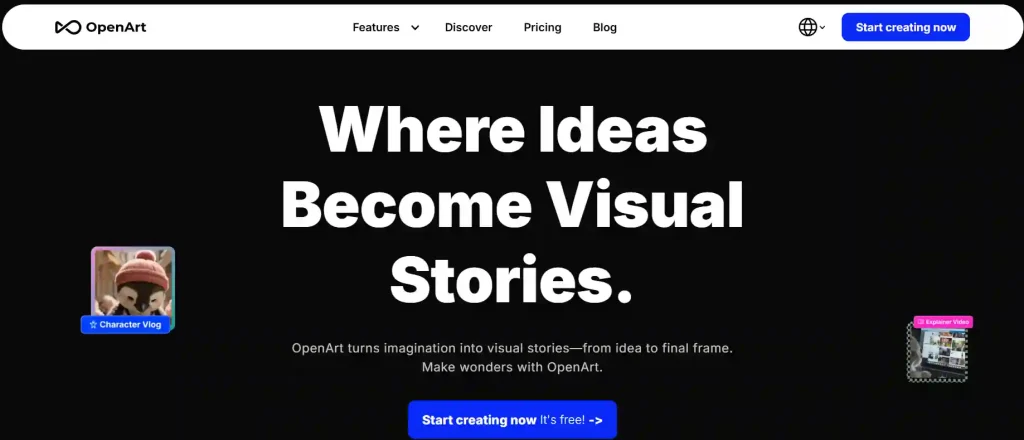
OpenArt is an all-in-one AI generator that turns text prompts into stunning visuals. But here’s where it gets interesting – you don’t even need prompts if you don’t fancy writing them.
The platform packs a proper arsenal of AI content creation tools, from basic text-to-image generation to advanced model training. Unlike Midjourney (which still doesn’t have a free tier), OpenArt lets you start creating without dropping a penny.
ForAI influencer creators, this means one thing: you can build a consistent virtual persona without burning through your budget on day one.
OpenArt Coupon for AI Influencers
exclusive
Design consistent AI influencers, text-to-image art, and custom models using OpenArt coupon code ALL15 to save 15%.
SAVE UP TO 15
10 Must-Know OpenArt Features for AI Influencer Creators
1. Text-to-Image Generation Without the Faff
The bread and butter of any AI art generator – type what you want, get an image back. Simple.
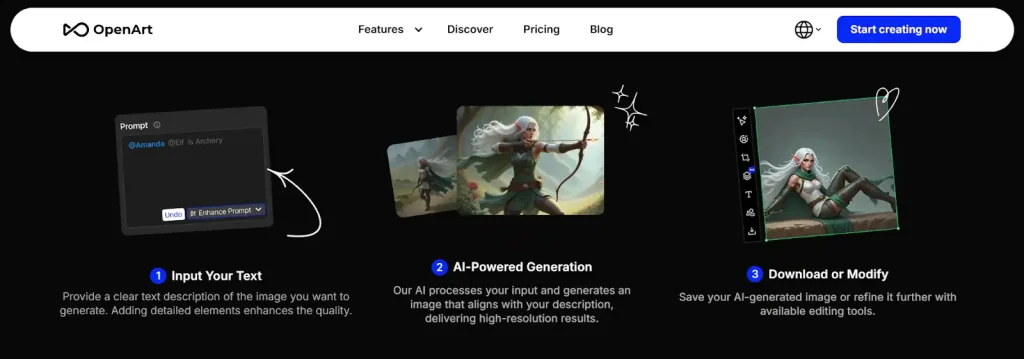
OpenArt’s text-to-image AI handles everything from photorealistic portraits to anime-style characters. The prompt system is flexible enough that beginners won’t feel lost, but detailed enough for pros who want granular control.
Pro tip: Start with basic prompts like “female influencer, pink aesthetic, studio lighting” and build from there. You’ll get the hang of it within a few generations.
2. Consistent Character Creation (Your AI Persona Sorted)
This is the big one for AI influencer creators.
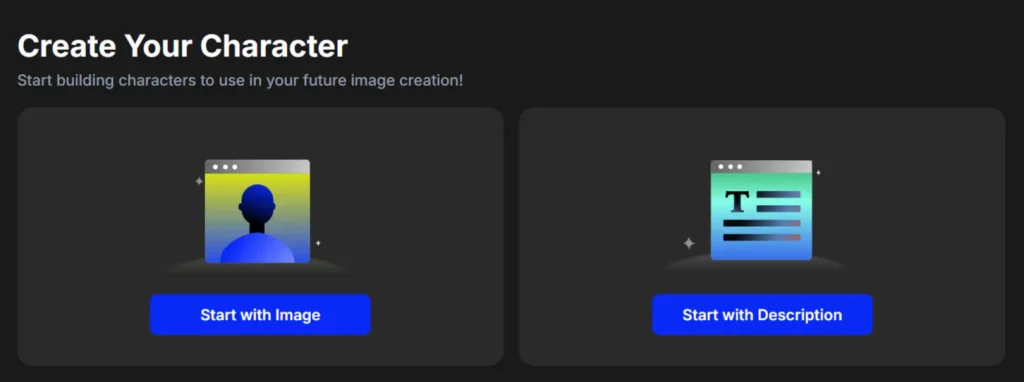
OpenArt Characters lets you create a consistent AI character design from just one image or description. Upload a reference photo, and the AI maintains that same face, style, and vibe across multiple generations.
Why does this matter? Because an AI influencer with a different face in every post looks dodgy. Consistency builds recognition, and recognition builds followers.
3. Image-to-Image Generation for Style Transformations
Got a photo you love but want it in a different style? Image-to-image generation is your mate.
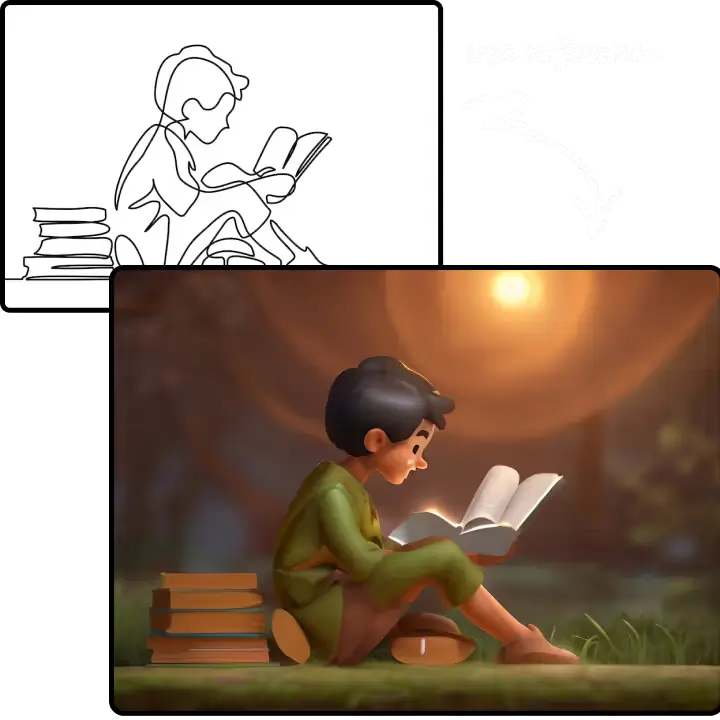
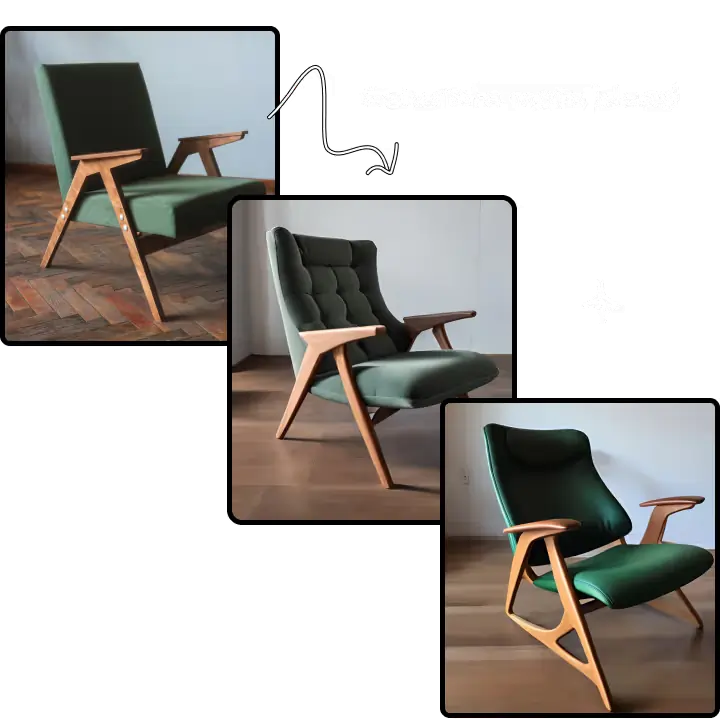
Upload any image, and OpenArt’s style transfer AI can transform it into:
Perfect for brand identity work when you want all your content matching a specific visual theme.
4. InPainting – Fix Dodgy Bits Without Starting Over
Nothing’s worse than generating an almost-perfect image with one weird hand or a floating earring.
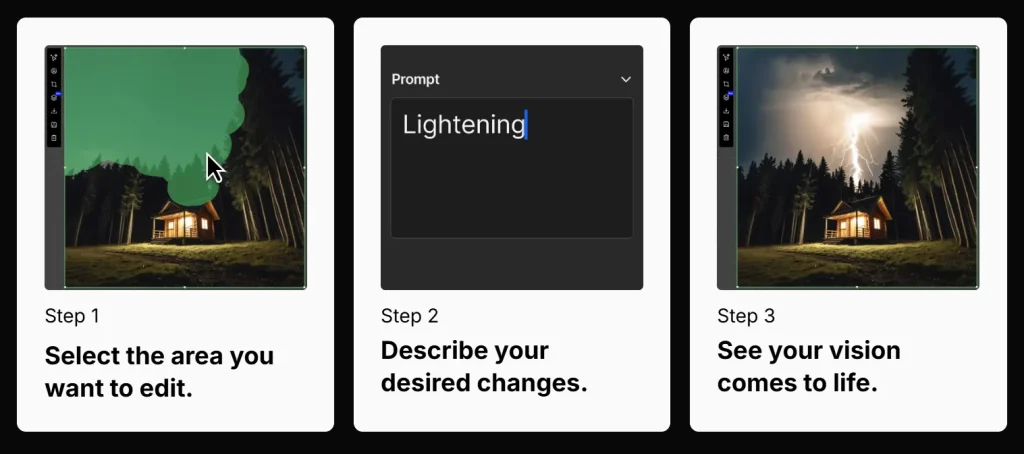
InPainting lets you select specific areas and regenerate just those bits. The rest of your image stays untouched. This AI editing tool alone will save you hours of re-rolling generations hoping for better results.
Use it to:
5. Object Removal That Actually Works
Sometimes you need stuff gone. Maybe there’s a random object in the background, or the AI added an extra finger (classic).
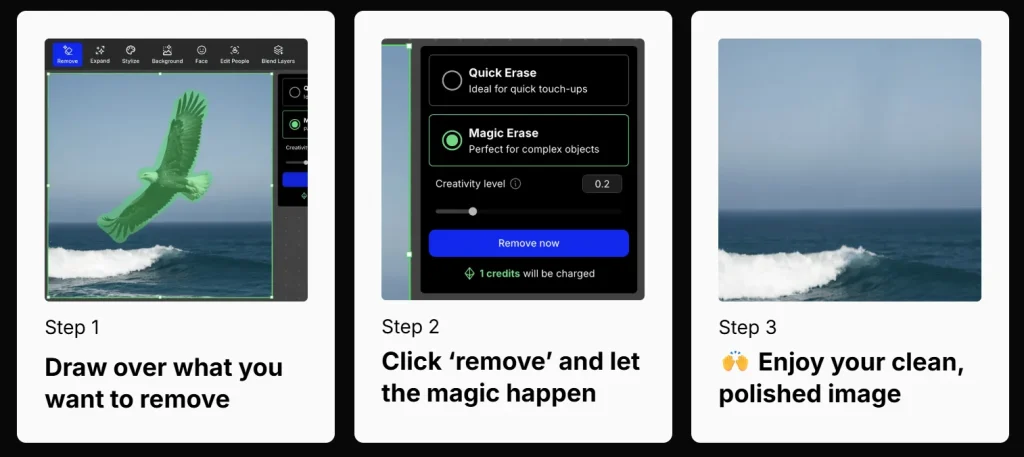
OpenArt’s object removal AI cleans up your images without leaving weird smudges or obvious editing marks. The result? Professional-looking AI artwork that doesn’t scream “I made this with AI.”
6. AI Upscaling for Crystal-Clear Content
Instagram compresses everything. TikTok wants high-res vertical content. Your audience expects quality.
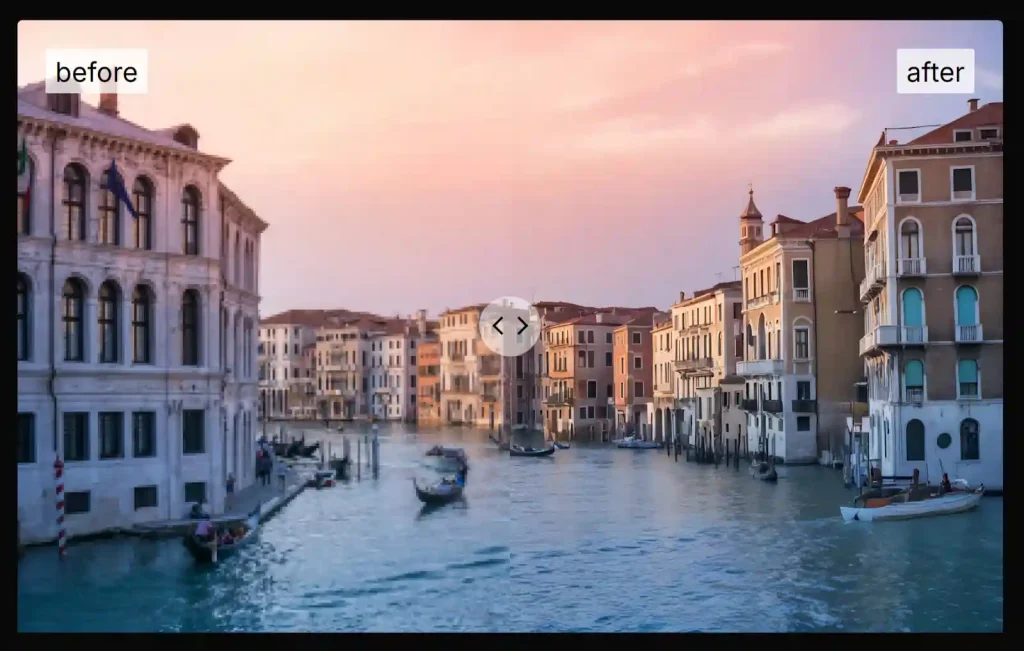
OpenArt’s AI upscaling tools take your images from decent to stunning. We’re talking high-resolution AI images that look crisp on any screen size. No more blurry uploads ruining your aesthetic.
The free tier caps resolution at 512×512 pixels, but paid plans let you go much higher – essential for anyone serious about their AI influencer content.
7. Custom Model Training (Your Secret Weapon)
Here’s where OpenArt pulls ahead of the competition.
You can train your own AI model on specific styles, faces, or aesthetics. This means your AI influencer can have a truly unique look that nobody else can replicate.
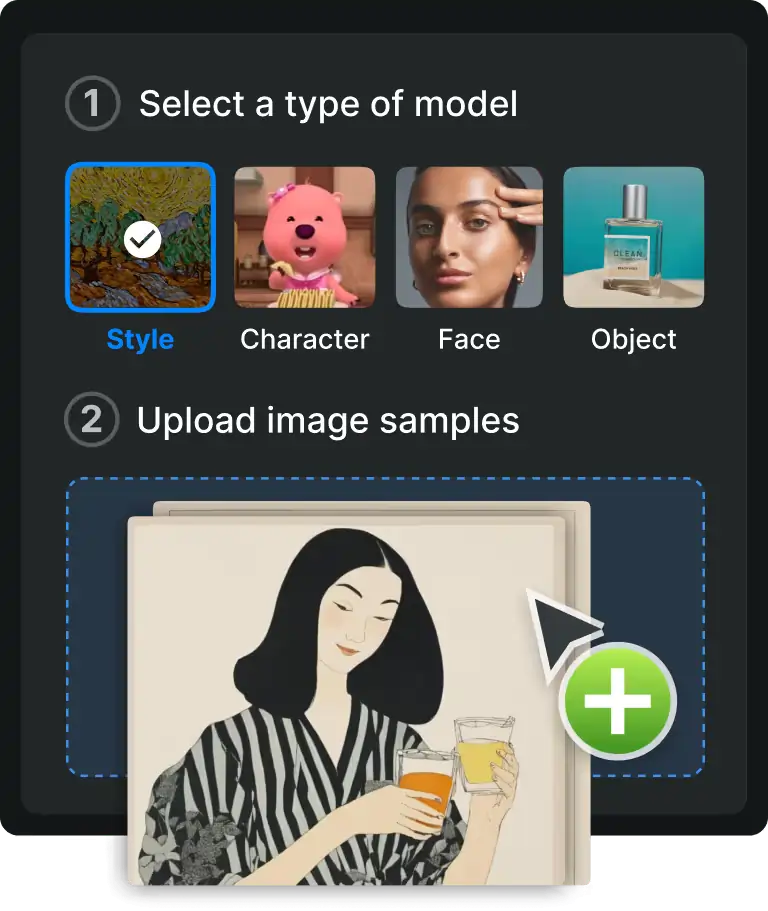
The process works like this:
- Upload 10-20 reference images
- Let OpenArt train a custom model
- Generate unlimited images in that exact style
For AI influencer creators building a long-term persona, this feature is absolute gold. Your character stays consistent, on-brand, and distinctly yours.
8. Batch Image Generation for Content at Scale
Content calendars are hungry beasts. One image won’t cut it when you need posts for the entire week.
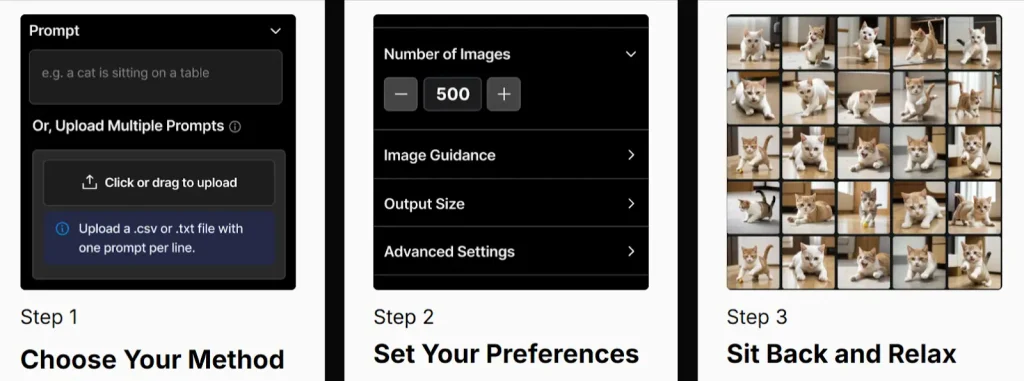
Batch image generation lets you create multiple variations from a single prompt. Set it running, grab a cuppa, and come back to a folder full of options.
This is how serious AI influencer creators maintain posting schedules without spending their entire lives generating images one by one.
9. ControlNet & Sketch-to-Image for Precise Poses
Sometimes you need your AI character in a specific pose. Maybe pointing at something, holding a product, or striking a particular stance.
ControlNet and Sketch-to-Image features let you guide the AI with rough sketches or pose references. Draw a stick figure, and OpenArt fills in the details based on your trained model.
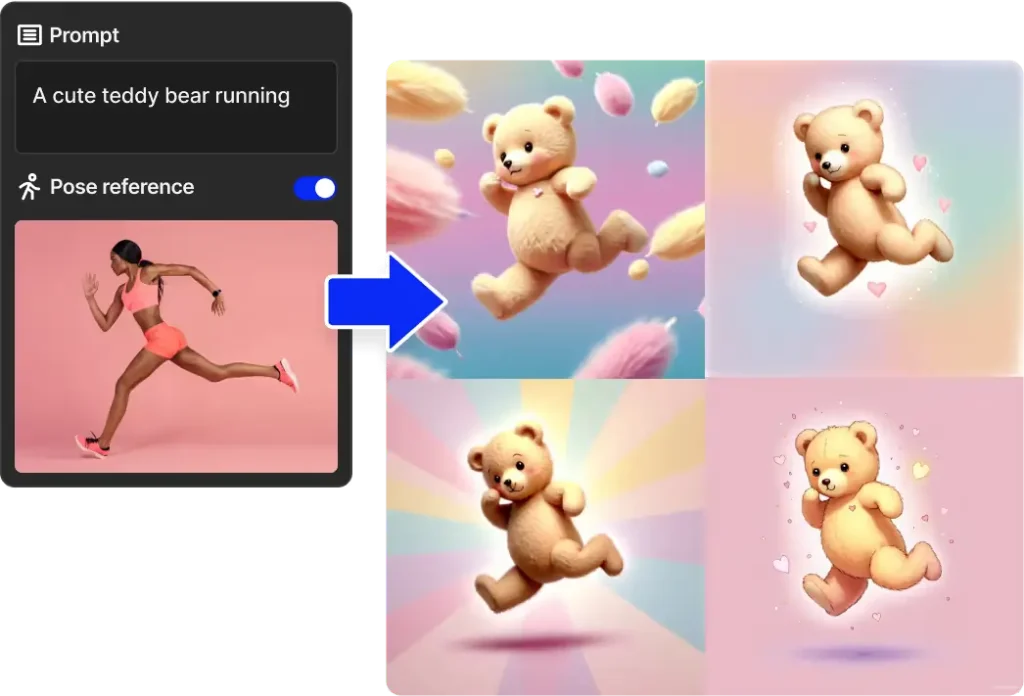
Perfect for:
10. Image-to-Video Conversion (Bring Stills to Life)
Static images are grand, but video content gets more engagement. Full stop.
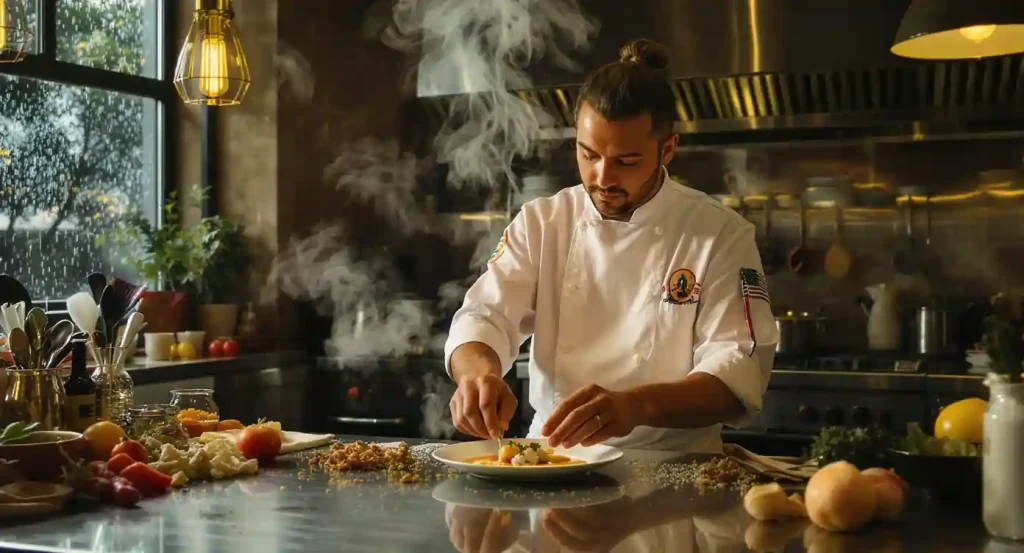
OpenArt can convert your AI images into short video clips. Add subtle movement – hair blowing, eyes blinking, slight head turns – and suddenly your AI influencer feels alive.
These clips are perfect for:
OpenArt AI Generator Every Influencer Is Using
exclusive
Generate viral AI visuals, train unique styles, and grow faster with OpenArt AI generator using ALL15 for 15% off.
SAVE UP TO 15
How to Get Started with OpenArt as an AI Influencer Creator
Getting going takes about five minutes:
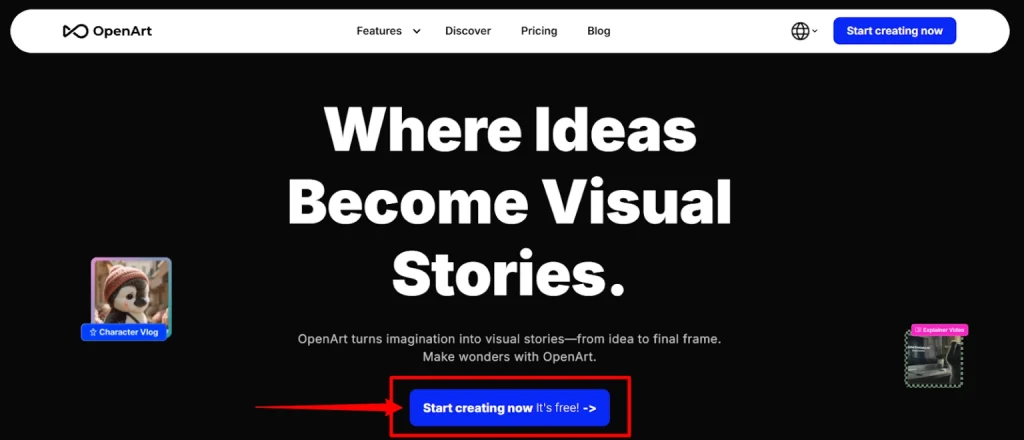
- Sign up at OpenArt.ai (no credit card needed for free tier)
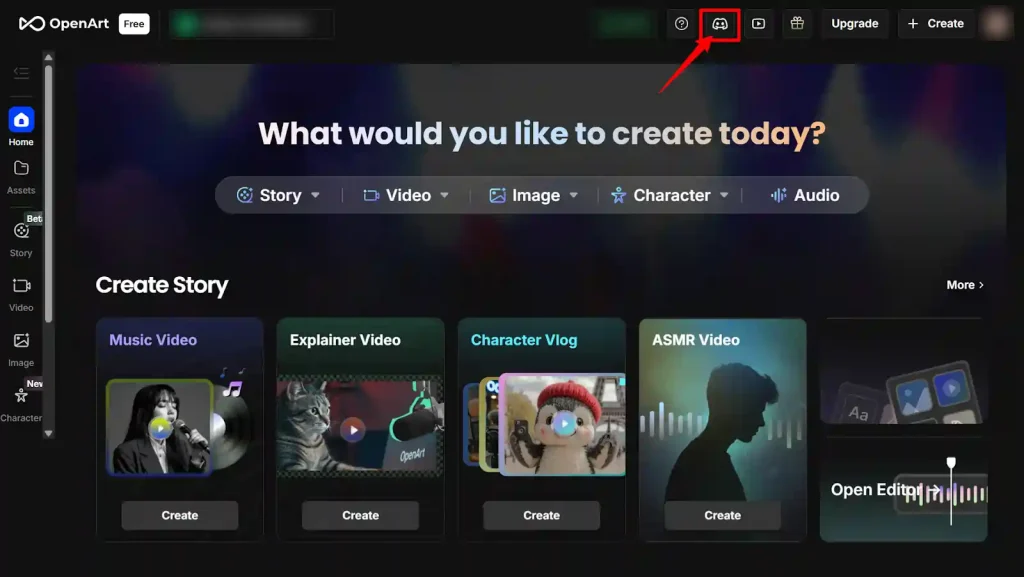
- Join the Discord for extra free credits and community tips
- Start with basic prompts to understand how the AI interprets your requests
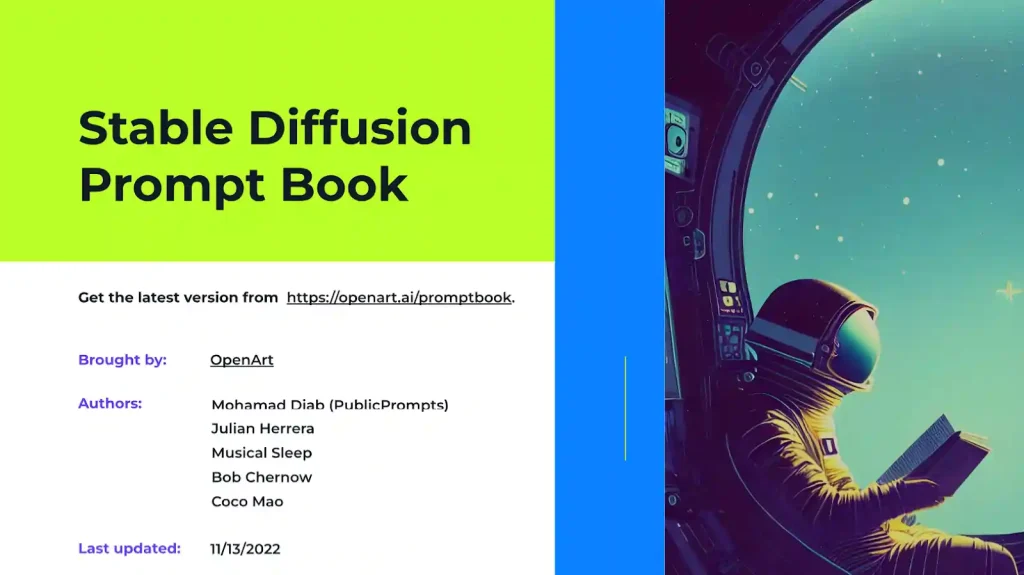
- Use the Prompt Book – OpenArt’s own guide to writing better prompts
- Train a custom model once you’ve nailed down your AI influencer’s look
The learning curve is gentle. Most creators produce decent results within their first session.
OpenArt vs Other AI Image Generators – Quick Comparison
| Feature | OpenArt | Pykaso AI | APOB AI |
|---|---|---|---|
| Free tier | ✅ Yes | 5 free gems | 80 credits daily |
| Custom model training | ✅ Yes | ✅ Yes (40 gems) | ✅ Yes (50 models) |
| Consistent characters | ✅ Strong | ✅ Strong | ✅ Strong |
| InPainting | ✅ Yes | ✅ Yes | ⚠️ Limited |
| Video conversion | ✅ Yes | ✅ 4K videos | ✅ Yes |
| Face swap | ❌ No | ✅ Bulk processing | ✅ Yes |
| Starting price | Free | $6 (50 gems) | Free/$6/month |
| Pricing model | Credits | Pay-per-use gems | Daily credits |
For AI influencer creators specifically, OpenArt’s character consistency and intuitive editing tools make it the stronger all-rounder. Pykaso AI shines for bulk face swaps and 4K video needs, while APOB AI offers generous daily free credits perfect for testing the waters before committing cash.
Common OpenArt Questions
What are the best OpenArt features for beginners?
Start with text-to-image generation on the free plan. Once comfortable, try InPainting to fix small issues and Image-to-Image for style experiments.
Can I create a consistent AI influencer character with OpenArt?
Yes. OpenArt Characters and custom model training let you maintain the same face and style across unlimited generations.
How much does OpenArt cost?
Free tier available with no credit card. Paid plans start at $14/month, with the full Pro plan at $240/month.
Can I use OpenArt images commercially?
Yes, with appropriate paid plans. Check their terms for specific commercial licensing details based on your subscription tier.
Final Thoughts – Is OpenArt Worth It for AI Influencer Creators?
If you’re serious about building an AI influencer brand, OpenArt ticks nearly every box. The free tier lets you test everything before committing cash, the character consistency features solve the biggest headache in AI content creation, and the editing tools mean fewer wasted generations.
It’s not perfect – the interface takes some getting used to, and heavy users will need a paid plan eventually. But for the price? Hard to beat.

AITwin Ninja
Affiliate Disclosure: This post may contain some affiliate links, which means we may receive a commission if you purchase something that we recommend at no additional cost for you (none whatsoever!)
Similar Posts
Author
Andrea Obrien
I specialise in writing about AI influencers and AI agents, empowering creators to build sustainable online incomes. Outside of work, I enjoy travelling, photography, and exploring the latest trends in digital innovation.